

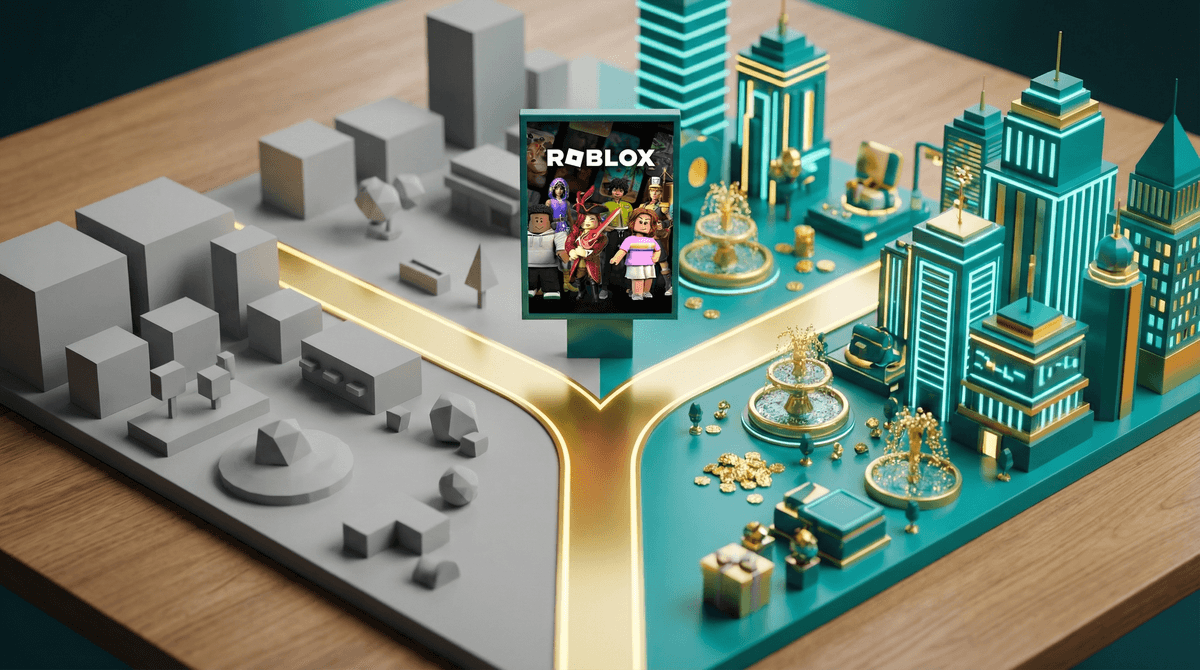
Yes, Roblox is technically free to download and play. Your kid can absolutely spend hours in Roblox without you paying a cent. But here's the thing: calling Roblox "free" is like calling a casino "free" because there's no cover charge at the door.
Roblox operates on what's called a "freemium" model—free to play, but designed in a way that makes spending money feel essential. The in-game currency is called Robux, and while you don't need it to play, the entire platform is engineered to make your kid feel like they do.
Let me break down what this actually means for your wallet.
Robux is Roblox's virtual currency, and it's everywhere. Kids use it to buy avatar accessories, special abilities in games, private servers, and access to premium experiences. Some games are entirely free, but many of the most popular ones have paywalls, upgrades, or cosmetic items that cost Robux.
Here's the pricing breakdown:
- 400 Robux = $4.99
- 800 Robux = $9.99
- 1,700 Robux = $19.99
- 4,500 Robux = $49.99
- 10,000 Robux = $99.99
The psychological trick here? Robux doesn't feel like real money to kids. It's the same reason casinos use chips—when you're spending 400 Robux instead of $5, the transaction feels less real. Learn more about how Robux creates psychological distance from actual spending .
.
Roblox Premium is the subscription tier, and it comes in three levels:
- Premium 450: $4.99/month (450 Robux monthly)
- Premium 1000: $9.99/month (1,000 Robux monthly)
- Premium 2200: $19.99/month (2,200 Robux monthly)
Premium members also get a 10% bonus when purchasing additional Robux and can trade items with other players. Some games offer special perks or access to Premium subscribers.
Is it worth it? That depends. If your kid is already asking for Robux regularly, Premium can actually be more economical than one-off purchases. But it also normalizes monthly spending and keeps them more invested in the platform.
Here's what I hear from parents constantly: "My kid says everyone has [insert item here] and they're the only one without it."
And honestly? Sometimes that's true. Roblox's social dynamics are real. Avatar appearance matters. Having the newest accessory or game pass can feel like social currency, especially for kids ages 8-13.
Common things kids want Robux for:
- Avatar items: Clothing, hair, accessories to customize their look
- Game passes: Special abilities, faster progression, VIP access
- Private servers: Playing with just friends (costs 100-200 Robux/month per game)
- Developer products: In-game items specific to each experience
The platform is designed around this social pressure. When your kid's avatar is the default blocky figure while their friends have elaborate outfits, it does feel exclusionary. That's not an accident—it's the business model.
Let's talk actual numbers. According to various parent surveys, kids who play Roblox regularly spend an average of $20-50 per month. Some spend nothing. Some spend hundreds.
The problem is that Roblox purchases are often small and frequent. A few dollars here, $10 there—it doesn't trigger the same alarm bells as a $60 console game purchase. But those micro-transactions add up faster than you'd think, especially if you have multiple kids or haven't set clear boundaries.
And here's the kicker: many Roblox games use dark pattern design—things like limited-time offers, countdown timers, loot boxes (called "crates" or "eggs"), and constant pop-ups encouraging purchases. These are the same psychological tactics used in gambling, and they're incredibly effective on kids whose impulse control is still developing.
Ages 6-8: At this age, kids can enjoy Roblox without understanding the economy at all. Consider keeping their account entirely free or giving them a small one-time Robux purchase for a birthday/holiday. They're too young to manage ongoing spending.
Ages 9-11: This is prime Roblox age, and where the pressure really kicks in. If you're going to allow purchases, this is when to start teaching budgeting. Consider a monthly allowance of Robux (whether through Premium or a set amount) and let them manage it.
Ages 12+: Older kids can start to understand the business model. Have frank conversations about how free-to-play games make money and why they're designed to encourage spending. Some parents have success letting kids "earn" Robux through chores or use their own money.
Here's what works for families who've figured this out:
1. Set up parental controls from day one Roblox lets you require parental approval for all purchases. Learn how to set up Roblox parental controls before handing over access.
2. Decide on a spending limit Whether it's $0, $10/month, or $20/month—decide what works for your family and stick to it. Make it clear and consistent.
3. Use it as a teaching moment Give kids a monthly "budget" and let them decide how to spend it. Run out early? They wait until next month. This teaches real financial literacy.
4. Remove payment methods from the account Don't save your credit card info. Make purchases require your active participation every time. Yes, it's annoying. That's the point.
5. Talk about the business model Kids old enough to play Roblox are old enough to understand that "free" games make money by making you want to spend. Explain how the psychology works.
Is Roblox free? Technically yes. Realistically? For most families, no.
But here's the thing: Roblox isn't inherently evil for using this model. It's how modern gaming works, and honestly, it's how they keep servers running for 70+ million daily users. The issue isn't that Roblox costs money—it's that it's designed to obscure how much money and to make kids feel like spending is mandatory.
Your job isn't to ban Roblox or feel guilty about letting your kid play. It's to go in with your eyes open, set clear boundaries, and use it as an opportunity to teach your kids about digital economies, marketing psychology, and budgeting.
Some kids will play Roblox for years without spending a dime and have a blast. Others will need guardrails to avoid turning your credit card into a Robux ATM. Know your kid, set your boundaries, and don't let the platform guilt you into spending more than you're comfortable with.
- Set up parental controls on your kid's Roblox account today—it takes 5 minutes
- Have a conversation about the family's Roblox budget and make it clear and consistent
- Check your credit card statements if your kid already plays—you might be surprised what's been charged
- Consider Roblox Premium if you're already spending $10+/month on one-off purchases
- Explore alternatives to Roblox if the spending pressure feels like too much
And remember: every family's approach will be different. Some parents are fine with $50/month on Roblox. Others keep it at zero. Neither is wrong—it's about what works for your values and your budget.