

TL;DR: If your child is struggling with phonics or needs a "bridge" between play and learning, Reading Eggs is one of the few subscriptions that actually delivers on its promise. It’s high-quality, research-backed, and cheaper than a single session with a private tutor. However, it’s not a "set it and forget it" tool—if you don’t monitor the "gamified" aspects, your kid might spend more time decorating their digital house than actually learning to blend sounds.
Quick Links:
- Best for ages 2–4: Reading Eggs Junior
- Best for ages 5–7: Reading Eggs (Core)
- Best for struggling readers: Fast Phonics
- Best for older kids (7–13): Reading Eggspress
Reading Eggs is a massive multi-platform literacy suite. It’s not just one app; it’s a tiered ecosystem designed to take a kid from "What is a letter?" to "I can analyze this chapter book."
The subscription usually covers four main areas:
- Reading Eggs Junior: For the toddlers who just want to poke things and hear songs.
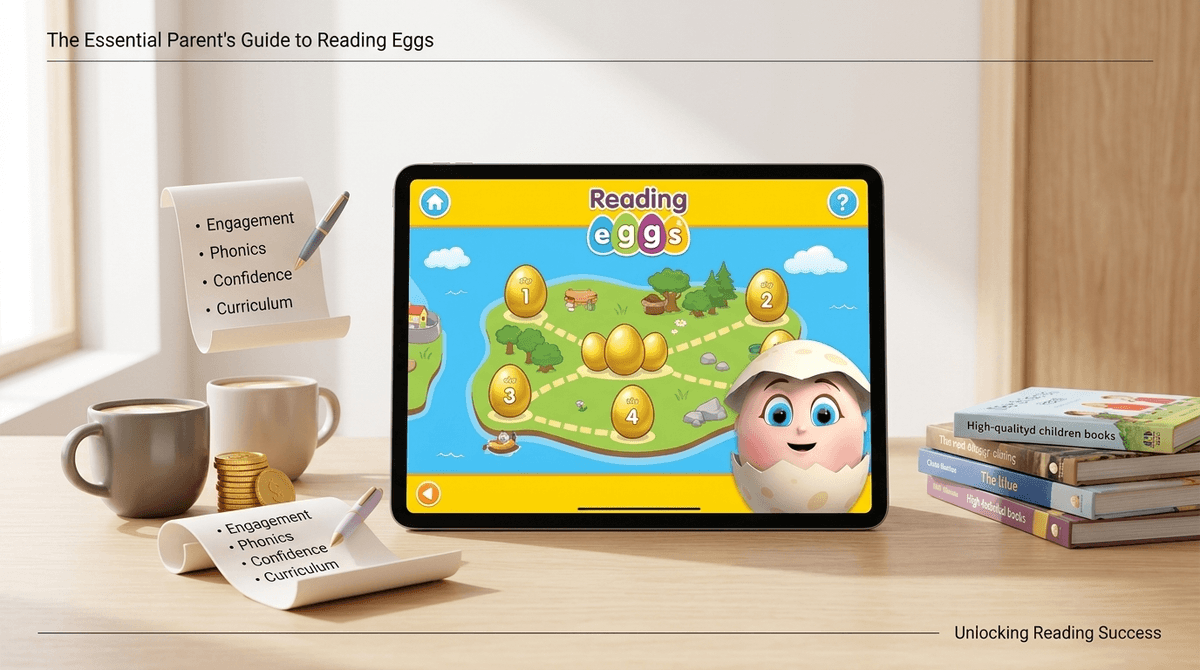
- Reading Eggs: The flagship program that uses a map-based progression to teach phonics and sight words.
- Fast Phonics: A faster-paced, "Yeti-themed" version specifically for kids who need more intensive phonics practice.
- Reading Eggspress: The "grown-up" version for elementary kids who can already read but need to work on comprehension and vocabulary.
It’s often compared to ABCmouse, but where ABCmouse is a broad "everything" curriculum, Reading Eggs is a specialist. It does one thing—literacy—and it does it with surgical precision.
If you’ve ever seen a kid play Roblox or Minecraft, you know they are suckers for "earned" currency. Reading Eggs uses "Golden Eggs" as its currency.
Kids complete a lesson, they get eggs. They use those eggs to buy furniture for their digital apartment or clothes for their avatar. It’s a classic Skinner box, but instead of clicking on a loot box, they’re clicking on the "m" sound.
The animations are high-quality, the songs are actually catchy (and not in a "I want to throw my phone out the window" way like some Cocomelon tracks), and the "map" style progression gives them a sense of autonomy. They feel like they’re playing a game, not doing homework.

Let’s get into the "No-BS" part. Most parents are currently drowning in "ten-dollar-a-month" subscriptions. Between Netflix, Disney+, and that one random app you forgot to cancel three years ago, the digital budget is tight.
The Financial Cost
A monthly subscription typically runs around $9.99, while an annual pass drops it to about $5.80 a month.
- The "Tutor" Metric: A private reading tutor can cost $50–$100 per hour. If your kid spends 20 minutes a day on Reading Eggs, you are getting roughly 10 hours of directed instruction for the price of two lattes.
- The "Worksheet" Metric: If you buy physical phonics workbooks, you’re looking at $10–$15 per book. Those are one-time use. Reading Eggs has over 3,500 digital library books included.
The Educational Benefit
Reading Eggs is built on the "Five Pillars of Reading" (phonemic awareness, phonics, fluency, vocabulary, and comprehension). This isn’t "brain rot" content. It’s structured.
If your child is in a school system that still uses "balanced literacy" (the "look at the picture and guess the word" method), Reading Eggs and its Fast Phonics module provide the essential "structured literacy" (phonics) that they might be missing.
The "Parent Sanity" Benefit
Let’s be real: sometimes you need 20 minutes to cook dinner or take a breath. Handing a kid YouTube Kids often leads to a rabbit hole of weird unboxing videos. Handing them Reading Eggs means they are actually progressing toward a skill that will make their life (and yours) easier in the long run.
It’s not perfect. Here is where the subscription might not be worth it for you:
- The "Avatar" Trap: Some kids get so obsessed with the "store" and the "house" that they rush through lessons without actually learning, just to get the eggs. If you see your kid clicking randomly just to finish a level, the educational value just plummeted to zero.
- Repetitiveness: For a kid who picks up concepts quickly, the pacing can feel slow. They might get bored with the "click the egg" mechanic before they reach the more challenging levels.
- Screen Fatigue: It’s still a screen. If your family is trying to minimize digital input, adding a "required" 20 minutes of app time can feel like a chore rather than a benefit.
- The Subscription Model: Like every other app in 2026, they want that recurring revenue. If your kid uses it for two weeks and then stops, you’re just donating $10 a month to a software company.
How does it stack up against the other big players in the digital learning space?
Khan Academy Kids is free. It is an incredible, high-quality app with no ads. If you are on a strict budget, start there. However, Reading Eggs is more "rigorous" when it comes to the phonics path. Khan is a great supplement; Reading Eggs is a full curriculum.
Reading Eggs vs. Epic!
Epic! is a digital library. It’s great for kids who already know how to read and want access to books like Diary of a Wimpy Kid. It doesn’t "teach" reading. If your kid is still sounding out "cat," Reading Eggs is the better investment.
Reading Eggs vs. Starfall
Starfall is the "old school" choice. It looks like it was designed in 2004 (because it was), but the phonics are solid. It’s cheaper, but much less engaging for a kid used to modern app design.
- Ages 2–3: Stick to Reading Eggs Junior. It’s mostly about exposure to sounds and vocabulary. Don’t expect them to "read" yet.
- Ages 4–6: This is the "Sweet Spot." This is where the core Reading Eggs program shines. Use it for 15–20 minutes, 3–4 times a week.
- Ages 7–9: If they are struggling, use Fast Phonics. If they are reading well, move them to Reading Eggspress to focus on comprehension.
- Ages 10+: Honestly? By this age, if they are proficient readers, they’ve likely outgrown the "egg" aesthetic. Move them to Kindle or physical books.
From a safety perspective, Reading Eggs is a "walled garden." There is no chat feature with strangers, no "Ohio" memes popping up, and no risk of them stumbling onto something inappropriate.
The main wellness concern is dopamine regulation. The app is designed to be "sticky." You might find that when you tell your kid it’s time to turn off the iPad, they have a harder time transitioning than they would from a physical book.
Pro-tip: Set the expectation before they open the app. "You can do two lessons and then spend five minutes in your house, then we are done."
The biggest mistake parents make with Reading Eggs is skipping the placement test or helping their kid too much during it.
If you help them, the app will think they are more advanced than they are, and they will get frustrated and quit. Let them fail the placement test. Let the app find their actual "level of frustration." The goal is "productive struggle," not "I’m clicking things because Mom told me to."
Is the Reading Eggs subscription worth it?
Yes, if:
- Your child is in the 4–7 age range and is learning to read.
- You want a structured, safe alternative to "junk" screen time.
- You are willing to sit with them occasionally to make sure they aren't just playing "dress up" with their avatar for an hour.
No, if:
- Your kid is already a fluent reader (the value drops significantly).
- You are looking for a completely free resource (go with Khan Academy Kids instead).
- Your child is easily overstimulated by bright lights, sounds, and reward-heavy interfaces.
- Do the Free Trial: They almost always have a 30-day trial. Use it, but set a calendar reminder to cancel it on day 28.
- Take the Placement Test: Let your kid do it solo.
- Check the Dashboard: Once a week, look at the parent dashboard. If they haven't moved on the map but have 500 new "eggs," you know they're just playing the mini-games.
- Pair with Physical Books: Use Reading Eggs to learn the mechanics, but use books like The Elephant and Piggie series to learn the love of reading.