

Let's be real: preschool screen time is one of those topics that can make even the most confident parent second-guess everything. You want to give your 3-year-old a few minutes of peace (and yourself a chance to make dinner without someone wrapped around your leg), but you also don't want to hand them a device that's essentially a slot machine designed by behavioral psychologists.
The good news? There actually ARE games and apps designed for preschoolers that can support learning without the manipulative garbage. We're talking about digital experiences that help with letter recognition, counting, problem-solving, and fine motor skills—without constant upselling, creepy data collection, or that manic overstimulation that leaves your kid bouncing off walls.
The bad news? They're buried under approximately 47,000 apps that claim to be educational but are really just ad delivery systems with a thin veneer of alphabet songs.
Preschoolers (ages 3-5) are in a critical developmental window. Their brains are forming neural pathways at lightning speed, and what they interact with matters. The American Academy of Pediatrics recommends no more than one hour of high-quality programming per day for kids ages 2-5, and emphasizes co-viewing whenever possible.
But here's what they don't tell you in those guidelines: not all screen time is created equal. There's a massive difference between a thoughtfully designed game that teaches pattern recognition and a "free" app that interrupts gameplay every 30 seconds to show ads for other apps (or worse, in-app purchases that your kid can accidentally trigger).
The goal isn't zero screens—that's unrealistic for most families in 2026. The goal is intentional screen time that actually serves your kid's development rather than just keeping them quiet.
Before we get to specific recommendations, here's what to look for:
✓ No ads or in-app purchases - Preschoolers can't distinguish between game content and advertising. Full stop.
✓ Age-appropriate pacing - Slow enough for little hands and developing attention spans, not the frenetic energy of YouTube Kids.
✓ Clear learning objectives - Whether it's shapes, letters, numbers, or problem-solving, good preschool games have educational purpose.
✓ Minimal text/instructions - Your 4-year-old can't read yet, so games should be intuitive and use voice guidance.
✓ Offline capability - Bonus points for games that work without internet (safer, no surprise downloads).
✗ Avoid "free" apps - If you're not paying for it, your kid's attention (and data) is the product.
PBS Kids Games (Free, Ages 2-5)
PBS Kids Games is the gold standard. It's genuinely free (public broadcasting FTW), has zero ads, and features characters from shows like Daniel Tiger, Wild Kratts, and Molly of Denali. Games cover everything from emotional regulation to science concepts, and the app is designed by actual child development experts, not engagement hackers.
The catch: The interface can be a little clunky, and your kid might get frustrated navigating between games at first. Co-play for the first few sessions.
Toca Boca Series (Paid, Ages 3-6)
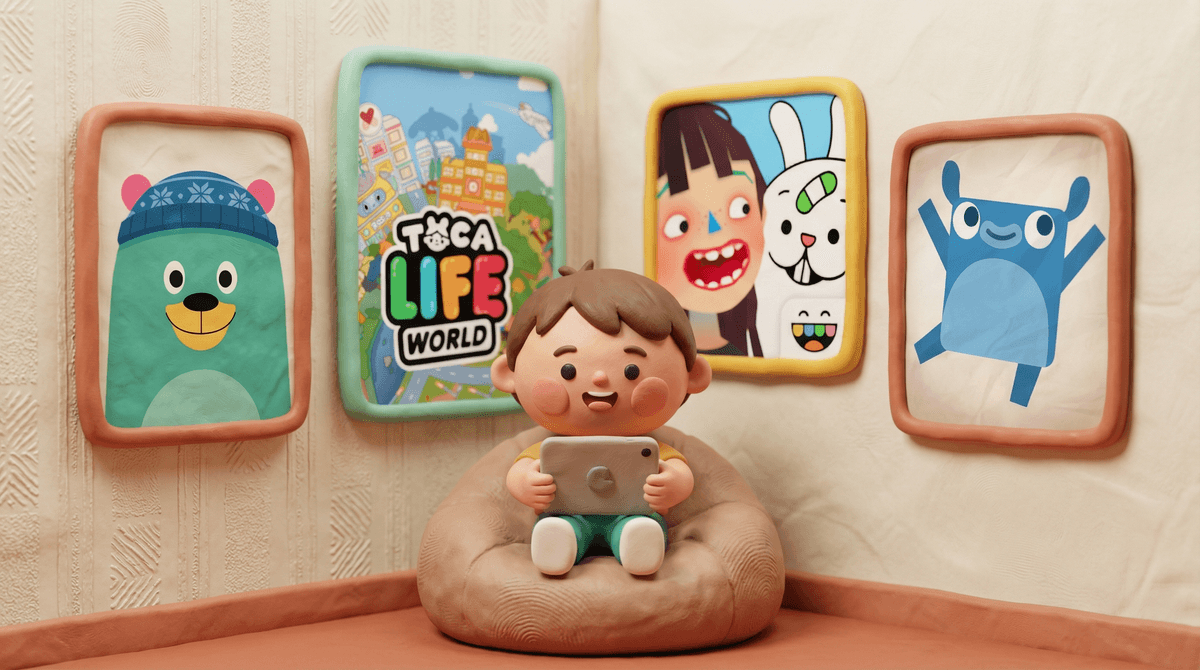
The Toca Boca apps (Toca Kitchen, Toca Hair Salon, Toca Life World) are open-ended digital play spaces. No scores, no timers, no "winning"—just exploration and creativity. Kids can run a restaurant, style hair, or build entire worlds. It's basically digital pretend play.
The catch: Each app costs $3-5, and if your kid gets into the Toca Life World ecosystem, there are additional in-app purchases for new locations and characters. Set up parental controls before handing it over.
Endless Alphabet & Endless Numbers (Paid, Ages 3-6)
Endless Alphabet and its companion Endless Numbers use adorable monster animations to teach vocabulary and basic math. The interactive puzzles are engaging without being overstimulating, and the voice work is actually charming (rare!).
The catch: They're $8-9 each. But they're one-time purchases with no subscriptions or upsells, which is increasingly rare.
Sago Mini World (Subscription, Ages 2-5)
Sago Mini World is a collection of 40+ games featuring gentle, exploratory play. Think: dress up a robot, have a tea party, explore a treehouse. It's low-pressure, visually appealing, and designed for little kids who aren't ready for complex game mechanics.
The catch: It's subscription-based (around $7/month or $50/year). But if your kid loves it, the variety might be worth it compared to buying individual apps.
Khan Academy Kids (Free, Ages 2-8)
Khan Academy Kids is completely free, ad-free, and covers an impressive range of early learning concepts: letters, sounds, counting, shapes, emotional development, and more. It adapts to your child's level and includes books, videos, and creative activities alongside games.
The catch: It's very educational—sometimes almost too structured. Some kids love the clear progression; others find it less playful than Toca Boca or Sago Mini.
Short answer: not yet.
Minecraft and Roblox can be amazing for older kids (we're talking 6-7 at the earliest, and even then with heavy supervision). But preschoolers don't have the cognitive development for open-world games with complex controls and social features.
If your preschooler is obsessed because their older sibling plays, consider letting them "play" in a creative mode with you sitting right there, treating it more like digital blocks than an actual game. But honestly? They'll get more developmental benefit from Toca Blocks, which is designed for their age.
Even with the best apps, preschoolers need limits. The AAP's one-hour guideline is a good starting point, but every family is different. What matters more than the exact minutes:
- Co-play when possible - Sit with them, talk about what's happening, ask questions. This turns passive screen time into active learning.
- Balance with other activities - Screen time shouldn't replace outdoor play, reading, art, or pretend play.
- Watch for overstimulation - If your kid is melting down after screen time or seems "zoned out," that's a sign to pull back.
- Model healthy habits - If you're scrolling Instagram while telling them "no more iPad," they notice.
Good preschool games exist, but you have to be selective. Stick with paid apps or genuinely free public media options (like PBS Kids). Avoid anything with ads, in-app purchases, or that hyperactive energy designed to keep kids glued to the screen.
And remember: no app is a substitute for human interaction. The best learning happens through play, conversation, and exploration in the real world. Digital games can supplement that, but they can't replace it.
If you're looking for more screen-free alternatives, check out our guide to activities for preschoolers without screens, or explore age-appropriate shows for preschoolers if you want passive viewing options that are actually educational.
- Download one or two apps from the list above and try them with your kid. See what resonates.
- Set up parental controls on whatever device they're using—even for "safe" apps, you want to prevent accidental purchases or app downloads.
- Create a screen time routine - Same time each day, clear start and end, with a transition activity afterward (like a snack or outdoor play) to avoid meltdowns.
- Check in with yourself - How do you feel about your family's screen time? If you're feeling guilty or stressed, that's worth examining. See tips for balancing preschool screen time
 .
.
You've got this. Preschool parenting is hard enough without the digital layer—but with a little intentionality, screens can be a tool rather than a source of stress.