

TL;DR: The Best Toddler Apps for 2026
If you’re in the middle of a grocery store meltdown and just need a "digital pacifier" that won't turn your kid’s brain into mush, here are the top picks from the Screenwise community:
- Best Overall: Khan Academy Kids – Completely free, zero ads, and genuinely high-quality.
- Best for Creativity: Pok Pok – A "digital toy room" that is low-stimulation and Montessori-inspired.
- Best for Storytelling: Sago Mini World – Open-ended play that feels like a digital dollhouse.
- Best for Early Reading: Duolingo ABC – Gamified phonics without the predatory "buy more gems" pop-ups.
- Best for Quiet Time: Endless Alphabet – Interactive monsters that teach vocabulary without the sensory overload.
Get a toddler app schedule based on your kid's temperament
We’ve all seen it. You’re scrolling the App Store and every single app for ages 2–4 is plastered with the word "EDUCATIONAL" in bright neon letters. In 2026, we have to be a little smarter than the marketers. Just because an app features a talking squirrel counting to ten doesn't mean it’s actually helping your child’s cognitive development.
Most "educational" apps are actually just "distraction" apps. They use "dark patterns"—those annoying flashing lights, "ding" sounds, and treasure chests—to keep your toddler’s eyes glued to the glass. This creates a dopamine loop that makes it nearly impossible for them to transition away from the screen without a Level 5 Meltdown.
When we talk about "balanced screen use" at Screenwise, we’re looking for apps that foster active participation rather than passive consumption. We want apps that encourage a child to think, "What happens if I move this here?" rather than just "I need to tap the shiny thing to get the reward."
You’ve probably heard the term "brain rot" thrown around school pickups. While that usually refers to the chaotic energy of Skibidi Toilet or MrBeast for the older kids, it starts in the toddler years with high-stimulation content.
If an app looks like a Las Vegas slot machine, it’s going to overstimulate your toddler’s developing nervous system. That’s why we’re seeing a massive shift toward "slow" digital media. These are apps with muted colors, natural sounds (no frantic techno beats), and no "fail" states. They allow a child to explore at their own pace, which is much closer to how they play with physical blocks or Play-Doh.
Learn more about the effects of high-stimulation media on toddler behavior
This is the gold standard, and honestly, it’s a bit of a miracle that it’s still free. It covers everything from early literacy to social-emotional learning. The best part? It has a "Library" mode where you can let your kid pick specific activities, or a "Learning Path" that adapts to their level. It’s a "website" experience ported into a perfect app, and it’s one of the few things out there that feels like it was actually designed by educators rather than engagement hackers.
If you’re a Montessori family, this is your app. There are no instructions, no "levels," and no winning or losing. It’s just a collection of digital toys—a radio you can tune, a town you can move people around in, a marble run. It’s incredibly quiet. It’s the kind of app that doesn’t leave your kid looking like a zombie after 15 minutes.
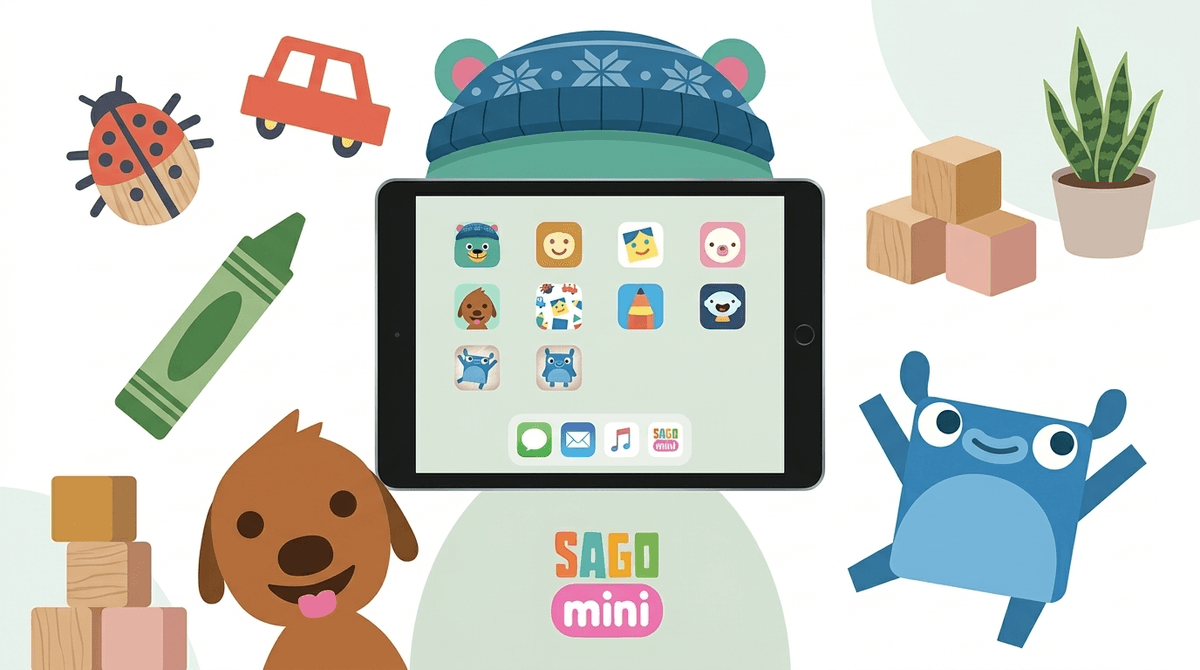
Sago Mini is the king of open-ended play. It’s essentially a series of interactive cartoons where your child controls the characters. There’s a lot of humor in these apps that toddlers actually get—like putting a hat on a bird or making a dog eat a giant piece of pizza. It encourages storytelling and "what if" thinking.
While Toca Boca can get a little "busy" with all the expansion packs, the core experience of Toca Life World is fantastic for older toddlers (ages 4+). It’s a digital dollhouse where they can move characters, change their clothes, and play out real-life scenarios like going to the doctor or the grocery store. It’s a great way to build "entrepreneurship" and social logic early on.
If you actually want them to start recognizing letters and sounds, this is the one. It uses the same gamification that makes regular Duolingo addictive, but it’s stripped of the competitive leaderboards and "buy more hearts" nonsense. It’s pure phonics, and it’s surprisingly effective.
The "Endless" series (including Endless Reader and Endless Numbers) is a staple. The animations are charming, and the way the letters "make their sounds" while you drag them into place is a brilliant bit of sensory learning.
Let’s be real: sometimes the iPad is a tool for education, and sometimes it’s a tool so you can take a shower or hop on a Zoom call. No judgment here—we’ve all been there.
- Ages 18–24 Months: The American Academy of Pediatrics used to say "no screens," but they’ve softened that to "high-quality programming with parental co-viewing." If you’re going to do it, stick to something like PBS Kids or Pok Pok. Keep sessions to 10–15 minutes.
- Ages 2–3 Years: This is the prime age for apps like Sago Mini World. They have the motor skills to drag and drop, but they don’t have the impulse control to handle ads or "in-app purchases." Turn off "In-App Purchases" in your phone settings. Seriously. Do it now.
- Ages 4–5 Years: You can start introducing more structured learning like Khan Academy Kids or Duolingo ABC. This is also when they might start asking for Roblox because they saw an older sibling or cousin playing it. (Pro tip: Is Roblox okay for a 4-year-old? Spoiler: Not really, unless you’re sitting right there.)
In the digital world, if the product is free, your child (or their data) is the product. Many "free" toddler apps are riddled with:
- Predatory Ads: Ads that look like part of the game, tricking a toddler into clicking them.
- Data Tracking: Apps that collect location or usage data to sell to advertisers.
- The "Gacha" Mechanic: Encouraging kids to open "blind bags" or "surprise eggs" to get a rush of dopamine, which is basically a precursor to gambling habits.
Stick to apps from reputable developers like Khan Academy, Originator (Endless series), Sago Mini, and Toca Boca. If an app has a one-time "Unlock Everything" fee of $10, it’s usually a much better deal for your child's privacy and sanity than a "free" app with ads.
Check out our guide on how to spot "dark patterns" in kids' apps
The single best way to make an app "educational" is to talk about it. If your kid is playing Toca Boca, ask them, "Oh, why did the cat go into the refrigerator?" or "What are you going to cook for dinner?"
This turns a solitary screen experience into a social and linguistic one. It also makes it way easier to say, "Okay, two more minutes and then we're going to put the iPad to sleep," because you’re already part of the activity. You’re not "taking it away"; you’re transitioning with them.
Digital media for toddlers in 2026 isn't about "avoiding" technology—it's about curating it. We want to move away from the "zombie stare" and toward "active curiosity."
Choose apps that are:
- Low-stimulation (quiet, slow-paced)
- Ad-free (even if you have to pay a few bucks)
- Open-ended (no "right" way to play)
If you’re feeling overwhelmed by the options, remember that your community is here. According to Screenwise data, about 70% of parents of 3-year-olds feel "guilty" about screen time. You’re not alone, and you’re not failing. You’re just navigating a digital world that wasn’t built with your toddler’s prefrontal cortex in mind.
- Audit your iPad: Delete any app that has unskippable ads or makes that high-pitched "slot machine" noise.
- Download one "Slow" App: Try Pok Pok or Khan Academy Kids this week.
- Set a "Digital Sunset": No screens 60 minutes before bed. Toddler brains need time to "cool down" after the digital input.