

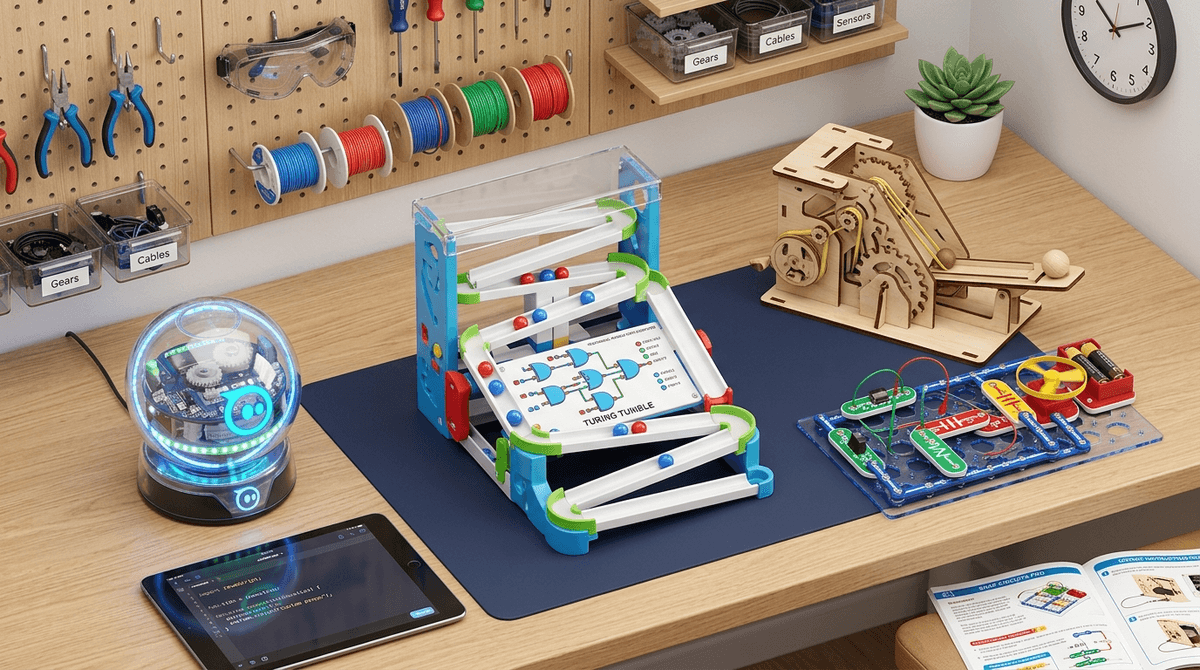
TL;DR: The Quick List If you’re just looking for the heavy hitters to get your kid off YouTube and into something tactile, here are the gold standards:
- Best for Budding Engineers: CrunchLabs (The Mark Rober kits)
- Best for Screen-Free Coding: Turing Tumble
- Best for Electronics: Snap Circuits Pro
- Best for Creative Robotics: Sphero Bolt
- Best for Little Kids (Pre-K/Kinder): Magna-Tiles
Find STEM toys for a 10-year-old who loves Minecraft
Let’s be real: the "STEM" label is slapped on everything these days. I’ve seen plastic slime kits and basic building blocks marketed as "Science and Engineering Masterpieces" when they’re really just a mess waiting to happen or a one-and-done activity that ends up at the bottom of the toy bin by Tuesday.
As intentional parents, we’re looking for the "Deep Work" of play. We want the stuff that triggers that "flow state"—where they’re so focused on figuring out why a circuit isn’t completing or how to make a robot turn 90 degrees that they actually forget to ask for their iPad.
Here is the No-BS guide to the STEM kits and toys that actually deliver on the promise of learning, without the marketing fluff.
If your kids watch Mark Rober, they already think engineering is the coolest job on the planet. The challenge is moving them from watching someone build a squirrel obstacle course to actually building something themselves.
Mark Rober’s subscription box is arguably the best thing to happen to STEM toys in a decade. Unlike some other boxes that feel like "crafts with a gear attached," CrunchLabs focuses on mechanical advantage, flywheels, and ratchets. Why it works: Each kit comes with a video where Mark explains the "Build Hack" and the physics behind it. It’s the perfect bridge for kids who are currently stuck in a YouTube loop. Ages: 8-12+
KiwiCo is the OG for a reason. Their Eureka Crate (for older kids/teens) is legit—you build things like functional desk lamps or electric pencil sharpeners. For the younger set, the Kiwi Crate is great, though it sometimes leans a bit more "artsy" than "hard science." Ages: 0-100 (they have crates for every single age bracket)
We often think coding has to happen on a screen, but the best way to teach the logic of coding—if/then statements, loops, and variables—is often through physical hardware.
Sphero is a clear waterproof ball that’s packed with sensors. Kids use the Sphero Edu app to program it. The No-BS Take: If you just give them the ball and the joystick app, they’ll drive it into the dog’s face for ten minutes and be bored. The magic happens when you challenge them to program it to navigate a maze or use its light sensors to react to the dark. It’s a "high ceiling" toy—meaning they won't outgrow it in a month. Ages: 8+
This is a personal favorite. It’s a "mechanical computer" powered by marbles. No screens, no batteries. Kids build logic gates using plastic pieces to solve puzzles. It’s the best way to explain how a computer actually thinks without having to explain binary code or silicon chips. Ages: 8 to Adult (the later puzzles are genuinely hard)
If your kid is a LEGO fanatic and you’re ready to level up, this is the successor to the old Mindstorms. It uses Scratch based coding. It’s expensive, but if you have a kid who spends 4 hours a day in Minecraft, this is the physical world equivalent of "Redstone" engineering. Ages: 10+
Learn more about how coding toys translate to real-world skills
There is something foundational about understanding how the devices in our pockets actually work.
Forget the soldering iron and the burnt fingers. Snap Circuits uses components that literally snap together. The "Pro" kit (SC-500) allows them to build things like a motion detector or a radio. The "Aha" Moment: When they realize that a "switch" is just a break in a line, the whole digital world starts to make more sense. Ages: 7-12
This is a tiny programmable computer. It’s cheap (around $20-30) and used in schools worldwide. It doesn't look like much—just a little circuit board—but kids can program it to be a watch, a step counter, or a soil moisture sensor for a plant. It’s the ultimate "low cost, high impact" STEM tool. Ages: 10+
We talk a lot about "STEM skills" for future jobs, but the real reason these toys matter right now is Frustration Tolerance.
In a world of "Ohio" memes and 15-second TikTok videos, kids are getting used to instant gratification. If a game is too hard, they swipe. If a video is boring, they skip.
STEM kits don't work like that. The circuit doesn't light up. The robot spins left instead of right. The bridge collapses. These toys force kids to sit in the "messy middle" of a problem. That's where the actual brain development happens. It’s not about the robot; it’s about the kid who didn't give up when the robot didn't work.
- Ages 4-7: Focus on "Spatial Reasoning." Magna-Tiles or Marble Run are perfect. At this age, "STEM" is just a fancy word for "gravity and magnets."
- Ages 8-10: This is the sweet spot for Snap Circuits and KiwiCo. They have the fine motor skills to build, but still need a clear set of instructions.
- Ages 11+: This is where we move into "Open Ended" play. Tools like the Micro:bit or Arduino allow them to create their own inventions rather than just following a manual.
The biggest mistake parents make with STEM toys is treating them like a "set it and forget it" activity.
Most STEM kits—even the great ones—require a "Co-Pilot" phase. You don't need to do it for them (please don't), but you do need to be in the room. When they hit a wall, your job isn't to give the answer; it's to ask, "Why do you think that happened?"
If you just hand a 9-year-old a box of Snap Circuits and walk away to fold laundry, there’s a 70% chance it’ll be back in the box in twenty minutes because they hit one snag they couldn't figure out.
STEM toys aren't a magic pill that will turn your kid into the next Elon Musk (and honestly, do we even want that?). But they are a fantastic way to reclaim some of the "deep focus" that the digital world tries to steal.
If you’re starting out, go with CrunchLabs for the pure fun factor, or Snap Circuits for the best educational bang-for-your-buck.
Check out our guide on how to balance screen time with physical building
- Identify the "Vibe": Is your kid a "builder" (LEGOs), a "logic-head" (puzzles), or a "tinkerer" (taking things apart)?
- Start Small: Don't buy the $200 robot first. Buy a $25 Snap Circuits kit and see if they actually enjoy the process of troubleshooting.
- Create a "Maker Station": STEM toys fail when they’re buried in a toy chest. Keep them visible and accessible.
Get a STEM toy recommendation for a 7-year-old who loves animals