

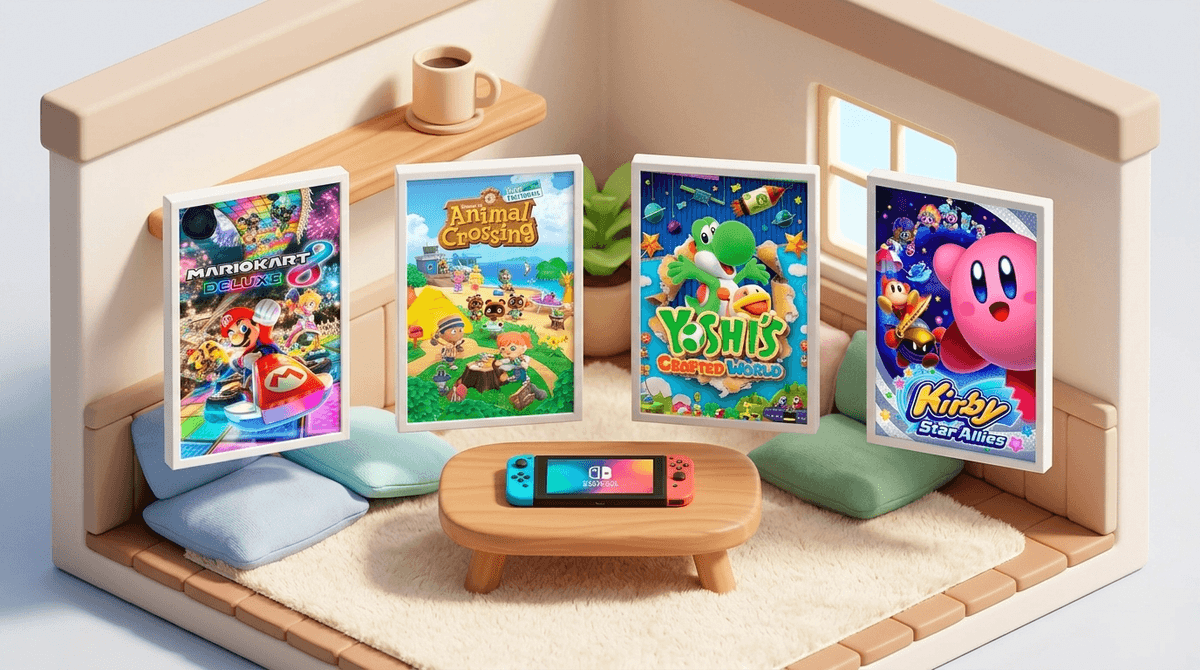
TL;DR: The Quick List If you’re in the middle of a "gentle parenting" moment and just need to know which cartridge to pop in so you can drink your coffee while it's still hot, here are the heavy hitters:
- The Gold Standard: Mario Kart 8 Deluxe (Turn on "Smart Steering" and "Auto-Accelerate")
- The "I Can't Die" Platformer: Paw Patrol: On a Roll
- The Interactive Cartoon: My Friend Peppa Pig
- The Creative Playground: Animal Crossing: New Horizons
- The Best for Co-op: Yoshi's Crafted World
We’ve all been there. You bought the Nintendo Switch thinking it would be a "family activity," but within five minutes of handing the controller to your three-year-old, they’ve accidentally deleted your Zelda save file, the character is stuck running into a wall, and everyone is crying.
The reality is that most "E for Everyone" games are actually "E for Everyone who has developed the fine motor skills to move a thumbstick and press 'A' at the same time." For a toddler, that’s a big ask.
But the Switch actually has some hidden (and not-so-hidden) features that make it the best console for the preschool set—if you know which games have the "toddler modes" that remove the frustration. We’re looking for games with no "Game Over" screens, simplified controls, and preferably, an invincibility toggle.
Before we dive into the games, let's talk about why we’re even using a Switch instead of just handing them an iPad. While YouTube Kids is the default for many, it’s passive. Gaming, even "button mashing" gaming, requires cognitive engagement and hand-eye coordination.
The Switch is unique because of the Joy-Cons. They are small enough for tiny hands, and many games utilize motion controls—meaning your kid can just shake the controller to make something happen rather than navigating a complex menu.
Learn more about the pros and cons of consoles vs. tablets for preschoolers
This is, hands down, the best game for a toddler. But here’s the trick: you have to turn on the assists. When you’re on the vehicle selection screen, press the (+) or (-) button. You’ll see icons for Smart Steering (a little antenna on the back of the car) and Auto-Accelerate.
- Smart Steering prevents them from driving off the track. They can literally put the controller on the floor and they will still finish the race.
- Auto-Accelerate means they don’t have to hold down the button to go. With these on, your toddler can actually "play" with you and feel the thrill of crossing the finish line without the meltdown of falling into the abyss for the tenth time.
If your kid is obsessed with Chase and Marshall, this is a no-brainer. Unlike many licensed games that are hot garbage, this one is specifically designed for preschoolers. It’s a side-scrolling platformer where you cannot fall off the edge, you cannot "die," and the instructions are all given via voiceover (so no reading required). It teaches the basic mechanics of gaming—moving left to right and jumping—without any of the stakes.
This game is essentially an interactive episode of the show. Your child creates a character and walks around Peppa’s world. There are no "levels" to beat or bosses to fight. It’s just exploration. It’s slow-paced, which is great for kids who get overstimulated by the flashy chaos of something like Super Mario Odyssey.
This game is beautiful—it looks like a diorama made of cardboard and felt. For toddlers, the key is Mellow Mode. This gives Yoshi wings, allowing him to fly over obstacles, and makes items easier to find. It also has a great "Pooches" feature where little dogs help lead the way. It’s a perfect "couch co-op" game where you can play as the second Yoshi and carry your toddler through the harder parts.
Kirby is the king of low-stress gaming. In Star Allies, you can have up to three AI-controlled friends helping you. If your toddler is playing as Kirby, the AI characters will basically do all the work for them. They can just float around and look cute while the computer-controlled "helpers" defeat the enemies. It’s a great way to introduce the concept of "teams" in gaming.
Now, a three-year-old cannot manage an island economy or pay off a mortgage to Tom Nook. However, they love running around, shaking trees, catching butterflies, and changing their character's outfits. If you have your own island, you can let them play as a secondary character. There’s no way for them to "lose," and it’s a very "cozy" experience.
Check out our guide to cozy games for kids
Technically an app ported to the Switch, this is great for the "I just want to color" phase. It uses the touch screen (if you're in handheld mode) or the Joy-Cons to color in Disney characters. It’s low-energy and high-reward.
We hear a lot about "brain rot" these days—usually referring to the endless, mindless scrolling of TikTok or the bizarre, loud world of Skibidi Toilet on YouTube.
Gaming on the Switch is generally different. Because it’s active and goal-oriented (even if the goal is just "walk to Peppa’s house"), it doesn't trigger that same passive "zombie mode" that short-form video does. However, toddlers are still toddlers. Their brains are essentially sponges with zero impulse control.
Safety and Wellness Tips:
- The "One More Level" Lie: Toddlers have no concept of time. Instead of saying "five more minutes," use concrete markers like "one more race" or "until you catch three fish."
- Blue Light and Bedtime: The Switch screen is bright. Try to avoid gaming at least an hour before bed to prevent the "I'm overtired but my brain is vibrating" meltdown.
- Physicality: If they start getting frustrated, they will throw the Joy-Con. Make sure those wrist straps are on, or buy a protective silicone case for the console.
- Bluey Warning: There is a Bluey: The Videogame. While the show is 10/10, the game is... okay. It’s a bit glitchy and very short. If your kid loves Bluey, they’ll like it, but don’t expect it to be a masterpiece.
See recommended screen time limits for 3-5 year olds
When you're playing together, talk about what’s happening.
- "Oh no, Yoshi fell! That’s okay, we can try again."
- "Look how you used the button to jump over the puddle!" You’re not just "playing a game"; you’re teaching persistence, fine motor control, and how to handle minor setbacks. It’s a low-stakes environment to practice being a "good sport" before they hit the real world of kindergarten.
The Nintendo Switch doesn't have to be a source of frustration. By choosing games with Smart Steering, Mellow Modes, and Invincibility, you turn the console into a digital playground that actually builds confidence.
If you're looking for a place to start, grab Mario Kart 8 Deluxe. It’s the only game that truly grows with them—from a toddler who just likes the colors to a ten-year-old who is suddenly way better at drifting than you are.
- Check your settings: Download the Nintendo Switch Parental Controls app on your phone. It lets you set time limits and see exactly what they’re playing.
- Start with a Demo: Many of these games (like Yoshi’s Crafted World) have free demos on the eShop. Let them try before you drop $60.
- Get a Pro Controller: If the Joy-Cons are too fiddly for you to help them, a standard Pro Controller is much easier for adult hands to jump in and "save" a character from a corner.
Learn more about setting up your Switch for a safe family experience