

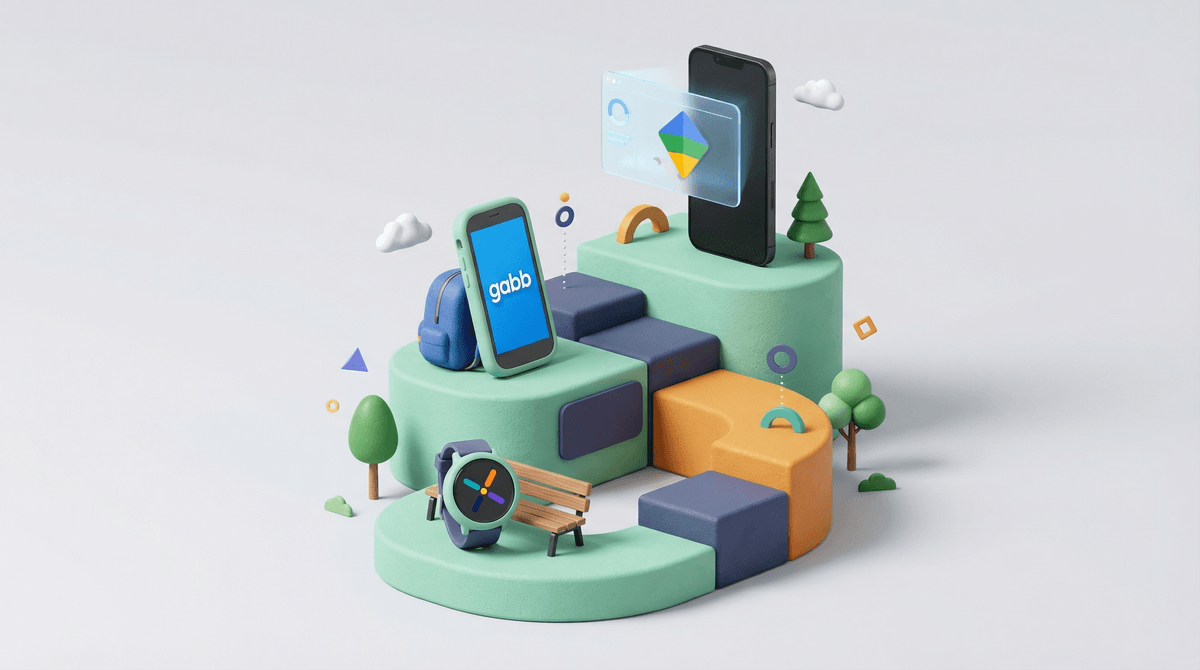
Let's be real: the "what device should my kid have?" question is one of the most fraught decisions in modern parenting. It starts innocently enough with "maybe a GPS tracker for peace of mind?" and before you know it, you're debating whether a 10-year-old needs an iPhone 15 Pro Max because "everyone else has one."
The device ladder typically looks something like this: GPS tracker → smartwatch with limited communication → basic phone → smartphone. But here's the thing: there's no universal right answer, and anyone who tells you there is probably hasn't met your kid.
The good news? There are way more options now than just "flip phone or iPhone," and understanding what's actually out there can help you make a choice that fits your family's values, your kid's maturity level, and yes, your budget.
GPS Trackers (Ages 5-8)
These are the gateway devices. Think Jiobit or Apple AirTag (though AirTags aren't really designed for kids, parents use them anyway). They're purely location-based—no communication, no screen, just "where is my child right now?"
The appeal: Peace of mind without opening Pandora's box of connectivity.
The reality: They work great until your kid realizes they can't actually contact you in an emergency. Also, if you're using an AirTag in their backpack, just know it's designed to prevent stalking, so it might start beeping and alert your kid that they're being tracked. Not ideal.
Smartwatches (Ages 6-10)
This is where things get interesting. Devices like the Gabb Watch, TickTalk, Verizon GizmoWatch, and even the Apple Watch SE (with cellular and Family Setup) let kids make calls and send messages to pre-approved contacts—without giving them access to the internet, social media, or app stores.
The appeal: Communication without the full smartphone experience. They can call you when soccer practice ends, you can check their location, and they feel like they have something "real."
The reality: These work best for elementary schoolers who need to coordinate pickups or check in, but aren't ready for the responsibility (or dopamine hits) of a real phone. The Gabb Watch is particularly popular with intentional parents because it's explicitly designed to not be addictive—no games, no internet, just communication and maybe a step counter.
Parent tip: If you go the Apple Watch route, be aware that it requires an iPhone in the family to set up Family Setup, and your kid will be able to use Siri, which can access some web content. It's more capable than the Gabb or TickTalk options, which means more parental controls to think through.
Basic Phones (Ages 9-12)
Sometimes called "dumb phones" or "feature phones," though that feels a bit harsh. Think Gabb Phone, Pinwheel, or even an old-school flip phone. These let kids make calls and texts, maybe take photos, but don't have social media, web browsers, or app stores.
The appeal: Real communication tools without the addictive app ecosystem. Your kid can coordinate with friends, call you from the mall, and feel independent without the constant pull of TikTok or Snapchat.
The reality: This is often the sweet spot for middle schoolers, especially if you're trying to delay smartphone ownership. The Gabb Phone and Pinwheel are purpose-built for this age group—they look like smartphones (so your kid doesn't feel like they're carrying a brick from 2005) but function more like communication tools than entertainment devices.
The catch: Your kid might face some social friction. Group chats often happen on iMessage or Snapchat, and not being able to participate can feel isolating. This is where you need to know your kid and your community. Some families find creative workarounds (letting kids use messaging apps on a parent's phone at home, for example), while others lean into being the "different" family and help their kid build resilience around it.
Smartphones (Ages 12+, but really, it depends)
Here we are. The iPhone, the Android, the full internet-connected, app-downloading, social-media-accessing device that basically every teenager has and many preteens are lobbying hard for.
The appeal: Full functionality. Your kid can do everything their peers can do—FaceTime, group chats, Roblox, YouTube, homework apps, the works.
The reality: This is where parenting gets really hands-on. A smartphone without guardrails is basically handing your kid the keys to the entire internet, including all the stuff you definitely don't want them seeing at 12. But with the right approach—parental controls, ongoing conversations, clear expectations—it can work.
What actually matters: It's less about the device and more about your family's readiness. Have you talked about digital citizenship? Do you have agreements in place about screen time, app usage, and what happens if they break trust? Are you prepared to actually monitor and enforce those agreements? Learn more about smartphone readiness because honestly, the device is the easy part.
The "Everyone Else Has One" Argument
Yeah, they might. But "everyone" is doing a lot of heavy lifting in that sentence. According to various surveys, smartphone ownership among kids is creeping younger, but there's still huge variation by community, school, and family values. In some schools, half the 4th graders have phones. In others, most families wait until high school.
The move: Know your community, but don't let it dictate your decision. If you're not ready, you're not ready. Help your kid build the language to handle being different: "My parents are pretty strict about phones, but I can message you on my iPad at home" or whatever version feels true.
The iPhone vs. Android Question
Honestly, for younger kids, this matters less than you think. The real question is: what ecosystem is your family already in, and what parental controls are you comfortable managing?
iPhone pros: Family Sharing, Screen Time controls, and iMessage are pretty robust. If you're an Apple family, an iPhone SE or an older model (iPhone 11 or 12) is often the entry point.
Android pros: More affordable options, and Google Family Link is actually quite good for parental controls. You can get a solid Android device for half the price of an iPhone.
The real talk: If your kid is entering a social environment where iMessage group chats are the norm, being the "green bubble" kid can genuinely be socially awkward. Is that fair? No. Is it real? Unfortunately, yes. This doesn't mean you have to buy an iPhone, but it's worth being aware of.
Monthly Costs Add Up
Don't forget that most of these devices require some kind of service plan. GPS trackers and smartwatches often need cellular plans ($10-15/month). Basic phones need talk-and-text plans. Smartphones need data plans. Budget accordingly.
The Wait Until 8th Pledge
You might have heard of this—it's a movement where parents pledge to wait until at least 8th grade to give kids smartphones. The idea is that there's strength in numbers: if multiple families in your community wait together, no one kid feels as left out.
Does it work? Sometimes. It's easier if you can get a critical mass of families on board. But even if you can't, knowing that other families are thinking about this intentionally can be reassuring.
Ages 5-7: GPS tracker or nothing. They're with adults most of the time anyway. If they're walking to a friend's house or going to the park alone (which, respect for free-range parenting), a tracker like Jiobit makes sense.
Ages 8-10: Smartwatch territory. They're starting to have more independence—after-school activities, playdates, maybe walking to school—and being able to communicate is legitimately useful. The Gabb Watch or Apple Watch SE with Family Setup are solid choices here.
Ages 11-13: This is the big range where families diverge. Some go straight to smartphones. Others do a year or two with a basic phone like Pinwheel or Gabb Phone first. Both can work. The question is: does your kid need a smartphone for school? For safety? Or is it mostly social pressure?
Ages 14+: By high school, most kids have smartphones, and honestly, it becomes pretty hard to function without one. School apps, group projects, extracurriculars—so much coordination happens digitally. This is less about "if" and more about "how"—what guardrails, what conversations, what trust-building.
There's no perfect device, only the right device for your kid, right now. And "right now" is key—this isn't a forever decision. You can start with a smartwatch, move to a basic phone, and eventually graduate to a smartphone. You can also skip steps if that makes sense for your family.
The real question isn't "what device?" but "what am I trying to solve for?"
- Safety and location tracking? GPS tracker or smartwatch.
- Communication and coordination? Smartwatch or basic phone.
- Full functionality for school and social life? Smartphone with strong guardrails.
And remember: whatever you choose, the device is just the tool. The parenting happens in the conversations, the boundaries, the modeling of healthy tech use, and the willingness to adjust as your kid grows.
- Assess your kid's actual needs: Is this about safety, communication, or social pressure? Be honest.
- Talk to other parents in your community: What are they doing? Not to copy them, but to understand the social landscape your kid is navigating.
- Set expectations before you hand over any device: What are the rules? What happens if they're broken? Put it in writing if that helps.
- Start small and build trust: You can always add more functionality later. It's much harder to take it away.
- Check out specific device guides: Learn more about Gabb devices, explore Pinwheel options, or dig into Apple Watch parental controls.
You've got this. And if you don't, that's what we're here for.