

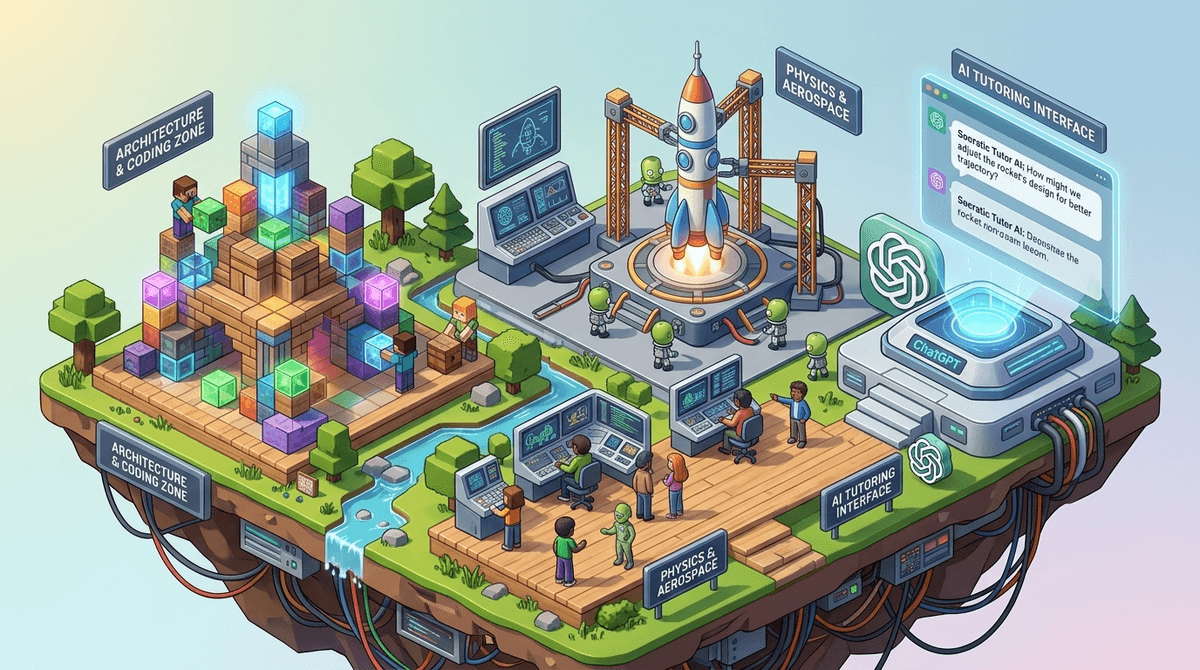
TL;DR: Traditional "educational" apps are often just digital worksheets in disguise. If you want your kid to actually develop logic, systems thinking, and resource management, look toward sandbox games like Minecraft, coding platforms like Scratch, and using ChatGPT as a Socratic tutor rather than a cheat sheet.
Get a list of creative learning tools for your kid's age
We’ve all been there: downloading ABCmouse or IXL because we want our kids to "get ahead" or at least not fall behind. These apps are fine for what they are—repetitive drills that help with rote memorization—but let's be honest: they’re boring. Kids sniff out "edutainment" from a mile away. They know when they’re being fed a digital broccoli spear covered in chocolate sauce.
The problem with traditional learning apps is that they focus on closed-loop learning. There is one right answer, you click it, you get a digital sticker, and you move on. That’s not how the real world works. The real world is a sandbox. It’s messy, it requires trade-offs, and it demands that you understand why something works, not just what the answer is.
If we want to raise kids who can actually solve problems, we need to move beyond digital flashcards and into platforms that encourage "stealth learning"—where the education is a byproduct of the fun.
Sandbox games are essentially infinite Lego sets with built-in physics and social economies. When a kid plays Minecraft, they aren't just "gaming." They are practicing:
- Geometry and Spatial Reasoning: Planning a 1:1 scale castle requires actual math.
- Resource Management: "I need 40 iron ingots for this project, but I only have 10. How much time do I need to spend mining vs. trading?"
- Logic and Circuitry: Using Redstone in Minecraft is essentially a visual programming language. It’s logic gates and Boolean algebra disguised as "making a hidden door."
Ages 7+ It’s the GOAT for a reason. While many parents see it as just "hitting blocks," the Minecraft Education Edition and even the base game in Survival Mode teach more about perseverance and systems thinking than any math app ever could. If your kid is obsessed, don't fight it—steer them toward Redstone tutorials on YouTube to level up their logic skills.
Ages 10+ We talk a lot about Roblox being a potential money pit (and it is), but Roblox Studio is the flip side of that coin. It’s a professional-grade game engine where kids can learn the Lua programming language. Instead of just spending Robux, they can learn how to earn them by creating games. This is entrepreneurship 101. They have to worry about user experience, bug testing, and even marketing.
In 2026, telling a kid not to use AI is like telling a kid in 1995 not to use the internet. It’s a losing battle. The goal isn't to ban ChatGPT, it's to teach them how to use it as a "co-pilot" rather than an "autopilot."
Traditional learning apps tell you if you’re wrong. AI can explain why you’re wrong in a way that fits your specific brain.
The Move: Instead of having your kid ask ChatGPT for the answer to a math problem, teach them to use this prompt: "I am a 5th grader trying to understand long division. Don't give me the answer, but walk me through the steps and ask me questions to see if I'm getting it."
Suddenly, the "cheating tool" becomes the most patient tutor on the planet.
If you want to move away from the "brain rot" side of the app store and into something with more meat on its bones, these are our top picks:
Ages 8-16 Developed by MIT, this is the gold standard for teaching kids how to think like programmers without the frustration of syntax errors. It uses "blocks" to build animations and games. It’s a community-driven site, so kids can "remix" other people's projects, which is exactly how real-world open-source coding works.
Ages 10+ If your kid thinks they’re "bad at science," give them this. You build rockets for little green aliens. If your math is wrong, the rocket explodes. It teaches orbital mechanics and physics through trial and error. It is notoriously difficult, but the "aha!" moment when you finally land on the moon is more rewarding than any "A" on a worksheet.
Ages 12+ This is a masterclass in history, geography, and diplomacy. You lead a civilization from the Stone Age to the Space Age. You learn about the "opportunity cost"—if I build a library now, I can't build a granary, and my people might starve. It’s high-level strategy that makes Duolingo feel like a toy.
Ages 13+ This is the "grown-up" version of a learning app. It does away with the dancing owls and focus-grouped mascots and replaces them with interactive, visual puzzles that teach computer science, logic, and math. It’s great for high schoolers who are bored by their standard curriculum.
- Ages 5-8: Focus on creative play. Toca Boca World is great for storytelling, and ScratchJr is the perfect intro to logic.
- Ages 9-12: This is the sandbox sweet spot. Minecraft and Terraria are the big winners here. Introduce AI as a study buddy for homework help.
- Ages 13+: Transition to "creator" mode. Roblox Studio, Unity, or deep-dive strategy games like Civilization VI.
The trade-off for these "real world" tools is that they often involve real-world risks.
- Unfiltered Chat: Unlike YouTube Kids, sandbox games often have live chat. In Roblox, this can be a mess. Always check the privacy settings and consider "friends only" chat for younger kids.
- In-App Purchases: Traditional learning apps usually have a one-time subscription. Sandbox games have "skins," "passes," and "boosts." It’s easy for a kid to accidentally spend $200 on a digital hat. Read our guide on managing in-app spending.
- The Time Sink: Because these games are actually fun, they are harder to put down. You’ll need a more robust screen time plan than you would for a math app.
When your kid is playing Minecraft for three hours, it’s easy to feel like they’re wasting time. But if they’re building a complex machine or collaborating with friends to solve a problem, they are working harder than they do on most school assignments.
Ask them to "show you their world." If they can explain the logic of their build or the economy of their server, they are learning. This is active consumption vs. passive consumption. Watching 50 "Skibidi Toilet" shorts is passive. Building a working calculator in Minecraft is active.
Stop looking for apps that promise to "teach" your kid and start looking for tools that allow your kid to build. The transition from "digital consumer" to "digital creator" is the most important leap a kid can make in 2026.
Traditional apps like Duolingo or Khan Academy have their place for filling specific knowledge gaps, but the "sandbox" is where the real-world skills are forged.
Next Steps:
- Swap one hour of "drill" time for one hour of "build" time.
- Sit down with your kid and have them explain how their favorite game actually works.
- Check out our guide on the best coding games for every age