

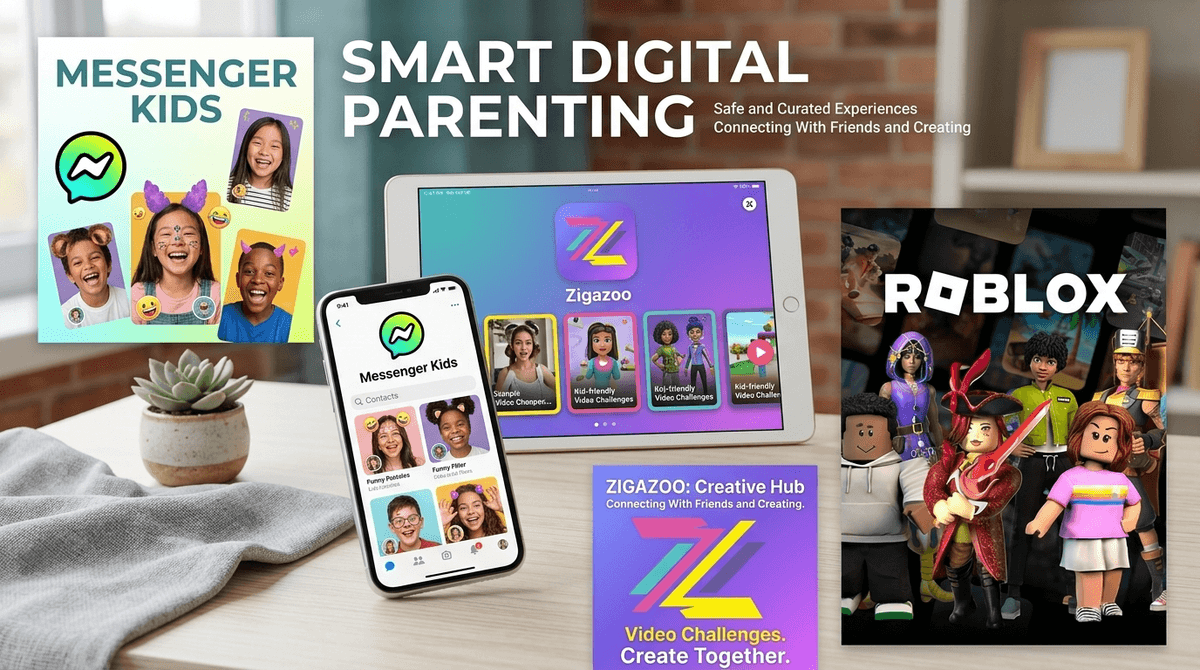
TL;DR: Your 9-year-old doesn't actually want Snapchat—they want to turn their face into a potato and send it to their best friend. You can give them the fun without the "disappearing evidence" culture or the anxiety of Snap Maps. The best swaps right now are Messenger Kids for controlled chatting, Zigazoo for a TikTok-style vibe with actual moderation, and Picsart AI Photo Editor for the creative filter fix.
The "Snapchat Swap" is a strategic move for parents of elementary and early middle schoolers. It’s about identifying the specific features your kid is begging for—usually filters, stickers, and instant communication—and providing them through platforms that have "training wheels" built in.
Snapchat is technically for ages 13+, but we all know the peer pressure starts around 3rd grade. The problem isn't just the age limit; it's the architecture. Snapchat is designed for ephemeral (disappearing) communication, which is the opposite of what a 10-year-old needs while they are still learning that "digital is forever."
Kids aren't usually looking for trouble when they ask for Snap. They want:
- The Lenses: Using AR to look like a cat or a Viking is objectively fun.
- The "Streaks": A gamified way to prove friendship (which, frankly, is a psychological nightmare for kids).
- The Map: Seeing where their friends are in real-time.
As parents, our "No" usually comes from the safety concerns around disappearing messages, the pressure to maintain streaks, and the privacy nightmare of Snap Maps.
See the specific risks of Snap Maps for elementary kids
If you want the closest functional equivalent to Snapchat messaging without the "stranger danger," this is it. It’s owned by Meta, which might give some parents pause regarding data, but the parental controls are the gold standard.
- Why it works: Kids get the goofy filters and stickers they crave.
- The Parent Win: You have to approve every single contact. There are no disappearing messages—parents can see the chat history from their own Facebook app. No "stories" and no public feed.
- Age Range: 6-12
Think of this as "TikTok meets Snapchat" but with a heavy emphasis on safety. It’s a video-sharing social network where kids respond to "challenges" (like showing off a Lego build or doing a dance).
- Why it works: It feels "big kid." It's trendy, visual, and involves short-form video.
- The Parent Win: Every single video is moderated by a human before it goes live. There is no typed-out comment section, which eliminates 90% of cyberbullying. Kids respond to each other with video "reactions" using stickers.
- Age Range: 7-12
If your child specifically wants Snapchat because they love editing photos and playing with AI effects, skip the social network entirely and give them a creative tool.
- Why it works: It has more filters, stickers, and "magic" effects than Snap could ever dream of.
- The Parent Win: You can use this as a standalone creative tool without the social sharing features enabled. It turns "scrolling" time into "creating" time.
- Age Range: 9+ (with supervision)
Wait, isn't this a game? Yes, but for elementary kids, Roblox is their primary social network. They hang out in "hangout" games and chat while their avatars stand next to each other.
- Why it works: It’s where their friends already are.
- The Parent Win: If you configure the Roblox parental controls correctly, you can restrict chat to "Friends Only" or turn it off entirely while still letting them play.
- Age Range: 7+
When you’re looking at any app that has a social component, you need to vet it for the "Big Three" issues that make Snapchat so tricky for young kids:
- Ephemeral Content: If the messages disappear, you can't coach your kid through a social conflict after the fact. Stick to apps where the history stays visible.
- Geolocation: Any app that shows a kid’s location on a map is a hard pass for this age group. Check out our guide on location sharing safety.
- Algorithmic Feeds: Apps like TikTok or Instagram use algorithms to keep kids scrolling. The "swaps" listed above are generally more utility-based or moderated.
It is perfectly okay—and actually developmentally appropriate—to tell your 10-year-old that they aren't ready for Snapchat. The brain's prefrontal cortex (the part that handles impulse control and long-term consequences) isn't anywhere near ready to handle the "send and forget" nature of Snap.
However, a flat "No" often leads to kids "ghosting" their parents and downloading the app on a friend's phone or a hidden folder. The "Swap" allows you to say: "I'm not comfortable with Snapchat yet because of the disappearing messages, but I'm happy to let you use Messenger Kids so you can still use filters and talk to your friends."
Learn more about how to talk to your kids about social media readiness
If your child is pushing back, try these talking points:
- The Accountability Talk: "In our family, we don't send messages that disappear. If something is worth saying, it's worth standing behind. When you're older and have more practice, we can revisit apps with disappearing features."
- The "Streaks" Talk: "I've seen how stressed older kids get when they're about to lose a 'streak.' I don't want your phone to feel like a chore or a source of anxiety. Let's use Zigazoo where the focus is on being creative, not hitting a daily quota."
- The Privacy Talk: "Apps like Snapchat make money by knowing exactly where you are and what you're doing. For now, we're going to use apps that protect your privacy a bit better."
You aren't being a "mean parent" by delaying Snapchat. You're being an intentional one. The elementary years are for building a foundation of digital literacy. Using "walled garden" apps like Messenger Kids or creative outlets like Picsart gives them the fun they want while keeping the training wheels firmly attached.
- Audit the Friends List: If you choose Messenger Kids, sit down with your child and decide together who gets to be on the list.
- Set a "Check-In" Date: Tell your child you'll revisit the Snapchat conversation in six months or a year. This prevents the constant nagging.
- Explore Together: Spend 15 minutes on Zigazoo with them. See what the challenges are. Make a silly video together. It takes the "taboo" out of the tech.
Check out our full guide on social media alternatives for more ideas