Toontastic

Toontastic

app

Everyone, 2017, Educational

WISE
94%

WISE Score

4.6

App Store

The Pixar of kids' apps—draw, animate, and narrate your own 3D cartoons with zero ads or purchases, just pure creative freedom.

Screenwise Verdict

This is what kids' apps should be: a blank canvas with just enough structure to spark ideas, zero commercial manipulation, and tools that actually let kids make something real.

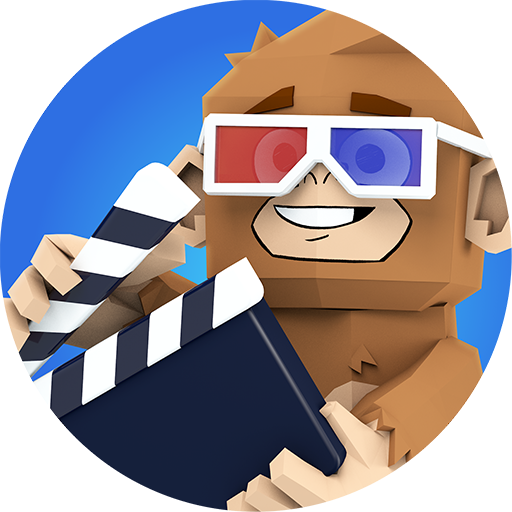
Toontastic is Google's love letter to young storytellers. It's not trying to keep kids engaged for hours or sell them character packs—it's just giving them a legitimately powerful animation studio that happens to be simple enough for a first-grader to use. The three story arc templates are brilliant scaffolding: Short Story for quick ideas, Classic for the full hero's journey, and Science Report for turning learning into multimedia.

The real magic is in the voice recording. Kids become directors, actors, and editors all at once. They're not just consuming stories—they're building narrative skills, practicing sequencing, and hearing their own creative voice come to life. Parents' Choice Gold Award and Common Sense Media's 5-star rating aren't just participation trophies; this app genuinely deserves them.

The only caveat: this requires actual creative work. It's not a passive entertainment app. Some kids will dive in and make 47 cartoons about robot pirates. Others will open it once, get overwhelmed by the blank canvas, and never return. That's okay—it's a tool for makers, not consumers.
Age Fit

Best for ages 6-12, though younger kids (4-5) can use it with parent help, especially for recording voices while an adult handles the animation. By middle school, most kids will have moved on to more sophisticated video editing tools, though creative types might still enjoy it.

WISE Breakdown
Wholesome
92

Pure creative expression without competitive pressure or social comparison. Kids control the narrative, record their own voice, and build stories at their own pace. The app encourages cooperation through storytelling rather than conflict, and the tone is playful and supportive throughout.

Imaginative
96

This is literally a creativity engine. Kids draw their own 3D characters, animate them, narrate stories, and export complete videos. The three story arc templates (Short Story, Classic, Science Report) provide just enough structure to spark ideas without constraining imagination. The 'idea lab' and giant toy box of characters give endless starting points for new adventures.

Safe
98

No ads, no in-app purchases, no social features, no chat. Made by Google with a clear educational mission. Videos are stored locally on device. Kids mode available. The app is a closed creative sandbox with zero monetization manipulation or external risks. Common Sense Media gave it 5 stars and multiple children's media awards confirm its safety profile.

Enriching
89

Builds narrative structure, voice recording confidence, basic animation concepts, and story arc understanding. The Science Report template is particularly clever for turning learning into multimedia presentation. Kids practice sequencing, character development, and public speaking. That said, it's more about creative fun than deep skill-building—which is perfectly fine, but keeps it from hitting the highest enrichment tier.

Parent Info
✓

Why It Might Be Great

  • Teaches storytelling structure (beginning, middle, end) through play, not lectures—kids learn narrative arcs by actually making stories
  • Zero monetization garbage: no ads, no purchases, no social pressure, just a kid and their imagination
  • The voice recording feature builds confidence—kids hear themselves as directors and narrators of their own work
  • Science Report template is genius for turning homework into multimedia projects
  • Awards from Parents' Choice, Common Sense Media, and Bologna Ragazzi confirm this is the real deal
⚠

What to Watch For

  • Requires actual creative effort and patience—this isn't a quick dopamine hit app, so some kids might bounce off it initially
  • Works best for kids who already like storytelling, drawing, or making things (not great for kids seeking pure entertainment consumption)
  • The 3D interface can be a bit fiddly for younger kids—expect some frustration as they learn the controls

Conversation Starters

  • "What story are you working on? Can you tell me about your characters before I watch?"
  • "If you could add one more scene to your cartoon, what would happen?"
  • "Want to make a cartoon together? You direct and I'll do the voices—or vice versa?"
  • "Could you use this to tell the story of our last vacation? Or explain how your Lego city works?"

Ask Anything

Get a personalized guide on any topic