

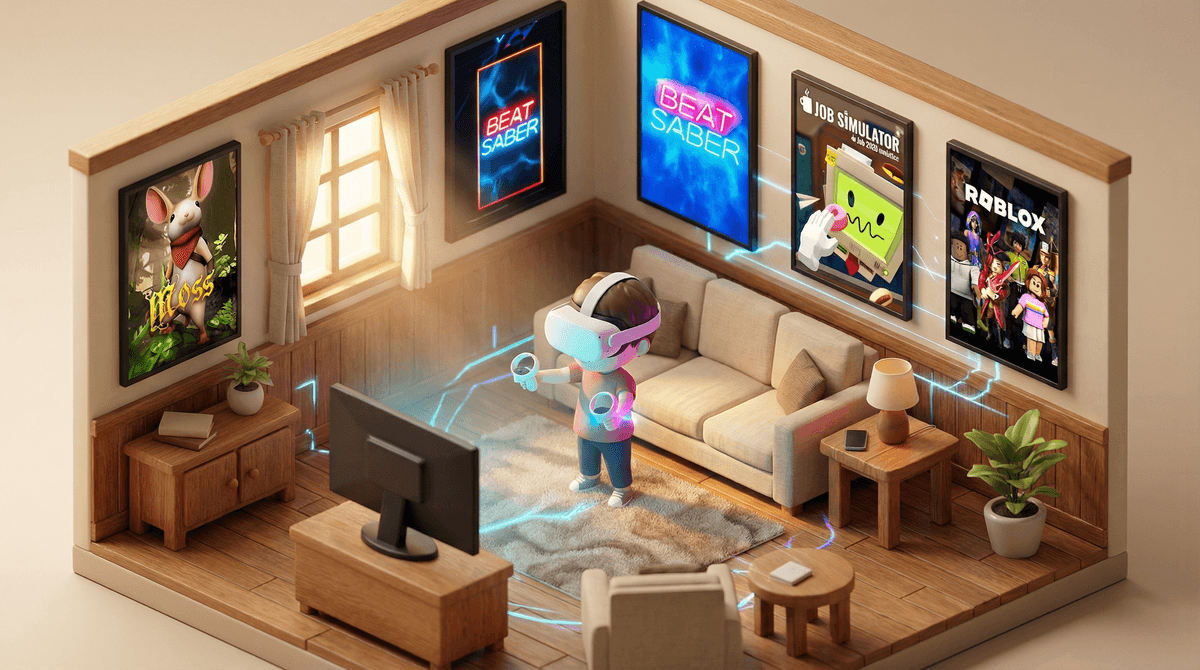
Virtual reality (VR) is exactly what it sounds like—you strap a headset over your eyes and suddenly you're standing on a mountaintop, slicing through beats with lightsabers, or exploring underwater caves. The technology tracks your head movements and hand gestures to make you feel like you're actually inside a digital world rather than just looking at a screen.
The main players parents need to know about: Meta Quest (formerly Oculus, the most popular option), PlayStation VR, and PSVR2. There's also Apple's Vision Pro, but at $3,500, that's not exactly showing up under most Christmas trees.
Here's the thing that catches parents off-guard: VR isn't just "video games but fancier." It's a fundamentally different experience. Your kid isn't sitting on the couch mashing buttons—they're physically moving, reaching, sometimes spinning around your living room. Which brings us to why you're reading this guide in the first place.
Let's be honest: VR is genuinely incredible. It's the closest thing we have to actual magic. Kids can:
- Play Beat Saber, which is basically Dance Dance Revolution meets lightsabers (and is actually great exercise)
- Explore Gorilla Tag, where they're literally climbing and swinging through virtual spaces as apes
- Build and create in Roblox VR, experiencing their favorite platform in a completely new way
- Practice sports, paint in 3D space, or visit museums halfway around the world
The immersion is the draw. When your kid says "you don't understand, it feels REAL," they're not exaggerating. The sense of presence in VR is unlike anything previous generations of gaming offered.
Here's where it gets tricky. Meta officially says 13+ for Quest headsets. PlayStation says 12+ for PSVR. But walk into any suburban household and you'll find plenty of 8-10 year olds using them.
So what gives? The age recommendations aren't arbitrary—they're based on several real concerns:
Eye development: Kids' eyes are still developing, and we genuinely don't have long-term studies on what extended VR use does to developing vision. The interpupillary distance (IPD) settings on most headsets are designed for adult faces, meaning younger kids might experience more eye strain.
Physical safety: A 7-year-old in VR can't see the coffee table they're about to crash into. Spatial awareness is harder for younger kids who are already less coordinated.
Content appropriateness: Just like the internet, VR spaces can expose kids to other players, user-generated content, and experiences that aren't always kid-friendly.
Motion sickness: Younger kids seem more prone to VR-induced nausea, though this varies wildly by individual.
The honest answer? If your kid is under 13, you're in parent-judgment territory. Some 10-year-olds handle it great with proper supervision and time limits. Some 14-year-olds get immediately nauseous. You know your kid.
Physical space matters more than you think. That "guardian boundary" setup isn't optional—it's essential. Your kid needs a clear play area with nothing breakable, sharp, or trip-able within reach. Yes, they will punch your TV eventually if you don't plan for this.
Start with short sessions: 15-20 minutes for first-timers, gradually building up. Watch for signs of discomfort—nausea, headaches, eye strain, disorientation. If they feel weird, they need to stop immediately, not "just finish this level."
The social component needs monitoring: Many VR games have voice chat with strangers. Gorilla Tag is notorious for this—it's a simple, fun game that's also full of random kids and adults talking to each other. You need to understand how to set up parental controls and decide what your boundaries are around multiplayer experiences.
Motion sickness is real and unpredictable: Some people never get it. Some people get it every time. Games with smooth locomotion (where you glide through space) are worse than "teleport" movement. Games where you're stationary (like Beat Saber) are generally easier on the stomach.
Hygiene: Multiple kids sharing a headset? You're basically sharing a sweaty face mask. Wipe it down between users, especially during cold season.
Not all VR experiences are created equal. Here's a quick framework:
Generally safe for younger kids (with supervision):
- Beat Saber - rhythm game, great exercise
- Job Simulator - silly, creative, no violence
- Moss - beautiful puzzle adventure with a mouse character
- National Geographic VR experiences
Proceed with caution (older kids, more supervision needed):
- Roblox VR - depends entirely on what games they're playing within it
- Gorilla Tag - simple gameplay but voice chat with strangers
- Rec Room - social spaces with user-generated content
Definitely not for kids:
- Horror games (and there are MANY)
- Realistic shooters
- Anything with a Mature rating (same rules as regular gaming apply)
The Roblox parental controls guide applies in VR too—actually, maybe even more important since the immersion makes everything feel more intense.
VR is not inherently bad for kids, but it's also not just another gaming platform you can treat casually. The technology is still relatively new, the long-term effects are unknown, and the experiences are genuinely more intense than traditional gaming.
If you're considering VR for your family:
-
Respect the age guidelines, especially for kids under 10. The younger they are, the more cautious you should be.
-
Start slow. Short sessions, simple games, frequent breaks. Build up tolerance gradually.
-
Supervision isn't optional. At least initially, you need to be in the room, understanding what they're experiencing and who they might be interacting with.
-
Set clear time limits. 30-60 minutes max per session is reasonable for most kids. This isn't regular screen time—it's more physically and mentally intense.
-
Prioritize active games over passive experiences. If they're going to be in VR, at least make it Beat Saber where they're moving, not sitting in a virtual movie theater.
-
Create a safe play space and enforce it. No exceptions.
VR can be amazing—educational, active, creative, genuinely awe-inspiring. It can also be isolating, overstimulating, and yes, potentially concerning for developing eyes and brains. Like most parenting decisions in 2026, there's no perfect answer. Just informed choices based on your specific kid, your family values, and your tolerance for being the house where everyone wants to come play.
Want to dive deeper? Check out our guide to age-appropriate VR games or learn about Meta Quest parental controls before that headset gets unboxed.
And if you're still on the fence about whether your family is ready for VR, talk through your specific situation with our chatbot—it can help you think through the decision based on your kids' ages and your concerns.