

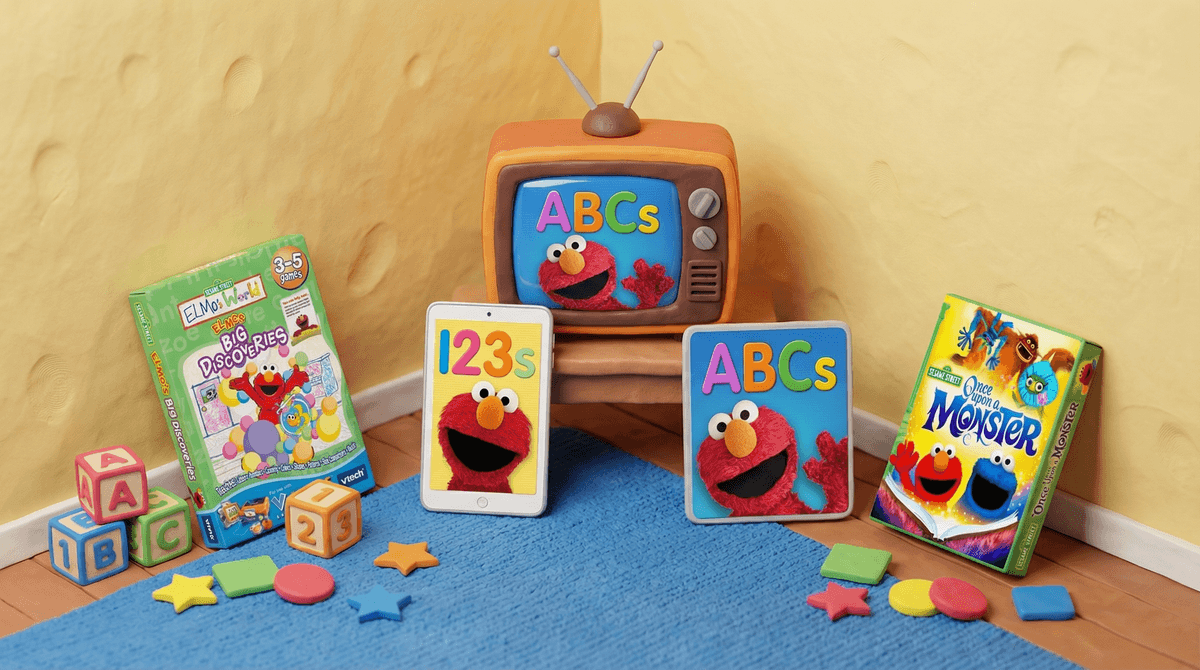
The Ultimate Guide to Sesame Street Video Games
TL;DR: Sesame Street games have been around since the 1980s, and while most are solidly educational, quality varies wildly. The best options are Elmo's World (ages 2-4), Sesame Street: Once Upon a Monster for Xbox Kinect (ages 3-6), and Elmo Loves ABCs on mobile (ages 2-5). Skip the cheap cash-grabs on Steam and stick with titles that have actual PBS or Sesame Workshop involvement.
Sesame Street video games occupy this weird space where they're theoretically perfect for preschoolers—beloved characters, educational content, age-appropriate challenges. But here's the reality: most of them are pretty mediocre. Unlike Bluey which translates beautifully to every medium, or how Daniel Tiger nails its app experiences, Sesame Street games often feel like afterthoughts.
The good news? The handful of quality titles are genuinely excellent for early learning. The bad news? You'll need to wade through a lot of forgettable shovelware to find them.
Sesame Street: Once Upon a Monster (Xbox 360 Kinect, 2011)
Ages 3-6 | WISE Score: Educational, Active, Creative
This is the crown jewel of Sesame Street gaming, and it's not even close. Developed by Double Fine (the studio behind Psychonauts), this Kinect motion game has kids jumping, dancing, and problem-solving alongside Elmo, Cookie Monster, and original monster characters.
What makes it special: the emotional intelligence content is chef's kiss. Kids help monsters work through friendship conflicts, manage disappointment, and celebrate differences. The motion controls actually work (rare for Kinect games), and there's genuine replay value with different story paths.
The catch: you need an Xbox 360 and a Kinect sensor, which is... a big ask in 2026. But if you happen to have this setup gathering dust, or can snag one cheap at a thrift store, this game is worth the hardware hunt.
Elmo Loves ABCs and [Elmo Loves 123s](https://screenwiseapp.com/media/elmo-loves-123s-game (iOS/Android)
Ages 2-5 | WISE Score: Educational, Interactive
These apps from Sesame Workshop are exactly what mobile learning games should be: focused, engaging, and actually educational without being patronizing. Elmo guides kids through letter recognition, phonics, number sense, and basic counting with activities that feel like play, not drills.
The interface is toddler-proof (no accidental ad clicks or in-app purchase traps), and the content adapts to your kid's skill level. They're paid apps ($5-7 each), but that's actually a feature—no subscription nonsense, no data harvesting, just a solid educational tool you buy once.
Fair warning: the songs will get stuck in your head. "Who took the cookie from the cookie jar" at 3 AM is a special kind of torture.
Elmo's World (Various Platforms, Multiple Releases)
Ages 2-4 | WISE Score: Educational, Simple
"Elmo's World" has been adapted into games across multiple platforms over the years (PC, mobile, LeapFrog devices), and quality varies. The best versions are the more recent mobile adaptations that focus on open-ended play—virtual dress-up, simple art activities, and exploration games with Mr. Noodle.
These aren't going to teach complex skills, but for very young kids who just want to hang out with Elmo, they're perfectly fine. Think of them as digital versions of those chunky board books—not life-changing, but age-appropriate and harmless.
Sesame Street: Ready, Set, Grover! (Wii, 2011)
Ages 3-6 | WISE Score: Active, Educational
Another motion-control game, this time for Nintendo Wii. Kids do physical activities (running in place, jumping, balancing) while Grover coaches them through sports and fitness challenges. It's... fine. The educational content around healthy habits is solid, but the motion detection is finicky and younger kids get frustrated when the game doesn't register their movements.
If you already have a Wii and your kid loves Grover, go for it. But don't buy a Wii specifically for this.
Sesame Street Art Maker (PC/Mobile, Various Years)
Ages 3-6 | WISE Score: Creative
Digital art activities with Sesame Street characters as stamps and stickers. It's basically Toca Boca but with Elmo, which means it's less polished but still functional. Kids can draw, color, and create simple animations.
The problem: there are better art apps for kids that aren't tied to licensed characters. Unless your child is absolutely obsessed with Sesame Street, you're better off with something like Drawing Pad.
Most Steam "Sesame Street" Titles
There are dozens of cheap Sesame Street games on Steam that look like they were made over a weekend by someone who once saw a picture of Elmo. These are the digital equivalent of those weird knockoff toys at the dollar store—technically legal, but deeply wrong.
Red flags: misspelled character names in descriptions, screenshots that look like they're from 2003, reviews mentioning crashes and bugs. Just... no.
Older Console Games (PS1, PS2, GameCube Era)
Nostalgia is powerful, but these games aged like milk. The controls are clunky, the graphics are nightmare fuel (early 3D character models are rough), and the educational content has been surpassed by literally everything made in the past 15 years.
If you find these at a yard sale for $2, they might be worth it for the pure absurdity factor. But as actual games for kids? Hard pass.
Ages 2-3: Stick with the mobile apps (Elmo Loves ABCs, Elmo Loves 123s or very simple Elmo's World games. At this age, they need high contrast, simple interactions, and lots of positive reinforcement—which these apps deliver.
Ages 3-4: Add in Once Upon a Monster if you have Kinect, or the art/creativity apps. They're ready for slightly more complex cause-and-effect gameplay.
Ages 5-6: Honestly? Most kids this age are ready to move beyond Sesame Street games entirely. They'll get more educational value from ABCmouse, more creative engagement from Minecraft, and more fun from... basically any modern kids' game. Sesame Street games are designed for preschoolers, and kindergarteners often find them babyish.
Ages 7+: If your older kid still loves Sesame Street (totally valid!), they're better off watching the show or engaging with the characters through other media. The games won't hold their interest.
The best Sesame Street games—particularly the Sesame Workshop-produced apps—do deliver genuine early learning content. We're talking:
- Letter recognition and phonics (ABCs app)
- Number sense and counting (123s app)
- Emotional intelligence and social skills (Once Upon a Monster)
- Fine motor skills (touch-based activities)
- Problem-solving (age-appropriate puzzles)
But here's the thing: this content is also available in the TV show, which is free and doesn't require managing screen time around interactive media. The games are best used as supplements to other learning activities, not as primary educational tools.
If you're looking for more robust educational gaming, check out our guides to best educational apps for preschoolers or alternatives to screen-based learning.
The official Sesame Workshop apps are rock-solid on privacy and safety. No ads, no in-app purchases beyond the initial cost, no data collection beyond basic usage analytics. This is exactly what kids' apps should be.
The sketchy Steam games and random mobile apps? Different story. Always check:
- Who published it (Sesame Workshop involvement = good sign)
- Reviews mentioning ads or unexpected purchases
- Privacy policies (if it's collecting data on your 3-year-old, that's a red flag)
- Whether it requires internet connectivity (offline play is safer for little ones)
Sesame Street video games are a mixed bag, but the good ones are legitimately great for preschoolers. If you're going to invest in any, prioritize:
- Elmo Loves ABCs and [123s](https://screenwiseapp.com/media/elmo-loves-123s-game apps—best bang for your buck
- Once Upon a Monster if you have or can get Kinect—genuinely special
- Simple Elmo's World games for very young toddlers
Skip everything else unless it's free or nearly free, and even then, manage your expectations.
Remember: these games work best as part of a balanced media diet that includes the actual show, physical play, books, and real-world learning. A 3-year-old playing Elmo Loves ABCs for 20 minutes while you make dinner? Totally fine. That same 3-year-old spending hours cycling through mediocre Sesame Street games? Not ideal.
- Check what you already own: Got an old Kinect or Wii gathering dust? The motion games might be worth revisiting
- Start with one app: Try Elmo Loves ABCs or [123s](https://screenwiseapp.com/media/elmo-loves-123s-game and see if your kid actually engages with game-based learning
- Set boundaries: Even educational games are screen time—decide how much interactive media fits your family's approach
- Have an exit plan: Kids outgrow Sesame Street games quickly; think about what comes next before they're bored and begging for Roblox
Want to dig deeper into educational gaming for young kids? Learn about age-appropriate game progression or explore whether educational games actually work.