

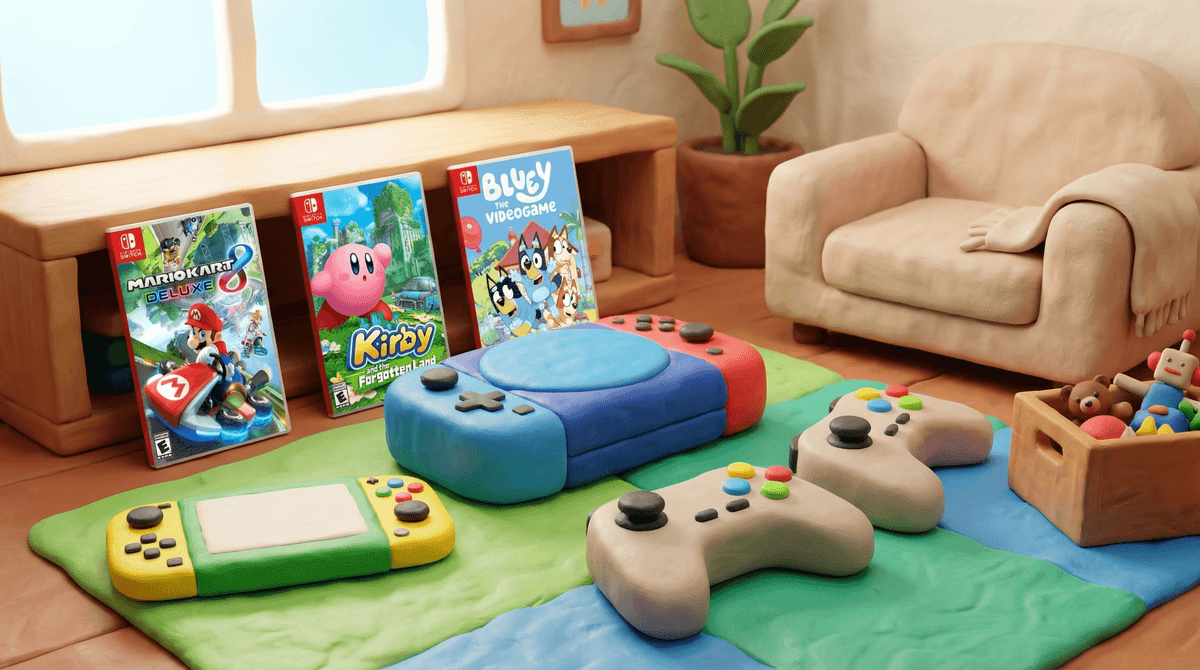
The Ultimate Guide to Safe and Fun Game Consoles for 3-Year-Olds
TL;DR: The Nintendo Switch is your best bet for toddler gaming, with rock-solid parental controls and a library packed with age-appropriate titles. The LeapFrog LeapTV works for ultra-cautious parents, but honestly? Your kid will outgrow it in six months. The PlayStation 5 and Xbox Series X can work but require more vigilant curation—they're built for older audiences, and it shows.
Quick picks:
- Best overall: Nintendo Switch
- Best games for 3-year-olds: Paw Patrol: Grand Prix, Kirby and the Forgotten Land, Animal Crossing: New Horizons
- Educational option: LeapFrog LeapTV
Three-year-olds are just hitting that developmental sweet spot where they can handle a controller without yeeting it across the room every five seconds. They're developing hand-eye coordination, cause-and-effect reasoning, and—let's be real—they're seeing screens everywhere and want in on the action.
But here's the thing: most gaming consoles are designed for 7+ audiences, minimum. The interfaces are complex, the default settings assume literacy, and the storefronts are filled with games featuring violence, scary imagery, and mechanics way too advanced for toddler brains.
So yes, you can introduce gaming at three, but you need the right setup. This isn't about parking them in front of a screen for hours—it's about controlled, age-appropriate exposure that builds skills without the overstimulation or content nightmares.
The Switch wins for toddlers, and it's not even close. Here's why:
Parental controls that actually work: Nintendo's parental control app (yes, there's a whole app for this) lets you set daily play limits, restrict games by age rating, monitor play time, and even pause gameplay remotely when time's up. You can block the eShop entirely, disable screenshots, and restrict communication features. It's genuinely impressive.
A library built for all ages: Nintendo's first-party titles are famously family-friendly. Mario Kart 8 Deluxe has a "smart steering" mode that keeps toddlers on the track automatically. Kirby and the Forgotten Land has a "Spring-Breeze Mode" that's basically toddler-proof. Animal Crossing: New Horizons is non-violent, creative, and endlessly engaging.
Physical durability: The Switch is portable, which means it's going to get dropped. A lot. Get a protective case and screen protector immediately—this is non-negotiable.
The catch: The Joy-Con controllers are small but still require decent dexterity. Some three-year-olds struggle with the button layout. Consider getting a Pro Controller with larger grips, or just accept that you'll be playing co-op for a while.
Best Switch Games for 3-Year-Olds
-
Paw Patrol: Grand Prix: It's Mario Kart with puppies. The controls are simplified, the characters are familiar, and there's zero learning curve if your kid already watches the show.
-
Kirby and the Forgotten Land: Bright, colorful, forgiving gameplay. The "Mouthful Mode" where Kirby inhales objects is genuinely hilarious and keeps toddlers engaged.
-
Mario Kart 8 Deluxe: Smart steering and auto-accelerate mean your three-year-old can actually finish races. Turn off the items if the chaos is too much.
-
Yoshi's Crafted World: Adorable, low-stakes, and has a "Mellow Mode" where Yoshi has wings and basically can't die. Perfect for toddlers still learning the ropes.
-
Bluey: The Videogame: If your kid is in the Bluey phase (and honestly, who isn't?), this is a no-brainer. Simple mini-games, familiar voices, zero violence.
The LeapTV is explicitly designed for ages 3-8, with motion-controlled games that focus on learning letters, numbers, and problem-solving. It's safe, it's educational, and it's... fine.
Pros:
- Completely age-appropriate content
- Motion controls get kids moving
- No online connectivity = no safety concerns
- Built-in parental controls
Cons:
- The game library is tiny and expensive
- Graphics are dated (think early 2000s)
- Kids outgrow it fast—by age 5, they'll want "real" games
- It feels less like gaming and more like interactive homework
The verdict: If you're philosophically opposed to "real" gaming consoles or want something purely educational, the LeapTV works. But your kid will likely lose interest quickly, and you'll end up buying a Switch anyway. Check out alternatives to LeapFrog consoles if you want more options in this category.
Can you use a PS5 or Xbox for a three-year-old? Technically, yes. Should you? Probably not as a first console.
Why they're harder:
- The game libraries skew heavily toward teen/mature audiences
- The storefronts are cluttered with inappropriate content
- Parental controls exist but are less intuitive than Nintendo's
- Controllers are larger and more complex
- The UI assumes literacy
If you go this route:
- Set up a dedicated child account with strict age restrictions
- Manually curate every game before purchase
- Disable the store entirely if possible
- Stick to games like Sackboy: A Big Adventure (PS5) or Super Lucky's Tale (Xbox)
Honestly? If you already own one of these consoles for yourself and want to share it occasionally, fine. But don't buy one specifically for a three-year-old. The Switch is a better investment.
Fair question. An iPad with PBS Kids Games or [Sago Mini](https://screenwiseapp.com/media/sago-mini-boardgame is arguably more age-appropriate than any console for a three-year-old. Touchscreens are intuitive, the content is curated, and you probably already own one.
But tablets and consoles serve different purposes. Tablets are great for solo, short-burst play. Consoles encourage shared family experiences—sitting together on the couch, taking turns, teaching problem-solving. There's value in both.
If you want to explore mobile gaming first, check out our guide to best apps for 3-year-olds.
How much screen time is okay?
The American Academy of Pediatrics recommends no more than one hour of high-quality programming per day for ages 2-5. Gaming counts toward that total.
That said, context matters. Thirty minutes of co-op Mario Kart where you're laughing together is different than thirty minutes of passive YouTube watching. But it's still screen time, so plan accordingly.
Should I play with them?
Yes, especially at first. Three-year-olds need help navigating menus, understanding objectives, and managing frustration when they lose. Co-op modes are your friend. Plus, it's genuinely fun—Kirby is delightful even for adults.
What about online features?
Disable them. Period. A three-year-old has zero business in online multiplayer lobbies. Lock down communication features, friend requests, and any online connectivity. The Switch makes this easy; just do it.
Physical safety:
- Secure the TV to the wall (toddlers pull on things)
- Use wrist straps on controllers during motion-controlled games
- Keep cables organized to prevent tripping
- Invest in a sturdy case for portable consoles
Content safety:
- Set up parental controls before the first play session
- Manually approve every game purchase
- Check ESRB ratings (E for Everyone is your baseline)
- Preview games yourself first if you're unsure
Emotional safety:
- Watch for frustration—some kids aren't ready for the challenge/failure loop of gaming
- Take breaks every 15-20 minutes
- Talk about losing and trying again
- Don't force it if they're not interested
Gaming at three is optional. If your kid is happy with blocks and picture books, there's zero pressure to introduce gaming. This guide is for parents who've already decided to go this route—not a recommendation that you should.
Your kid's friends probably aren't gaming yet. According to most surveys, regular gaming doesn't hit critical mass until age 5-6. At three, you're early adopters. That's fine, but don't feel like you're "behind" if you wait.
The "educational" label is marketing. Yes, gaming builds hand-eye coordination and problem-solving skills. But so does playing outside. If you're buying a console, buy it because you want to share gaming with your kid—not because you think it'll make them smarter.
You're setting precedents now. How you introduce gaming at three shapes expectations for years to come. If you start with unlimited access and zero boundaries, that's a tough habit to break later. Start strict, then loosen up as they demonstrate responsibility.
If you're going to introduce gaming to a three-year-old, the Nintendo Switch is your best bet. It has the content, the controls, and the parental tools to make this work. Pair it with age-appropriate games, set strict time limits, and play together as much as possible.
The LeapTV works if you want something explicitly educational, but expect a short shelf life. PlayStation and Xbox can technically work but require significantly more curation and vigilance.
And remember: gaming is a tool, not a babysitter. Use it intentionally, set clear boundaries, and don't stress if your three-year-old would rather play with cardboard boxes. That's developmentally perfect too.
- If you're buying a Switch: Set up the parental control app before unboxing. Seriously. Do it first.
- Start with one game: Don't overwhelm them with choices. Pick something simple like Paw Patrol and master it together.
- Set a timer: Use the console's built-in timers or a kitchen timer. When it beeps, gaming stops. No negotiations.
- Check in regularly: Ask what they like about the game, what's hard, what's fun. This builds media literacy early.
Want more specific recommendations? Check out our guides to cozy games for young kids or how to set up Nintendo Switch parental controls. And if you're wondering whether your three-year-old is ready for gaming at all, let's talk about it.