

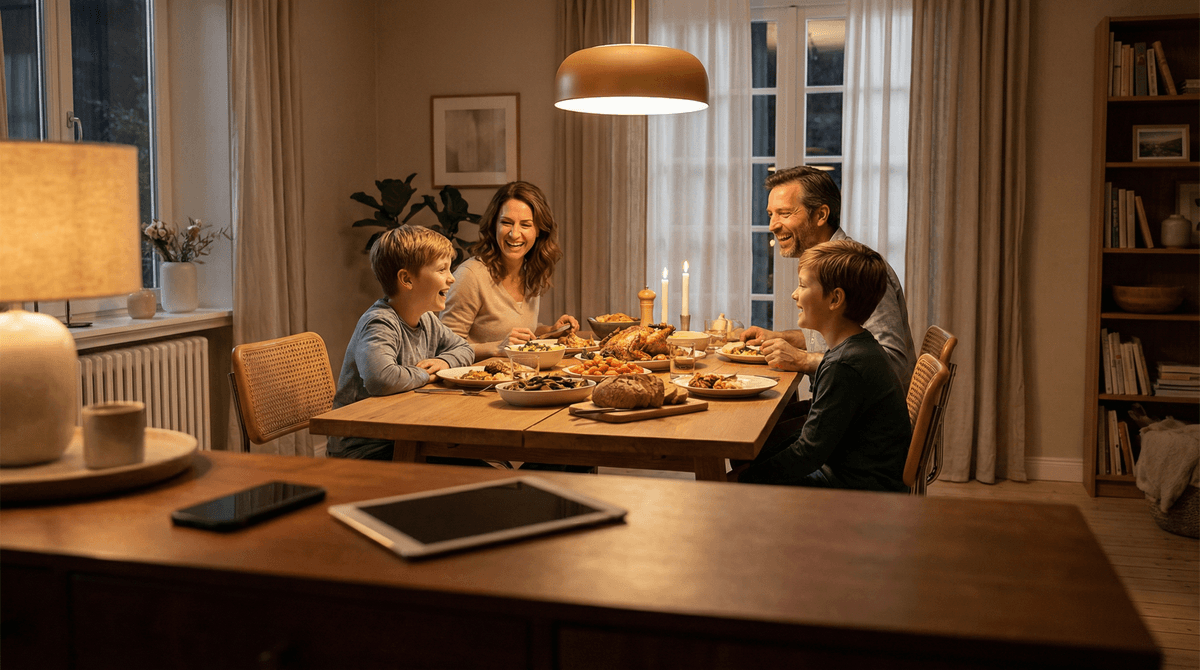
The Ultimate Guide to Do Not Disturb Settings: Reclaim Family Time Without the Fight
TL;DR: Do Not Disturb (DND) and Focus modes are your secret weapon for creating tech boundaries without becoming the villain. Set up automatic schedules for meals, homework, and bedtime, whitelist important contacts, and use built-in features to help kids (and yourself) stay present. This isn't about control—it's about teaching the skill of intentional attention.
Your kid's doing homework. Their phone buzzes. They glance. It's a Snap from the group chat. They respond. Another buzz. A TikTok notification. They "just check real quick." Twenty minutes later, they're still scrolling and the math worksheet hasn't progressed past problem 3.
Sound familiar?
The constant ping of notifications isn't just annoying—it's fundamentally breaking our kids' ability to focus, be present, and actually finish anything. And honestly? It's doing the same thing to us.
But here's the good news: every modern device has built-in tools specifically designed to solve this problem. You don't need to confiscate phones, install heavy-handed monitoring apps, or have daily battles. You just need to set up Do Not Disturb and Focus modes correctly.
Let's talk about how to actually use these features in a way that works for real families.
Do Not Disturb (DND) silences calls, alerts, and notifications. It's been around forever and does exactly what it says on the tin.
Focus modes (Apple's term, though Android has similar features) are DND on steroids. They let you create different notification profiles for different contexts—School, Sleep, Reading, Family Time, whatever you need. Each mode can allow specific apps, contacts, and notifications while blocking everything else.
The magic is that you can schedule these automatically. No nagging, no reminders, no "did you turn on your Focus mode?" It just happens.
Let's be real about what notifications are designed to do: grab attention and hold it. Every app on your kid's phone is engineered by teams of very smart people whose job is to get your kid to open the app as often as possible. Notifications are the primary weapon in that arsenal.
When kids (or adults) are constantly interrupted, several things happen:
- Focus becomes impossible. It takes an average of 23 minutes to fully refocus after an interruption. Your kid isn't bad at homework—they're being interrupted 15 times an hour.
- Sleep gets destroyed. Late-night notifications trigger cortisol spikes and blue light exposure right when the brain needs to wind down.
- Presence evaporates. Family dinner becomes a performance where everyone's physically there but mentally somewhere else.
- Anxiety increases. The constant pull to check creates a low-grade stress that kids often can't even articulate.
DND and Focus modes don't solve everything, but they create space for attention. And attention is the foundation for basically everything else we want for our kids—learning, connection, rest, creativity.
iPhone/iPad (iOS 15+)
- Go to Settings > Focus
- Choose a preset or create a custom Focus mode
- "Do Not Disturb" is the basic one
- "Sleep" is specifically designed for bedtime
- "Personal" or create your own for homework, family time, etc.
- Choose what gets through:
- People: Select which contacts can reach them (parents, close family)
- Apps: Choose which apps can send notifications (maybe just Messages and Phone)
- Time Sensitive: Decide if "time sensitive" notifications override the mode (usually yes)
- Set a schedule:
- Tap "Add Schedule or Automation"
- Choose time-based (every day 8-9pm for dinner) or location-based (when arriving at school)
- Sync across devices (optional but powerful): Turn on "Share Across Devices" so their phone and iPad both enter Focus mode together
Pro tip: Set up a "School" Focus mode that runs during school hours and blocks everything except Messages from parents. Many schools ask parents to do this.
Android (varies by version/manufacturer)
- Go to Settings > Digital Wellbeing & parental controls > Bedtime mode (for sleep-specific settings)
- Or Settings > Sound & vibration > Do Not Disturb
- Set up schedules under "Turn on automatically"
- Choose exceptions:
- Calls: Select which contacts can call through
- Messages: Choose which apps/contacts can notify
- Alarms: Almost always want these on
- Use Focus Mode (on newer Android versions): Settings > Digital Wellbeing > Focus mode lets you select distracting apps to pause during specific times
Samsung users: You'll find similar features under "Modes and Routines" which is actually pretty powerful—you can create custom modes that change multiple settings at once.
Gaming Consoles and Computers
Most parents forget about these, but they matter too:
- Nintendo Switch: Parental Controls app lets you set "Bedtime Alarm" and play time limits by day
- PlayStation/Xbox: Family settings allow you to set screen time limits and restrict hours of use
- Mac: Screen Time > Downtime lets you schedule blocks when only allowed apps work
- Windows: Family Safety app lets you set time limits and schedule device-free times
The key is automation. If it requires remembering to do something, it won't happen consistently. Here are schedules that work for most families:
Dinner Time
- When: 6:00-7:00pm (or whenever your family eats)
- What: Block everything except calls from family
- Why: One hour of actual conversation without phones buzzing
Homework Time
Sleep Time
- When: 9:00pm-7:00am (adjust for age—older kids can stay up later)
- What: Block everything except emergency calls from parents
- Why: Sleep is non-negotiable for development, and late-night group chats are a leading cause of sleep deprivation in teens
Weekend Flexibility
Don't schedule DND during free time on weekends. The point is protecting specific contexts (meals, homework, sleep), not creating a surveillance state.
This is where parents often get stuck. Here's a reasonable framework:
Always allow:
- Parents/guardians
- Siblings (if they're responsible)
- Emergency contacts
Consider allowing:
- Close family (grandparents, aunts/uncles)
- Best friends (for older kids who might have legitimate plans)
Don't allow:
- Group chats (they can wait)
- Social media notifications (obviously)
- Gaming notifications (they're designed to pull kids back in)
The "repeated calls" feature: Most DND modes have a setting that allows calls through if the same person calls twice within 3 minutes. This is a good safety valve for actual emergencies.
This is the #1 parent concern, and it's valid. Here's the reality:
- Emergency calls from parents can be whitelisted to always come through
- Texts saying "this is an emergency" won't come through during DND, which is why you should call
- True emergencies at school involve the school calling you, not your kid texting you
- Kids can always manually disable DND if something happens and they need to reach out
The "but what if" scenarios parents imagine almost never happen. What does happen constantly is kids getting terrible sleep because of 2am group chat notifications, or spending 3 hours on homework that should take 45 minutes because of constant interruptions.
The goal isn't to control your kid's phone from afar—it's to teach them the skill of managing their own attention. Here's how to frame it:
Ages 8-11: You set it up, it happens automatically, they learn that certain times are phone-quiet times. This is habit formation.
Ages 12-14: They help choose the schedules, they understand why (focus, sleep, family time), and they start to notice the difference in how they feel. This is building awareness.
Ages 15+: They manage their own Focus modes, but you check in occasionally about whether it's working. This is practicing autonomy with a safety net.
By high school, the kids who've internalized this skill are way ahead of their peers who are still fighting their phones for every minute of attention.
"But I need my phone for homework!"
True! That's why homework Focus mode doesn't block everything—just the distracting apps. Calculator, Notes, Safari for research, even Khan Academy—all still work fine. What doesn't work is getting Snaps from the group chat every 4 minutes.
"What if my friends think I'm ignoring them?"
They can set an auto-reply that says "I'm in Focus mode, I'll respond after 9pm." Most Focus modes have this built in. Friends will get it.
"This is so unfair, none of my friends have to do this!"
Maybe, maybe not. But also: none of their friends are getting straight As while also sleeping 9 hours and being present at family dinner. These things are connected. (Also, you'd be surprised how many families are quietly doing similar things.)
"I'll just turn it off!"
Sure, they can. And if they do, you have a conversation about why they're choosing to sabotage their own focus/sleep/family time. The goal is eventually for them to want these boundaries because they notice the difference. But yeah, with younger kids, you might need to use Screen Time restrictions to prevent them from disabling Focus modes. That's fine.
You cannot ask your kid to silence their phone at dinner while yours buzzes with work emails every 30 seconds. Just... you can't. They will (correctly) call you out for hypocrisy.
Set up your own Focus modes:
- Family Time: No work notifications during dinner and evening
- Sleep: Your phone goes quiet at night too
- Driving: Please, for the love of all that is holy, enable Driving mode
Kids learn way more from what you do than what you say. If you're constantly checking your phone, they will too. If you model the ability to be present, they'll learn that skill.
Beyond built-in features, a few tools can help:
- Opal: Lets kids (or parents) block distracting apps during scheduled times, with some flexibility for "emergencies"
- Forest: Gamifies staying focused—you grow a virtual tree that dies if you leave the app. Surprisingly effective for homework sessions.
- Screentime (the app, not the iOS feature): Gives you more granular control over app blocking and scheduling if you need it
But honestly? The built-in Focus modes on iOS and Android are powerful enough for most families. Don't overcomplicate it.
If your kid is under 10 and has a device, the approach is simpler:
- Set device-wide time limits (iOS Screen Time or Android Digital Wellbeing)
- Schedule Downtime during homework, meals, and sleep
- Whitelist only essential apps during Downtime (maybe just a few educational games or reading apps)
Young kids don't need to understand Focus modes yet—they just need consistent boundaries that happen automatically.
Do Not Disturb and Focus modes are parenting infrastructure. They're like having a consistent bedtime or a rule about screen-free dinners, except they enforce themselves automatically instead of requiring you to be the bad guy every single night.
The goal isn't to cut kids off from technology or create some nostalgic screen-free childhood. The goal is to protect the contexts that matter—sleep, focused work, family connection—from the constant assault of notifications designed to fragment attention.
Set it up once, let it run automatically, and watch what happens when your kid can actually focus on homework for 45 uninterrupted minutes, or sleep through the night without their phone buzzing at 1am, or have a conversation at dinner without their brain being half-somewhere-else.
This isn't about being a helicopter parent. It's about teaching your kid that they get to choose where their attention goes—and giving them the tools to actually make that choice.
- Tonight: Set up Sleep Focus mode on your kid's phone (and yours) to run from bedtime to wake-up
- This week: Add a Dinner Time or Family Time Focus mode for one hour each evening
- This month: Set up a Homework/School Focus mode if your kid is struggling with distraction during work time
- Check in regularly: Ask your kid if they notice a difference. Adjust as needed.
And if you want more specific guidance on managing screen time and building healthy tech habits, check out our guide on screen time limits that actually work or talk to the Screenwise chatbot about your specific situation .
.
You've got this.