

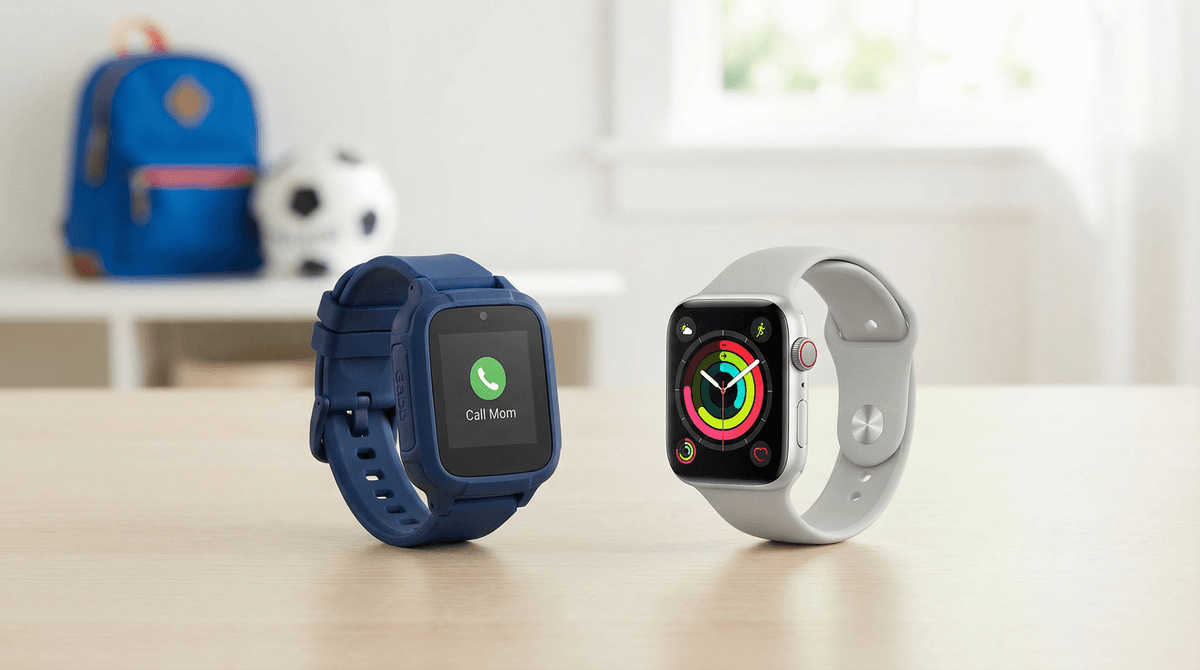
Gabb Watch vs. Apple Watch: Which Smartwatch Is Really Safer for Kids?
Gabb Watch is purpose-built for kids who need basic communication without internet access ($150 + $10/month). Apple Watch SE offers more features with robust parental controls but requires careful setup and ongoing management ($249 + cellular plan). Neither is inherently "safer"—it depends on your kid's age, maturity, and what you're trying to accomplish.
Your kid wants a smartwatch. Or maybe you want your kid to have one so you can stop worrying about whether they made it to soccer practice. Either way, you're now staring at two very different devices wondering which one won't turn into a regret.
The Gabb Watch promises simplicity and safety by stripping out basically everything that makes a smartwatch smart. The Apple Watch offers the full ecosystem experience with parental controls that—if configured correctly—can actually work pretty well. Let's break down what each actually delivers.
The Gabb Watch is essentially a phone call and GPS tracker strapped to your kid's wrist. That's not a criticism—it's literally the point.
What it includes:
- Voice calling to pre-approved contacts (up to 10-20 depending on model)
- Two-way text messaging (parent-approved contacts only)
- GPS tracking with geofencing alerts
- SOS button
- Calendar and reminders
- Camera (on Gabb Watch 3)
- Pedometer and basic activity tracking
What it deliberately excludes:
- No internet browser
- No social media
- No app store
- No games
- No group chats
- No ability for your kid to add contacts themselves
The Gabb Watch runs on its own cellular network (currently Verizon) and requires a Gabb Wireless subscription ($10/month for the first watch, $7/month for additional watches).
The Apple Watch SE (the model most parents consider for kids) is a full-featured smartwatch that can be locked down through Family Setup—Apple's system for managing watches for kids who don't have their own iPhone.
What it includes:
- Everything the Gabb Watch does, plus:
- Full app ecosystem (with parental approval)
- iMessage and FaceTime
- Apple Pay (with parental controls)
- Siri
- Fitness tracking and activity rings
- Music streaming
- Audiobooks and podcasts
- Educational apps
- Games (if you allow them)
What you can restrict through Family Setup:
- Which apps can be downloaded
- Who can contact your kid
- When the watch can be used (Downtime)
- Whether Siri can access the web
- In-app purchases
- Explicit content
The Apple Watch SE starts at $249 and requires a cellular plan (typically $10/month through your carrier).
Here's where things get interesting. Gabb markets heavily on "safety," but what does that actually mean?
Gabb's safety approach: Elimination
Gabb removes potential risks by removing features. No internet = no inappropriate content. No app store = no sneaking TikTok or Snapchat. No group chats = no drama or cyberbullying scenarios.
This works brilliantly for younger kids (ages 6-10) who genuinely just need to call mom when practice ends. It also works for families who want to delay smartphone culture as long as possible—which is a completely valid choice.
The limitation: Your kid literally cannot do anything you didn't pre-program. They can't text a new friend from school. They can't look up the weather. They can't listen to music or podcasts during a long car ride. It's a communication device, not a smartwatch.
Apple's safety approach: Configuration
Apple Watch with Family Setup gives you granular control over a powerful device. When set up correctly, it can be remarkably safe. You approve every app, every contact, every purchase. You set screen time limits. You get location tracking. You can even restrict Siri to only answer questions without searching the web.
This works well for older elementary and middle school kids (ages 9-14) who can handle more responsibility and benefit from features like fitness tracking, music, and educational apps.
The limitation: It requires ongoing management. Apps update. Kids figure out workarounds. That "harmless" game app might have a chat feature you didn't notice. And if you don't set up Family Setup correctly from the start, you're basically handing your kid a tiny iPhone with all the risks that entails.
Let's be honest about what you're actually spending:
Gabb Watch:
- Device: $150-$200 (depending on model and sales)
- Service: $10/month ($120/year)
- Year one total: $270-$320
- Two-year total: $390-$440
Apple Watch SE:
- Device: $249 (often on sale for $199)
- Cellular plan: ~$10/month ($120/year)
- Year one total: $369
- Two-year total: $489
The Apple Watch costs more upfront, but the monthly costs are comparable. The bigger cost difference comes if you already have an iPhone and Apple ecosystem—the watch integrates seamlessly. If you're not an Apple family, that's a different calculation.
Ages 6-8: Gabb Watch wins
Kids this age need to call you when they get to grandma's house. They don't need Siri, fitness rings, or the ability to download apps. The Gabb Watch does exactly what's needed without overwhelming them (or you).
Ages 9-11: It depends on your kid
This is the split zone. Some 9-year-olds are ready for more features and responsibility. Others aren't. Some families want to delay smartphone culture. Others see value in teaching digital literacy gradually with a managed device.
Questions to ask yourself:
- Does your kid need to communicate with friends independently? (Group texts, spontaneous playdates)
- Would they benefit from fitness tracking and activity motivation?
- Are they interested in audiobooks, podcasts, or music?
- Can they handle the responsibility of a more complex device?
- Do you have the bandwidth to manage parental controls actively?
Ages 12+: Apple Watch probably makes more sense
By middle school, most kids are navigating more complex social situations. They need group chats for school projects. They want to listen to music. They're developing independence. A Gabb Watch starts to feel limiting—and that limitation might actually backfire by making your kid feel isolated from peers.
The Apple Watch with Family Setup lets you give age-appropriate independence while maintaining oversight. You can loosen restrictions gradually as they prove responsibility.
About Gabb Watch:
The company markets heavily to anxious parents, which can make their messaging feel a bit... intense. Yes, smartphones and social media pose real risks. But a Gabb Watch isn't a magic shield against digital culture—it's a delay tactic. That's not bad! Delaying is a valid strategy. Just be clear-eyed that you're eventually going to face the same decisions about internet access, social media, and smartphone ownership.
Also worth knowing: Gabb uses Verizon's network, so check coverage in your area. And kids can't add contacts themselves—you have to do it through the parent app. This is by design, but it means your kid can't text the new friend they made at camp without you manually adding that number first.
About Apple Watch:
Family Setup is powerful but not foolproof. You need to:
- Actually set up Family Setup (not just hand them your old watch)
- Review app permissions carefully—some "kids apps" have chat features
- Set Downtime and app limits from day one
- Check in regularly as apps update and add features
- Disable "Add Friends" in any messaging apps
- Turn off Siri web search if you're not ready for open internet access
The Apple Watch can also become a distraction. Fitness rings are motivating for some kids and anxiety-inducing for others. Notifications can be overwhelming. The ability to listen to music or podcasts is great until your kid is tuning out family dinner.
Choose Gabb Watch if:
- Your kid is under 10
- You want simple communication and GPS tracking, period
- You're deliberately delaying smartphone culture
- You don't want to manage app permissions and screen time settings
- Your kid doesn't need to communicate with peers independently yet
Choose Apple Watch SE if:
- Your kid is 9+ and ready for more features
- You're comfortable actively managing parental controls
- Your kid would benefit from fitness tracking, music, audiobooks, or educational apps
- You're already an Apple family
- Your kid needs more flexible communication (group chats, new contacts)
- You see value in teaching digital responsibility gradually with a managed device
Choose neither if:
- Your kid doesn't actually need to contact you independently yet
- You're buying it primarily because other kids have one
- You're hoping it will solve behavioral or responsibility issues (it won't)
If you're leaning toward Gabb, check their website for current models and sales. The Gabb Watch 3 (newest model) adds a camera and improved GPS.
If you're going Apple Watch route, read this guide to setting up Family Setup correctly before you unbox anything. Seriously. It's much harder to lock things down after your kid has already started using it.
And if you're still not sure, that probably means your kid doesn't really need a smartwatch yet. A basic phone with limited features or even a Gabb Phone might be a better fit.
The right answer isn't about which device is "safer"—it's about which device matches your kid's actual needs and your family's values around technology. Neither watch will parent for you, but both can be useful tools when chosen thoughtfully.