

Setting Up Parental Controls in Genshin Impact: A Parent's Guide
TL;DR: Genshin Impact is rolling out mandatory age verification by July 2025, and if you don't set it up, your kid's account could get locked. The good news? You can now control chat, spending, and playtime directly through the game. Here's exactly how to do it before the deadline hits.
If your kid has been talking about "pulling for characters" or "grinding for primogems," they're probably playing Genshin Impact. It's a massive open-world RPG with anime-style graphics where players explore a fantasy world, collect characters through a gacha system (think: digital loot boxes), and complete quests. It's free to play, which is part of why it's exploded in popularity—but that "free" comes with some serious spending temptations.
The game is rated T for Teen (13+), though plenty of younger kids play it. It's available on mobile, PC, PlayStation, and even Nintendo Switch as of 2024.
In early 2025, HoYoverse (the game's developer) announced that all players will need to verify their age by July 2025. If you don't complete this process, accounts will be restricted or potentially locked. This isn't just a suggestion—it's mandatory.
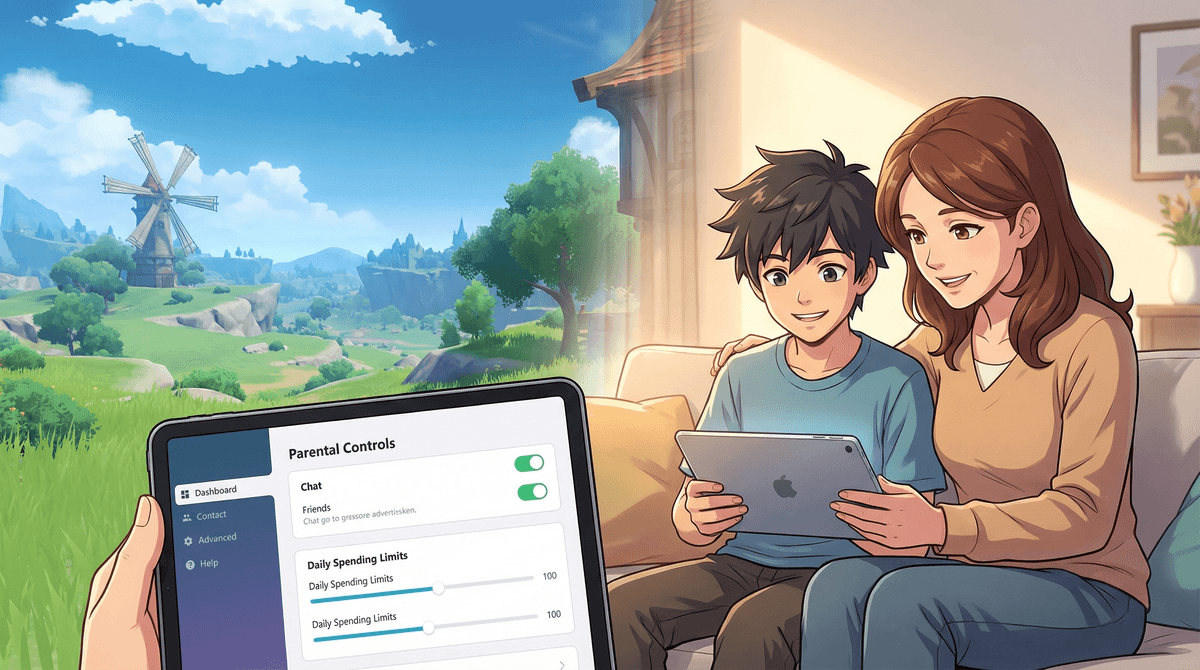
But here's the silver lining: along with this verification requirement, HoYoverse rolled out actual parental controls. For years, parents had to rely on device-level restrictions or credit card monitoring. Now you can manage things directly in the game.
First things first: you need to verify your child's age on their account. Here's how:
- Log into the account (on any device where they play)
- Go to Settings (the gear icon in the pause menu)
- Select "Account"
- Find "Age Verification"
- Enter the player's date of birth
For players under 18, you'll need to link a parent/guardian email to the account. This is crucial—without it, you won't be able to access the parental controls dashboard.
Important: Use YOUR email, not your kid's. You'll need access to this email to manage restrictions later.
Once age verification is complete, you can access the parental controls dashboard at account.hoyoverse.com (log in with the parent email you linked).
What You Can Control:
1. Chat Restrictions
- Disable all chat (including co-op mode chat)
- Allow friend chat only
- Full chat enabled
My take? If your kid is under 13, disable chat entirely or stick to friends-only. The co-op chat can get... let's just say it's not moderated well. Learn more about online gaming safety.
2. Spending Limits This is the big one. You can set:
- Daily spending limits ($0 to $100)
- Monthly spending limits ($0 to $500)
- Require approval for purchases (you get an email notification before any purchase goes through)
The gacha system in Genshin is designed to be addictive—it literally uses the same psychological mechanics as slot machines. Kids see their favorite YouTubers "pulling" for rare characters and want to do the same. A single "pull" costs about $2-3 worth of in-game currency, and the odds of getting what you want are often less than 1%.
I'd recommend setting a strict monthly limit (like $10-20 max) or requiring approval for every purchase. Better yet? Set it to $0 and let them earn Google Play/App Store gift cards for birthdays or chores if they want to spend.
3. Playtime Management
- Set daily playtime limits (30 minutes to 4 hours)
- Schedule "allowed play windows" (e.g., only after 4pm on weekdays)
- Receive notifications when time limits are reached
The game will give warnings at 15 minutes remaining and 5 minutes remaining, then automatically log the player out when time's up.
4. Friend Requests & Co-op
- Disable incoming friend requests
- Disable co-op mode entirely (so they can only play solo)
- Require approval for friend requests (you get an email notification)
Co-op mode is where most of the chat issues happen. If you're allowing co-op, definitely restrict chat to friends-only.
Ages 10-12: If they're playing (and many are, despite the T rating), I'd recommend:
- Chat completely disabled
- $0 spending limit or purchase approval required
- 1-hour daily playtime limit
- Co-op disabled or friends-only
Ages 13-15:
- Friends-only chat
- $10-20 monthly spending limit with purchase approval
- 1.5-2 hour daily playtime limit
- Co-op with friends only
Ages 16+:
- You can probably loosen up here, but I'd still keep spending limits in place
- Full chat with regular check-ins about who they're playing with
- Playtime limits based on homework/responsibilities
The gacha system is gambling, full stop. The game uses every trick in the book: limited-time characters, flashy animations, pity systems that make you feel like you're "close" to getting what you want. Some kids have racked up hundreds or thousands of dollars in charges. Learn more about gacha games and spending .
.
The game is grindy. Even without spending money, Genshin requires a lot of repetitive daily tasks to progress. This can lead to kids feeling like they "have to" log in every day or they'll fall behind. That's by design—it's how free-to-play games keep engagement high.
The community is... mixed. There are plenty of helpful, friendly players. But there's also a vocal subset that can be toxic, especially around character "meta" discussions and gacha results. The subreddit and Discord servers are NOT kid-friendly spaces.
It's actually a pretty good game. Despite all these warnings, Genshin is genuinely well-made. The world is gorgeous, the music is beautiful, the story is engaging, and there's real skill involved in combat. If you can manage the spending and time investment, it's not a bad choice for teens who like RPGs. It's certainly better than a lot of the alternatives (looking at you, some of the more toxic competitive games).
"I can't find the age verification option" Make sure the game is fully updated. The feature rolled out in early 2025, so older versions won't have it.
"My kid set up their account with a fake birthdate" You'll need to contact HoYoverse support to correct this. They're pretty responsive, but you'll need proof of guardianship.
"The spending limits aren't working" Double-check that you've linked your payment method through the parental controls dashboard, not just through the device's app store. Device-level restrictions are a good backup, but the in-game controls are more granular.
"They're just creating a new account" Yeah, this is the eternal arms race of parenting in the digital age. You can't control what you don't know about. This is where device-level controls (Screen Time on iOS, Family Link on Android) become important. Also: regular conversations about why these limits exist.
The mandatory age verification is actually a good thing—it's forcing a conversation that should have happened earlier. Use this deadline as an opportunity to sit down with your kid and set up these controls together.
Talk about why the limits exist. Explain how gacha systems work and why they're designed to make you want to spend. Discuss online safety and why chat restrictions matter. Learn how to talk to kids about in-app purchases.
And honestly? If you set up these controls and your kid still wants to play, that's probably fine. Genshin Impact isn't inherently evil—it's just a game that requires active parenting to navigate safely. With the right guardrails in place, it can be a genuinely enjoyable experience.
Just... maybe hide your credit card.
- Before July 2025: Complete age verification on all accounts
- Link your parent email during the verification process
- Set up controls at account.hoyoverse.com
- Have a conversation with your kid about the limits and why they exist
- Check in regularly—review spending, playtime, and who they're playing with
Need help with other games? Check out our guides on setting up Roblox parental controls or managing Fortnite spending.