

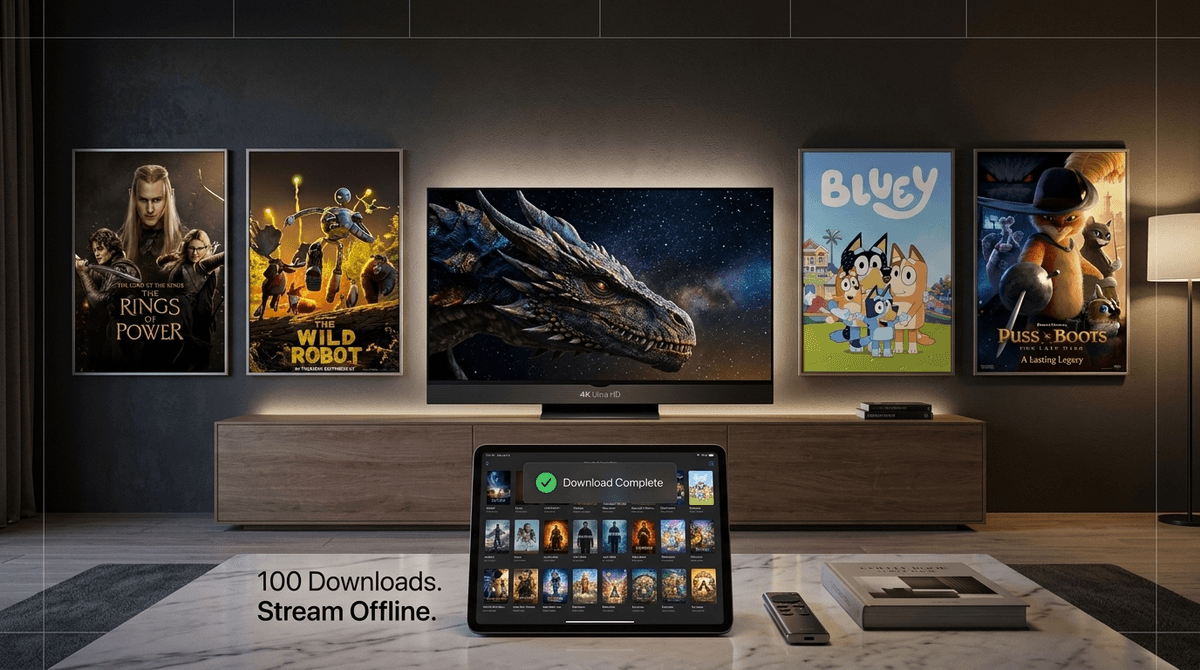
If you’ve been enjoying 4K resolution and the ability to download a dozen movies for that soul-crushing six-hour flight as part of your standard Prime membership, I have some annoying news: as of April 10th, Amazon is moving those perks behind a $4.99/month "Ultra" paywall.
Basically, the "standard" Prime Video we’ve all been using is getting a haircut, and if you want the high-def visuals and the massive offline library back, Amazon expects another five bucks a month—on top of your existing Prime membership.
TL;DR: The Quick Hits
- The Cost: $4.99/month add-on to your existing Prime membership.
- The "Why": Standard Prime is dropping to 1080p; Ultra gives you 4K UHD, HDR10+, and Dolby Atmos.
- The Travel Savior: Ultra bumps your offline download limit to 100 titles (up from 15-25 on the standard tier).
- Top Family Picks for Ultra: The Rings of Power, The Wild Robot, and Bluey (because yes, even 4-year-olds appreciate crisp animation).
- Is it worth it? Only if you have a 4K TV and travel frequently with kids who rely on tablets.
See if your streaming setup is too expensive for a family
Starting April 10, 2026, Amazon is restructuring its streaming service into two distinct tiers. The standard Prime Video (included with your Prime membership) will now be capped at 1080p resolution and will feature a more restrictive download limit.
Prime Video Ultra is the new premium tier. For an extra $4.99 a month, you get:
- 4K Ultra HD Resolution: If you spent $1,200 on a 4K OLED TV, you’ll need this to actually use all those pixels.
- Spatial Audio: Support for Dolby Atmos, which matters if you have a surround sound setup or high-end headphones.
- 100 Offline Downloads: This is the big one for parents. You can now load up an entire iPad with seasons of Tumble Leaf or Creative Galaxy before heading to a Wi-Fi-less cabin or a long flight.
We’re all trying to be "deliberate" with tech, but let’s be real: sometimes you just need the iPad to work so you can finish a conversation or survive a road trip. The shift of offline downloads to the Ultra tier feels like a targeted tax on parents.
In the "before times" (aka last month), you could download a handful of movies and be fine. But with the standard tier tightening the belt, you might find yourself stuck at the boarding gate with a "Download Limit Reached" notification and a toddler who is about to go full "Ohio" (that’s kid-speak for weird/cringe/bad, for those of us still catching up).
However, there is a silver lining. If you’re trying to move away from the "brain rot" of YouTube and TikTok, having a massive, high-quality offline library on Prime Video Ultra allows you to curate exactly what your kids are watching. You’re the DJ of the digital content, rather than letting an algorithm suggest the next 10-minute video of a giant head in a toilet.
If you’re going to pay for the Ultra tier, you should at least make sure you’re watching stuff that actually benefits from 4K and spatial audio. Here are the family-friendly heavy hitters on the platform right now:
This is arguably the most expensive show ever made, and it looks absolutely stunning in 4K. If your kids are in that 10+ age range and into The Hobbit or Percy Jackson, this is a visual feast. On a standard 1080p screen, you’re missing half the detail in the Orc prosthetics and the sweeping landscapes of Middle-earth.
Based on the incredible book by Peter Brown, this movie is a masterpiece of art direction. The textures of the forest and the robot’s weathering are exactly why 4K exists. It’s a "cry-together" family movie that deserves the highest resolution possible.
For the younger set, this movie has a stylized, comic-book aesthetic that pops in HDR. It’s fast-paced, funny, and doesn't feel like "homework" for parents to sit through.
I will shout from the rooftops that this is one of the best animated films of the last decade. The "painterly" animation style is gorgeous, and the themes of mortality and friendship are handled with more grace than most "adult" dramas. It’s a must-watch in Ultra.
Check out our full list of the best 4K movies for family night
If you decide to bite the bullet on the $4.99 "Ultra" tax, don't just let it sit there. Use the features to your advantage:
- The "Travel Pack" Strategy: Use that 100-download limit to create "thematic packs." Download a whole series of The Stinky & Dirty Show for the 3-year-old, and a collection of National Geographic Kids documentaries for the older ones.
- Audio-Only for Car Rides: Prime Video allows you to toggle audio-only or just listen to the movie. With Dolby Atmos on the Ultra tier, some of these shows sound like high-end radio plays. It’s a great way to reduce "screen time" while still enjoying a story during a drive.
- Curate the "Watch Next": Use the "Profiles" feature aggressively. If your 8-year-old's profile is filled with Minecraft tutorials they found on the Prime YouTube portal, go in and manually add quality shows like Just Add Magic to their "My List."
Look, Amazon is a business. They know that once you’re used to 4K, 1080p looks like you’re watching through a screen door. This is a classic "upsell."
But let’s talk about the content. Prime Video has a lot of "filler." For every Invincible (which is great but very violent—not for kids!), there are a hundred low-budget "toy unboxing" style shows that have migrated from YouTube. These are the definition of brain rot. They are loud, fast-cut, and designed to keep kids in a trance.
Paying for "Ultra" doesn't make the content better; it just makes the junk look clearer. As intentional parents, our job isn't just to pay for the best resolution, but to make sure the stuff in that resolution is worth their brain space. If you're paying for Ultra, use it as an excuse to purge the junk and focus on the high-production-value stuff that actually benefits from the tech.
Q: Is Prime Video Ultra appropriate for a 10-year-old?
The Ultra tier itself is just a technical upgrade, but it gives access to a lot of mature content. You’ll want to ensure your parental controls are set up to filter out R-rated movies and TV-MA shows like The Boys.
Q: Do I need a special TV for Prime Video Ultra?
Yes, you need a 4K UHD TV with HDR support to see the visual benefits. If you’re mostly watching on an older iPad or a standard 1080p laptop, the only reason to upgrade is for the 100-download limit.
Q: Can I still download movies on the regular Prime Video plan?
Yes, but the limit is significantly lower (usually around 15-25 titles per account). If you have multiple kids with their own tablets, you’ll hit that limit almost instantly before a vacation.
Q: How does Prime Video Ultra compare to Netflix's 4K plan?
Netflix currently charges around $23/month for their 4K tier. Prime Video Ultra is an add-on, so your total cost (Prime + Ultra) ends up being roughly similar, but Amazon gives you the added benefit of the 100-download limit, which beats Netflix's current device-based restrictions.
Is Prime Video Ultra a "family essential"?
If you travel more than twice a year or if your family movie night is a sacred ritual on a big 4K screen, then yes. The $60 a year is annoying, but the peace of mind of having 100 downloaded shows during a flight delay is worth its weight in gold (and sanity).
However, if you’re mostly a "one show before bed" family and your TV is from 2018, save your money. The kids won't notice the difference between 1080p and 4K while they're watching SpongeBob SquarePants, and your bank account will thank you.
- Check your hardware: Do you actually own a 4K TV? If not, skip Ultra.
- Audit your downloads: Open your Prime Video app and see how many titles you currently have downloaded. If you’re consistently hitting the limit, Ultra might be a necessity.
- Set a "Subscription Sunday" reminder: Check your statements. If you’re paying for Ultra, Netflix, Disney+, and Max, it might be time to rotate one out.