

TL;DR
Peacock's Kids Zone is NBCUniversal's answer to dedicated kids' streaming, and it's... fine. Not amazing, not terrible, just fine. The selection leans heavily on nostalgic favorites (hello, DreamWorks back catalog) and some genuinely solid originals. The parental controls exist but aren't as robust as Disney+ or even Netflix. If you're already paying for Peacock Premium, the Kids Zone is a decent bonus. If you're shopping around for the best kids' streaming service? This probably isn't your first pick.
Worth watching:
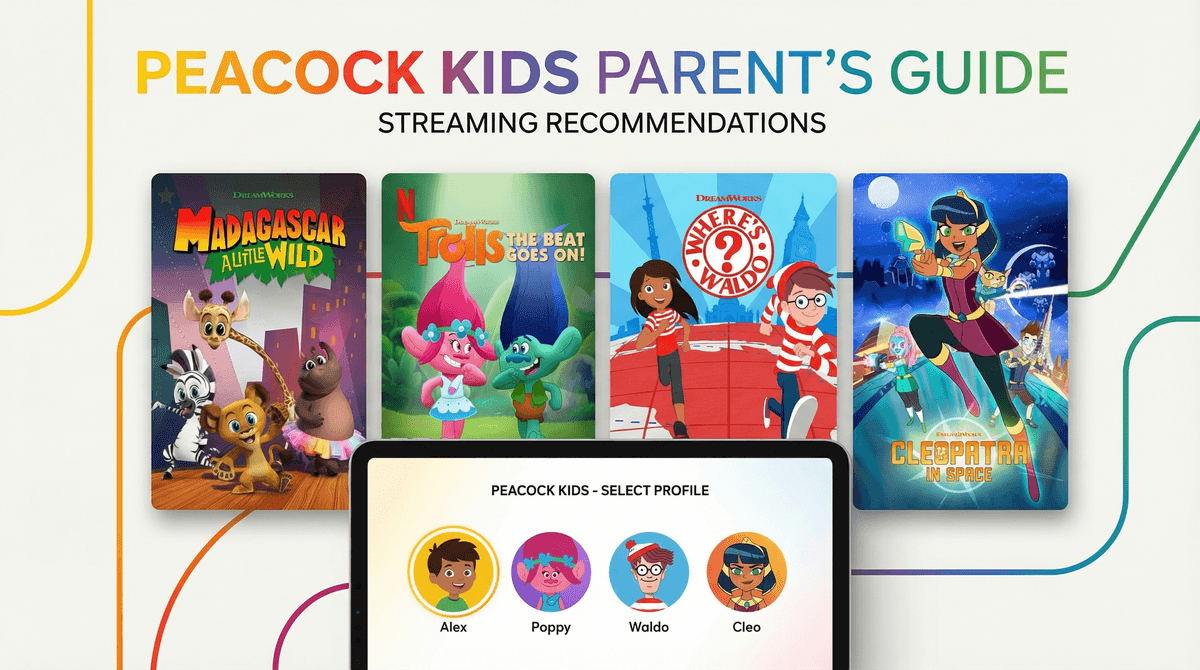
- Trolls: The Beat Goes On (Ages 4-8)
- Madagascar: A Little Wild (Ages 3-7)
- Where's Waldo? (Ages 5-9)
- Classic DreamWorks movies like Shrek and How to Train Your Dragon
Peacock Kids Zone is the dedicated children's section within NBCUniversal's Peacock streaming service. Think of it as Peacock's attempt to compete with Disney+ and Netflix in the "please keep my kids entertained while I make dinner" space.
You access it through a Kids Profile, which theoretically limits what content your child can see. The zone includes a mix of DreamWorks Animation shows and movies (Peacock's parent company owns DreamWorks), some Illumination content, classic cartoons, and a handful of educational shows.
The free tier of Peacock includes some kids content, but the Kids Zone really shines (or at least, glimmers) with Peacock Premium ($7.99/month with ads, $13.99 without).
Let's be honest: Peacock's kids library isn't breaking new ground. But there are some genuinely solid options buried in there.
Ages 3-7
This prequel series imagines the Madagascar gang as kids living in a rescue habitat at the Central Park Zoo. It's sweet, the animation is colorful, and the episodes are short enough (around 23 minutes) that you're not committing to a movie-length viewing session. My main complaint? The songs are aggressively catchy. You will be humming them at 2am.
Ages 5-9
A surprisingly charming adaptation of the classic books. Waldo and his friend Wenda travel the world solving problems and finding hidden objects. It's genuinely educational without being preachy about it—kids pick up geography and problem-solving skills while following along. The animation style is vibrant and busy (in a good way, true to the books), and each episode includes interactive "find it" moments.
Ages 7-12
Based on the graphic novel series, this show follows a teenage Cleopatra who gets transported 30,000 years into the future. It's got action, humor, and a female lead who's allowed to be both brave and messy. The animation quality is solid, and the storytelling doesn't talk down to kids. If your child liked The Dragon Prince or Kipo and the Age of Wonderbeasts, this is worth a shot.
The DreamWorks Movie Library
This is honestly Peacock's strongest selling point for kids. You get access to most of the DreamWorks catalog: Shrek, Kung Fu Panda, How to Train Your Dragon, Trolls, The Boss Baby, and more. These are quality family movies, even if you've seen them 47 times already.
Ages 4-8
If your kid is obsessed with Trolls, they'll love this. If you're not already in the Trolls ecosystem, this won't convert you. It's colorful, musical, and relentlessly upbeat. The stories are fine—friendship lessons, problem-solving, the occasional villain—but it's all very... safe. Not bad, just aggressively middle-of-the-road.
Ages 4-8
A younger-skewing spinoff of the How to Train Your Dragon franchise. The animation quality took a noticeable step down from the movies, and the stories are pretty formulaic. But if you have a dragon-obsessed preschooler, this will absolutely do the job.
The Parental Controls Are... Basic
You can create a Kids Profile, which limits content to age-appropriate shows and movies. That's it. That's the whole parental control system.
You can't:
- Set time limits within the app
- Block specific shows or movies
- Get viewing reports
- Require a PIN to exit Kids Mode
Compare this to Disney+, which lets you set content ratings by profile, or Netflix, which has much more granular controls. Peacock is banking on you handling screen time limits outside the app.
The Ad Situation
If you're on the cheaper Peacock Premium tier ($7.99/month), your kids will see ads. Even in Kids Mode. The ads are supposed to be family-friendly, but you're still dealing with commercials for toys, snacks, and other streaming services.
For what it's worth, the ads are less frequent than traditional TV, but they're there. If ad-free is non-negotiable for you, you'll need to spring for the $13.99/month tier.
Content Curation Is Inconsistent
The Kids Zone includes some genuinely educational content (like Where's Waldo?), but it also includes plenty of pure entertainment fluff. There's no easy way to filter for "educational" vs. "just fun," so you're browsing manually.
Also, the interface isn't great for young kids. It's not as intuitive as Disney+ or YouTube Kids, and younger children may need help navigating.
Ages 2-5: Peacock has a decent selection for this age group—Madagascar: A Little Wild, Dragons: Rescue Riders, and some classic Curious George episodes. But honestly, Disney+ and PBS Kids both have stronger catalogs for preschoolers.
Ages 6-9: This is where Peacock shines a bit more. Where's Waldo?, Cleopatra in Space, and the DreamWorks movie library give you solid options. The content isn't groundbreaking, but it's engaging and age-appropriate.
Ages 10+: The Kids Zone starts to feel limiting for this age group. The content skews younger, and preteens will quickly exhaust the options. You might find yourself creating a regular (non-Kids) profile for your older child and managing content access manually.
vs. Disney+: Disney+ wins on content quality, parental controls, and sheer volume of options. But Peacock is cheaper (especially the ad-supported tier) and includes live sports and NBC shows, which might matter if you're looking for an all-in-one family streaming service.
vs. Netflix: Netflix has a much larger kids' library and better original content. But if you're already paying for Netflix and want a second option, Peacock's DreamWorks catalog is a nice complement.
vs. HBO Max/Max: Max has a stronger kids' library (thanks to Cartoon Network and Studio Ghibli), but Peacock is cheaper. It's a trade-off.
vs. YouTube Kids: YouTube Kids is free and has infinite content, but it's also a Wild West of quality and you need to be way more hands-on with monitoring. Peacock is more curated, for better or worse.
Peacock Kids Zone is fine. It's not the best kids' streaming service, but it's not the worst either. If you're already subscribing to Peacock for other reasons (live sports, NBC shows, The Office reruns), the Kids Zone is a nice bonus. The DreamWorks movie library alone makes it worth having in your rotation.
But if you're choosing a streaming service specifically for kids' content? Disney+, Netflix, or even PBS Kids (which is free!) are stronger picks.
-
Try the free tier first. Peacock offers a free version with limited content. Test it out before committing to Premium.
-
Set up a Kids Profile immediately. Don't let your 6-year-old stumble into Law & Order: SVU because you forgot to switch profiles.
-
If you go with the ad-supported tier, watch a few episodes with your kids first. Make sure you're comfortable with the types of ads they'll see.
-
Pair it with another service. Peacock works best as a secondary streaming option, not your primary kids' content source.
-
Check out alternatives to streaming services if you're feeling overwhelmed by subscription fatigue. Sometimes the best screen time is no screen time, or at least, more intentional screen time.