

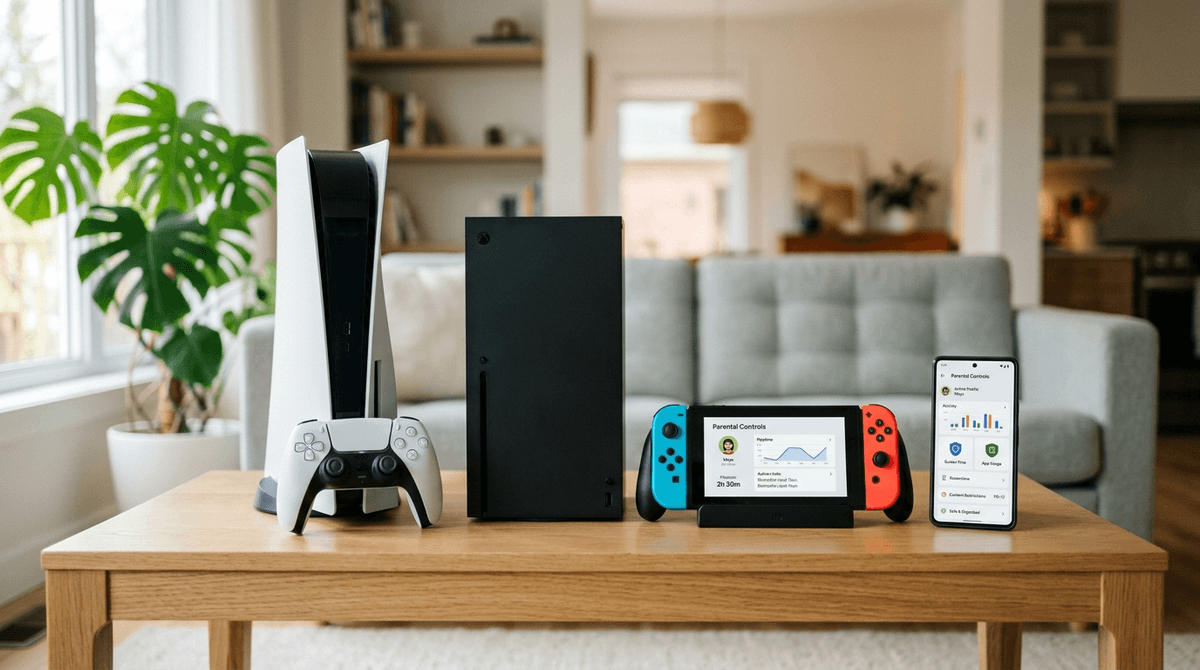
TL;DR
If you’re looking for the quick answer because your kid is currently begging for a console at Target:
- The Winner for Ease of Use: Nintendo Switch. The dedicated smartphone app is lightyears ahead of the others in terms of "I can do this while waiting in the carpool line."
- The Winner for Deep Customization: Xbox Series X/S. If your family is already in the Microsoft/Windows ecosystem, the granularity here is unmatched.
- The Winner for "It’s Fine, But Wearying": PlayStation 5. It has all the features, but the setup feels like filing taxes.
Check out our full comparison chart for console safety
We’ve all been there. You finally sit down after dinner, and you hear a scream from the living room because someone’s Roblox account got "hacked" (read: they gave their password to a stranger for a "free" pet) or they’ve accidentally spent $100 on Fortnite skins.
Digital parenting in 2026 isn't just about counting minutes; it's about managing the "brain rot" content, the predatory spending loops, and the social dynamics that make kids say everything is "Ohio" when it's slightly weird. The console you choose is basically the operating system for your kid's social life. You want one that works with you, not against you.
Nintendo knows its audience. They know that parents are tired, and they designed the Nintendo Switch with a "set it and forget it" mentality that actually works.
The Good Stuff
The standout feature is the Nintendo Switch Parental Controls app. You download it on your phone, link it to the console, and suddenly you have a remote control for your kid’s gaming life.
- The "Bedtime Alarm": You can set a hard limit (say, 1 hour) and when time is up, a giant notification pops up on the TV. If they ignore it? You can set the console to "Suspend Software," which is the digital equivalent of pulling the plug, but much more elegant.
- Activity Summaries: Every month, you get a little report showing what they played. If you see 40 hours of Skibidi War and zero hours of Super Mario Wonder, you know it’s time for a chat.
The Friction
Nintendo’s online system is notoriously clunky. While this is annoying for gamers, it’s actually a safety feature. It’s much harder for a random stranger to message your kid on a Switch than it is on an Xbox. However, managing "Friend Codes" is a headache, and the eShop (the digital store) can be tricky to lock down if you don't require a password for every single purchase.
Learn how to stop accidental eShop purchases on Switch
If your kid is graduating from Minecraft to more intense titles like Halo Infinite, the Xbox Series X/S is likely on your radar.
The Good Stuff
Xbox uses the Microsoft Family Safety ecosystem. If your kid has a Windows laptop for school and an Xbox for play, this is a dream. You can set a "screen time bucket" that applies across both devices.
- Granular Content Filters: You can block specific apps (like YouTube or Netflix) while allowing games.
- Spending Management: Xbox is the gold standard for "Allowance" features. You can deposit $10 into their account, and once it’s gone, it’s gone. No "oops, I spent the mortgage on V-Bucks" moments.
The Friction
The interface is... a lot. It’s built like a PC, which means there are menus inside of menus. If you aren't tech-savvy, you might find yourself accidentally blocking your kid from joining a multiplayer game with their actual cousins because the "Privacy and Online Safety" settings are so dense.
See our guide to Xbox Game Pass for families
The PlayStation 5 is often the "must-have" for older kids because of exclusives like Spider-Man 2 or Ratchet & Clank: Rift Apart.
The Good Stuff
Sony has made huge strides in the last two years. You can now manage most things via the PlayStation App on your phone.
- Play Time Controls: Similar to the others, you can set durations and end times.
- Communication Filters: You can specifically disable chat and messaging, which is a huge win for parents of kids who just want to play Bluey: The Videogame without hearing a 14-year-old in another state use "creative" language.
The Friction
Setting up a "Child Account" on PlayStation is a rite of passage for modern parents, and not a fun one. You have to create a "Family Manager" account (you), then add "Family Members" (them). If you accidentally set them up with a "Guest" account or—heaven forbid—let them lie about their age to get a "Full" account, you lose almost all control. Pro tip: Do not let them lie about their age. It is almost impossible to turn a "Pro" account back into a "Child" account later.
| Feature | Nintendo Switch | Xbox Series X/S | PlayStation 5 |
|---|---|---|---|
| Mobile App | Excellent/Dedicated | Good (Microsoft Family) | Decent (PlayStation App) |
| Screen Time Limits | Hard Stop (Suspends Game) | Flexible (Across PC/Console) | Soft Stop (Notifications) |
| Spending Controls | Password at Purchase | Allowance/Balance System | Monthly Spending Limit |
| Social Safety | High (Clunky by design) | Medium (Highly granular) | Medium (Requires deep setup) |
The "Roblox" Test
If your kid is obsessed with Roblox, you need to know that the parental controls within the game often override or bypass the console controls. No matter which console you buy, you still need to go into the Roblox settings themselves to turn off chat and set a PIN.
Read our guide on setting up Roblox parental controls
Ages 6-9: The Switch Era
At this age, the Nintendo Switch is the clear winner. The games are generally more "E for Everyone," and the "Suspension" feature on the timer prevents the "just five more minutes" argument from turning into a two-hour hostage negotiation.
Ages 10-12: The Xbox Transition
This is the "middle school" of gaming. They want to play with friends. The Xbox is great here because of the "Friend Request" notifications you can get on your phone. You can see who is asking to play with them in real-time.
Ages 13+: The PlayStation/Pro Era
By 13, they usually want the "prestige" games. The PlayStation 5 is the standard here. At this age, the controls should shift from "locking them out" to "monitoring and discussing." Use the weekly activity reports to see if their gaming is cutting into their sleep or schoolwork.
The biggest safety risk on any console isn't the games themselves—it's the people playing them.
- Discord: All three consoles now integrate with Discord. This is a massive loophole. You might have "Xbox Chat" turned off, but if they are logged into Discord on the console, they are talking to whoever they want.
- In-Game Chat: Games like Fortnite and Call of Duty have their own internal chat systems. You must disable these inside the game settings, not just the console settings.
See how to disable voice chat in Fortnite
Digital wellness isn't about being a prison warden; it's about being a coach.
If you want the easiest life, buy a Nintendo Switch. If you want the most control, buy an Xbox. If you want the "coolest" games and don't mind a 30-minute setup process, go with the PlayStation 5.
Regardless of the hardware, the best parental control is still the one where you sit on the couch for 15 minutes and watch them play. You’ll learn more about their digital world by watching one round of Fall Guys than you will from any data chart.
- Pick your console based on your tech comfort level.
- Create your "Adult" account first, then create their "Child" account.
- Download the corresponding app (Nintendo Switch Parental Controls, Microsoft Family Safety, or PlayStation App).
- Set a spending password immediately. Do not skip this. Your credit card will thank you.