

TL;DR
Minecraft is the "digital LEGO" that refuses to go away. In 2026, it’s bigger than ever with a star-studded A Minecraft Movie hitting theaters. If your kids want to play with friends across different devices, you need Bedrock Edition and a Microsoft Account. For the safest experience, stick to private Realms rather than public servers.
Quick Links:
- Minecraft (the game)
- A Minecraft Movie
- Microsoft Family Safety
- Roblox (for the inevitable "Can I play this instead?" conversation)
If you feel like you’ve been hearing about Creepers and Endermen for a decade, you’re not wrong. Minecraft is a sandbox game where everything is made of blocks. You can build a 1:1 replica of the Eiffel Tower in Creative Mode or try not to get blown up by a green exploding bush in Survival Mode.
But here’s the 2025 reality check: it’s no longer just a "kid’s game." While about 68% of kids aged 9-12 are active players, the average age of a Minecraft player is actually 24. This means when your 8-year-old jumps onto a public server, they aren't just playing with other 2nd graders—they’re potentially in a digital space with adults.
This is the #1 question parents ask at pickup: "Why can't my son play with his cousin if they both have Minecraft?" It usually comes down to the version.
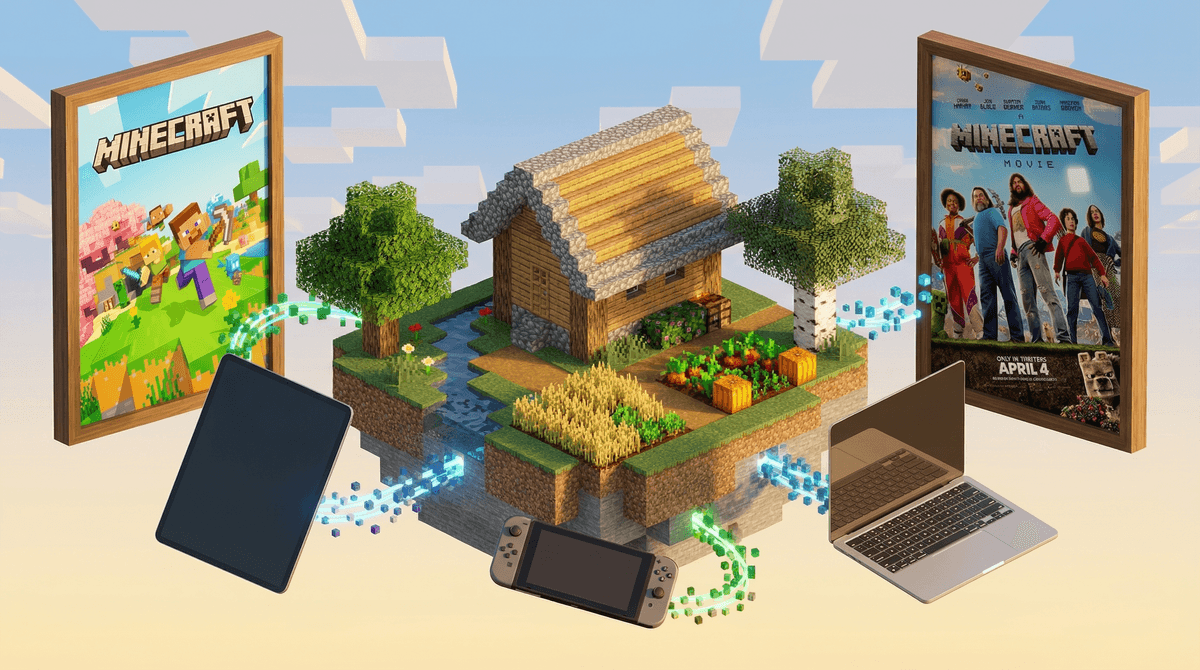
This is the "play anywhere" version. If your child is on a Nintendo Switch, iPad, Xbox, PlayStation, or a Windows PC, they are likely using Bedrock.
- The Pro: It allows cross-platform play. A kid on a tablet can build a house with a kid on a PlayStation.
- The Con: It features the Minecraft Marketplace, where kids will constantly ask you for "Minecoins" to buy new skins and worlds.
This is the "OG" version, and it only runs on PCs (Windows, Mac, Linux).
- The Pro: It’s the land of Mods. If your kid watches YouTube and sees someone playing Minecraft with 500 dragons or realistic physics, that’s Java.
- The Con: It does not talk to consoles. If your kid has Java, they cannot play with their friend on a Switch.
Find out which Minecraft version your child is running
It’s finally happening. After years of development hell, the live-action movie arrives in April 2025.
The Vibe: Think Jumanji meets The LEGO Movie. It stars Jack Black as Steve (the main guy) and Jason Momoa as a guy named Garrett. The Concern: The trailers have sparked some "brain rot" debates because of the CGI style, but ultimately, it’s a PG-rated, family-friendly adventure. The Takeaway: Expect a massive surge in Minecraft interest this year. If your kid hasn't played in a while, the movie will likely pull them back in. It’s a great "first cinema experience" for the 6-10 age bracket, focusing on creativity and teamwork.
To play Minecraft online, your child must have a Microsoft account. This is actually a good thing for parents, even if the setup is a bit of a headache.
Why you want a Microsoft Family Group
By creating a Microsoft Family Safety group, you can:
- Toggle Multiplayer: You can literally turn off their ability to join worlds with strangers.
- Manage Chat: You can restrict who can send them messages.
- Set Spend Limits: No more surprise $50 charges for "Dinosaur Skins."
Public Servers vs. Realms
- Public Servers: These are massive worlds run by the community (like Hypixel). They have mini-games and thousands of players. While they have filters, "griefing" (players being jerks and destroying your stuff) is common.
- Minecraft Realms: This is a private, subscription-based server (about $8/month). It’s a "walled garden." Only people your child invites can enter. This is the gold standard for safety for kids under 12.
Learn more about setting up a safe Minecraft environment
I’m going to be honest: if I had to choose between my kid spending two hours on Minecraft or two hours on Roblox, I’m picking Minecraft every time.
- Entrepreneurship vs. Exploitation: In Minecraft, kids learn "Redstone" (basic logic and circuitry) and architecture. In Roblox, the ecosystem is heavily geared toward making kids want to spend money to look cool.
- Content Quality: Minecraft is a consistent world. Roblox is a wild west of user-generated games that can range from "Adopt a Pet" to "Escape the Scary Killer" in three clicks.
- The "Flow" State: Minecraft encourages deep, focused building. It’s less "skit-based" than the viral trends you see on TikTok or YouTube Shorts.
- Ages 5-7: Stick to Creative Mode and Single Player. It’s basically digital blocks. No monsters, no stress.
- Ages 8-10: Introduce Survival Mode (it has "Easy" and "Peaceful" settings). This is a great time to set up a Realm so they can play with 2-3 school friends.
- Ages 11-13: They’ll start asking for public servers and Java Edition for mods. This is when you need to have the talk about "Internet Strangers" and ensure their Discord (if they use it to talk to gaming friends) is locked down.
Check out our guide on Minecraft vs Roblox for a deeper dive
The "End" isn't the end. There is technically a boss called the "Ender Dragon," but beating it doesn't stop the game. Minecraft is infinite. This is why "just five more minutes" never works—there is no natural stopping point.
Watch out for the "YouTube Rabbit Hole." Most kids learn how to play by watching YouTube. While creators like Stampy are classic and safe, some newer "Minecraft Manhunt" videos can be high-stress and feature a lot of yelling.
It’s actually educational. I know, we say that about everything to feel better, but Minecraft is used in schools for a reason. It teaches spatial awareness, resource management, and—if they get into "Command Blocks"—actual coding logic.
Minecraft is one of the few "Big Tech" wins for parents. It’s creative, it’s relatively clean, and it has the most robust parental controls in the gaming industry (thanks, Microsoft).
If you’re just starting out, buy the Bedrock Edition, set up a Microsoft Family Group, and let them build. If they start asking about the 2025 movie, use it as a bridge to talk about what they're building in their own worlds.
- Check the device: See if your child is playing on a tablet, console, or PC.
- Set up the "Gatekeeper": Head to account.microsoft.com/family and create your group.
- Talk about the Movie: Watch the A Minecraft Movie trailer together and see what they think about Jack Black's "Steve."
Get a step-by-step checklist to secure your child's Minecraft account