

TL;DR
Messenger Kids is the "training wheels" version of social media. It gives kids the thrill of group chats and AR filters while giving parents total control over the contact list. It’s generally safer than TikTok or Snapchat for the under-12 crowd, but it’s a major gateway to "group chat drama" and raises valid questions about Meta's data collection. If you’re looking for a way to let your 2nd grader text Grandma or their best friend without a full phone, this is the most common starting point.
Quick Links:
At its core, Messenger Kids is a messaging app designed for children under 13, who technically aren't allowed to have "real" Facebook or Instagram accounts. Instead of the child creating their own account, you (the parent) set it up through your own Facebook account.
The "magic" of it is the Parent Dashboard. You are the gatekeeper. Your child cannot add a friend unless you approve it, and the other child’s parent also has to approve the connection. There are no public profiles, no "discover" feed, and no ads. It’s a walled garden, but the walls are made by Meta.
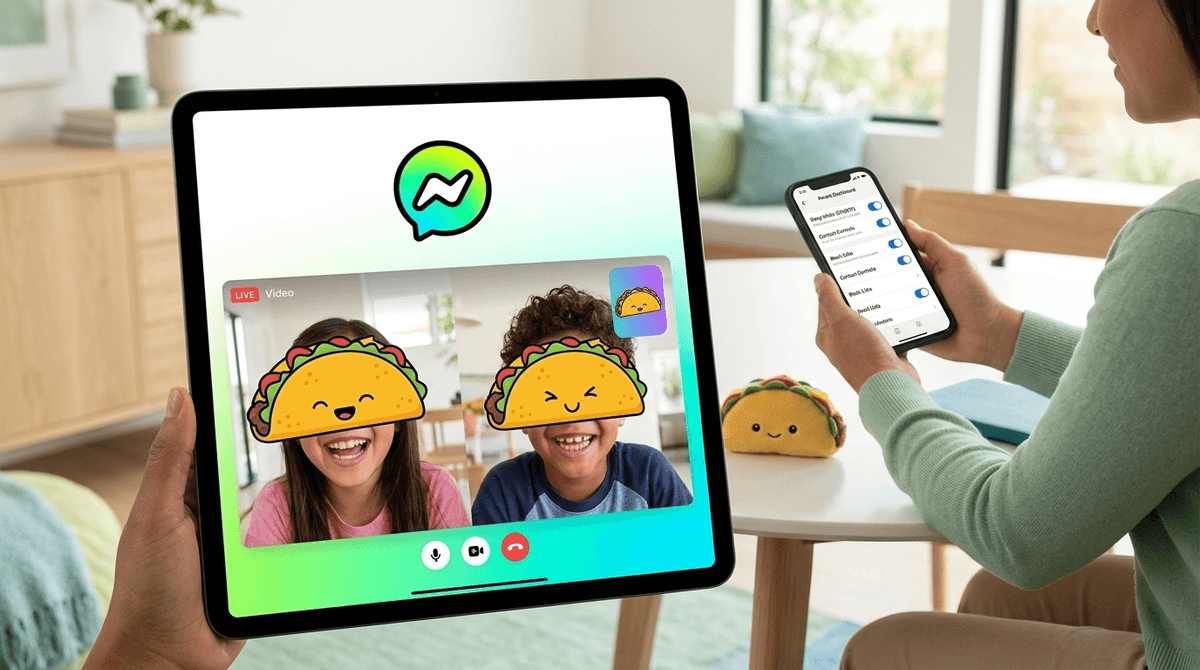
If you’ve ever seen a 9-year-old’s eyes light up when they get to use an AR filter that turns them into a taco, you know why they want this. It’s not just about the texting; it’s about the "stuff."
- The Filters and Stickers: It’s basically Snapchat Lite. They can send photos with "Ohio" memes or "Skibidi" stickers (yes, it's weird, we're all tired of it) and play simple AR games with friends while on video calls.
- The Status: Being in "The Group Chat" is a major social milestone. It’s where they discuss Roblox strategies or complain about homework.
- Independence: It feels like a "grown-up" app. They can decorate their chat bubble colors and choose a profile picture, giving them a sense of digital agency before they’re ready for the wild west of the open internet.

Here’s where it gets real. While Messenger Kids protects your child from strangers, it does absolutely nothing to protect them from the social dynamics of 4th grade.
We see this in the Screenwise community data all the time: the biggest "safety" issue parents report isn't predators; it's the 9:00 PM fallout from a group chat where someone got "kicked" or someone said something "mid" about someone else’s Minecraft house.
The "Training Wheels" aspect means you have to actually teach them how to ride.
- The "Always On" Problem: Without boundaries, the pings are constant.
- The Exclusion Factor: Kids can create groups and leave people out. It’s the digital version of the "you can’t sit with us" table.
- Misinterpretation: Tone is hard for adults; it’s impossible for an 8-year-old. A joke can turn into a three-day feud in three seconds.
We have to talk about the elephant in the room: Meta (formerly Facebook).
While Meta claims Messenger Kids does not use kids' data for ads, they are still collecting data on how your child uses the app. Critics argue that this is essentially "brand grooming"—getting kids hooked on the Meta ecosystem before they’re even in middle school.
In 2019, there was a technical "glitch" that allowed kids to enter group chats with unapproved strangers. Meta fixed it, but it served as a reminder that no "walled garden" is perfectly secure. If you are a family that prioritizes total data privacy, this app might not be for you.
- Ages 6-8: This is the "Grandma Phase." Use the app primarily for video chatting with relatives or one or two very close friends. Keep the tablet or phone in a common area.
- Ages 9-11: This is the "Social Sandbox Phase." They’ll want group chats with classmates. This is the time to use the Sleep Mode feature in the Parent Dashboard to ensure the app "turns off" at bedtime.
- Ages 12+: By this point, most kids find Messenger Kids "babyish" and will start lobbying for Discord or WhatsApp.
If you’re not a fan of Meta or want something even simpler, consider these:
If you’re an Apple family, FaceTime is the gold standard. It’s end-to-end encrypted and doesn't have the "social media" feel of Messenger. However, it lacks the granular parental approval for every single contact that Messenger Kids offers.
For parents who want to avoid Big Tech entirely, Gabb Messenger (often paired with a Gabb phone) uses AI to flag "naughty" words or suggestive photos before they are even sent. It’s much more "locked down."
Technically for ages 13+, but many families use it for family threads. It lacks the "fun" stickers and kid-centric UI of Messenger Kids, but it's more functional for actual communication.
Don't just install the app and walk away. You need to live in the Parent Dashboard for the first few weeks.
- Sleep Mode: You can set a "bedtime" for the app. Use it. Nothing good happens in a 4th-grade group chat after 8:30 PM.
- Contact Management: You can see who your child is chatting with and who has requested to be their friend.
- Chat History: You can see a log of images and messages sent back and forth. Pro-tip: Don't spy in secret. Tell your child, "I have access to this because I’m your coach, and I want to help you if things get weird."
Learn how to have the "I'm checking your messages" conversation
Messenger Kids is a solid tool for teaching digital etiquette in a controlled environment. It’s not "brain rot" like some mindless YouTube scrolling can be, because it's active communication.
However, it is a Meta product, and it is a gateway to the dopamine loops of social media. If you use it as a teaching tool—reviewing chats together, discussing why someone might have felt left out, and strictly enforcing Sleep Mode—it can be a great way to prepare them for the bigger platforms later.
If you just want a way for them to call their cousins without the drama, maybe stick to FaceTime.
- Audit the contacts: If you already have the app, go into the Parent Dashboard tonight and see who is actually on that list. If they haven't talked to "Cousin Leo" in six months, remove him.
- Set a "Digital Sunset": Use the Sleep Mode to ensure the app isn't the last thing they see before bed.
- Talk about the "Permanent Record": Remind them that even in a "kids" app, screenshots are forever.