

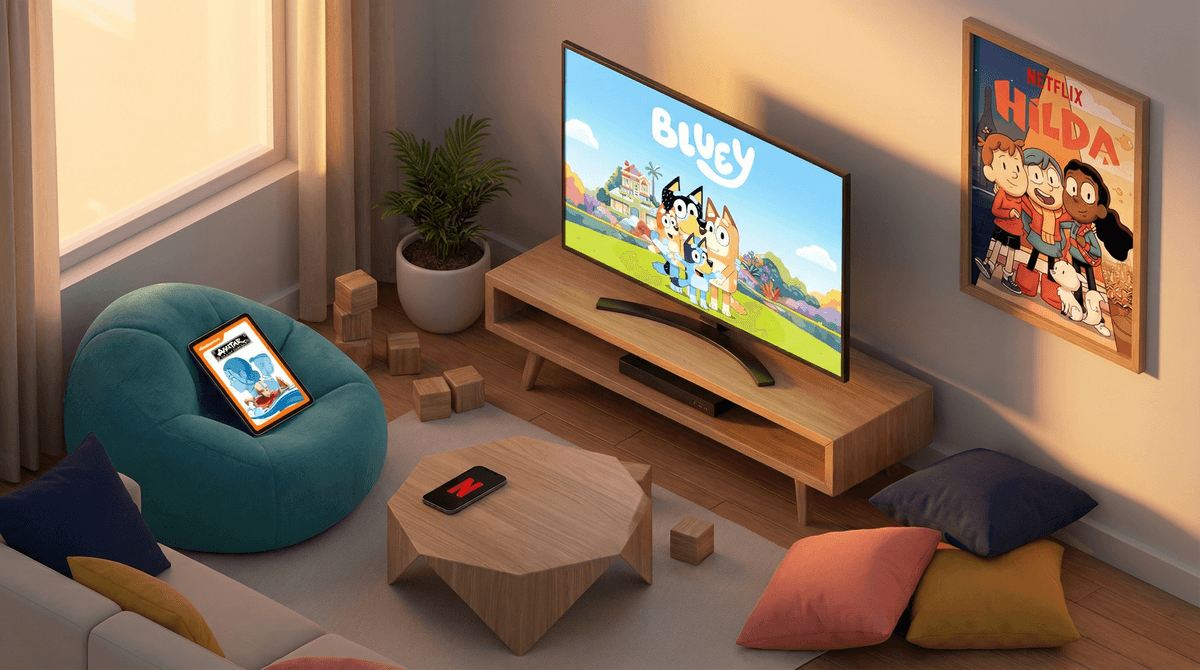
Kids TV Streaming Online: What Parents Need to Know
Look, I get it. You just need 20 minutes to make dinner without someone asking you what's for dinner. Or you're on a road trip and the tablet loaded with Bluey is the only thing standing between you and chaos. Streaming services for kids aren't inherently evil—but they're also designed by very smart people whose job is to keep your kid watching as long as possible.
Let's talk about what's actually happening when your kid fires up Netflix, Disney+, YouTube Kids, or any of the dozen other streaming platforms fighting for their eyeballs.
Kids TV streaming is basically any video content your child watches on-demand through apps and platforms—Netflix, Disney+, HBO Max, Amazon Prime Video, Apple TV+, YouTube Kids, Paramount+, Peacock... the list is honestly exhausting. Unlike the Saturday morning cartoons we grew up with (RIP), streaming never ends. There's no natural stopping point, no commercial breaks, and definitely no "that's all folks" moment.
The content ranges from genuinely excellent (Avatar: The Last Airbender, Hilda) to absolute brain rot (I'm looking at you, random YouTube Kids channels with kids opening toys for 45 minutes straight).
Streaming platforms are really, really good at what they do. Here's what they're working with:
Autoplay is the devil's work. That countdown timer before the next episode starts? It's specifically designed to override the part of your kid's brain that might say "maybe I should stop now." It takes active effort to NOT keep watching—and kids' brains aren't great at that yet.
Infinite scroll, infinite content. There's always something else to watch. Always. The paradox of choice means kids often end up watching whatever the algorithm serves up next rather than making an intentional choice.
Personalized recommendations. These algorithms know what your kid likes, and they're going to feed them more of it. If your 7-year-old watched one Pokémon episode, congrats—the algorithm now thinks they want to watch 847 more episodes.
No natural endpoints. Remember when a TV show ended and then it was the news? That was actually... helpful? Now there's no signal that screen time is over unless you provide it.
Not all "kids" content is created equal. The stuff that gets labeled "for kids" ranges wildly. Cocomelon is designed for toddlers with rapid cuts and bright colors that some experts worry is overstimulating. The Mandalorian is rated TV-PG but has violence that might be too intense for younger kids. Squid Game somehow ended up on kids' radar despite being absolutely NOT for kids.
YouTube Kids is its own special nightmare. Even with filters, weird stuff gets through. There's a whole genre of content that's technically "kid-friendly" but is just... bizarre and low-quality. Kids watching other kids play with toys, unbox things, or react to videos. It's not harmful per se, but it's also not exactly enriching. Read more about YouTube Kids vs regular YouTube.
Streaming replaces other activities. This is the big one. Every hour of streaming is an hour not spent playing outside, reading, doing creative play, or being bored (which is actually good for kids!). The convenience of streaming makes it really easy to default to screens.
The "just one more episode" battle. You will have this fight. Regularly. Streaming makes it worse because there's always one more episode, and the cliffhangers are designed to make kids desperate to see what happens next.
Ages 2-5: The AAP recommends no more than 1 hour of high-quality programming per day. At this age, co-viewing is huge—talk about what they're watching, make it interactive. Good options: Bluey, Daniel Tiger's Neighborhood, Sesame Street. Avoid: anything with rapid scene changes or overstimulating content.
Ages 6-9: They can handle more complex narratives now. This is a great age for shows that actually teach something or have real emotional depth. Try: Avatar: The Last Airbender, Hilda, The Wild Kratts. Set clear time limits (1-2 hours max on non-school days) and stick to them.
Ages 10-13: They're going to want to watch what their friends watch, which means you need to actually know what that is. They can handle more mature themes, but you should still be aware of what they're consuming. Stranger Things is popular but genuinely scary. The Owl House is fantastic. Nailed It! is fun family viewing.
Turn off autoplay. Seriously, do this right now. Every platform has this setting. It won't stop all the battles, but it helps.
Create a family media plan. Decide together when streaming is okay and when it's not. Maybe no screens during meals, or only on weekends, or only after homework. Whatever works for your family, but make it clear and consistent.
Use the parental controls. Every platform has them. Set up kids' profiles with age-appropriate content ratings. Netflix, Disney+, and others let you lock certain content behind a PIN.
Watch together when you can. I know you're busy. But co-viewing makes a huge difference—it turns passive consumption into an active, social experience. Plus you'll actually know what they're watching.
Have a transition plan. Give warnings before screen time ends ("10 more minutes, then we're done"). Let them finish the episode they're on rather than stopping mid-show. It reduces meltdowns.
Curate don't just restrict. Instead of just saying "no screens," offer specific good options. Make a family watchlist of shows you've vetted and feel good about. Check out our guide to age-appropriate streaming content.
Balance with other stuff. The goal isn't zero screen time—it's healthy screen time in balance with everything else. Make sure there's time for outdoor play, reading, creative activities, and good old-fashioned boredom.
Streaming isn't going anywhere, and you don't have to be the parent who bans all screens to be a good parent. But you do need to be intentional about it. The platforms are designed to maximize watch time—you need to be the circuit breaker.
The best approach? Treat streaming like dessert. It can be part of a healthy diet, but it shouldn't be the main course. Set clear boundaries, choose quality content, and don't let the algorithm raise your kids.
And hey, if you need Bluey to get through dinner prep? That's fine. Bluey is genuinely great. Just maybe turn off autoplay so you're not accidentally committed to a 3-hour viewing session.
Want to dive deeper? Screenwise can help you understand exactly what your kids are watching, how it compares to other families in your community, and give you personalized recommendations based on your family's values. Because one-size-fits-all advice about screen time is about as useful as one-size-fits-all parenting advice in general—which is to say, not very.