

TL;DR
- The Problem: Your kid thinks YouTube Kids is "for babies" and wants to watch MrBeast on the main app.
- The Solution: YouTube Supervised Accounts. It’s the "training wheels" version of the full YouTube experience.
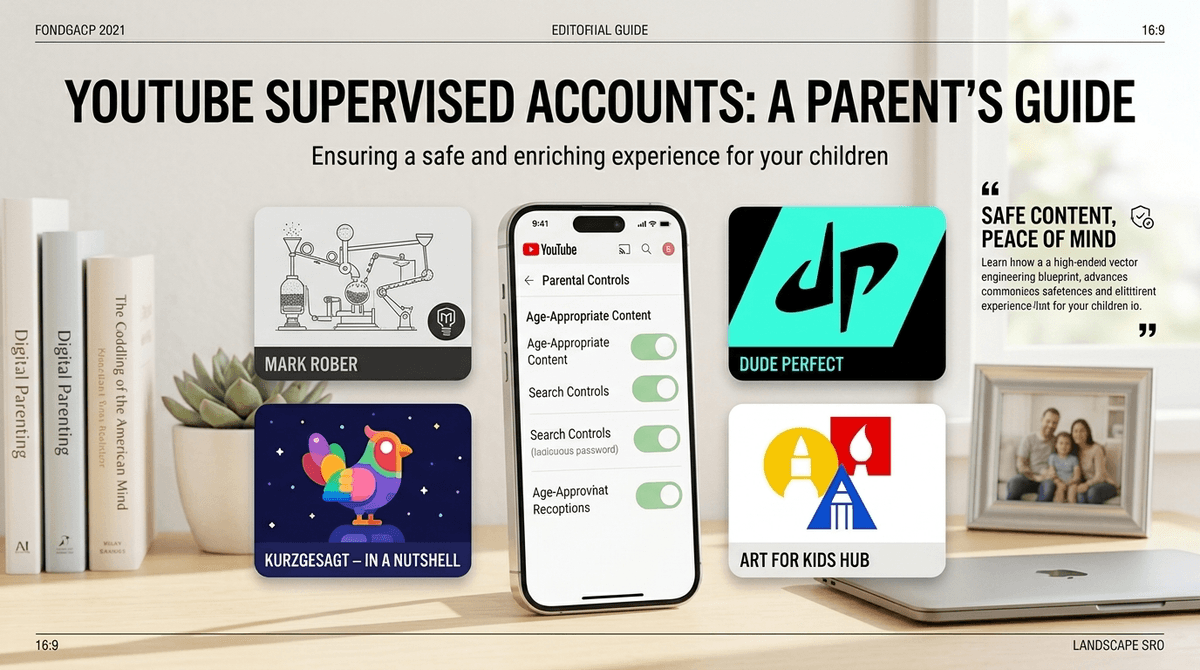
- Top Recommended Channels: Mark Rober (Science), Dude Perfect (Stunts/Comedy), Kurzgesagt (Education), and Veritasium (Physics).
- The Vibe: You get to filter content into three tiers (Explore, Explore More, or Most of YouTube) while keeping comments and "create" features turned off.
- Next Step: Check out our guide on YouTube vs. YouTube Kids to decide if your child is actually ready to move up.
At some point, usually around age 8 or 9, every parent hits the "YouTube Wall." Your kid realizes that the version of YouTube Kids they’ve been using is essentially a digital playpen. They want the "real" YouTube. They want to see the Skibidi Toilet lore, they want to watch MrBeast give away a private island, and they want to know why everyone is saying "Ohio" is the weirdest place on earth.
But handing an elementary or middle schooler an unrestricted YouTube account is like giving a toddler a chainsaw. The algorithm is designed to keep them watching, and it doesn't always care if the content is "brain rot" or genuinely disturbing.
That’s where YouTube Supervised Accounts come in. It’s the middle ground—a way to let them explore the main platform with built-in guardrails that you control from your own phone.
YouTube is the second most visited website in the world. For kids, it’s not just a video site; it’s their search engine, their TV, and their social currency. If they aren’t seeing what’s trending, they feel left out at the lunch table.
However, about 70% of what people watch on YouTube is driven by the recommendation engine. Without parental controls, a search for "Minecraft tips" can lead to "Scary Minecraft Creepypasta" in three clicks. Supervised accounts allow you to narrow that funnel.
To get started, you’ll need to have your child’s account linked to yours via Google Family Link. If you haven't done that yet, that’s your first step. Once that’s synced, follow these steps:
- Open the YouTube app on your device.
- Tap your profile picture and go to Settings.
- Select Parent Settings.
- Choose the child you want to set up.
- Select Supervised Account and follow the prompts.
You’ll be asked to choose one of three content levels. This is the most important decision you'll make in the setup.
The Three Content Tiers
- Explore (Ages 9+): This is the strictest setting. It aligns with content generally rated G or PG. It’s great for kids transitioning out of YouTube Kids. It features lots of vlogs, tutorials, gaming (the non-toxic kind), and educational content.
- Explore More (Ages 13+): This opens up a larger set of videos, including music videos and content with more "teen" themes. Think PG-13. There might be some mild profanity or more mature topics.
- Most of YouTube: This is almost everything except for content marked as 18+. I generally don't recommend this for anyone under 15, as the "restricted mode" filters are notoriously hit-or-miss.
Learn more about the specific differences between content tiers
If you're going to open the door to the main app, you want to point them toward high-quality creators. These channels are generally safe, high-production, and—most importantly—not "brain rot."
Mark is a former NASA engineer who makes science genuinely cool. His "Glitter Bomb" series is legendary, and he teaches engineering principles without it feeling like a classroom. Ages 7+.
The ultimate "clean" entertainment. It’s five guys doing trick shots and competitive battles. It’s high energy, positive, and completely obsessed over by kids in the 8-12 range. Ages 6+.
Beautifully animated videos that explain complex topics like space, biology, and philosophy. It’s visually stunning and intellectually stimulating. Ages 10+.
If your child likes to draw, this is the gold standard. A dad and his kids walk viewers through drawing popular characters. It’s wholesome and productive. Ages 5+.
For the older kids (12+) who have "why" questions about everything. Derek Muller tackles physics and science mysteries in a way that is deeply engaging. Ages 11+.
While the technical filters are great, they aren't a replacement for "The Talk." And no, not that talk—the Digital Citizenship talk.
- Ages 8-10: Use the Explore setting. Keep the iPad or laptop in a common area. Talk about why some videos feel "weird" or "loud" (looking at you, Skibidi Toilet).
- Ages 11-13: Transition to Explore More. This is the age where they start watching "commentary" channels. This is a good time to discuss how YouTubers make money and why they use "clickbait" thumbnails to get views.
- Ages 14+: You might consider lifting some restrictions, but keep Restricted Mode on. At this age, the conversation should shift toward time management and the "infinite scroll" of YouTube Shorts.
Get a script for talking to a 10-year-old about YouTube safety
There are a few things that Supervised Accounts don't do, and you need to be aware of them:
- YouTube Shorts are still there. Even on supervised accounts, YouTube Shorts are a major part of the experience. These are 60-second vertical videos that are incredibly addictive. They are much harder to filter than long-form videos.
- Comments are disabled. By default, supervised accounts cannot read or write comments. This is a huge win for mental health and avoiding toxic "internet fights," but your kid might complain about it.
- No "Create" features. They can't upload their own videos or go live. If your kid wants to be the next big influencer, they'll need a full account (which we don't recommend until at least 13).
- The "Brain Rot" Factor. Even "safe" content can be mind-numbing. Channels that feature bright colors, screaming, and rapid-fire editing aren't necessarily "dangerous," but they can affect attention spans. Balance is key.
You’re going to hear about weird stuff. Skibidi Toilet is the current king of weird. It’s a series of videos about heads popping out of toilets. It sounds insane (because it is), but it’s a cultural phenomenon for Gen Alpha.
Instead of banning it outright—which just makes it more alluring—watch a few episodes with them. Ask them, "Why is this funny?" or "What’s the story here?" Usually, once they realize you aren't going to freak out, the "forbidden fruit" factor disappears.
YouTube isn't the enemy; the unmanaged algorithm is. By setting up a Supervised Account, you’re giving your child the independence they crave while maintaining the oversight you need. It’s not a "set it and forget it" solution, but it’s a massive upgrade from the wild west of the open internet.
Next Steps
- Check if your child has a Google Account managed by Google Family Link.
- Sit down with your child and look at the "Explore" vs "Explore More" options together.
- Set a daily time limit for the YouTube app using your phone’s built-in screen time tools.
- Read our guide on the best educational YouTube channels for middle schoolers for more ideas.