

TL;DR: The "I have 5 minutes before the toddler wakes up" version
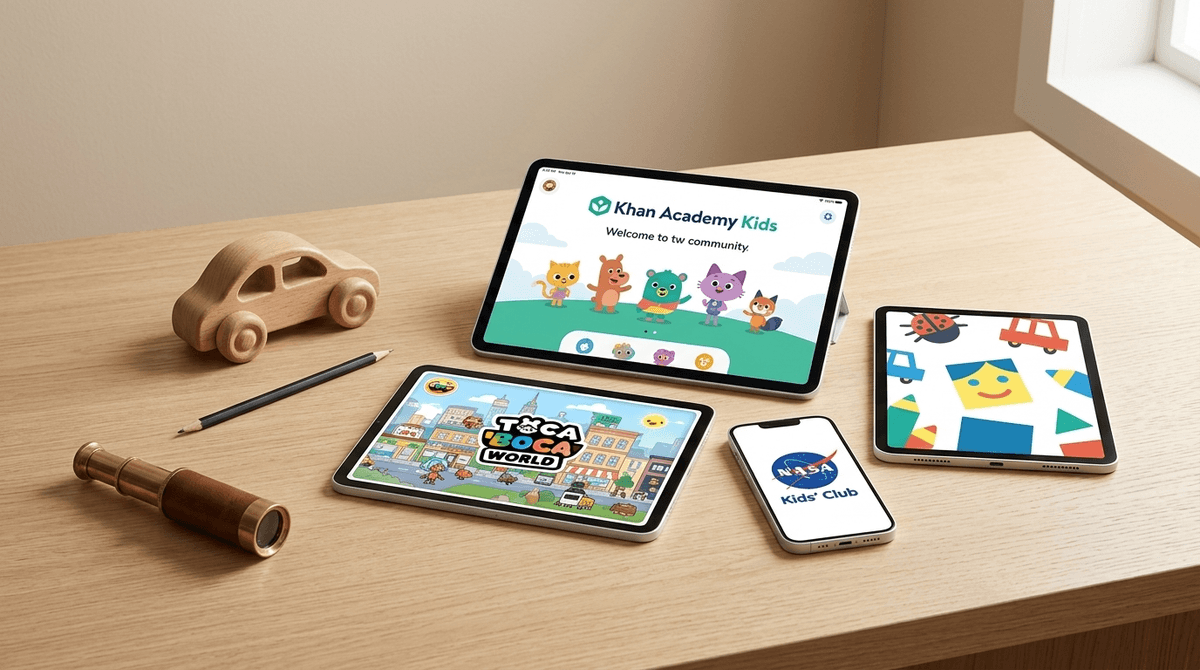
If you want the best bang for your buck (and your kid's brain cells), stick to these four heavy hitters. They are high-quality, low-stress, and won't bombard your kid with ads for "Skibidi Toilet" knockoffs.
- Best Overall: Khan Academy Kids — Completely free, zero ads, covers everything from reading to emotional empathy.
- Best for Creativity: Toca Boca World — The digital equivalent of a massive dollhouse.
- Best for Science: NASA Kids' Club — Real space stuff, simplified for tiny humans.
- Best for "Quiet Time": Pok Pok — A Montessori-style digital toy room that is weirdly calming.
Get recommendations based on your kid's specific interests
The App Store is a graveyard of "educational" games that are actually just dopamine-delivery systems disguised as math. If a game features flashing lights every two seconds, loud "WINNER!" sirens for clicking a single button, or—God forbid—unskippable ads for other games, it’s not teaching your kid. It’s just overstimulating them.
In 2026, a truly educational game for a preschooler should focus on active learning (them doing, not just watching), engagement (staying focused because it’s interesting, not because of "streaks"), and meaningful interaction (connecting what’s on the screen to the real world).
We’re looking for games that encourage "executive function"—things like memory, impulse control, and flexible thinking—rather than just rote memorization of the alphabet.
This is the "cheat code" of parenting. It is 100% free. No "buy more gems," no "unlock the next level for $4.99." It’s a massive library of books, games, and logic puzzles. What’s great is that it adapts to your kid. If they’re crushing the phonics but struggling with counting, the app shifts to meet them there. It’s the highest-quality digital experience for kids aged 2-6, period.
You’ve probably heard of Toca Boca, but it’s worth looking at through an educational lens. It’s an "open-ended" game. There are no points, no levels, and no winning. This is great for preschoolers because it encourages storytelling and social-emotional learning. They’re basically playing "house" on an iPad. Warning: While the base game is great, they do try to sell "location packs" (like a mall or a hospital). It can get pricey if you don't set up strict in-app purchase limits.
If you’re a "wooden toys only" kind of parent, Pok Pok is your digital soulmate. It’s a collection of hand-drawn digital toys. There are no instructions, which forces kids to use trial and error to figure out how things work. It’s incredibly chill. No high-pitched voices, no frantic music. It’s the anti-brain-rot app.
Most "ABC" apps are boring. This one uses little monsters to teach vocabulary and phonics. When a kid drags a letter into a word, the letter makes its phonetic sound. It’s tactile, funny, and actually teaches them how letters work together, rather than just the names of the letters.
NASA’s digital presence for kids is surprisingly solid. It’s a website, not an app, which is actually a great way to introduce the concept of "searching for information" rather than just "tapping an icon." It has simple games about the Mars Rover and the International Space Station. It’s a great bridge for kids who are moving past "Baby Shark" and into "Why is the moon following our car?"
If your kid is obsessed with Daniel Tiger's Neighborhood or Wild Kratts, this is a no-brainer. These games are built by educators and are specifically designed to reinforce the lessons from the shows. The Daniel Tiger apps are particularly good for teaching things like "how to go to the potty" or "what to do when you’re frustrated."
For the 3-to-5-year-old crowd, less is usually more.
- Ages 2-3: Stick to high-touch, low-complexity apps like Pok Pok. Screen time should be co-play—you sit with them and talk about what’s happening.
- Ages 4-5: They can handle more complex logic. Khan Academy Kids or ScratchJr (a very basic coding app) are great here. This is also when they start asking for Roblox because they saw a cousin play it. Don't do it. Roblox is a social platform, not a preschool game, and it’s a minefield for a 4-year-old.
Read our guide on why Roblox isn't for preschoolers
When you’re looking at a new game, do a quick "vibe check":
- The "Ad" Test: If the game pauses to show a 30-second ad for a "Merge" game or a war simulator, delete it immediately. Preschoolers can’t distinguish between the game and the ad.
- The "Dopamine" Test: Does the kid melt down the second the screen is turned off? Some games use "variable rewards" (like slot machines) to keep kids hooked. If the game feels "addictive" rather than "fun," it’s probably not great for their developing brain.
- The "Subscription" Trap: Many apps (like Homer or ABCmouse) are great but expensive. Before you commit to a $10/month subscription, see if Khan Academy Kids or your local library’s Libby access (for read-along books) can fill the gap for free.
Screen time doesn't have to be a "zombie" activity. You can turn a game into a learning moment just by asking a few questions:
- "Why did the monster make that sound?"
- "How did you figure out how to open that door in the game?"
- "That character looks sad—what do you think they need?"
When you treat a game like a digital book or a puzzle rather than a "babysitter," your kid learns that tech is a tool for exploration, not just a way to shut down their brain.
Digital wellness for preschoolers isn't about "zero screens"—it's about curation. In 2026, the gap between "high-quality educational content" and "exploitative brain rot" is wider than ever.
Stick to trusted names like PBS Kids, NASA, and Khan Academy. If an app feels like it’s trying to sell your kid something (or sell your kid's attention to someone else), trust your gut and hit delete.
- Audit the iPad: Delete anything with "pop-up" ads or constant "buy now" prompts.
- Download one "Open-Ended" game: Try Toca Boca World or Pok Pok and watch how your kid plays.
- Set a Timer: Use the "Guided Access" feature on iOS or "Family Link" on Android to make the tablet turn off automatically after 30 minutes. It makes you the "good guy" and the tablet the "bad guy" when time is up.
Check out our full guide on setting up a "Safe Tablet" for preschoolers