

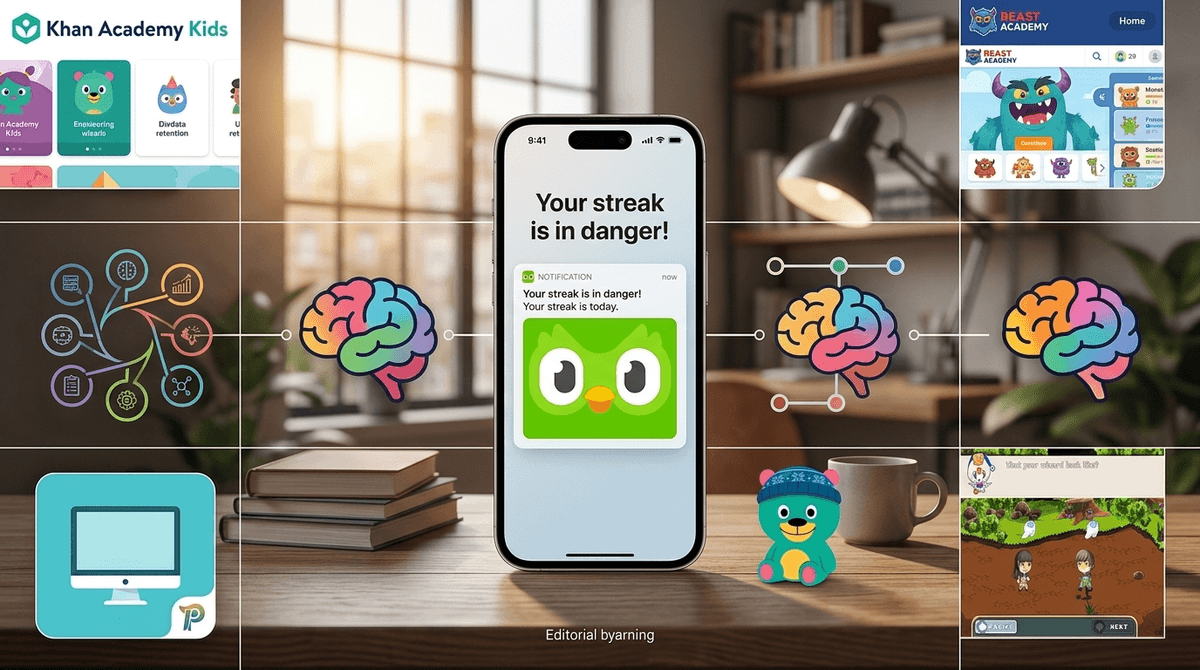
TL;DR: Educational apps have borrowed the "dark patterns" of social media and mobile gaming—streaks, leaderboards, and aggressive push notifications—to keep kids coming back. While these "hooks" can build a daily learning habit, they often prioritize "playing the app" over actual mastery. To keep the learning real and the stress low, we recommend focusing on apps with high-quality content and minimal "guilt-trip" mechanics.
Top Recommendations:
- Best for Math Mastery: Beast Academy
- Best for Low-Stress Language: Duolingo ABC
- Best for Pure Education (No Fluff): Khan Academy Kids
- Best for Creative Problem Solving: DragonBox Algebra 5+
It’s 8:45 PM. You’ve finally gotten the teeth brushed and the pajamas on, and you’re about to achieve the holy grail of parenting: a quiet house before 9:00. Then, your 10-year-old freezes. Their eyes go wide with a look of genuine, existential dread.
"I forgot my streak!"
They aren't talking about Snapchat. They’re talking about Spanish. Or Math. Or whatever subject they’re currently "learning" through an app that has spent millions of dollars on behavioral psychologists to ensure your child feels a physical pang of anxiety if they don't log in for five minutes a day.
Welcome to the era of the "Guilt-Trip Owl." We used to call this "educational screen time" and feel good about it. But lately, the line between Roblox and a math worksheet has become incredibly thin.
In the tech world, there’s a concept called the "Ludic Loop." It’s that cycle of uncertainty, anticipation, and feedback that keeps you pulling the lever on a slot machine—or scrolling through TikTok.
Educational apps have realized that teaching long division is hard, but giving a kid a "Legendary Chest" for clicking three buttons is easy. By using push notifications and streaks, apps like Duolingo and Prodigy Math have turned learning into a high-stakes game.
The problem? When the primary motivation is "keeping the streak alive" or "climbing the Diamond League leaderboard," the actual learning often takes a backseat. Kids start looking for the path of least resistance—the easiest lesson, the quickest path to the "gem" reward—rather than actually engaging with the material.
See the difference between gamified learning and "brain rot"
The green owl, Duo, is the undisputed king of the guilt trip. If your kid misses a day, Duo doesn't just send a reminder; he sends a notification of himself crying, or a passive-aggressive note saying, "These reminders don't seem to be working. We'll stop sending them for now."
- The Hook: The "Streak." It creates a massive "sunk cost" fallacy. If a kid has a 100-day streak, the pressure to maintain it is immense.
- The Reality: It’s great for vocabulary, but for many kids, it becomes a game of "how fast can I tap these pictures to make the bird happy?"
Prodigy Math is essentially Pokemon but you have to solve a subtraction problem to cast a spell.
- The Hook: In-game items, pets, and "memberships." The notifications and emails sent to parents are relentless, often suggesting that your child is "falling behind" their peers to encourage you to buy the premium version.
- The Reality: It’s a bit of a "math-flavored candy." Kids spend about 80% of their time decorating their wizard's house and 20% doing actual math.
This app is fantastic for getting kids to sit at a keyboard, but it uses the same scrolling-note mechanics as Guitar Hero.
- The Hook: Instant feedback and "3-starring" levels.
- The Reality: It’s great for muscle memory, but the notifications reminding them to "practice for just 5 minutes" can turn a hobby into a chore very quickly.
We need to talk about the psychological toll. When we give a child a "learning" app, we often tell them it’s "good for them." But when that app uses the same dopamine-triggering mechanics as Fortnite, we’re creating a weird cognitive dissonance.
If a kid feels "guilty" for not doing their math app on a Saturday during a family camping trip, that’s not "engagement." That’s an algorithm-induced anxiety. We’re training them to respond to red dots and "ping" sounds rather than helping them find the intrinsic joy of learning a new skill.
Check out our guide on the psychology of streaks and digital wellness
Not every app is trying to hijack your child’s amygdala. There are plenty of "clean" apps that focus on UI (User Interface) that supports learning, not just retention. Here’s what to look for:
- No "Streaks" or "Leaderboards": Or at least, the ability to turn them off.
- Finite Lessons: The app has a clear beginning and end for the day.
- No "In-App Currency": If your kid is earning "gems" to buy a hat for a digital cat, the app is a game, not a tutor.
- Quiet Notifications: The app doesn't ping you unless there is a genuine update or a scheduled (by you) lesson time.
Ages 8-13. This is the gold standard for math. It’s challenging, it uses a comic-book style for teaching, and while it has some gamified elements, the focus is 100% on deep conceptual understanding. It doesn't beg you to come back; the quality of the puzzles does the work.
Ages 2-8. Completely free, no ads, and no manipulative hooks. It’s a safe sandbox of learning that respects a child's time.
The DragonBox apps are brilliant. They teach complex subjects like algebra and geometry by turning the rules of math into the "rules" of a puzzle game. You don't even realize you're doing math until the very end.
- Preschool (Ages 2-5): Avoid all gamified apps with notifications. At this age, the goal is "discovery." Stick to PBS Kids or Khan Academy Kids.
- Elementary (Ages 6-10): This is when the "streak obsession" starts. If you use Duolingo ABC or Zearn, sit with them. If they start getting stressed about a "missed day," it’s time to delete the app for a week to reset.
- Middle School (Ages 11-14): They’re ready to understand how these apps are designed. Talk to them about "persuasive design." Ask them: "Do you actually want to learn Japanese right now, or are you just afraid of the owl?"
You have more power than the developers. Here is your three-step plan to take the "guilt" out of the learning:
- Kill the Push: Go into your phone or tablet settings and turn off "Allow Notifications" for every educational app. If your kid wants to learn, they can open the app on their own terms, not when a server in California tells them to.
- Ignore the Emails: Most of these apps send "Parent Reports" that are designed to make you feel like a "Good Parent" if your kid is on the app, or a "Negligent Parent" if they aren't. Delete them. They are marketing, not pedagogy.
- The "So What?" Test: Every few weeks, ask your kid to show you something they learned that wasn't a game mechanic. If they can explain a math concept, great. If they can only show you their new "Epic Rare" pet in Prodigy, it might be time to pivot to a different tool.
Learn more about how to audit your child's app notifications
Educational apps are a tool, not a babysitter. When they use notifications and "guilt-trip" mechanics, they stop being a tool and start being a taskmaster.
There is nothing wrong with a little gamification—heaven knows I need a gold star to finish a workout—but we have to be careful not to let the game replace the learning. If the owl is making your kid cry, fire the owl. There are plenty of other ways to learn Spanish that don't involve psychological warfare.
- Check the "Screen Time" settings on your child's device to see which "educational" apps are sending the most notifications.
- Switch to "Finite" platforms like Beast Academy or Khan Academy that don't rely on streaks.
- Have a "no-streak" weekend. Prove to the algorithm (and your kid) that the world doesn't end if you don't log in for 48 hours.
Find a list of "low-hook" educational apps for your child's age