

From Answer Bots to AI Mentors: The Best Math Apps for Middle Schoolers
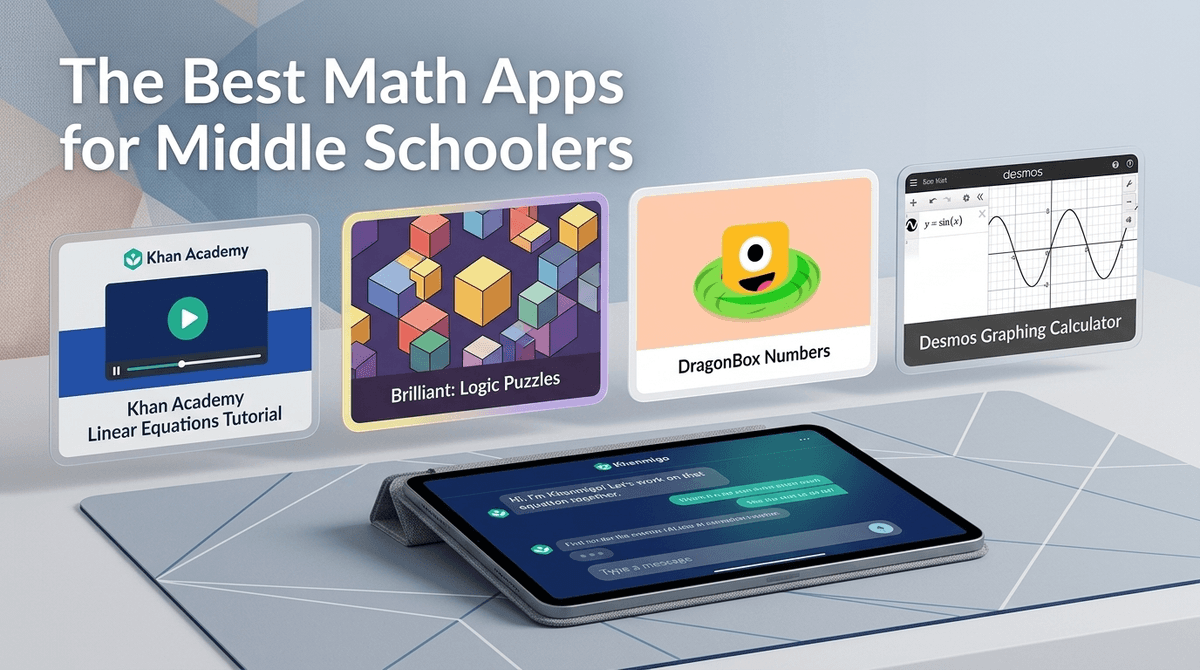
TL;DR: The math app landscape has evolved dramatically. Skip the "answer engines" like Photomath and focus on tools that actually teach: Khan Academy for comprehensive lessons, Desmos for visual learning, Brilliant for problem-solving skills, and DragonBox for algebra fundamentals. For AI-assisted learning, Khanmigo leads the pack by teaching concepts instead of just spitting out answers.
Let's be real: about 8% of families in our community are already using AI for homework help, and that number is climbing fast. The question isn't whether your middle schooler will use technology for math—it's whether they'll use tools that actually teach them something or just become really good at copying answers.
The good news? 2026 has brought us a new generation of math apps that genuinely understand the difference between helping and enabling. The bad news? You still need to know what you're looking for.
First, let's talk about what to avoid. Apps like Photomath and Socratic have their place, but they've become the digital equivalent of looking at the back of the textbook. Your kid snaps a photo of a problem, gets the answer, writes it down, and learns absolutely nothing.
With 35% of families in our community using digital tools to manage homework, we need to be intentional about which tools we're bringing into the mix. The average middle schooler is already clocking 4.2 hours of screen time daily—let's make some of those hours count for something.
Ages: 11+ | Free (with optional Khan Academy Plus)
Still the gold standard, and for good reason. Khan Academy doesn't just show your kid how to solve a problem—it breaks down the why behind every step. The 2026 update includes adaptive practice that identifies exactly where a student is struggling and builds a personalized learning path.
What makes it work: The videos are genuinely good (Sal Khan's voice has helped millions of kids finally understand slope-intercept form), and the practice problems include hints that guide without giving away answers. Plus, it's completely free for core content.
The catch: It requires actual effort. Your kid can't just click through for answers, which means some will bounce off it. That's actually a feature, not a bug.
Ages: 12+ | Free
If your middle schooler is a visual learner, Desmos is magic. It's primarily a graphing calculator, but it's evolved into a full learning platform with interactive lessons that make abstract concepts suddenly click.
Why it's different: Instead of memorizing formulas, kids can see what happens when they change variables. Watching a parabola shift in real-time when you adjust the equation does more for understanding than a hundred worksheets.
Parent tip: The activities section has pre-built lessons that teachers love. If your kid is struggling with a specific concept (transformations, systems of equations, etc.), search for it in Desmos activities.
Ages: 12+ | Subscription ($25/month or $150/year)
This one's for the kid who finds traditional math boring but lights up for puzzles and problem-solving. Brilliant teaches math through interactive challenges that feel more like games than homework.
The approach: Instead of "here's the formula, now practice 20 problems," Brilliant presents a puzzle, lets you struggle productively, then reveals the mathematical principle you just discovered. It's constructivist learning done right.
Worth the cost? If your kid is mathematically curious but turned off by traditional instruction, absolutely. If they just need help with homework, probably not.
Ages: 10-14 | $8-15 per app
DragonBox makes algebra feel like a video game because it literally is a video game. Kids manipulate cards and boxes without realizing they're solving algebraic equations. By the time they transition to traditional notation, the concepts are already internalized.
Best for: Kids who are intimidated by algebra or haven't started formal algebra yet. It builds intuition before introducing the scary symbols.
The limitation: It's fantastic for foundational understanding but won't replace a full curriculum. Think of it as a supplement that builds confidence and conceptual understanding.
Ages: 13+ | $9/month (included with Khan Academy Plus)
This is Khan Academy's AI tutor, and it's the first AI math tool I actually recommend for middle schoolers. Unlike ChatGPT or other general AI tools, Khanmigo is specifically designed to not give answers.
How it works: Your kid asks for help with a problem, and Khanmigo responds with questions that guide their thinking. "What do you notice about this equation?" "What operation would help you isolate x?" It's like having a patient tutor who won't let you off the hook.
The AI consideration: Only 8% of families in our community are using AI for homework, and there's good reason for caution. But Khanmigo is built with guardrails specifically for education. It logs conversations, has content filters, and focuses on teaching process over providing answers.
Photomath & Socratic: Great for checking work or understanding a solution after you've attempted it. Terrible if your kid is using them to avoid thinking.
General AI chatbots (ChatGPT, Claude, etc.): These will absolutely just give your kid the answer if asked. The 85% of families not using AI for homework aren't wrong to be cautious. If you're going to allow AI, have explicit conversations about how it should be used. Learn more about AI and homework help .
.
Gamified drill apps (Prodigy, etc.): These have their place for basic arithmetic practice, but middle schoolers need conceptual understanding more than speed drills. If your kid is still using these, it might be time to level up.
6th Grade: Focus on building confidence with foundational concepts. Khan Academy and DragonBox work well here. Keep it supervised—45% of families allow unsupervised tablet use, but for math learning tools, occasional check-ins help ensure they're actually engaging with content.
7th-8th Grade: This is when abstract thinking develops, making it perfect for Desmos and Brilliant. If they're ready for AI assistance, Khanmigo with clear guidelines about when and how to use it.
Device considerations: 55% of families don't provide laptop access yet, but these tools work on tablets too. Khan Academy and Desmos have excellent mobile experiences. Brilliant and Khanmigo work best on larger screens where you can really see the visualizations.
Math apps aren't magic. Even the best tool requires your kid to actually engage with it. If they're clicking through just to say they "did their homework," you're wasting your time and money.
The subscription question: Khan Academy being free is huge. Before paying for Brilliant or Khanmigo, try the free options. Many families find they don't need the premium tools.
Integration with school: Some teachers love when kids use these tools; others see them as cheating. Have that conversation early. Most teachers are fine with apps for learning concepts but not for completing graded assignments.
The social piece: Unlike Roblox or Minecraft, these apps don't have the social/safety complications. No chat features, no stranger danger, no microtransaction pressure. That's refreshing.
The best math app for your middle schooler is the one they'll actually use consistently. Start with Khan Academy because it's free and comprehensive. Add Desmos for visual learning. If your kid needs more engagement, try DragonBox for algebra or Brilliant for problem-solving.
And if you're considering AI tools? Khanmigo is currently the only one I'd trust to actually teach rather than just complete homework.
The goal isn't to make math easy—it's to make it understandable. These tools can do that, but only if we're intentional about how we use them.
- Try before you buy: Start with free options (Khan Academy, Desmos) before investing in subscriptions
- Set clear expectations: Talk with your kid about the difference between "help understanding" and "doing it for me"
- Check in regularly: Especially in the first few weeks, sit with your kid while they use these apps to ensure they're actually learning
- Communicate with teachers: Make sure everyone's on the same page about which tools are appropriate for homework vs. learning
Find math apps for struggling middle schoolers or explore more educational apps.