

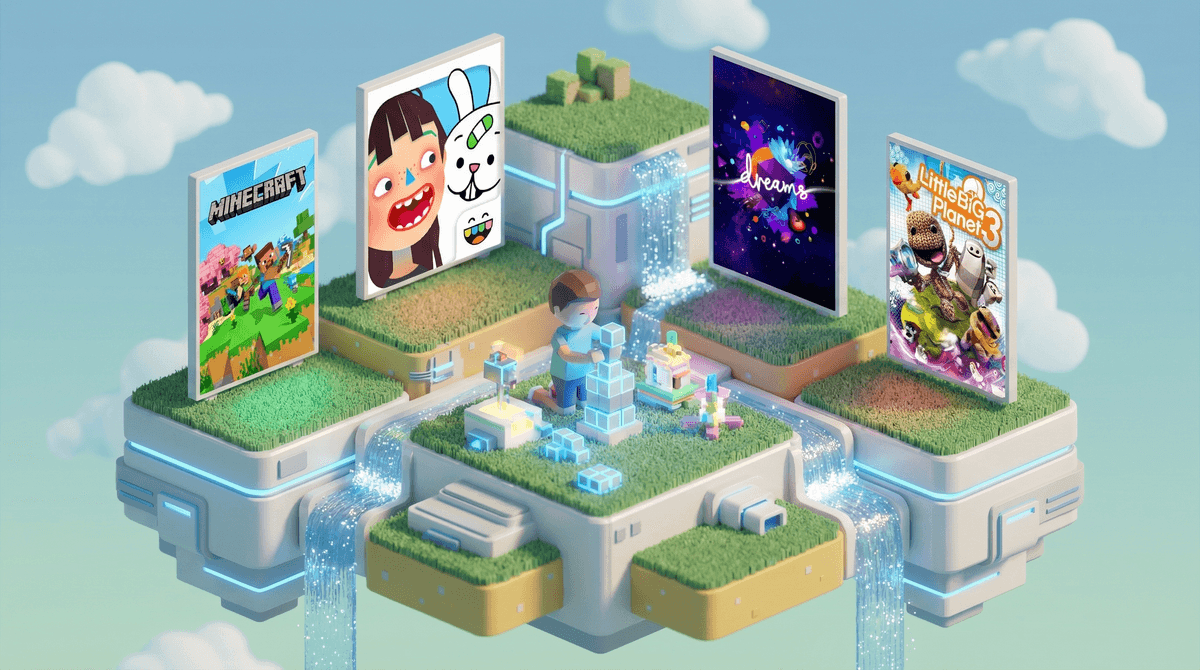
7 Games Like Roblox That Give Kids Creative Freedom With Better Guardrails
TL;DR: If you're looking for alternatives to Roblox that still scratch that creative sandbox itch but with less chaos, here are your best bets:
- Minecraft - The OG creative sandbox (Ages 7+)
- Core - Roblox's more polished cousin (Ages 10+)
- Dreams - PlayStation's creative powerhouse (Ages 10+)
- Fortnite Creative - Building without the battle royale pressure (Ages 10+)
- Rec Room - Social VR-lite for creative play (Ages 13+)
- LittleBigPlanet 3 - Charming, curated creativity (Ages 7+)
- Toca Boca Builder - Sandbox for the youngest creators (Ages 4-8)
Let's be real: Roblox isn't inherently evil. It's genuinely impressive as a platform that teaches kids about game design, entrepreneurship, and creative problem-solving. But it also comes with some legitimate concerns that keep parents up at night:
The spending pressure is relentless. Between Robux, game passes, and the constant FOMO around limited items, kids feel like they need to spend to keep up. That Robux economy? It's real money , and it adds up fast.
Moderation is... inconsistent. With 40+ million user-generated games, even Roblox's AI and human moderators can't catch everything. Inappropriate content, scams, and predatory behavior slip through regularly enough to make headlines.
The social dynamics can be toxic. Voice chat, public servers, and the competitive nature of some games create opportunities for bullying, exclusion, and exposure to older players who aren't always appropriate role models.
It's designed to be addictive. The endless variety, social pressure, and reward loops keep kids coming back for "just one more game" in a way that makes setting boundaries genuinely difficult.
So if you're looking for games that preserve the creative freedom and social connection kids love about Roblox while offering better guardrails, here's what actually works.
The Gold Standard for Creative Sandbox Gaming (Ages 7+)
Minecraft is the obvious first alternative, and for good reason. It's been around since 2011, has sold over 300 million copies, and remains the most popular game among elementary and middle schoolers.
Why it's better than Roblox:
- No in-game economy pushing purchases. You buy the game once (around $30) and that's it. There are optional marketplace items and Realms subscriptions, but the core game is complete without spending another dime.
- Better moderation options. You can easily set up private servers (Realms) where only invited friends can play, or use parental controls to restrict multiplayer entirely.
- Offline play works perfectly. Kids can build and explore in single-player mode without any internet connection or social pressure.
- The community is more curated. While there are still millions of user-created mods and maps, the distribution channels (like CurseForge) have better quality control than Roblox's open marketplace.
What to watch:
- Multiplayer servers can still have chat issues, so consider setting up Minecraft parental controls to disable chat or restrict to friends-only.
- YouTube Minecraft content varies wildly in quality—some creators are great for kids, others... not so much.
Best for: Kids who love building, exploration, and want creative freedom without constant social pressure. Works great for both solo play and controlled multiplayer with friends.
Roblox's More Polished Cousin (Ages 10+)
Core is essentially "what if Roblox had better graphics and tighter moderation?" It's a free platform where players can create and share games using Unreal Engine, which means the visual quality is significantly better than Roblox.
Why it's a solid alternative:
- More sophisticated creation tools. The games look and feel more polished because they're built on professional-grade technology.
- Better moderation systems. Smaller user base (for now) means more manageable community oversight.
- Similar creative learning opportunities. Kids can still learn game design, scripting, and entrepreneurship, but with more advanced tools.
What to watch:
- Still has in-game purchases and creator earnings, so the economic pressure exists (though less intense than Roblox).
- The more complex creation tools mean a steeper learning curve—better for older kids who are serious about game design.
- Smaller player base means fewer games to choose from, which can be good or bad depending on your perspective.
Best for: Tweens and teens who are specifically interested in game development and want more professional-grade tools than Roblox offers.
PlayStation's Creative Powerhouse (Ages 10+)
Dreams is a PlayStation exclusive that's honestly mind-blowing in scope. It's a full game creation suite that lets players make everything from platformers to music videos to interactive art installations.
Why it stands out:
- Curated, high-quality content. Because it's on PlayStation with Sony's oversight, inappropriate content is rare and quickly removed.
- No microtransactions. Buy it once (usually around $40, often on sale for $20) and everything is included.
- Incredible creative depth. Kids can make music, animations, games, and art—it's more like a creative studio than just a game platform.
- Built-in tutorials. The learning curve is gentler than you'd expect, with excellent guided lessons.
What to watch:
- PlayStation exclusive, so you need a PS4 or PS5.
- The creative tools are so deep that younger kids might feel overwhelmed—this is really best for kids 10+ who are genuinely interested in creation.
- Less social than Roblox—it's more about making and sharing creations than hanging out with friends.
Best for: Creative kids who want to make games, music, and art without the social pressure and spending traps of Roblox.
Building Without the Battle Royale (Ages 10+)
Yes, Fortnite has a reputation as that intense battle royale game, but Fortnite Creative is a completely different experience. It's basically a massive sandbox where players can build their own games, race courses, puzzle maps, and social spaces.
Why it works:
- Separate from battle royale. Kids can play Creative mode without ever touching the shooter aspects.
- Impressive creation tools. The building mechanics are intuitive and powerful, with tons of prefabs and assets.
- Active creative community. Millions of user-created maps and games, with better quality control than Roblox.
- Free to play. No upfront cost, and while cosmetics exist, they're not required for Creative mode.
What to watch:
- Voice chat is on by default—definitely set up Fortnite parental controls to manage this.
- The cosmetics economy is still aggressive, even if it doesn't affect gameplay.
- Some Creative maps recreate violent or intense games, so you'll want to preview what your kid is playing.
Best for: Kids who love building and want social creative play but with better moderation than Roblox. Great for friend groups who want to make their own games together.
Social VR-Lite for Creative Play (Ages 13+)
Rec Room is like a virtual playground where players can hang out, play mini-games, and create their own rooms and experiences. It works on VR headsets, phones, tablets, and computers, so it's accessible without expensive hardware.
Why parents like it:
- Strong moderation tools. You can report and block players easily, and the moderation team is responsive.
- Junior accounts for under-13. These have restricted communication and additional safety features (though honestly, I'd still keep this 13+ despite the junior accounts).
- Creative without coding. The creation tools are visual and intuitive—no programming required.
- Free to play. Cosmetics cost money, but all gameplay is free.
What to watch:
- This is VERY social—voice chat is central to the experience, which means exposure to random people online.
- The VR aspect can be intense for some kids and raises additional safety concerns about physical space.
- Despite junior accounts, the platform skews older, so younger kids will be interacting with teens and adults.
Best for: Teens who want social creative play and can handle voice chat with strangers. Works best when playing with established friend groups rather than solo.
Charming, Curated Creativity (Ages 7+)
LittleBigPlanet 3 is the wholesome, charming alternative that doesn't get enough credit. It's a platformer where players can create and share their own levels, with adorable characters (Sackboy!) and a genuinely delightful aesthetic.
Why it's underrated:
- Curated content only. All user-created levels go through PlayStation's moderation before being published.
- No microtransactions for gameplay. You buy the game once and can create and play everything. There are cosmetic DLC packs, but they're optional and not pushed.
- Family-friendly by design. The whole vibe is gentle and creative, not competitive or intense.
- Excellent creation tutorials. The game teaches level design concepts through fun, guided lessons.
What to watch:
- PlayStation exclusive (PS3, PS4).
- The online servers were shut down in 2024 due to security issues, so it's now primarily a single-player or local co-op experience. You can still create and play, but can't share levels online anymore.
- Less active community than it used to be, which is both good (less social pressure) and bad (fewer new levels to play).
Best for: Younger kids (7-10) who want creative play without online social elements. Perfect for siblings to play together locally.
Sandbox for the Youngest Creators (Ages 4-8)
If you're looking for a Roblox alternative for younger kids, Toca Boca Builder is the answer. It's a tablet/phone app that lets kids build and explore their own worlds with a simple, intuitive interface designed for little hands.
Why it works for young kids:
- Zero social features. No chat, no multiplayer, no strangers—just pure creative play.
- No ads or in-app purchases. Buy it once (around $5) and everything is included.
- Age-appropriate complexity. The building tools are simple enough for preschoolers but engaging enough for early elementary.
- Offline play. No internet required once downloaded.
What to watch:
- Limited compared to Roblox—it's really designed for younger kids, so older elementary schoolers will outgrow it quickly.
- Screen-based only, so consider balancing with physical building toys like LEGO.
Best for: Kids ages 4-8 who are too young for Roblox but want creative building play on a tablet. Great for long car rides or waiting rooms.
Ages 4-7: Start with Toca Boca Builder or Minecraft in offline creative mode. These ages need zero social pressure and maximum parental control.
Ages 8-10: Minecraft with private Realms, LittleBigPlanet 3 for local co-op, or Fortnite Creative with friends-only settings. Still avoid open voice chat with strangers.
Ages 11-13: Core, Dreams, or Fortnite Creative with monitored voice chat. Kids this age can handle more complex creation tools and limited social interaction.
Ages 13+: Any of these platforms, including Rec Room, but still with clear boundaries around spending, time limits, and appropriate behavior online.
None of these are perfect. Every online platform has risks, and even the best alternatives require active parenting. The goal isn't to find a risk-free option—it's to find platforms where the risk-to-benefit ratio makes sense for your family.
Offline options exist. If the social and spending pressures of online gaming are too much, consider offline creative games or physical building toys. Sometimes the best alternative to Roblox is... not playing games like Roblox.
Your kid will push back. If all their friends are on Roblox, they'll feel left out switching to alternatives. This is real, and it matters. Consider allowing limited Roblox time with strict controls rather than banning it entirely, or help them find friends who also play these alternatives.
Creation is genuinely valuable. The reason to choose these alternatives isn't just to avoid Roblox's problems—it's because creative sandbox games teach real skills. Game design, problem-solving, spatial reasoning, and digital literacy are all legitimately valuable. Games that teach creativity can be worth the screen time investment.
Roblox isn't evil, but it's also not the only option for kids who love creative sandbox gaming. Minecraft remains the gold standard for good reason—it's creative, moddable, and doesn't constantly push spending. Dreams and Core offer more sophisticated creation tools for older kids. Fortnite Creative provides social building without battle royale intensity. And for younger kids, Toca Boca Builder and LittleBigPlanet 3 offer creativity without social pressure.
The best choice depends on your kid's age, interests, and what specific Roblox issues you're trying to avoid. Want to eliminate spending pressure? Choose games with one-time purchases. Worried about moderation? Pick platforms with curated content or private servers. Need offline options? Minecraft and Toca Boca work great without internet.
Whatever you choose, the key is staying involved. Play with your kids, talk about what they're creating, set clear boundaries around time and money, and keep communication open about their online experiences. That matters more than which platform they're using.
-
Try before you commit. Many of these have free trials or demos. Let your kid test a few options before investing.
-
Set up controls from day one. Don't wait until there's a problem—configure parental controls before your kid starts playing.
-
Create together. The best way to understand what your kid is doing in these games is to build something with them. It's also genuinely fun.
-
Connect with other parents. Find families making similar choices so your kid isn't the only one playing alternatives to Roblox. The social aspect matters.
-
Stay flexible. What works at 8 might not work at 12. Revisit your choices as your kid grows and their needs change.
Need help figuring out which alternative makes sense for your specific situation? Find Roblox alternatives for your family about your family's needs and we'll help you sort through the options.