

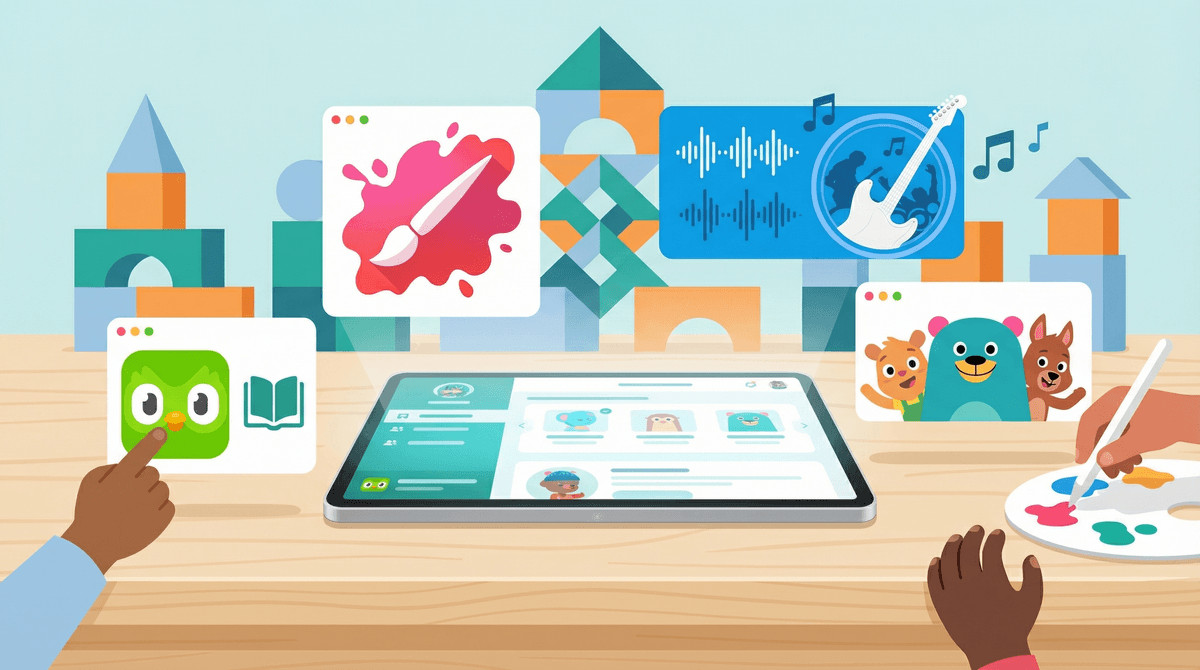
Apps That Actually Build Confidence (Not Just Screen Time)
TL;DR: Not all apps are created equal. While 50% of kids in our community have unsupervised tablet access, the question isn't just how much screen time—it's what kind. These apps help kids develop genuine self-esteem through creative expression, skill-building, and healthy self-image work.
Quick picks:
- Ages 4-8: Toca Boca apps for open-ended play
- Ages 6-12: Scratch for coding confidence
- Ages 8-14: Duolingo for achievement-based learning
- Ages 10+: Canva for visual creativity
Screenwise Parents
See allHere's the thing about confidence: it doesn't come from participation trophies or apps that tell kids they're amazing just for opening them. Real confidence comes from mastery, creative expression, and seeing tangible results from effort.
The tricky part? Most "educational" apps are just dressed-up screen time. They're designed to keep kids engaged (read: addicted to dopamine hits) rather than actually building skills. But there ARE apps that help kids develop genuine competence—and competence is the foundation of confidence.
With the average kid in our community getting 4.2 hours of screen time daily, we might as well make some of that time count toward something real.
Before we dive into specific recommendations, let's talk about what actually works:
Real apps that build confidence:
- Let kids create something they can share or be proud of
- Provide clear skill progression (not just fake badges)
- Allow for failure and learning, not just endless "good job!" messages
- Give kids agency and choices
- Connect to real-world skills
Apps that just waste time:
- Endless scrolling with no end product
- Purely consumptive (watching, not creating)
- Designed to maximize engagement metrics, not learning
- No clear skill development or mastery path
Ages 4-8
The Toca Boca apps (Toca Life World, Toca Kitchen, Toca Hair Salon) are the gold standard for open-ended digital play. There are no rules, no ways to "fail," and no annoying voice telling kids what to do next.
Kids create their own stories, experiment with cause and effect, and develop narrative skills. The confidence comes from creative autonomy—they're the director, not following someone else's script. About 35% of families in our community report limited supervised tablet use, and Toca Boca apps are perfect for that category.
What makes it work: No ads, no in-app purchases pushing upgrades, no "correct" way to play.
Ages 6-12
If you want your kid to understand that they can BUILD the digital world instead of just consuming it, Scratch is where it starts. This MIT-developed platform teaches coding through visual blocks—kids create games, animations, and interactive stories.
The confidence boost is real because the results are immediate and shareable. Your kid can show you (and their friends) something they actually made. The Scratch community is also surprisingly positive and supportive, with millions of projects to remix and learn from.
Parent tip: Start with the tutorials together, then step back. The learning curve is gentle, but the ceiling is high.
Ages 8+
Music creation is inherently confidence-building because it's both technical and emotional. GarageBand (free on Apple devices) lets kids compose, record, and produce actual songs without needing to know how to play an instrument.
The Smart Instruments feature means even beginners can make something that sounds good, while more advanced kids can dive deep into mixing and production. When a kid creates a song they're proud of, that's a different level of self-esteem than scoring points in a game.
Ages 10+
Visual design is a real-world skill, and Canva makes it accessible. Kids can create posters, presentations, social media graphics, and more with professional-looking results.
The confidence comes from creating things that look legitimately good—not "good for a kid," but actually good. Whether they're making a birthday invitation, a YouTube thumbnail, or a school project, they're learning design principles and building a portfolio of work they can be proud of.
Ages 8+
Yes, it's gamified. Yes, that owl is aggressive about streaks. But Duolingo works because it provides clear, measurable progress in a real skill. Learning a language—even at a basic level—is genuinely confidence-building.
The key is helping kids understand that the goal isn't just maintaining a streak, it's actual communication. When they can read a sign in Spanish or understand a phrase in French, that's real competence.
Watch out for: The competitive features can create anxiety for some kids. You can turn off leaderboards in settings.
Ages 2-8
Free, no ads, no subscriptions, and actually educational. Khan Academy Kids covers reading, math, social-emotional learning, and creative play with a progression system that adapts to each child.
The confidence building is subtle but real: kids work at their own pace, get immediate feedback, and can see their progress through the curriculum. It's not flashy, but it's substantive.
Ages 8+
For kids learning guitar, piano, bass, or ukulele, Yousician provides real-time feedback as they play. It listens through the device's microphone and tells them if they're hitting the right notes.
Learning an instrument is one of the best confidence builders out there, and Yousician makes practice more engaging. It's not a replacement for lessons, but it's a solid supplement that keeps kids motivated between sessions.
[Cosmic Kids Yoga](https://screenwiseapp.com/media/cosmic-kids-yoga-youtube
Ages 3-10
Available as an app and YouTube channel, Cosmic Kids makes yoga accessible and fun through adventure stories. Kids follow along with poses while going on imaginary journeys.
Physical confidence matters. When kids feel capable in their bodies—strong, flexible, coordinated—it translates to overall self-esteem. Cosmic Kids does this without any body-shaming, competition, or unrealistic expectations.
Ages 5+
Emotional regulation is foundational to confidence. Kids who can manage their feelings, calm themselves down, and understand their internal states are more resilient and self-assured.
Headspace's kid-specific meditations and mindfulness exercises are short (3-10 minutes), engaging, and actually teach useful techniques. The app includes sleep sounds, wake-up exercises, and specific meditations for situations like test anxiety or friendship problems.
Here's where it gets complicated. Apps like Instagram, TikTok, and Snapchat can build confidence for some kids—especially those who create content, build communities, or develop skills like video editing or photography.
But let's be honest: for most kids, social media is confidence-destroying, not confidence-building. The comparison trap, the metrics anxiety, the performative nature of it all—it's a lot.
If your kid is going to use social apps:
- Wait as long as possible (despite what "everyone else" is doing)
- Focus on creation over consumption
- Talk regularly about the difference between online personas and reality
- Monitor for signs of anxiety or obsessive checking
- Consider starting with creation-focused platforms like YouTube (with heavy parental involvement) before social platforms
Ages 4-7: Focus on creative play and exploration
Ages 8-10: Add skill-building and creation
Ages 11-14: Emphasize real-world skills and emotional wellness
Screen time quality matters more than quantity. In our community, 50% of kids have unsupervised tablet access. That's not inherently bad—it depends entirely on what they're doing with that access.
30 minutes creating a song in GarageBand is fundamentally different from 30 minutes scrolling TikTok. Both are "screen time," but only one builds confidence.
Confidence comes from competence. Apps that just shower kids with praise don't work. Kids are smart—they know the difference between empty validation and genuine achievement. Look for apps where they're actually learning, creating, or mastering something.
Creation beats consumption every time. If your kid is going to spend time on devices, prioritize apps where they make things over apps where they just watch or consume things. The ratio doesn't have to be perfect, but it should lean toward creation.
Co-use matters, especially at first. Sit with your kid when they're learning a new app. Ask questions about what they're making. Show genuine interest in their creations. This amplifies the confidence-building effect because they're not just proud of what they made—they're proud to share it with you.
Not all apps are created equal, and not all screen time is the same. Apps that build genuine confidence help kids develop real skills, express themselves creatively, and see tangible results from their efforts.
The goal isn't to eliminate screens—it's to be intentional about which apps get real estate on your kid's device. With 22% of kids in our community already having smartphones and 4.2 hours of average daily screen time, we might as well make some of that time count toward building actual self-esteem.
-
Audit current apps: Look at what's actually on your kid's device. How many are creation-focused vs. consumption-focused?
-
Try one new app this week: Pick one from this list that matches your kid's age and interests.
-
Create together: Spend 20 minutes using a creative app alongside your kid. Make something together.
-
Talk about it: Ask your kid what they're proud of making or learning. Help them articulate their own growth.
Want more specific recommendations? Find apps for your kid's specific interests or explore alternatives to their current favorites.