Drawing Desk

Drawing Desk

app

Everyone, 2014, Art & Design

WISE
82%

WISE Score

4.3

App Store

A surprisingly robust digital art studio that's taught 70 million people to draw—now with AI shortcuts and a freemium catch.

Screenwise Verdict

Drawing Desk is the real deal—a legitimate art education platform disguised as an app. With 1000+ lessons, professional masterclasses, and tools that rival desktop software, it's miles beyond the typical kids' drawing app that's just digital crayons on a screen.

The learning structure is genuinely impressive: step-by-step guides with voice instruction, curated learning paths based on goals, and actual technique from working artists. A kid can start with basic shapes and progress to anime character design or realistic watercolor landscapes.

The freemium model is the main catch. While the core drawing tools seem available, the best lessons and features likely require a subscription. The AI tools are a mixed bag—fun and modern, but they risk teaching kids to shortcut the actual learning. And the monetization details are frustratingly vague.

Still, for a kid who's genuinely interested in learning to draw (not just doodling for five minutes), this is one of the better digital options. Just go in knowing you'll probably need to pay for the good stuff, and maybe hide those AI features until they've built some foundational skills the old-fashioned way.
Age Fit

Best for ages 5-17, though really shines for kids 7+ who can follow multi-step instructions. Younger kids can enjoy the free-draw mode, while teens and adults will appreciate the professional features and advanced lessons. The structured learning makes it accessible for beginners but deep enough for serious young artists.

WISE Breakdown
Wholesome
88

A creative art app that encourages skill-building and self-expression without competitive pressure or toxic social elements. The focus on learning and creating is fundamentally positive, though the presence of AI tools and some monetization may slightly dilute the pure creative experience.

Imaginative
92

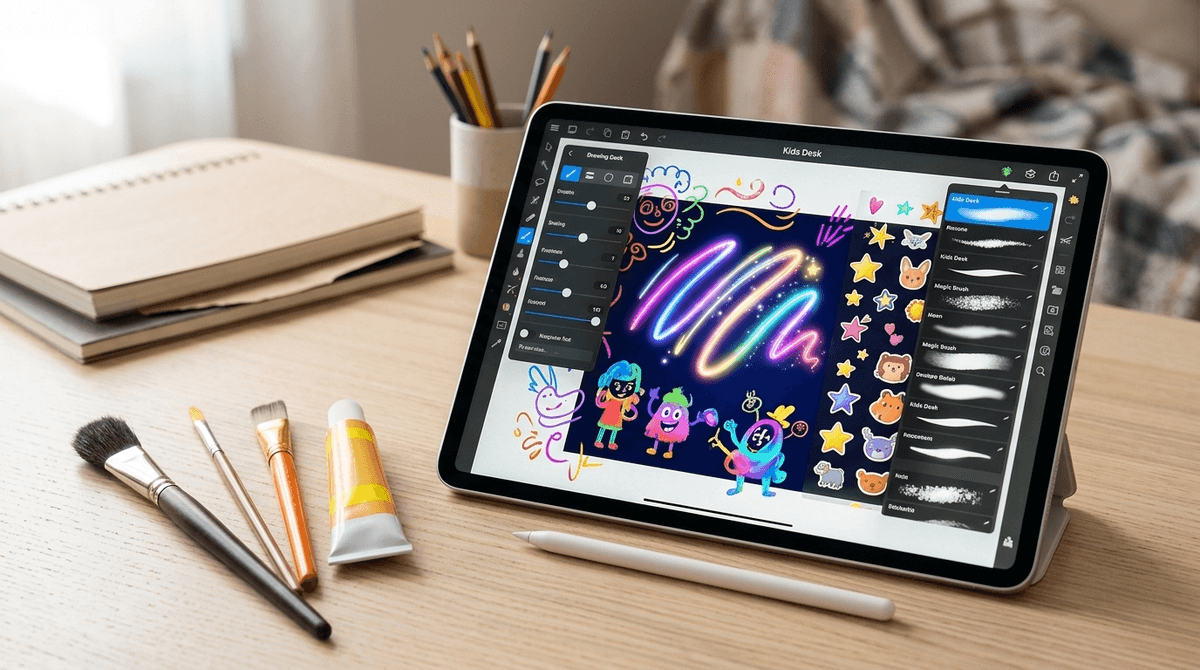
Outstanding creative toolkit with 25+ drawing tools, unlimited layers, symmetry features, 200+ shapes, and 1000+ step-by-step lessons covering everything from anime to watercolor. The structured learning paths and masterclasses from professional artists provide scaffolding while still allowing free creative expression. AI features like sketch-to-art add modern creative possibilities.

Safe
72

Kids mode is available, which is positive. However, as a freemium app with premium features, there are likely in-app purchases and potential ads in the free version. The app description heavily promotes upgrading and doesn't clearly disclose monetization practices. No obvious toxic content or social features, but the commercial pressure and AI tools requiring likely subscriptions lower the safety score for young users.

Enriching
86

Genuinely educational with structured learning paths, professional masterclasses, and 1000+ lessons teaching real artistic skills from basics to advanced techniques. The step-by-step approach with voice and text guidance makes it accessible for beginners while offering depth for advancing artists. Builds fine motor skills, patience, and artistic confidence. The AI tools are interesting but may shortcut some learning.

Parent Info

Why It Might Be Great

  • Legitimately comprehensive art education with 1000+ step-by-step lessons covering anime, manga, watercolor, caricatures, and more—complete with voice guidance
  • Professional-grade toolkit (25+ tools, unlimited layers, symmetry features) that grows with your kid from finger-painting toddler to serious teen artist
  • Structured learning paths and actual masterclasses from professional artists teaching real technique, not just tracing
  • Works with Apple Pencil and styluses for a genuine drawing experience that builds real skills
  • The creative freedom is real—not a coloring book app but an actual blank canvas with serious tools

What to Watch For

  • Freemium model means premium features, masterclasses, and advanced tools likely require subscription—have a conversation about what's included vs. what costs money
  • AI tools (sketch-to-art, auto-colorize, text-to-art) are cool but may tempt kids to skip the actual learning and skill-building
  • Kids mode exists but monetization practices aren't transparent—supervise younger kids to avoid accidental purchases
  • Free version may include ads, though this isn't clearly disclosed

Conversation Starters

  • "What's your favorite thing you've drawn in here? Can you show me the steps you followed?"
  • "Which drawing tool feels the most like real art supplies to you—the watercolor brush, the pencil, or something else?"
  • "Have you tried the AI features? What's the difference between using those and drawing it yourself?"
  • "Want to pick a masterclass together and we can both learn something new?"

Ask Anything

Get a personalized guide on any topic