

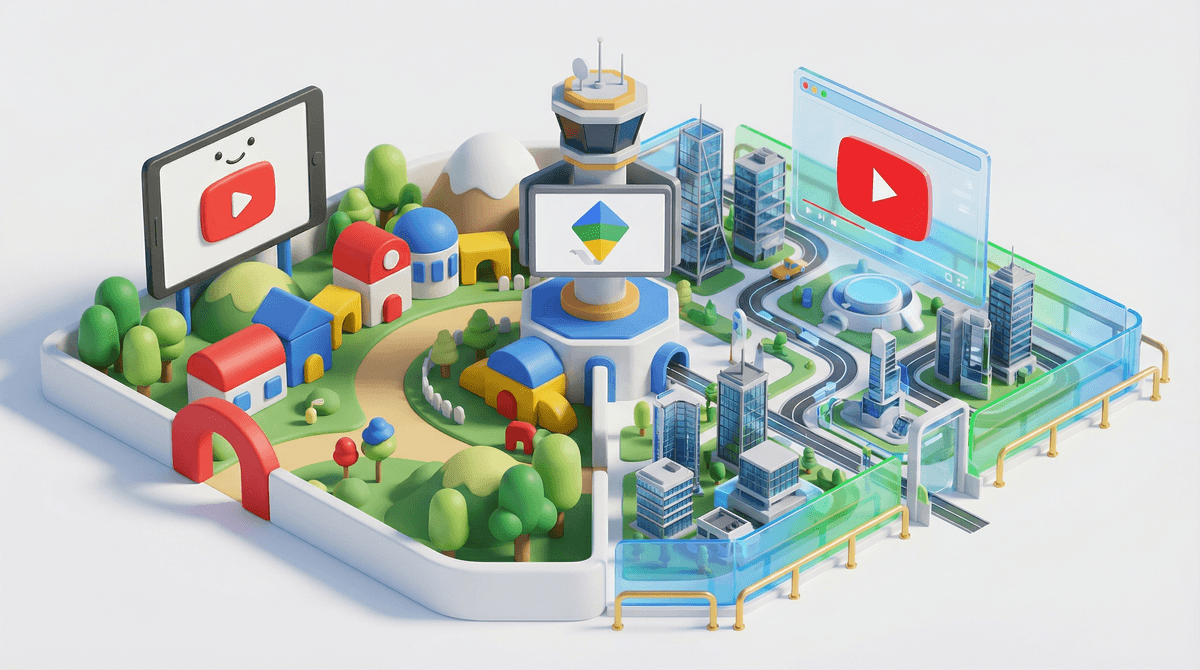
Let's cut through the confusion: YouTube offers two different ways for kids to watch videos, and they're not the same thing.
YouTube Kids is a separate app with a curated library of content deemed appropriate for children. Think of it as YouTube's walled garden—only videos that have been filtered (by algorithms and human reviewers) make it through.
Supervised YouTube (also called a supervised Google account) is your kid using the regular YouTube app or website, but with parental controls and content restrictions you set up. They're in the main YouTube ecosystem, just with guardrails.
Here's the thing most parents don't realize: YouTube stopped letting kids under 13 have their own unsupervised accounts back in 2021. So if your 10-year-old wants to watch YouTube, you're choosing between these two options (or letting them use your account, which... we need to talk about why that's not great).
The difference between these two isn't just technical—it fundamentally changes what your kid can access and how much control you have.
YouTube Kids is more restrictive. The content library is smaller, comments are disabled, and kids can't search for anything (depending on your settings). It's designed for younger kids who need a more controlled environment. The app has three age-based content settings: Preschool (4 and under), Younger (5-8), and Older (9-12).
Supervised YouTube gives access to the full YouTube platform with filters. Your kid gets recommendations, can subscribe to channels, and depending on the content setting you choose, might see a LOT more than what's available in YouTube Kids. There are three supervision levels: Explore (ages 9+), Explore More (ages 13+), and Most of YouTube (ages 13+).
The catch? Both systems rely heavily on automated filtering, and both have let inappropriate content slip through. There's no perfect solution here.
Let's be real: YouTube's filtering is imperfect, and that's putting it generously.
YouTube Kids has had some spectacular failures. Disturbing videos disguised as kids' content (remember Elsagate?), inappropriate ads, and channels that technically meet the guidelines but are basically brain rot . The algorithm can't always tell the difference between a legitimate Peppa Pig episode and a creepy knockoff with Peppa doing things that will haunt your dreams.
Supervised YouTube with the "Explore" setting (the most restrictive option for ages 9+) includes vlogs, tutorials, gaming videos, music videos, news, educational content, and DIY projects. That's already a massive step up in exposure compared to YouTube Kids. "Explore More" and "Most of YouTube" settings progressively open the floodgates—live streams, more mature gaming content, and topics that might include sensitive subjects.
The reality: even with supervised accounts, kids can stumble onto content you'd rather they didn't see. Gaming videos with excessive profanity, influencer drama, or just the endless rabbit hole of low-quality content designed to game the algorithm.
Ages 4-7: YouTube Kids (Preschool or Younger settings) This age group needs the most protection. Stick with YouTube Kids and use the Preschool setting for 4 and under, Younger setting for 5-7. Even then, watch with them when possible. The content is supposed to be safe, but you'll want to block channels that are just unboxing videos or low-quality animation that's technically appropriate but intellectually numbing.
Ages 8-10: YouTube Kids (Older setting) or Supervised YouTube (Explore) This is the transition zone. Some 8-year-olds are ready for supervised YouTube with the Explore setting, especially if they have specific interests like science experiments, art tutorials, or gaming content. Others do better with YouTube Kids a bit longer. You know your kid—are they clicking on everything that looks flashy, or can they stick to their interests?
Ages 11-12: Supervised YouTube (Explore) Most kids this age want access to more mature content—gaming channels, music videos, tutorials for their hobbies. The Explore setting gives them room to grow while filtering out the worst stuff. This is where you'll want to have conversations about what they're watching and why some content isn't allowed yet.
Ages 13+: Supervised YouTube (Explore More or Most of YouTube) Once they hit 13, they can technically have their own Google account without supervision. But keeping a supervised account lets you maintain some visibility and content restrictions if that fits your family. The "Most of YouTube" setting is basically the full platform with minimal restrictions—use it only if you trust your teen's judgment and have open communication about what they're watching.
Here's something that trips up a lot of parents: search works differently in each option.
In YouTube Kids, you can turn off search entirely. This means your kid can only watch videos that appear in the home feed or in approved collections. It's restrictive, but it prevents them from typing in "scary videos" or whatever random thing their friend told them to look up.
With supervised YouTube, search is always on. Your kid can look up anything, and while inappropriate results should be filtered out, the algorithm isn't perfect. They'll also get video recommendations based on what they watch, which can lead them down unexpected paths.
You can't monitor watch history in real-time. Both options let you check watch history after the fact, but you're not getting notifications about what your kid is watching. You have to actively go look.
The algorithm is designed to maximize watch time, not well-being. Even in YouTube Kids, the recommendation system wants your child to keep watching. That's how YouTube makes money. The autoplay feature is particularly insidious—one video leads to another leads to another, and suddenly your kid has been watching for two hours.
Supervised accounts require a parent Google account. You'll need to manage your child's supervised account through your own Google account via Family Link. This means you can set screen time limits, approve or block content, and see what they're watching. But it also means more digital management on your plate.
YouTube Kids has fewer ads, but they're still there. Supervised YouTube has regular YouTube ads, which means your kid is seeing commercials for everything from toys to movies to... whatever the algorithm thinks will get their attention.
Neither option has perfect moderation. YouTube processes 500 hours of video uploaded every minute. There's no way to manually review it all. Both kids' options rely on a combination of automated systems and user reports. Stuff gets through.
If you decide supervised YouTube is the right fit, here's how to set it up:
- Download Google Family Link on your phone
- Create a supervised Google account for your child
- Choose the content setting (Explore, Explore More, or Most of YouTube)
- Set screen time limits and bedtime schedules if you want them
- Decide whether to allow or block specific channels and videos
Pro tip: Start with the most restrictive setting and loosen it gradually. It's easier to give more freedom than to take it away.
YouTube Kids is better for younger children (under 9) who need a more controlled environment and aren't ready for the full YouTube experience. It's not perfect, but it's significantly safer than letting a 6-year-old loose on regular YouTube.
Supervised YouTube makes more sense for older kids (9+) who have specific interests and are ready for more independence, but still need guardrails. The Explore setting is your friend for this age group.
But here's the real talk: neither option is a substitute for parental involvement. You can't just hand your kid a tablet with YouTube Kids and assume everything will be fine. You need to:
- Watch videos with them, especially when they're younger
- Talk about what they're watching and why they like it
- Block channels that are low-quality or inappropriate
- Check their watch history regularly (weekly at minimum)
- Set time limits that actually work for your family
- Have conversations about online safety and critical thinking
The best protection isn't the app you choose—it's the relationship you build where your kid feels comfortable telling you when they see something weird or upsetting.
If you're just starting out: Begin with YouTube Kids for children under 9, with search turned off. Watch together for the first few weeks and actively block channels that don't meet your standards.
If your kid is outgrowing YouTube Kids: Transition to supervised YouTube with the Explore setting. Have a conversation about the new responsibility and what's expected. Check in frequently during the first month.
If you're already using supervised YouTube: Review your content settings and watch history. Are you comfortable with what your child is accessing? Adjust the supervision level or have conversations about specific content as needed.
And remember: you can always Find out if a specific YouTube channel is appropriate or get recommendations for alternatives if YouTube isn't working for your family.