

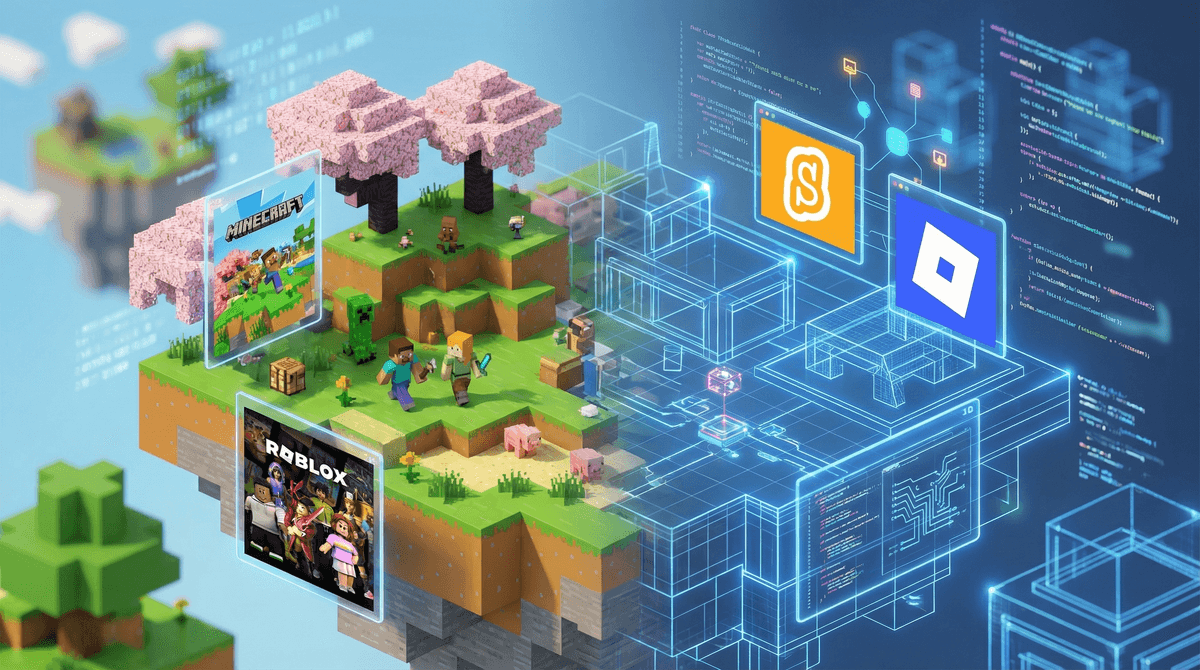
Here's the thing: your kid who spends hours building elaborate structures in Minecraft or creating obstacle courses in Roblox? They're already doing game design. They just don't know it yet.
Game design is the process of creating the rules, mechanics, stories, and experiences that make games fun. And unlike a decade ago when this required serious programming chops and expensive software, today's platforms have made it shockingly accessible for kids to go from "I play games" to "I make games."
The shift from consumption to creation is genuinely one of the most powerful moves you can make in your family's digital life. Instead of passively absorbing content, kids start thinking about systems, cause and effect, user experience, and problem-solving. They're learning to code without it feeling like homework. They're discovering that the "easy" games they love actually took someone hundreds of hours to balance and perfect.
Let's be honest: it feels different when your kid says they spent three hours on the computer and they're showing you a game they built versus three hours watching someone else play games on YouTube. And yeah, both involve screens, but the cognitive load is completely different.
Here's what game design actually teaches:
Coding and logic - Most modern game design platforms use visual programming (drag-and-drop code blocks) that teach computational thinking without the frustration of syntax errors. Kids learn loops, conditionals, variables, and functions—the building blocks of real programming.
Storytelling and world-building - Creating a game means crafting a narrative, building characters, and thinking about player motivation. It's creative writing meets interactive design.
Math and physics - Want that character to jump realistically? Congrats, you're learning about gravity and velocity. Need to balance your in-game economy? Hello, multiplication and resource management.
Entrepreneurship - Platforms like Roblox and Fortnite Creative actually let kids publish their games and potentially earn real money. Some teenagers are making serious income from their creations. (Yes, really—though we should talk about the Robux economy ).
).
Resilience and iteration - Games rarely work perfectly on the first try. Kids learn to test, fail, debug, and improve—which is basically the entire design thinking process.
Ages 6-9: Visual and Playful
Scratch - The gold standard for young creators. Made by MIT, completely free, uses colorful code blocks to create games and animations. The community is huge and genuinely supportive. Kids can remix other people's projects to learn how things work.
Minecraft Education Edition - If they're already Minecraft-obsessed, this version includes built-in coding lessons and chemistry experiments. Regular Minecraft with mods like ComputerCraft also works.
Tynker - Gamified coding lessons that feel less like school and more like unlocking levels. Paid subscription, but often available free through schools.
Ages 10-13: Getting Serious (But Still Fun)
Roblox Studio - This is where many kids naturally graduate once they're already playing Roblox. The learning curve is real, but there are thousands of YouTube tutorials. Uses Lua programming language, which is actually used in professional game development.
Fortnite Creative - If your kid plays Fortnite, they can access Creative mode and build their own maps, game modes, and experiences. More limited than Roblox Studio but incredibly intuitive.
GameMaker Studio 2 - For kids ready to move beyond block coding. Free version available, used to create actual indie hits like Undertale and Celeste.
Ages 14+: Real Development Tools
Unity - Professional game engine used by actual studios. Free for personal use. Steep learning curve but tons of tutorials and a massive community. Uses C# programming.
Unreal Engine - Epic's professional engine (makes Fortnite). Has visual scripting called Blueprints so you can build without typing code, then gradually learn C++.
Godot - Open-source, completely free, lighter weight than Unity or Unreal. Great for 2D games especially.
Start where they are - Don't force a Minecraft kid onto Unity. If they love Roblox, start with Roblox Studio. Meet them in their existing interest.
Find a project-based course - Random coding tutorials get abandoned. Look for courses that result in a finished game. Kids need that dopamine hit of "I made something playable."
Join a community - Game jams (timed game creation competitions), Discord servers, local coding clubs. Kids learn faster when they're sharing and getting feedback.
Celebrate the terrible first games - Their first game will be bad. Like, really bad. Probably unplayable. This is perfect and normal. The pros' first games were also disasters.
Set up a creator schedule - Maybe weekdays are for homework and passive gaming, but weekend mornings are for building. Having dedicated creation time helps it feel less like you're taking away their gaming.
Real talk: Roblox is complicated. Yes, kids can learn legitimate development skills and yes, some teens make real money. But the platform also has some problematic economics where young creators can feel exploited by the Robux-to-dollars exchange rate.
The nuanced take: Roblox Studio is a genuinely powerful learning tool. The scripting is real programming. But set expectations that making money is rare, and the goal should be learning and creating, not getting rich. If they do earn Robux, treat it as a bonus, not a business plan.
Quick sidebar because this is coming up a lot: AI tools like ChatGPT can now help kids debug code, generate game ideas, and even write simple scripts. This is... fine? The key is making sure they understand what the code does, not just copy-pasting. AI as a tutor, not a replacement for learning.
Gaming doesn't have to be purely consumptive. The same platforms your kids already love can become creation tools with just a slight redirect. You're not turning them into professional game developers (though hey, maybe)—you're teaching them to think like makers instead of just consumers.
Start small. Pick one platform based on what they already play. Set aside one hour this weekend to build something together—even if you know nothing about coding. The goal isn't perfection; it's shifting the mindset from "I play games" to "I could make this."
And honestly? Watching your kid's face when someone else plays their game for the first time—even if it's just you or a sibling—is pretty magical. That's the moment they stop being just a player and start being a creator.
- Check what they already play: Minecraft, Roblox, or Fortnite all have built-in creation tools
- Try a free starter course: Scratch for younger kids, Code.org's game lab for middle schoolers
- Look for local game jams or coding camps: Summer programs that end with kids showcasing their games to parents
- Watch a "making of" video together: Show them how their favorite indie game was built—often by tiny teams or even solo developers
The barrier to entry has never been lower. Your gamer can become a game designer this weekend if you want. No permission slip required.