

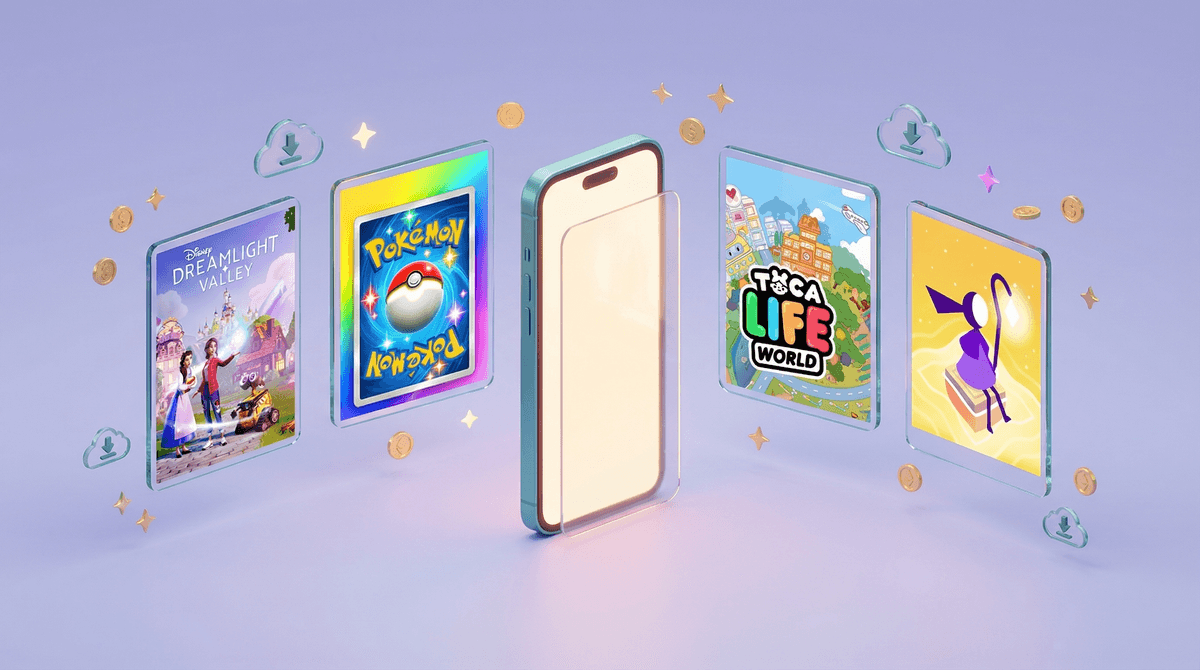
The Best iOS Games for Kids in 2026: What Parents Need to Know
Your kid wants to download "just one more game" and you're staring at the App Store wondering what's actually worth the storage space (and potential spending). Here's what's genuinely good right now:
Best Overall: Disney Dreamlight Valley (Ages 7+)
Best for Collectors: Pokémon TCG Pocket (Ages 8+)
Best Creative Play: Toca Life World (Ages 4-10)
Best Strategy: Clash of Clans (Ages 10+)
Best Puzzle Game: Monument Valley 3 (Ages 8+)
The iOS App Store is a weird place. For every legitimately great game, there are fifty clones designed to extract money from kids who don't understand in-app purchases yet. So when your child asks to download something, you're not being paranoid—you're being smart.
The games below are the ones actually worth considering in 2026. Some are free-to-play (which means we need to talk about spending), some are premium, and all of them have specific things you should know before hitting "Get."
Ages 7+ | Free-to-play with premium expansion
This is basically Animal Crossing meets Disney characters, and it's shockingly well-made for a free mobile game. Kids build their own village, befriend characters like Moana and Wall-E, fish, garden, decorate, and complete quests. It's cozy, it's creative, and the core game is genuinely free.
The catch: There's a $10 expansion pass that unlocks additional storylines and characters. It's a one-time purchase, not a subscription, and the base game has enough content that you don't need it immediately. This is one of those rare situations where the free version isn't just a demo.
What parents should know: This game respects kids' time. There's no energy system forcing them to stop playing or pay to continue. No loot boxes. No pressure. It's designed for long play sessions where they can actually accomplish things. The in-game purchases are clearly marked and require your password.
Ages 8+ | Free-to-play with optional purchases
If your kid is into Pokémon cards (or you're trying to avoid spending $200 on physical booster packs), this is the digital version. Open packs, build decks, battle other players. The interface is beautiful, and it genuinely captures that pack-opening dopamine hit.
The catch: This is a gacha game, which means randomized rewards designed to keep you coming back. You get free packs daily, but kids can absolutely spend real money chasing specific cards. This is where you need to have a conversation about digital spending .
.
What parents should know: Disable in-app purchases or set spending limits through Screen Time. The game is playable without spending, but it requires patience—something not all kids have when their friend just pulled a rare Charizard. This is a good opportunity to talk about gambling mechanics in games, because that's essentially what this is.
Ages 4-10 | Free with in-app purchases
This is digital dollhouse play—kids create characters, build worlds, and make up their own stories. No rules, no winning, just pure imaginative play. Younger kids absolutely love this.
The catch: The base game is free, but most of the interesting locations and items cost money. You can spend $7.99 on a new location (like a hospital or school) or buy a membership for $7.99/month that unlocks everything.
What parents should know: This is one of those "free to download but not really free to play" situations. Budget about $20-30 if you want your kid to have enough content to stay engaged, or consider the membership if they're really into it. The good news? Zero ads, zero data collection beyond what's legally required, and Toca Boca has a solid privacy reputation.
Ages 10+ | Free-to-play
Yes, this game is over a decade old. Yes, it's still wildly popular. Kids build villages, train troops, and attack other players' bases. It's strategy, resource management, and social play all in one.
The catch: This is a game designed to make you wait or pay. Building upgrades take real-world time (sometimes days). You can spend gems to speed things up, and gems cost real money. Also, it's online multiplayer with chat, which means you need to know about the social features.
What parents should know: Disable in-app purchases and have a conversation about why they can't speed up every building. The waiting is part of the game design, and learning to manage resources and plan ahead is actually valuable. The clan chat can be set to invite-only, which you absolutely should do. This isn't a game for impulsive spenders or kids who struggle with delayed gratification.
Ages 8+ | Netflix Games (requires Netflix subscription)
Gorgeous, mind-bending puzzle game where you manipulate impossible architecture to guide a character through levels. It's like M.C. Escher meets a meditation app. No ads, no in-app purchases, no timers.
The catch: You need a Netflix subscription to play it, which you might already have. If not, this alone isn't worth subscribing for, but Netflix has a surprisingly good collection of games now.
What parents should know: This is pure puzzle-solving with zero stress. It's the game you hand your kid on a long car ride when you want them to actually think. Takes about 2-3 hours to complete, and it's a legitimate work of art. No reading required, so even younger kids can play with some help.
Ages 7+ | $6.99 one-time purchase
You knew this was coming. Minecraft on iOS is the full game—creative building, survival mode, multiplayer servers, the works. If your kid isn't already playing it, they will be soon.
The catch: The game itself is a one-time purchase, but there's a marketplace where kids can buy skins, texture packs, and custom worlds using "Minecoins." Multiplayer requires either a Realms subscription ($7.99/month) or connecting to external servers, which opens up a whole conversation about online safety.
What parents should know: This is the rare game that's actually educational while being genuinely fun. Kids learn spatial reasoning, resource management, and basic coding if they get into redstone. The mobile version has touch controls that take getting used to, and honestly, if you can swing it, Minecraft is better on a computer or console. But the iOS version is fully functional and lets them play anywhere.
Ages 9+ | Free with in-app purchases
Roblox isn't one game—it's a platform with millions of user-created games. Your kid can play obstacle courses, roleplay games, simulators, horror games, and everything in between. It's also where a huge percentage of kids are hanging out online right now.
The catch: Robux, the in-game currency, is how kids buy everything from avatar items to game passes. And kids will absolutely pressure each other about who has what items. The games vary wildly in quality and appropriateness, and the chat features mean your kid is talking to strangers.
What parents should know: This requires active parenting. Set up parental controls immediately, limit who can chat with your kid, and review their spending regularly. Robux is real money—don't let them treat it like Monopoly money. That said, Roblox can teach kids about game design, economics, and social dynamics if you're involved. Just don't hand them an iPad with Roblox and walk away.
Ages 6+ | $4.99 one-time purchase
Beautiful endless runner where you snowboard down sand dunes, doing tricks and collecting coins. Minimalist graphics, zen soundtrack, zero pressure. This is the game equivalent of a weighted blanket.
What parents should know: This is a premium game with no ads and no in-app purchases. You pay once, you own it forever. It's perfect for younger kids who just want something pretty and calming, or for older kids who need to decompress. There's also Alto's Adventure, which is the same concept but snowboarding instead of sandboarding.
Ages 4-6: Stick with Toca Life World, Alto's Odyssey, or other games with zero reading requirements and no time pressure. Avoid anything with in-app purchases they can trigger themselves.
Ages 7-9: Disney Dreamlight Valley, Minecraft, and Monument Valley 3 are all great. Start having conversations about digital spending before it becomes an issue.
Ages 10+: They can handle Clash of Clans, Pokémon TCG Pocket, and Roblox, but these require you to set boundaries around spending and online interaction. Don't assume they'll figure it out themselves.
In-app purchases: This is the big one. Free-to-play games make their money by making spending feel trivial. $4.99 here, $9.99 there, and suddenly you've spent $100 in a month. Use Screen Time to require approval for all purchases, or disable in-app purchases entirely.
Time sinks: Games like Clash of Clans are designed to keep you checking in constantly. Set boundaries around when gaming happens and stick to them.
Online interaction: Any game with chat or multiplayer means your kid is talking to strangers. That's not automatically bad, but it requires supervision and conversations about online safety.
The comparison trap: Kids see what their friends have in games and feel pressure to spend to keep up. This is real, and it's worth talking about explicitly.
The best iOS games for kids aren't necessarily the ones at the top of the App Store charts. They're the ones that respect your kid's time, don't manipulate them into spending, and actually offer something valuable—whether that's creativity, problem-solving, or just genuine fun.
Before downloading anything:
- Check the age rating (and then add 2 years to be realistic)
- Look at what the in-app purchases actually are
- Set up parental controls for purchases and screen time
- Play it yourself for 10 minutes to see what your kid will actually be doing
And remember: "free" games usually aren't. Budget accordingly, or stick with premium games that cost money upfront but don't nickel-and-dime you forever.
Set up Screen Time limits for gaming apps if you haven't already. Decide together how much gaming time is reasonable for your family.
Have the spending conversation before there's a problem. Explain that in-app purchases are real money, and set clear boundaries about what's okay to spend.
Check in regularly about what they're playing and who they're playing with. Not in a helicopter parent way, but in a "tell me about your game" way.
And if you're trying to figure out whether a specific game is worth it, See if a game is appropriate for your kid for a personalized recommendation based on your kid's age and interests.