

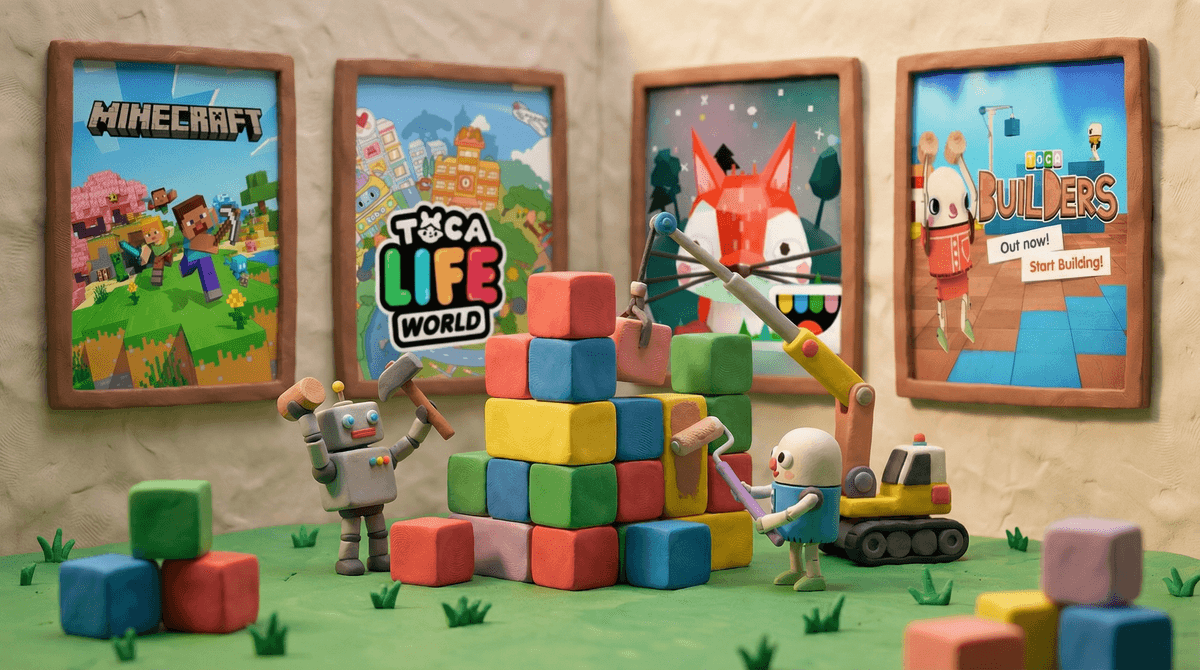
Toca Builders is a creative building app from Toca Boca, the Swedish company that's basically become synonymous with quality kids' apps. Think of it as a gentler, more whimsical take on Minecraft's creative mode, designed specifically for younger kids.
The app lets kids build whatever they can imagine using colorful blocks in a 3D world. But here's what makes it special: instead of controlling one character, kids work with six quirky robot builders, each with their own building superpower. One paints blocks, another lifts them, one smashes them, and so on. It's like having a little construction crew at your fingertips.
Released back in 2013, Toca Builders is part of Toca Boca's larger ecosystem of play-based apps. And honestly? It's held up remarkably well in a landscape where most apps from that era feel ancient.
The appeal is pretty straightforward: there are no rules, no levels, and no way to fail. Kids can build a castle, a spaceship, or just a random pile of colorful blocks, and it's all equally valid.
The six robot characters each have distinct personalities and abilities. There's Hammerhead who smashes blocks, Rufus who lifts and moves them, and Sporty who jumps around placing blocks. Kids often develop favorites and create their own narratives around these little builders.
The tactile, hands-on feeling of the app is also key. It's intuitive enough that even preschoolers can figure it out without much help, but open-ended enough that older elementary kids still find it engaging. Plus, the art style is cheerful and inviting without being overstimulating—no flashing lights or annoying sound effects here.
Ages 3-5: This is honestly the sweet spot. The app is simple enough for preschoolers to grasp, and the lack of reading requirements means they can dive right in. You might need to show them the basic controls once, but most kids this age pick it up quickly. They'll probably build more abstract structures (which they'll insist are "houses" or "rockets"), and that's perfect.
Ages 6-8: First and second graders tend to get more intentional with their builds. They'll plan out structures, use the different robots strategically, and often recreate things from their real lives—their school, their house, elaborate playgrounds. This is when you might see them spending 30-45 minutes absorbed in a single project.
Ages 9+: Some kids this age still enjoy Toca Builders, but many start gravitating toward more complex building games like Minecraft or Roblox. That said, Toca Builders can still be a nice "chill out" option when they want something creative but less intense.
Let's talk about the stuff that actually matters to you:
The Good Stuff:
- One-time purchase, no in-app purchases. You pay once (usually around $4-5) and that's it. No surprise charges, no pressure to buy more content. In 2024, this feels almost revolutionary.
- Completely offline. No internet connection needed, which makes it perfect for car trips, flights, or anywhere you don't want to deal with connectivity.
- Zero ads, zero data collection. Toca Boca has always been solid about privacy. They're COPPA compliant and don't collect personal information from kids.
- No social features. Kids can't chat with strangers, share creations publicly, or access any kind of social network. It's genuinely self-contained.
- Encourages spatial reasoning and creativity. Building in 3D space helps develop important cognitive skills, and the open-ended nature supports imaginative play.
Things to Consider:
- It's not "educational" in the traditional sense. There's no curriculum, no learning objectives, no progress tracking. It's pure creative play. Whether that's a pro or con depends on your family's priorities.
- Limited longevity for some kids. While the app is great, some kids exhaust the possibilities after a few months. At $4-5, that's still solid value, but don't expect it to be a multi-year obsession for everyone.
- Can't save and share easily. Kids can take screenshots of their creations, but there's no built-in portfolio or easy way to save multiple projects. This frustrates some kids who want to preserve their work.
Here's where Toca Builders really shines: it's genuinely creative screen time. This isn't passive consumption or mindless tapping. Kids are planning, problem-solving, and creating.
That said, it's still screen time. Most kids ages 4-7 do well with 20-30 minute sessions. The app doesn't have any built-in timers or stopping points, so you'll need to set your own boundaries. Learn more about age-appropriate screen time guidelines .
.
One practical tip: Toca Builders works great as a "bridge activity." Use it during sibling activities where one kid needs to be occupied while you help another with homework, or during those awkward 20-minute windows before dinner.
If you're trying to figure out where Toca Builders fits in the landscape:
-
Versus Minecraft: Toca Builders is much simpler and more accessible for younger kids. Minecraft has survival elements, more complex mechanics, and online multiplayer—which means more learning curve but also more depth.
-
Versus LEGO apps: Most LEGO apps are more structured with specific building challenges. Toca Builders is more freeform.
-
Versus other Toca Boca apps: If your kid loves Toca Life World or Toca Kitchen, they'll probably enjoy this too. The vibe is similar—playful, colorful, open-ended.
Toca Builders is one of those rare apps that does exactly what it promises without any gotchas. It's not going to teach your kid to code or prepare them for the SATs, but it will give them a genuinely creative, pressure-free space to build and experiment.
For families with kids ages 3-8, especially those looking for screen time that feels more like digital play-dough than passive entertainment, this is a solid choice. The one-time purchase model and complete lack of ads or social features make it a low-stress option for parents.
Is it essential? No. Will it change your life? Probably not. But for $5 and some peaceful creative time, it's a pretty good deal.
If you're considering it: Download it and spend 10 minutes exploring with your kid. Show them the different robots and let them experiment. Most kids either click with it immediately or lose interest quickly—you'll know within one session.
If your kid already loves it: Consider checking out other Toca Boca apps like Toca Nature or Toca Lab. They have the same quality and philosophy.
If they're outgrowing it: Minecraft is the natural next step for most kids, though it requires more parental involvement to set up safely. Check out our Minecraft guide for parents if you're heading that direction.
And as always, the "right" amount of screen time and the "best" apps depend entirely on your kid, your family values, and what else is going on in your lives. Toca Builders is just one tool in the toolkit—use it in whatever way works for you.