

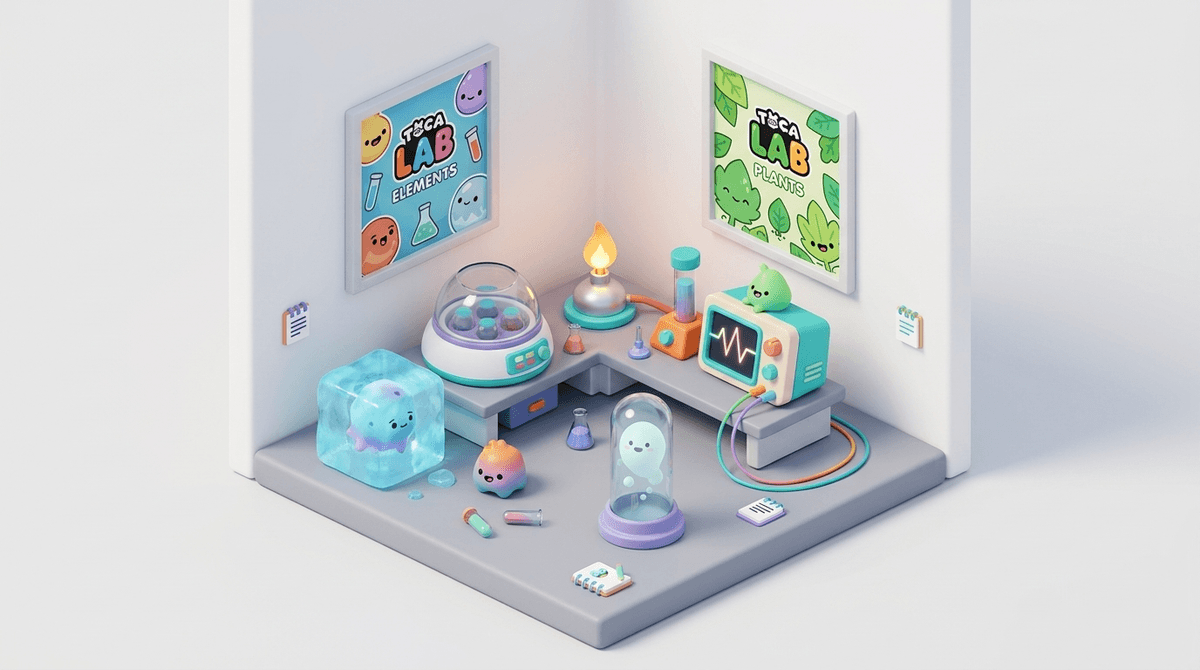
TL;DR: Toca Lab: Elements is a rare find in the app store: a "digital toy" that actually encourages scientific curiosity without hitting your kid with ads, "energy" timers, or sneaky in-app purchases. It turns the periodic table into a cast of quirky characters that kids can experiment on using lab tools. It’s perfect for the 4-8 age bracket and is a great alternative to the "brain rot" content often found on YouTube.
Quick Links:
- Toca Lab: Elements (The original chemistry toy)
- Toca Lab: Plants (The botanical follow-up)
- Toca Life World (The broader Toca ecosystem)
- How to choose high-quality apps for preschoolers
If you’ve spent any time in the "Kids" section of the App Store, you know it’s a minefield. Most "educational" games are just glorified flashcards wrapped in bright colors and dopamine loops. Toca Lab: Elements is different.
Toca Boca (the developer) calls their creations "digital toys" rather than games. There are no high scores, no levels to beat, and no "game over" screens. In Toca Lab: Elements, your child is dropped into a laboratory with a single element—a cute, blob-like character with a distinct personality.
The goal? Experiment. You can put the element in a centrifuge, heat it over a Bunsen burner, freeze it with a cooling agent, or run it through an oscilloscope. Each tool causes the element to react and eventually transform into a new element on the periodic table. It’s essentially a giant, interactive discovery map that teaches kids the most fundamental rule of science: "I wonder what happens if I do this?"
Kids are naturally destructive—or, as we like to say when we’re being patient, "exploratory." Toca Lab: Elements taps into that desire to poke and prod things to see how they react.
The brilliance is in the character design. Instead of just seeing the symbol "H" for Hydrogen, kids meet a floaty, gas-like creature. When they put an element in the centrifuge, it looks dizzy. When they freeze it, it turns into a block of ice. It humanizes the periodic table in a way that makes it memorable.
By the time they get to actual chemistry in middle school, they might not remember the atomic weight of Gold, but they’ll remember that Gold was that shiny, heavy character they discovered after a series of experiments. It builds a "science is fun" foundation before school has a chance to make it feel like a chore.
We talk a lot about "active" vs. "passive" screen time. Watching a 20-minute video of someone unboxing toys is passive (and frankly, soul-crushing). Playing Toca Lab: Elements is active.
Your child is making choices, observing outcomes, and navigating a non-linear path. It’s a sandbox. If your kid is currently obsessed with Roblox but you want to steer them toward something more focused and less... chaotic, this is a great "bridge" app for younger siblings or a "cool down" app for older ones.
Check out our guide on active vs. passive screen time
This is the core experience. It features all 118 elements of the periodic table.
- The Vibe: Quirky, laboratory-chic.
- The Learning: Introduction to the periodic table, states of matter (solids, liquids, gases), and the concept of scientific equipment.
- The "No-BS" Review: It’s fantastic. It’s one of the few apps I’d actually pay for upfront because it doesn't try to nickel-and-dime you later. It’s clean, it’s smart, and it’s genuinely funny.
If your kid is more into nature than test tubes, this is the botanical equivalent.
- The Vibe: Greenhouse exploration.
- The Learning: Evolution, plant groups (mosses, ferns, flowering plants), and basic biology.
- The "No-BS" Review: Just as good as the original. It teaches kids that plants aren't just green things sitting in dirt—they have different needs and "personalities" (in the Toca world, at least).
Ages 3-5
They won't understand that they are looking at a periodic table, and that’s fine. For them, it’s a cause-and-effect toy. They’ll love the sounds and the animations. You might need to help them navigate the "map" of elements at first, but the interface is mostly icon-based and very intuitive.
Ages 6-8
This is the sweet spot. They’ll start to realize that certain tools lead to certain types of elements. They might start asking questions like, "Why did this one turn into a gas?" This is a great time to supplement the app with a physical book like The Elements: A Visual Exploration.
Ages 9+
They might "beat" the app (discover all elements) pretty quickly. At this point, it becomes a bit of a fidget toy. If they’re still interested in chemistry, it’s time to move them toward something like Minecraft (specifically the Education Edition which has amazing chemistry features) or Scratch where they can code their own experiments.
Find more advanced science games
This is where Toca Boca usually shines.
- No Third-Party Ads: You won't see ads for other "crapware" games popping up.
- No In-App Purchases: Once you buy the app, you own the whole thing. (Note: This applies to the standalone Lab apps, not necessarily Toca Life World, which is a different beast entirely).
- Offline Play: It works without Wi-Fi, making it a lifesaver for airplanes or long car rides.
- Data Privacy: Toca Boca has a solid track record with COPPA (Children's Online Privacy Protection Act) compliance. They aren't harvesting your kid's data to sell to advertisers.
While Toca Lab is "educational," don't expect your kid to pass a high school chemistry quiz after an hour of play. It’s about scientific literacy and curiosity, not rote memorization.
One thing to watch out for: There is a "Toca News" icon on the home screen that links to other Toca Boca apps. It’s behind a parental gate (usually asking you to hold a button or enter a birth year), but it’s still a nudge toward more consumption.
Also, if your family is sensitive about "evolutionary" themes, Toca Lab: Plants does use an evolutionary-style tree to show how plants are related. It’s standard science, but worth noting if that’s a conversation you want to have.
If you want to turn "screen time" into "learning time" without being annoying, try these prompts while they play:
- "Whoa, that one turned into a liquid! What tool did you use to do that?"
- "I see the symbol 'O' on that character. Do you know what that stands for? (Oxygen!) We’re breathing that right now."
- "Which element is your favorite so far? Why do you think it looks like that?"
If they get frustrated because they can't find a new element, encourage them to look at the "map" and see which tools they haven't tried on a specific branch yet. It’s a great lesson in persistence.
Toca Lab: Elements is a "Green Light" app. It’s respectful of your child’s intelligence, it’s safe, and it’s actually fun. In a world of "Skibidi Toilet" memes and endless Roblox obbys, Toca Lab is a quiet, creative corner of the internet where your kid can just... be a little scientist.
- Download Toca Lab: Elements and spend 10 minutes playing it with your kid.
- Pair it with a podcast: Listen to the Wow in the World episode about chemistry or elements on your next drive.
- Go Physical: If they love the digital lab, grab a "kitchen science" kit or just some baking soda and vinegar and do some "analog" experimenting.
Check out our guide to the best science kits for kids Learn how to manage Toca Boca in-app purchases