

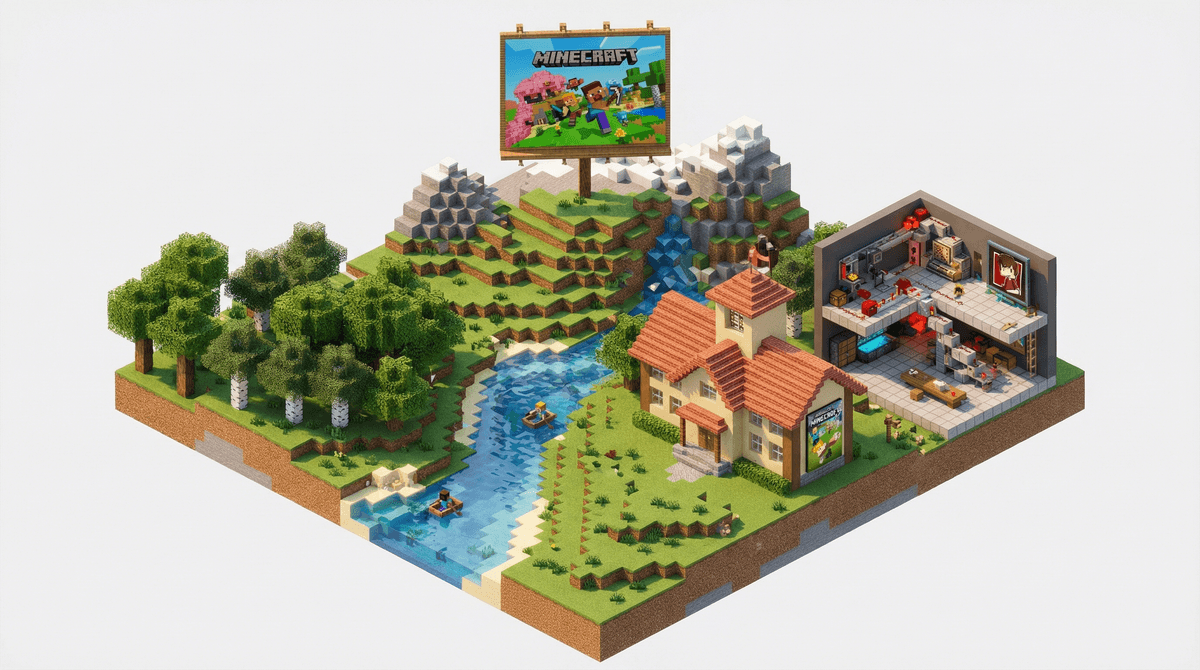
If you haven't heard your kid talk about Minecraft yet, just wait. This blocky, pixelated sandbox game has been the reigning champion of kid gaming since 2011—and it's not going anywhere.
At its core, Minecraft is a game where players explore a world made entirely of blocks (think digital LEGOs), gather resources, build structures, and survive against monsters. But that description barely scratches the surface. Kids can build elaborate cities, recreate their favorite movies, design complex machines with "redstone" (basically Minecraft electricity), play mini-games created by other players, or just dig a hole and live in it. All valid choices.
The game is available on pretty much every platform imaginable—PC, Mac, Xbox, PlayStation, Nintendo Switch, mobile devices, and even some smart fridges (okay, maybe not that last one, but you get the idea). There's also a separate education-focused version called Minecraft Education Edition that's used in thousands of schools.
It's genuinely creative. Unlike games where you follow a set path or story, Minecraft is a true sandbox. Your kid can build a medieval castle on Monday, a working calculator on Tuesday, and a pixel art version of their favorite meme on Wednesday. The creative freedom is real.
There's no "right" way to play. Some kids are builders. Some are adventurers. Some just want to farm wheat and breed animals. Some want to fight the Ender Dragon. All of these are completely valid ways to spend time in Minecraft, which means kids can play in whatever way matches their personality.
It's social without being too social. Kids can play on servers with friends, work together on builds, or just hang out in a shared world. But unlike Fortnite or Roblox, the social pressure is lower. No one's yelling at you for missing a shot. You're just... building stuff together.
The learning curve is actually satisfying. Minecraft is complex enough that kids feel genuinely accomplished when they figure something out. Learning to craft your first pickaxe, surviving your first night, or figuring out how redstone works—these are real achievements that build confidence.
Survival Mode is the "classic" Minecraft experience. Players start with nothing, need to gather resources, build shelter before nightfall, and manage health and hunger. Monsters (called "mobs") come out at night and can kill you. When you die, you respawn but lose all your items unless you can get back to where you died. This is the mode that teaches resource management, planning, and problem-solving.
Creative Mode is basically Minecraft with cheat codes enabled. Players have unlimited resources, can fly, and can't die. This is pure building mode—perfect for younger kids or anyone who finds the survival elements stressful. Many kids start here and graduate to Survival when they're ready for more challenge.
Adventure Mode is for playing custom maps created by other players. Think of it as playing levels someone else designed—your kid can't break or place most blocks, so they have to solve puzzles or complete challenges the way the creator intended.
Hardcore Mode is Survival mode on steroids. The difficulty is locked to "Hard," and when you die, your world is deleted. Forever. This is for older kids (and adults) who want the ultimate challenge. Not recommended for anyone who gets emotionally attached to their builds.
The creatures in Minecraft are called "mobs," and they range from helpful to actively trying to murder you.
Creepers are the iconic green monsters that silently sneak up behind you and explode, destroying both you and whatever you've built. They're genuinely startling the first time, and kids will absolutely shriek. They've become the unofficial mascot of Minecraft frustration.
Zombies, Skeletons, and Spiders are your standard hostile mobs that come out at night. They're not particularly scary—more annoying than anything—but younger kids might find them intimidating at first.
Endermen are tall, dark figures that teleport around and get aggressive if you look directly at them. They're a bit creepier than other mobs, and their sound effects are unsettling. Worth noting if you have a particularly anxious kid.
The Ender Dragon is the closest thing Minecraft has to a final boss. Fighting it is an endgame challenge that requires serious preparation. Defeating it is a major milestone for kids.
On the friendly side, there are cows, pigs, chickens, and sheep that provide resources, wolves that can be tamed as pets, and villagers that kids can trade with. Many kids spend more time building elaborate homes for their pets than actually playing the game objectives.
Ages 6-8: Start with Creative Mode. The survival elements and monsters can be overwhelming for this age group, and Creative gives them the building experience without the stress. Play together if possible—it's genuinely fun, and you can help them learn the controls.
Ages 8-10: Most kids this age are ready for Survival Mode, though some might want to play on Peaceful difficulty (no monsters) at first. They can handle the resource management and will probably love the sense of accomplishment from surviving their first night.
Ages 10+: They can handle all modes and difficulties. At this age, many kids get into multiplayer servers, redstone engineering, and complex building projects. This is also when they might start watching Minecraft YouTube videos obsessively—which is a whole other thing we'll get to.
The violence is extremely mild. Mobs flash red when hit and eventually disappear with a "pop." There's no blood, no gore, no realistic violence. The ESRB rates it E10+ (Everyone 10 and up), but honestly, younger kids handle it fine, especially in Creative Mode.
Multiplayer requires supervision. If your kid wants to play on public servers, know that they'll encounter other players—including adults. Chat can be disabled, and you can set up private servers with just their friends. Learn more about Minecraft multiplayer safety before letting them loose online.
YouTube is the real rabbit hole. Kids don't just play Minecraft—they watch hours of other people playing Minecraft on YouTube. Some creators are great; others... not so much. The content itself is usually fine (it's just gameplay), but some YouTubers use language or humor that might not match your family values. Preview channels before giving free rein.
Mods and custom content are a thing. On PC and some consoles, kids can install modifications (mods) that change gameplay, add new features, or create entirely new experiences. Some are amazing; some can cause technical issues or expose kids to inappropriate content. If your kid wants mods, do it together and stick to reputable sources like CurseForge.
It's actually educational. Real talk: Minecraft teaches spatial reasoning, resource management, basic engineering, creativity, and persistence. Kids learn to plan projects, troubleshoot problems, and collaborate. It's not just "screen time"—there's legitimate learning happening. (That said, yes, they still need to go outside sometimes.)
The in-game purchases are minimal. On the Bedrock Edition (console, mobile, Windows 10), there's a marketplace where you can buy skins, texture packs, and custom worlds. But the base game is complete without spending a dime. Unlike Roblox, there's no constant pressure to buy currency or items to keep up with friends.
Here's where it gets slightly annoying: there are two versions of Minecraft, and they're not quite the same.
Java Edition (PC and Mac) is the original version. It has better mod support, more customization options, and tends to get updates first. It's what most serious players and YouTubers use.
Bedrock Edition (consoles, mobile, Windows 10) is newer and allows cross-platform play between different devices. It's more stable and runs better on lower-end hardware, but has fewer customization options.
For most families, Bedrock is fine—especially if you want your kid to play with friends on different devices. But if your kid gets really into Minecraft and wants to explore mods and custom servers, Java is the way to go.
Minecraft is one of the best games you can let your kid play. It's creative, educational, relatively safe, and has stood the test of time for good reason. The learning curve exists but isn't insurmountable, and the game grows with your kid—what starts as simple block-stacking at age 7 can evolve into complex engineering projects at age 13.
Start younger kids in Creative Mode, supervise multiplayer interactions, and maybe play alongside them occasionally. You might actually enjoy it. (Fair warning: you will absolutely get invested in your builds and feel genuine devastation when a Creeper blows them up. This is normal.)
The biggest challenge isn't the game itself—it's managing screen time and balancing Minecraft with other activities. But as far as games go, this is one where you can feel pretty good about saying yes.
If your kid is new to Minecraft: Start with Creative Mode on whatever device you have available. Play the tutorial together. Let them experiment without pressure.
If they're already playing: Ask them to show you what they've built. Seriously. Kids love sharing their creations, and you'll get insight into how they're actually spending their time in the game.
If you're concerned about online play: Set up a private Minecraft server or use Realms (Minecraft's official subscription service for private worlds). It's worth the small cost for peace of mind.
If they want to watch YouTube: Preview the channels first. Look for creators like StampyCat, GeminiTay, or Grian who make kid-friendly content. Avoid channels with excessive screaming or adult language.
If you want alternatives: Check out games like Minecraft such as Terraria (more action-focused) or Dragon Quest Builders (more story-driven).
And remember: if your kid starts talking about "diamonds at Y-level 12" or "building a mob grinder," just nod and smile. You'll learn the language eventually. Or not. Either way, they're having fun and learning stuff. That's a parenting win.