

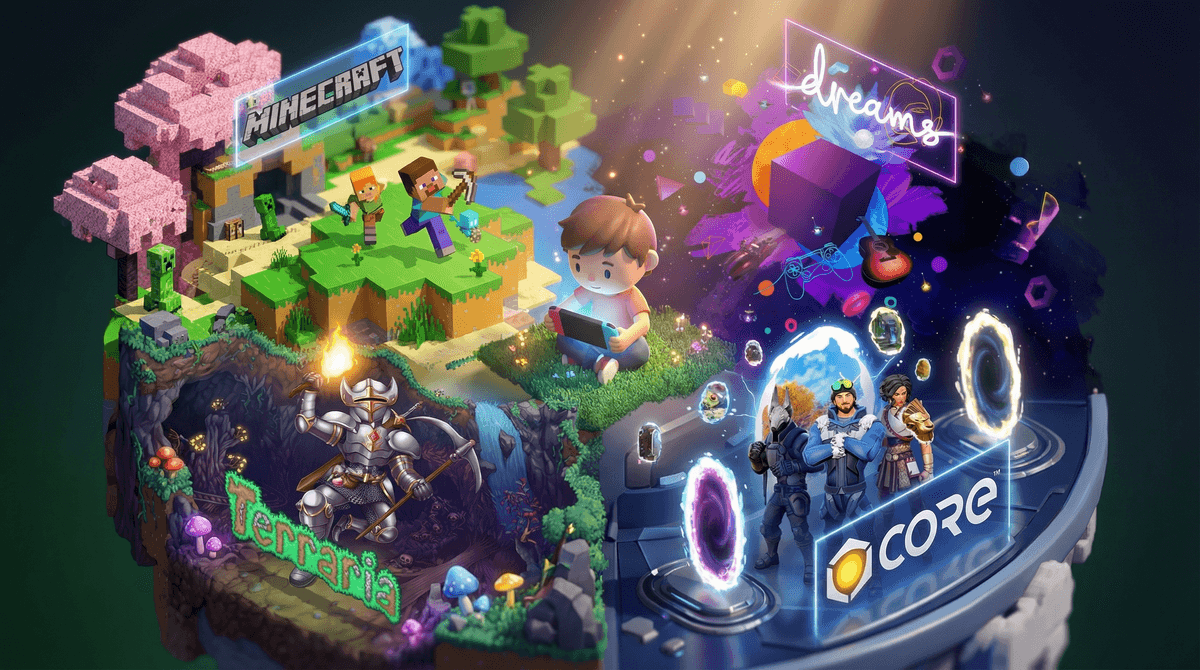
Look, Roblox isn't evil. It's actually pretty brilliant—a massive platform where kids can play millions of user-created games, build their own worlds, and even learn coding basics. But let's be honest: the Robux economy can feel like a slot machine designed by Stanford psychologists, and watching your kid beg for another $20 gift card to buy a digital hat gets old fast.
The good news? There are genuinely creative games out there that scratch the same itch—building, creating, sharing—without the constant pressure to spend. Some are free, some cost upfront (which might actually save you money), and many are teaching actual skills while your kid thinks they're just having fun.
Before we jump into alternatives, let's break down what makes Roblox magnetic:
Social connection - It's where their friends are, full stop
Creative freedom - They can build almost anything
Variety - Bored of one game? There are 40 million others
Identity expression - Avatars, outfits, the whole aesthetic thing
Low barrier to entry - Free to start, runs on pretty much anything
Your kid probably isn't asking for Roblox alternatives. But if you're looking to diversify their gaming diet or escape the microtransaction treadmill, here's what actually works.
Ages: 10+ | Cost: Free | Platforms: Everything
Yes, Fortnite has its own economy, but Creative mode is genuinely impressive. Kids can build elaborate worlds, script game modes, and share creations without spending a dime. The building tools are more sophisticated than Roblox, and there's no pressure to buy cosmetics if you're just creating.
The catch: The main Battle Royale mode is still there, and yes, kids will want those skins. But Creative mode itself is legitimately free-to-play without feeling pay-to-win.
Ages: 10+ | Cost: Free | Platforms: PC
This is basically "Roblox but make it prettier." Built on Unreal Engine, Core lets kids create and play games with genuinely impressive graphics. The creation tools are more advanced (think: actual game development), which means there's a steeper learning curve but also more to learn.
Why it's better: No predatory monetization. Creators can earn real money, but players aren't constantly nickeled and dimed. The community is smaller, which can be good or bad depending on your perspective.
Ages: 9+ | Cost: Free | Platforms: VR, PC, Console, Mobile
Think Roblox meets VR chat meets actual games you'd want to play. Kids can create rooms, play mini-games, and hang out with friends. The social aspect is huge here—maybe too huge if you're worried about online interactions (more on that in a sec).
The vibe: More "hang out and goof around" than "serious creation," but the room-building tools are solid. Works in VR or on flat screens, which is cool.
Ages: 7+ | Cost: $30-40 one-time | Platforms: Literally everything
I know, I know—you've heard of Minecraft. But here's the thing: one purchase, infinite creativity, zero microtransactions (unless you go into the Marketplace, which you can just... not do).
For the price of two Robux gift cards, your kid gets unlimited building, redstone circuits that teach actual logic, multiplayer with friends, and mods that can turn it into anything from a space simulator to a Pokemon game. The community is massive, the educational value is real, and you'll never get another "can I have $20 for Robux?" conversation about this game.
Pro tip: Java Edition (PC/Mac) has better mod support and no marketplace temptation. Bedrock Edition (consoles, mobile) is better for cross-platform play.
Ages: 10+ | Cost: $10 | Platforms: Everything
2D Minecraft meets action-adventure meets "holy crap there's so much to do." For ten bucks, you get hundreds of hours of building, exploring, and creating. Zero microtransactions, constant free updates, and a dedicated modding community.
Why kids love it: More structure than Minecraft (there are actual bosses and progression), but still tons of creative freedom. Building elaborate bases is half the fun.
Ages: 10+ | Cost: $30 | Platforms: PS4/PS5 only
This is the most ambitious game on this list. Dreams is basically a game-creation platform where people have recreated entire other games, made animated films, and composed music. The learning curve is steep, but for creative kids who want to actually learn game design, animation, or music production, this is incredible.
The catch: PlayStation only, and it's complex enough that younger kids might bounce off it. But for tweens and teens who are serious about creating? This is the real deal.
Here's the uncomfortable truth: part of Roblox's appeal is that it's where everyone is. Switching to an alternative might mean your kid is creating alone, at least at first.
Strategies that work:
- Coordinate with other parents - Get 2-3 friends on the same alternative and suddenly it's the cool thing
- Keep Roblox for social, alternatives for creation - Let them play Roblox with friends but do their serious building elsewhere
- Use it as an opportunity - "You know what's cooler than following everyone else? Being the kid who introduces friends to something new"
For safety settings on any of these platforms, here's how to lock things down .
.
Ages 7-9: Minecraft is your best bet. Clear, colorful, and you can play together. Keep it in Creative mode or on a private server with known friends.
Ages 10-12: Any of these work, but Core and Terraria hit the sweet spot of "sophisticated enough to be cool, not so complex they'll rage quit."
Ages 13+: Dreams or Fortnite Creative for kids who want to level up their skills. These can genuinely teach portfolio-worthy abilities.
Roblox isn't going anywhere, and honestly? It doesn't have to. But diversifying your kid's gaming diet—especially toward games that teach without the constant cash grab—is worth the effort.
Start here:
- If you want free and similar: Try Core or Rec Room
- If you'll pay once to never pay again: Minecraft is still king
- If your kid is serious about creating: Dreams or Fortnite Creative
The goal isn't to eliminate Roblox—it's to show your kid that creativity doesn't have to come with a price tag attached to every digital item. And who knows? They might actually prefer building something that's theirs, without wondering if they need to buy the premium version to make it cool.
Want to dig deeper? Check out our full guide to creative games for kids or Find creative games for your kid.