

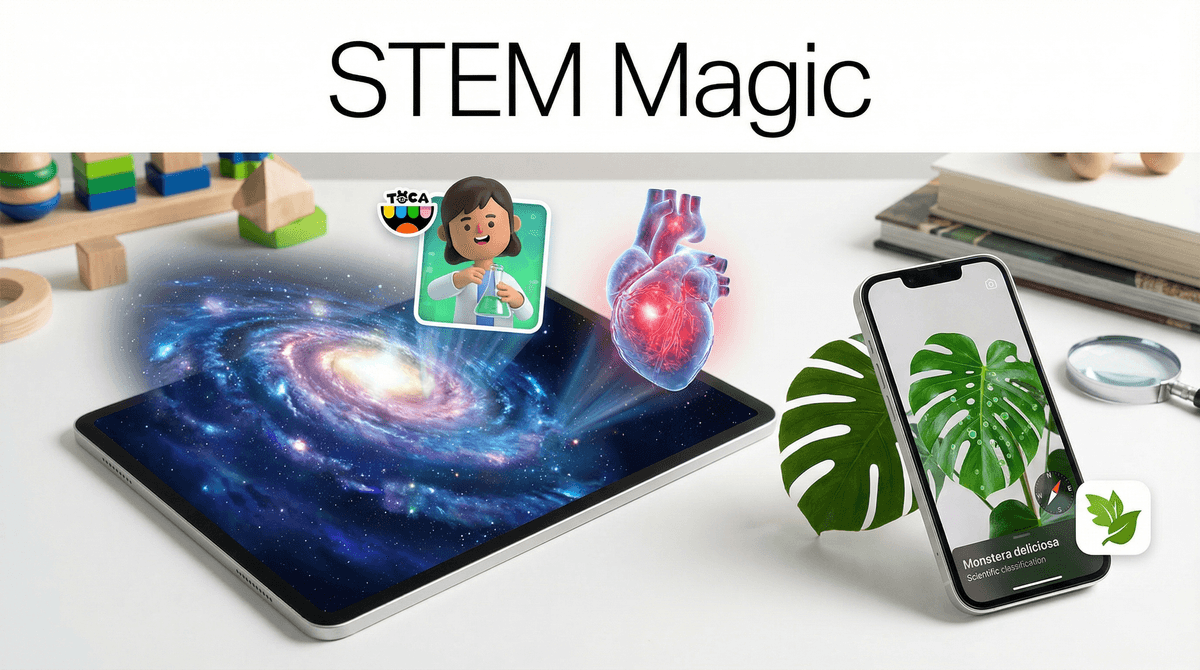
TL;DR: The "Cheat Sheet" for Science Magic If you’re looking to swap mindless scrolling for something that actually sparks a "whoa" moment, here are the heavy hitters:
- For the Stargazers: Star Walk 2 transforms your phone into a window to the cosmos.
- For the Future Doctors: The Human Body by Tinybop lets kids "feed" a digital body and watch the nervous system fire.
- For the Mad Scientists: Toca Lab: Elements makes the periodic table feel like a playground.
- For the Backyard Explorers: Seek by iNaturalist is basically Pokémon Go but for real-life plants and bugs.
- For the Deep Thinkers: Universe in a Nutshell visualizes the scale of everything from atoms to galaxies.
We’ve all been there. You look over at your kid and they’re four hours deep into a "Skibidi Toilet" marathon or watching a YouTube short of someone peeling 500 layers of duct tape off a bowling ball. It feels like brain rot. It feels like a waste of the incredible supercomputer they're holding in their hands.
But here’s the "Ohio" truth (as the kids would say about anything weird or cringe): screen time doesn’t have to be a passive drain. When we talk about STEM (Science, Technology, Engineering, and Math), we often think of dry textbooks or those "educational" games that are basically just math flashcards with a thin coat of glitter.
The real magic happens when an app uses technology to show kids things they literally cannot see with the naked eye. I’m talking about seeing the constellations behind the clouds, watching a heartbeat from the inside, or understanding how a black hole actually works. These apps don't just teach science; they make kids feel like they have superpowers.
We aren't just trying to prep them for the SATs here. The goal of "Magic STEM" is to foster awe. When a kid realizes that the same physics making their skateboard roll is the same physics keeping planets in orbit, their world gets bigger.
Plus, let’s be real: it’s a lot easier to set a screen time boundary when the "time’s up" happens after they’ve just finished building a virtual circuit rather than losing a 50-streak in a mindless clicker game.
This is the ultimate "party trick" app. You point your phone at the night sky (or the floor, if you want to see what’s happening in the Southern Hemisphere), and it overlays the constellations, planets, and satellites in real-time. It uses the gyroscope and GPS to turn the screen into a transparent map of the universe.
- The Magic Factor: Seeing the International Space Station zoom across the screen just as it’s actually passing overhead.
- Best for: Ages 6 to 99. Honestly, I use this more than my kids do.
Toca Boca is the gold standard for "no-fail" play. In this lab, the elements of the periodic table are characters. You can put Nitrogen in a centrifuge, heat up Gold with a Bunsen burner, or freeze Neon. There are no instructions and no "wrong" ways to play.
- The Magic Factor: It turns the "scary" periodic table into a group of friends. By the time they hit middle school chemistry, they already have a "vibe" for what these elements do.
- Best for: Ages 4-8. It’s pure, tactile discovery.
If you want to get them off the couch and into the backyard, this is the one. Developed by National Geographic and the California Academy of Sciences, it uses image recognition to identify plants, animals, and fungi. You point the camera at a weird leaf, and it tells you exactly what it is.
- The Magic Factor: It turns a boring walk into a scavenger hunt. It awards badges for finding different species, which hits that "gamification" itch without the toxic mechanics of Roblox.
- Best for: Families who want to touch grass.
Created in collaboration with the Kurzgesagt – In a Nutshell team (the kings of beautiful science animation), this app is a seamless zoom-able map of the universe. You start at a human, zoom down to a grain of sand, then an atom, then a quark. Then you zoom out to the Earth, the Sun, and the edge of the observable universe.
- The Magic Factor: The scale. It’s genuinely mind-blowing to see how tiny we are, and how huge a single cell is compared to a string of DNA.
- Best for: Ages 8+. Great for kids who ask "how big is the world?" and won't take "it's big" for an answer.
Tinybop makes apps that look like high-end indie art. This one lets kids explore a working model of the body. You can see how the eye processes light or what happens to a piece of cake in the stomach (spoiler: it gets messy).
- The Magic Factor: It’s interactive anatomy without the "gross-out" factor of some medical shows. It’s elegant and curious.
- Best for: Ages 5-10.
Preschool & Early Elementary (Ages 3-7)
At this age, it’s all about cause and effect. Apps like Toca Lab: Elements or PBS Kids Games are perfect because they don't require reading. The goal isn't for them to memorize the atomic weight of Carbon; it's for them to realize that when you heat things up, they change.
Upper Elementary (Ages 8-11)
This is the sweet spot for exploration and collection. Seek by iNaturalist and Star Walk 2 are winners here. They are starting to understand that the world is bigger than their neighborhood. This is also a great time to introduce basic logic through Scratch or Lightbot.
Middle & High School (Ages 12+ )
Now we’re moving into problem-solving and deep dives. Apps like Brilliant or Khan Academy are less "magical" in terms of UI, but the "magic" comes from finally "getting" a complex concept like special relativity or neural networks.

The "Subscription Trap"
A lot of these apps (especially the ones that look like "magic") have moved to a subscription model. Before you let your kid download Star Walk 2, check if there’s a one-time "pro" purchase or if it’s a monthly drain. Usually, the one-time fee is worth it to get rid of the annoying ads that break the immersion.
Privacy & Data
STEM apps are generally better than social media, but apps that use your camera (like Seek) or your location (like Star Walk 2) need a quick check. Seek is actually fantastic about this—it doesn't require an account and doesn't track location data by default for kids.
AR Safety
If they’re using an Augmented Reality (AR) app, make sure they aren't about to walk off a curb or into a coffee table. The "magic" is immersive, which means they forget they have a physical body in a physical room.
Instead of saying, "Hey, go do this science app because it's good for you," try "Hey, I heard this app can show us where the Mars rover is right now. Want to see?"
Science is best served as a shared discovery. Sit on the floor with them. Let them show you how they turned a digital gas into a solid. Ask them "Why do you think that happened?" rather than telling them.
We can’t (and probably shouldn't) banish the "brain rot" entirely—sometimes a kid just needs to zone out after a long day of school. But by sprinkling in these "magic" apps, we’re showing them that their devices are tools for discovery, not just consumption.
When a screen can show you the rings of Saturn or the way a white blood cell hunts a virus, it stops being a "distraction" and starts being a telescope.
- Download one "Outdoor" app: Get Seek by iNaturalist and go for a 10-minute walk.
- Download one "Indoor" app: Try Universe in a Nutshell before bed tonight.
- Check out our guide on the best coding toys for kids if you want to take the STEM magic off the screen and into the real world.