

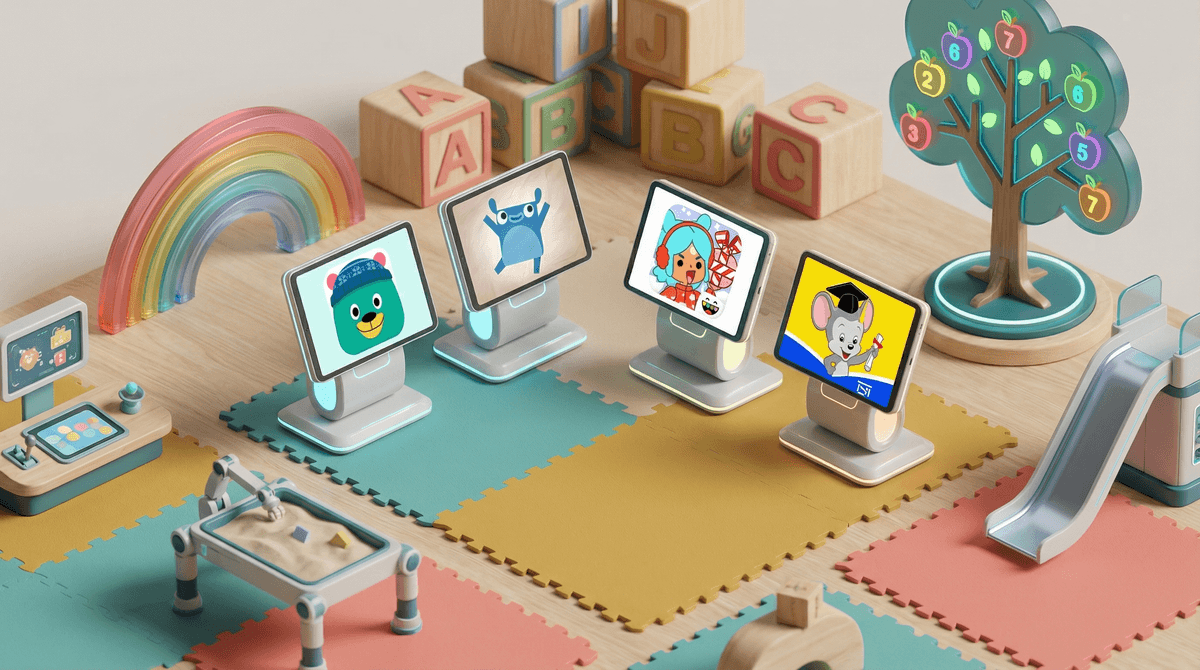
Look, I get it. You're standing in line at Target, your three-year-old is melting down, and you hand them your phone with some colorful app that promises to teach the alphabet. Then comes the popup: "$9.99/month or upgrade to premium for $59.99/year!" And you're thinking... is this thing actually teaching my kid anything, or am I just paying for digital babysitting?
The preschool app market is absolutely flooded right now. There are literally thousands of apps claiming to be "educational" for ages 2-5, and most of them want your money. Some are worth every penny. Others are basically slot machines wrapped in cartoon characters, designed to extract maximum dollars while teaching minimal skills.
Let's figure out which is which.
Here's the thing that nobody tells you: entertainment isn't the enemy of education for preschoolers. In fact, if your kid isn't engaged and enjoying themselves, they're not learning much anyway. The problem is when apps are only entertaining—when they're designed to keep your kid tapping mindlessly without building any actual skills.
So what's the difference? Educational apps for preschoolers should:
- Build on developmental milestones - Letter recognition, number sense, pattern recognition, problem-solving, fine motor skills
- Require actual thinking - Not just "tap anywhere on the screen and something happens"
- Progress with your child - Adaptive difficulty that grows as they master concepts
- Have a clear learning goal - You should be able to explain what skill your kid is practicing
- Minimize distractions - No constant popups begging for purchases or steering them toward random videos
Entertainment-only apps typically:
- Feature lots of flashy animations but little structure
- Let kids win regardless of what they do
- Constantly push toward in-app purchases or ads
- Have no clear progression or skill-building
- Are basically just digital toys (which is fine! but know what you're paying for)
Let me be specific here. These apps have actual educational value and reasonable pricing:
ABCmouse ($12.99/month, $59.99/year) Yes, it's pricey. But it's a comprehensive curriculum covering reading, math, science, and art for ages 2-8. The learning path is structured, progress is tracked, and it actually teaches skills in sequence. The main downside? It can feel a bit dated and corporate compared to flashier apps. But it works.
Khan Academy Kids (FREE) This is the gold standard for free educational content. Seriously, it's completely free, no ads, no in-app purchases. It covers early literacy, math, logic, and social-emotional learning with actually engaging activities. If you're going to download one preschool app, make it this one.
Endless Alphabet ($9.99 one-time) A one-time purchase that teaches letter recognition and vocabulary through genuinely clever animations and word puzzles. No subscriptions, no upsells. Your kid learns words, you keep your sanity.
Toca Boca apps ($3.99-$4.99 each) These are more "digital toys" than traditional educational apps, but they encourage creative play and exploration. Toca Kitchen, Toca Hair Salon, Toca Life—they're open-ended, safe, and actually well-designed. Not teaching ABCs, but teaching experimentation and cause-and-effect.
Montessori apps by Edoki Academy (varies, $3.99-$7.99 each) If you're into Montessori methods, these apps translate those principles to digital format surprisingly well. Focused on self-directed learning and hands-on exploration of concepts like numbers, letters, and shapes.
YouTube Kids (Free but... at what cost?) Yes, it's free. Yes, your kid will be mesmerized. But the algorithm is designed to keep them watching, not learning. And even with restrictions, weird content sneaks through. If you're going to use it, read this guide to YouTube Kids safety settings and stay nearby.
Most "free" apps with constant upgrade prompts You know the ones. They let your kid play for 30 seconds, then hit them with "Unlock 500 more levels for $9.99!" These apps are designed to frustrate kids into begging you to pay. Hard pass.
Apps that are just TV show tie-ins That Paw Patrol app? It's just trying to sell you more Paw Patrol. Same with most Disney, Nickelodeon, or PBS character apps. They're not terrible, but they're usually not teaching much beyond brand loyalty.
Before you pay for anything, ask yourself:
- What specific skill is this teaching? If you can't name it, it's probably just entertainment.
- Does my kid need to think, or just tap? Watch them play for five minutes. Are they problem-solving or just randomly pressing things?
- What's the pricing model? One-time purchases are almost always better value than subscriptions for preschool content.
- Are there ads or constant upsells? If yes, you're the product, not the customer.
- Could this be done with physical materials? Sometimes a $2 pack of flashcards beats a $10/month app.
The best preschool apps are the ones you don't need to feel guilty about. Khan Academy Kids is free and excellent—start there. If you want to pay for something, make it a one-time purchase like Endless Alphabet rather than another monthly subscription.
And here's the real talk: no app is going to replace reading books together, playing outside, or building with blocks. Apps can be a useful tool in your parenting toolkit, but they're just that—a tool. The best educational content for preschoolers is still you, talking to them, answering their million questions, and letting them explore the actual world.
But when you need 15 minutes to make dinner without someone hanging on your leg? Yeah, Khan Academy Kids is worth downloading.
- Download Khan Academy Kids (it's free, seriously)
- Set up screen time limits that work for your family
- Learn about app permissions and privacy
 for young kids
 - Check out alternatives to screen time for when you need a break from apps entirely