

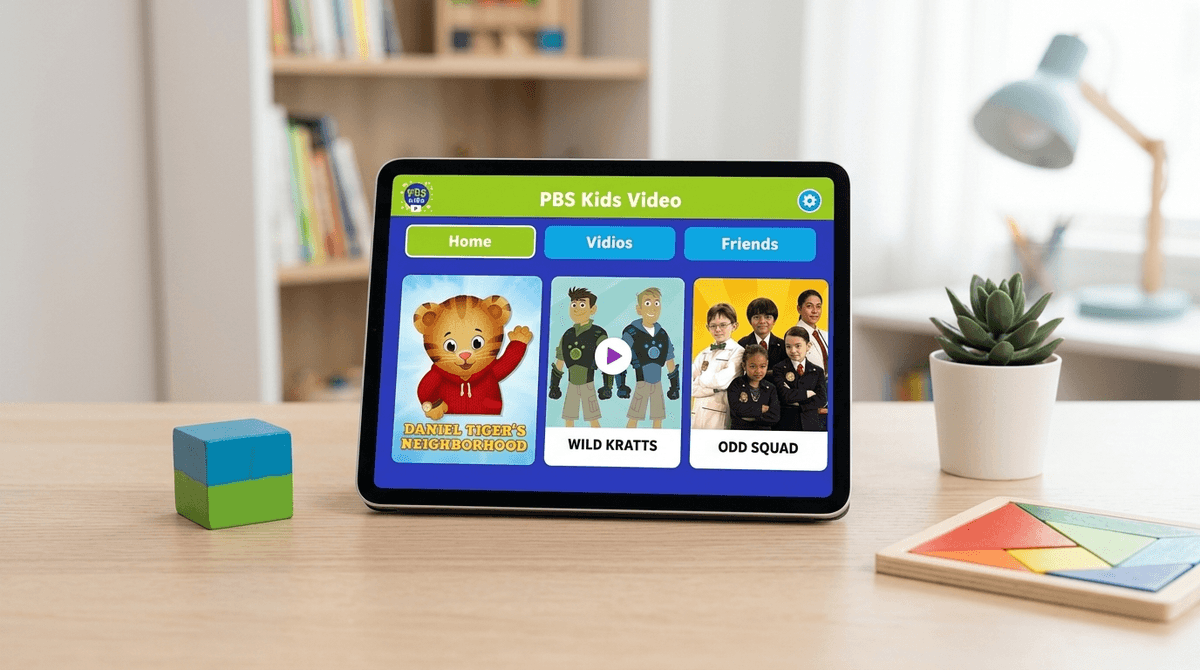
TL;DR: The PBS Kids Video app is the rarest unicorn in the digital parenting world: a completely free, high-quality, ad-free streaming service that actually respects your child’s developing brain. While YouTube is a wild west of "unboxing" videos and Netflix is a bottomless pit of CoComelon, PBS Kids provides a curated, safe harbor for kids aged 2–8.
Quick Picks from the PBS Kids Library:
- For Social-Emotional Skills: Daniel Tiger's Neighborhood
- For Science & Nature: Wild Kratts
- For Literacy & Problem Solving: Super Why!
- For Critical Thinking: Odd Squad
When we talk about "the PBS Kids app," we’re actually talking about two distinct, free experiences that every parent should have in their digital toolkit.
First, there is the PBS Kids Video app. This is the streaming service. It offers a 24/7 live stream of the PBS Kids channel plus a massive library of on-demand episodes from basically every show they produce.
Second, there is the PBS Kids Games app. This is where the interactive stuff lives. Unlike most "free" games on the App Store that are riddled with "Wait 24 hours or pay $1.99 for more gems" mechanics, these games are genuinely educational and designed to reinforce the themes of the shows.
Both are completely free. No subscriptions, no "freemium" traps, and—most importantly—no commercial advertising.
We’ve all seen it: the glazed-over look a kid gets after twenty minutes of mindless YouTube scrolling. You know the content—loud colors, high-pitched voices, and zero narrative structure. In parent circles, we call this "brain rot."
The PBS Kids Video app is the literal antidote to that. Every show on the platform is built on a research-backed curriculum. When Daniel Tiger spends an entire episode teaching a kid how to handle disappointment, it’s because child development experts helped write the script.
The biggest differentiator here is the algorithm—or rather, the lack of one. On YouTube Kids, the goal is to keep your child watching as long as possible to serve more ads. On PBS Kids, the goal is to teach a specific concept and then, quite often, the characters will literally tell the kids to go outside and play.
Check out our guide on why the YouTube algorithm can be problematic for toddlers
If you’re new to the ecosystem, here is how to navigate the library based on what your kid actually needs:
For the Preschool Set (Ages 2-4)
This is the GOAT of toddler programming. It’s the direct descendant of Mister Rogers’ Neighborhood. It uses catchy "strategy songs" to help kids (and parents) navigate big emotions. If you’ve ever found yourself singing "When you feel so mad that you want to roar, take a deep breath and count to four," you know the power of this show.
A newer addition that focuses on "patience and resilience." It’s quirky, puppet-based, and much more high-energy than Daniel Tiger, making it a great transition show for kids who find Daniel a bit too slow.
Perfect for the kid who asks "why?" five hundred times a day. It focuses on the "Inquiry-Based Science" curriculum, teaching kids how to observe the world like a scientist.
For the "Big Kids" (Ages 5-8)
If your kid is obsessed with animals, this is the one. It blends animation with real-life footage and teaches complex biology and ecology concepts without watering them down. It’s arguably the most popular show on the platform for elementary-aged kids.
Think Men in Black but for second-graders, and the "aliens" are solved using math. It’s genuinely funny—even for adults—and does a brilliant job of making algebraic thinking feel like a superpower.
This show is a breakthrough in representation, featuring an Alaska Native protagonist. It focuses on "informational text"—teaching kids how to use maps, books, and the internet to find answers.
One of the newest hits, focusing on computational thinking. It’s not just about "coding" in the traditional sense, but about the logic and problem-solving that goes into it.
Kids don't care about "curriculum." They care about characters. PBS has done a great job of creating worlds that feel expansive.
In the PBS Kids Games app, kids can build their own "creature power suit" like the Wild Kratts or decorate a room in Daniel Tiger's Neighborhood. This interactivity creates a sense of agency. They aren't just consuming; they're participating.
Also, let's be real: kids love the "Live TV" feature. There is something about the "appointment viewing" feel of the live stream that prevents the "choice paralysis" kids often get when staring at the endless rows of tiles on Netflix or Disney+.
When we talk about "Digital Wellness," safety is usually the first concern. Here is the deal with PBS Kids:
- Ads: There are none. You might see a 15-second "underwriting" spot at the beginning of a show (e.g., "This program was made possible by the Corporation for Public Broadcasting..."), but these are not targeted ads trying to sell your kid a plastic toy or a sugary cereal.
- Data Privacy: PBS is a non-profit. They aren't harvesting your child's data to build an advertising profile. They do collect some basic usage data to see which shows are popular, but it’s some of the most robust privacy protection you'll find in an app.
- Comments/Social: There are no comment sections. There is no way for a stranger to contact your child. There is no "social" component to the app.
The only real "danger" is the same danger with any media: The Binge. Because the app is so safe, it’s easy to let the "just one more episode" cycle go on for two hours.
Learn more about setting healthy screen time boundaries for preschoolers
While the app is a "guilt-free" zone, there are a few things to keep in mind to make the most of it:
- The "Games" App requires space: The PBS Kids Games app can get big. Each game within the app has to be downloaded individually. If your tablet is low on storage, you'll need to manage those downloads.
- The "Parent" Button: In the top left corner of the apps, there is a "Parents" button. Tap it, and you get access to the TV schedule, the ability to see what your kid has been watching, and resources on how to extend the learning offline.
- Offline Viewing: You can download videos for offline use, which is a lifesaver for flights or long car rides where you don't want to rely on spotty Wi-Fi or burn through your data plan.
If your kid is already used to the high-octane, dopamine-dripping world of Roblox or YouTube, they might initially find PBS Kids "boring."
Don't fight the "boring" label. Lean into it. You can say: "Yeah, these shows are a little calmer. They're like 'slow food' for your brain instead of candy. We're going to use this app during the week, and we'll save the louder stuff for the weekend."
Setting that distinction early helps them understand that not all "screens" are created equal.
The PBS Kids Video app is the gold standard for a reason. It is the only app that I feel 100% comfortable leaving a toddler alone with for 20 minutes while I take a shower or hop on a work call.
It’s not "brain rot." It’s not a data-mining operation. It’s just good, wholesome, well-researched storytelling that actually likes kids.
Next Steps
- Download both: Get the PBS Kids Video app and the PBS Kids Games app.
- Start with Daniel: If you have a toddler, start with Daniel Tiger's Neighborhood. It’s the easiest entry point.
- Explore the "Parents" section: Look for the "Learning Goals" under each show to see what your kid is actually picking up.