

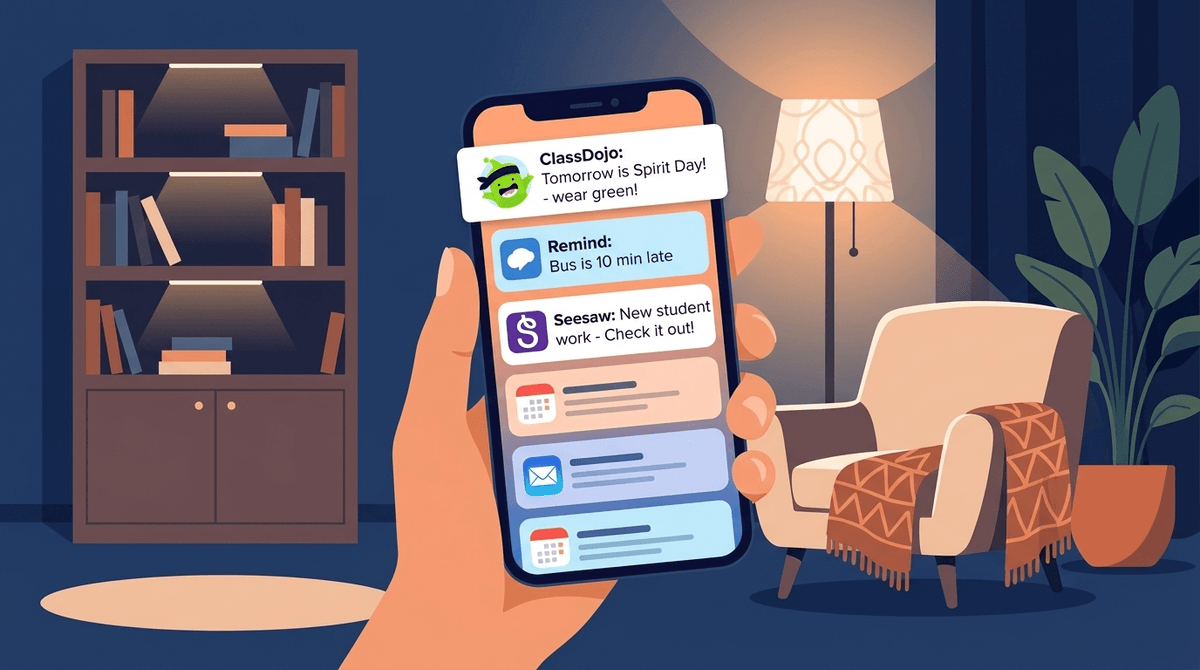
TL;DR: School communication apps are the "necessary evil" of modern parenting. They keep us informed but also turn our phones into 24/7 sirens for "Spirit Week" reminders and "Dojo Points" updates. To keep your sanity, you need to treat these apps like tools, not social media.
Quick Links to the Usual Suspects:
- ClassDojo - The gamified "social media" of elementary school.
- Remind - The "this could have been a text" champion.
- Seesaw - The digital portfolio for showing off student work.
- ParentSquare - The "all-in-one" platform that often feels like a messy inbox.
- Canvas Student - The heavy-hitter for middle and high schoolers.
- Google Classroom - Where the actual work usually happens.
It’s 8:42 PM on a Tuesday. You’ve finally sat down. The kitchen is "clean enough," the kids are (theoretically) asleep, and you’re about to open Netflix. Then, your phone buzzes.
It’s a notification from ClassDojo.
“Don't forget! Tomorrow is 'Dress Like Your Favorite Mathematical Constant' Day! 🥧”
Suddenly, your relaxing evening is a frantic search for a white t-shirt and a Sharpie to draw a Pi symbol.
This is the reality of the "School App Era." We have more transparency into our kids' classrooms than any generation in history, but that transparency comes at the cost of our digital peace. At Screenwise, we see the data: roughly 85% of parents with elementary-aged kids are active on at least one school-sanctioned communication app. By middle school, that number often jumps as parents juggle multiple apps for different teachers and extracurriculars.
Here is how to navigate the noise without losing your mind.
In the "old days" (aka ten years ago), school communication was a crumpled flyer at the bottom of a backpack and a weekly folder. Today, schools have moved to platforms that fall into three main categories:
- The Gamified Social Hubs: These are apps like ClassDojo. They use "Stories" (like Instagram) and "Points" (like a video game) to track behavior and share photos.
- The Direct Messagers: Apps like Remind or GroupMe. These are essentially glorified, FERPA-compliant text messaging strings.
- The Learning Management Systems (LMS): This is where the "real" schoolwork lives. Think Canvas Student, Schoology, or Google Classroom. These are less about "Pajama Day" and more about "Why is my kid failing Algebra?"
Check out our guide on the differences between ClassDojo and Seesaw
Schools love these apps because they solve the "lost flyer" problem. Teachers can blast out a message to 30 parents in five seconds. It’s efficient.
But for parents, it creates Notification Fatigue. When your phone treats a message about a missing glue stick with the same urgency as an emergency weather alert, your brain stays in a constant state of "school mode."
Moreover, apps like ClassDojo introduce a "social credit" element to parenting. Seeing your kid's "Dojo Points" go up or down in real-time can trigger unnecessary anxiety. Did Johnny lose a point for "talking out of turn"? Now you're stewing about it while you're trying to finish a work meeting.
This is the big one. It’s used in over 95% of K-8 schools in the US. It’s bright, it’s cute, and it’s arguably the most "addictive" for parents. The "Class Story" feature is great for seeing photos of your kid's art project, but the behavior tracking (the "ding" of a positive point or the "thud" of a negative one) can be a lot to handle.
- The No-BS Take: It’s basically Instagram for the classroom. It’s great for engagement, but the data privacy history has been a bit "meh" in the past, and the "Dojo Plus" subscription they try to sell parents is a bit of a cash grab.
Remind is the "no frills" option. It’s built for quick updates. It’s excellent because it doesn’t try to be a social network; it just wants to make sure you know the bus is running 10 minutes late.
- The No-BS Take: It’s the least offensive of the bunch. It does its job and stays out of the way, though the lack of a "search" feature in the free version can be annoying when you're looking for a specific message from three weeks ago.
If ClassDojo is Instagram, Seesaw is a digital portfolio. Kids can upload videos of themselves explaining a math problem or photos of their writing.
- The No-BS Take: This is actually "good" screen time. It encourages kids to be creators rather than consumers. However, as a parent, it’s one more app to check to see "how the day went."
Learn more about how to set up digital boundaries for your family
We need to talk about the data. When you sign up for these apps, you are often handing over a lot of information about your child—their name, their grade, their behavior patterns, and photos of their face.
While these apps are generally compliant with student privacy laws (like COPPA and FERPA), they are still private companies. ClassDojo, for instance, has faced criticism for how it handles data and its attempts to monetize the parent-teacher relationship.
Pro-tip: Go into the settings of any school app and opt-out of any "marketing" or "third-party sharing" options. You’re there for the homework updates, not to be sold a subscription to a "behavioral coaching" service.
You don't have to be a slave to the "ping." Here is how to take control:
- Set a "Digital Sunset": Go into your phone’s settings and set "Do Not Disturb" to kick in at 7:00 or 8:00 PM. Whatever the teacher sends at 8:45 PM can wait until your coffee the next morning. If it’s a true emergency, the school will call you.
- Batch Your Checks: Instead of reacting to every notification, turn off the red "badge" icons and check the apps twice a day—once after drop-off and once before dinner.
- The "One Device" Rule: If you have a co-parent, decide who is the "Primary Point of Contact" for specific apps. Maybe you handle Remind for soccer, and they handle ClassDojo for the classroom. You don’t both need to be bombarded by the same "don't forget the field trip" messages.
- Ignore the "Points": If your school uses a behavior-tracking system, don't make it the centerpiece of your dinner conversation. If there’s a real issue, the teacher will message you directly. Obsessing over whether your kid got 3 or 4 "Great Participation" points is a recipe for anxious parenting.
Your kids are aware of these apps. They see the teacher "giving points" on the smartboard. They know you’re getting photos of them.
- For Younger Kids (K-3): Focus on the "portfolio" aspect. "I loved seeing the video of you reading in Seesaw today! You sounded so confident."
- For Older Kids (4-8): Start discussing the "Digital Footprint." Remind them that what they post in Google Classroom or Canvas Student is seen by their teachers and can be archived. It’s a great "training wheels" environment for social media.

School communication apps are designed to bridge the gap between home and the classroom, which is a noble goal. But like any digital tool, they can quickly become a source of "brain rot" for parents—keeping us in a state of hyper-vigilance and micro-management.
The "Spirit Day" notification will always come at the least convenient time. That’s just the law of the universe. But by setting firm boundaries on how and when you engage with these platforms, you can stay informed without letting the school day bleed into your family's evening peace.
Next Steps: