

TL;DR
Your kid wants to build the Death Star, pilot an X-Wing, and wield a lightsaber—all inside Minecraft. Star Wars mods can turn the blocky sandbox into a galaxy far, far away, and they're wildly popular with the 8-14 crowd. Here's what's actually good, what's safe to download, and how to avoid turning your family computer into a digital Sarlacc pit.
Top Star Wars Minecraft Mods:
- Parzi's Star Wars Mod - The gold standard, ages 8+
- Flan's Mod + Wolff's Star Wars Pack - Blasters and trooper armor, ages 11+
- Advanced Lightsabers Mod - Just the weapons, ages 8+
Mods (short for "modifications") are player-created add-ons that change how Minecraft works. They can add new items, creatures, dimensions, mechanics—basically anything. Star Wars mods specifically bring elements from the Star Wars universe into the game: lightsabers, blasters, droids, planets, vehicles, you name it.
The catch: Mods only work on Minecraft Java Edition (the PC/Mac version), not on consoles, mobile, or Bedrock Edition. If your kid plays on an iPad or Xbox, mods aren't happening without switching platforms.
The overlap between Minecraft players and Star Wars fans is basically a circle. Kids who already spend hours building elaborate structures get to add functional lightsabers, starships with cockpits, and Tauntauns to ride. It's creative play meets fandom, and it scratches both itches at once: instead of watching Star Wars, they're making it.
Parzi's Star Wars Mod
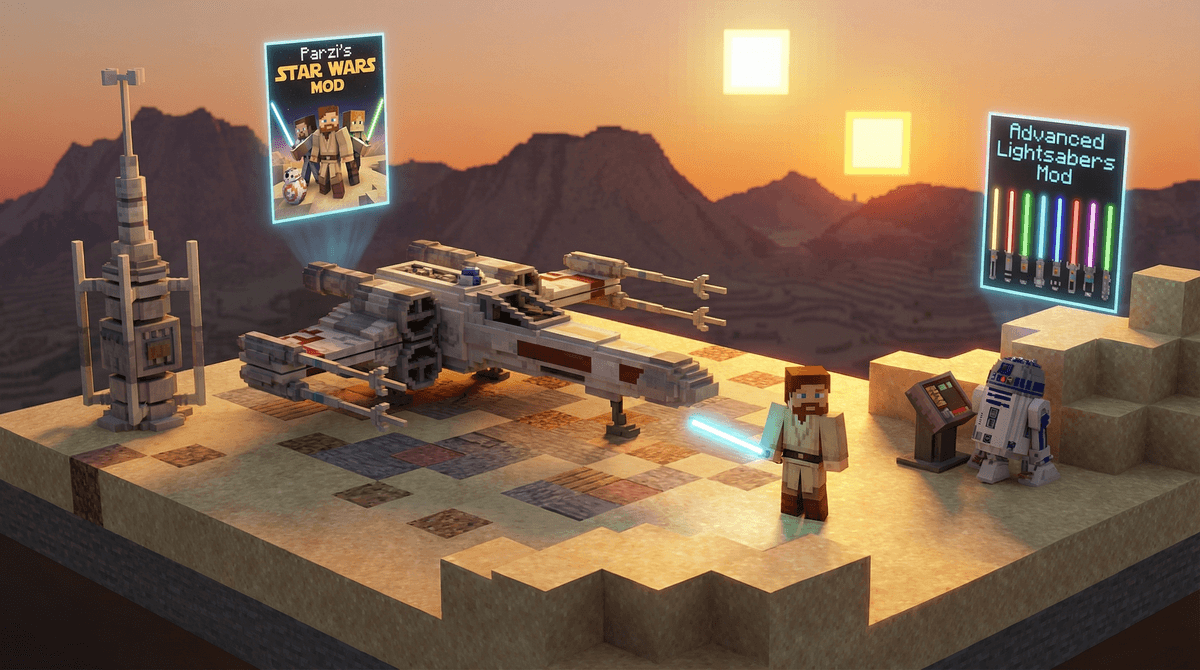
This is the heavyweight champion. Parzi's mod adds planets (Tatooine with Mos Eisley, Hoth, Endor, Kashyyyk), vehicles (X-Wings, TIE fighters, speeder bikes), weapons (lightsabers with actual combat mechanics, blasters), and even NPCs like stormtroopers and Jawas.
What makes it special: The attention to detail is absurd. Lightsabers come in blue, green and red, and in survival mode your kid earns them by finishing a Jedi quest. You can actually fly an X-Wing through space to different planets. There are working droids. It's basically a Star Wars game inside Minecraft.
Age recommendation: 8+ if they're already comfortable with Minecraft's basic mechanics. The mod doesn't add mature content, but it does add complexity.
Parent note: The original mod runs only on Minecraft 1.7.10 with Minecraft Forge (a modding platform), so you'll need to set up a separate launcher profile and help with installation the first time. Its creator has moved on to a rewrite, Galaxies, for Minecraft 1.19 to 1.20.2, which is an alpha that works in Creative mode only. Here's how to handle Minecraft mods safely.
Flan's Mod + Wolff's Star Wars Pack
Flan's Mod adds planes, tanks, cars and guns to Minecraft through community content packs. Its fan-made Star Wars pack, Wolff's Star Wars Pack, is blasters, clone and droid trooper armor, and gear. It does not add Star Wars ships or speeders.
What's different from Parzi's: This is a gear pack. No planets, no starships, no quest. Kids who want to suit up as a clone trooper and stage blaster battles will like it. Kids who want to fly an X-Wing should stick with Parzi's Star Wars Mod.
Age recommendation: 11+. Flan's Mod is at heart a gun mod, and public servers that run it often host deathmatch games with strangers.
Parent note: The Star Wars pack works with the classic Flan's Mod on Minecraft 1.7.10 and 1.12.2, with a version for 1.20.1. Download Flan's Mod and its packs from CurseForge only, and choose which packs go in yourself.
Advanced Lightsabers Mod
Does exactly what it says on the tin: adds lightsabers to Minecraft with detailed customization. You can choose blade color, hilt design, and even sound effects. No planets, no ships, no stormtroopers—just elegant weapons for a more civilized age.
Why kids like it: It's the easiest Star Wars mod to install and use. You're not learning a whole new game system; you're just adding cool swords that go vwoom.
Age recommendation: 8+
Parent note: This is the perfect "starter mod" if your kid is new to modding. Low complexity, high satisfaction.
Star Wars: A Cosmos Divided (Modpack)
This isn't a single mod—it's a modpack, which is a curated collection of mods designed to work together. A Cosmos Divided combines multiple Star Wars mods with other gameplay enhancements to create a full Star Wars RPG experience inside Minecraft.
The upside: Everything is pre-configured and tested to work together. You're not troubleshooting compatibility issues.
The downside: It's massive (several GB), requires a decent computer, and has a learning curve like climbing a moisture vaporator.
Age recommendation: 12+ and only if they're already experienced with Minecraft mods.
Parent note: This is a multi-hour time investment to set up and learn. It's not a casual weekend project.
Here's the thing about Minecraft mods: the official Minecraft Marketplace (where you buy skins and worlds) doesn't have mods. Mods come from third-party sites, and not all of them are trustworthy.
Safe sources for Star Wars Minecraft mods:
- CurseForge - The most popular and well-moderated mod repository
- Planet Minecraft - Community-driven, good reputation
- Official mod creator pages - If a mod has a dedicated website or GitHub page, that's usually legit
Red flags to avoid:
- Sites that require you to complete surveys before downloading
- Download buttons that are actually ads (the real download link is usually small and less flashy)
- Sites promising "free Minecoins" or "unlock all skins"
- Any site asking for your Minecraft login credentials
Critical rule: Never let your kid download mods without supervision until they've proven they can identify sketchy sites. The overlap between "kid who loves Star Wars mods" and "kid who accidentally downloads malware" is real.

Most Star Wars mods require Minecraft Forge or Fabric (modding platforms) to work. Here's the basic process:
- Install Forge or Fabric - This creates a "modded" version of Minecraft alongside your regular game
- Download the mod files (.jar files) from a safe source
- Drop the mod files into the "mods" folder in your Minecraft directory
- Launch Minecraft with the Forge/Fabric profile
The first time you do this, budget 30-45 minutes and expect some trial and error. After that, adding new mods takes about 2 minutes.
Compatibility warning: Mods are version-specific. A mod made for Minecraft 1.19 won't work with 1.20. Check the mod description for compatible versions before downloading.
If this sounds like a headache, you're not wrong. But the good news is that once it's set up, it's set up. Many parents find that helping with the initial installation becomes a bonding activity—you're learning something new together, and your kid gets to be the expert on what's cool.
Quick note: Most public Minecraft servers (including Hypixel and other popular ones) don't allow mods that change gameplay. Star Wars mods work in single-player or on private servers where you control the rules.
If your kid plays on a Realm with friends, they can't use these mods there. This is actually good news from a safety perspective—it keeps the modded experience contained to your home setup.
Ages 7-9: Stick with simple mods like Advanced Lightsabers. The installation will be on you, and that's fine. They're not ready to navigate mod sites independently.
Ages 10-12: Parzi's Star Wars Mod is the sweet spot. They can learn the mod mechanics, and with supervision, they can start to understand the installation process. This is prime "teach them to fish" territory.
Ages 13+: They can handle modpacks like A Cosmos Divided and should be learning to troubleshoot installation issues independently (with you as backup). This is also the age where you can start teaching them about digital safety and sketchy download sites.
Star Wars Minecraft mods are genuinely awesome. They combine two things kids already love, they encourage creativity and problem-solving, and they're a gateway to learning about game modification and digital creation.
But they require parent involvement, at least initially. You're teaching digital literacy, safe downloading practices, and troubleshooting skills—all valuable. The juice is worth the squeeze.
Start small (Advanced Lightsabers), work your way up (Parzi's), and only attempt modpacks if everyone's ready for a project. And if your kid asks about downloading mods on their own, the answer is "not yet, but let's do it together so you can learn how."
May the Forge be with you.
- Check if your kid plays Java Edition or Bedrock (mods only work on Java)
- Bookmark CurseForge and review it together
- Set aside time to do the first mod installation as a team activity
- Consider other creative Minecraft mods if Star Wars isn't their thing