

LEGO Worlds ESRB Rating Explained: What E10+ Really Means for Your Family
TL;DR: LEGO Worlds has an E10+ rating (Everyone 10+) primarily due to "Cartoon Violence" and "Users Interact" descriptors. The violence is extremely mild—think LEGO minifigures bonking each other and breaking into pieces. The real parental considerations are the online features, the open-ended gameplay that might overwhelm younger kids, and whether your child is ready for a creative sandbox without structured objectives. For most 8-10 year olds who love LEGO, this is a solid choice.
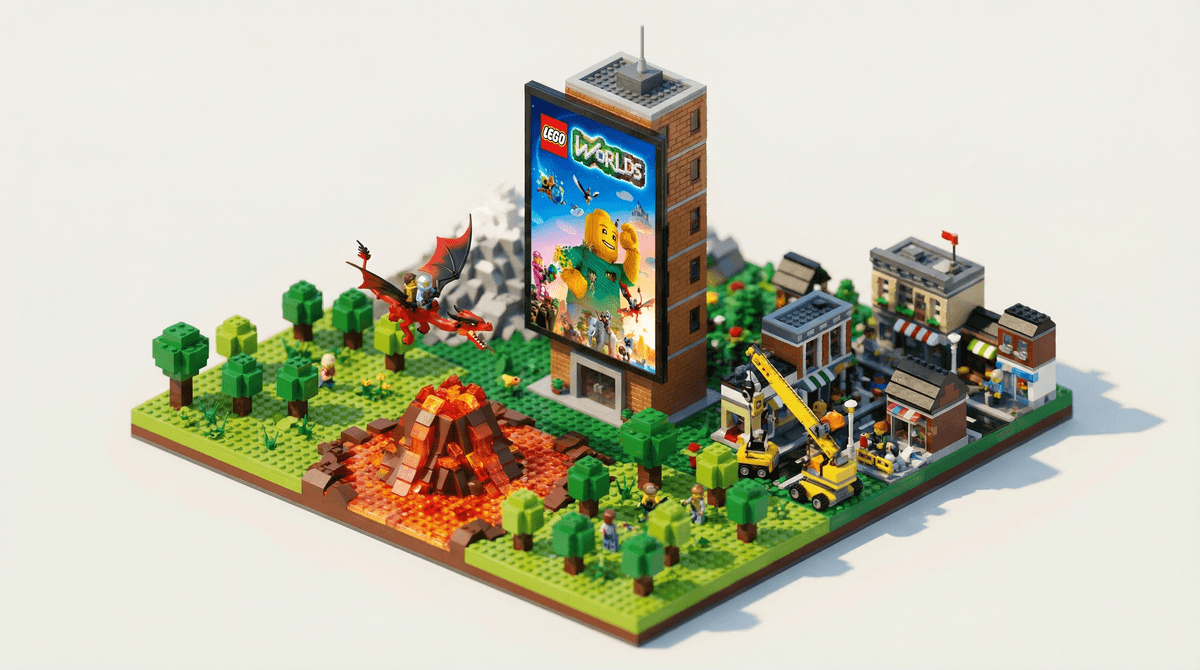
LEGO Worlds is a sandbox building game where players explore procedurally generated worlds made entirely of LEGO bricks. Think of it as LEGO's answer to Minecraft—you can build whatever you want, discover new landscapes, collect bricks and characters, and complete quests. Unlike the more structured LEGO games based on movies (Star Wars, Harry Potter, etc.), this one is all about creative freedom.
Released in 2017, it's available on PC, PlayStation, Xbox, and Nintendo Switch. The game lets kids terraform landscapes, place pre-built structures, or build from scratch brick-by-brick. You can ride dragons, drive vehicles, and populate your worlds with LEGO characters and creatures.
The ESRB gave LEGO Worlds an E10+ (Everyone 10 and older) rating with two content descriptors:
Cartoon Violence
This is the mildest form of violence the ESRB recognizes. In LEGO Worlds, "combat" means:
- Swinging swords or shooting LEGO projectiles at creatures or other characters
- Enemies breaking apart into LEGO studs when defeated (those little circular LEGO pieces)
- No blood, no realistic injury, no lasting consequences
- Everything that "dies" just pops into collectible LEGO pieces
If your kid has played any LEGO video game before—LEGO Star Wars, LEGO Marvel Super Heroes, etc.—this is the exact same level of cartoonish action. It's less intense than most Saturday morning cartoons.
Users Interact
This descriptor means the game has online features where players can interact with others. In LEGO Worlds, this includes:
- Online multiplayer where two players can build and explore together
- Sharing creations with other players
- Text chat (on some platforms)
The "Users Interact" tag is ESRB's way of saying "we can't rate what other humans might say or do online." This is the bigger consideration for parents than the cartoon violence.
You might wonder why this didn't get a straight E rating like some other LEGO games. A few reasons:
The combat is slightly more prominent. While it's still cartoonish, LEGO Worlds includes more combat scenarios than purely creative LEGO games. You'll encounter hostile creatures (skeletons, dragons, etc.) and need to defeat them to progress.
The online component. Games with robust online features typically get bumped to E10+ to give parents a heads-up about potential exposure to other players.
Open-ended complexity. The E10+ rating also signals that the game might be cognitively challenging for younger kids. This isn't a guided experience—it's a massive creative sandbox that can feel overwhelming without some problem-solving skills and patience.
Ages 6-7: Probably too complex and unstructured. These kids typically do better with more guided LEGO games that have clear objectives and stories. The open-ended nature of LEGO Worlds can feel aimless for this age group. If your kid is obsessed with creative building and already comfortable with sandbox games, they might enjoy it with a parent playing alongside, but it's not ideal.
Ages 8-10: The sweet spot. Kids in this range who love LEGO and have some gaming experience will thrive here. They have the patience for the building mechanics and can handle the light combat. The online features require supervision and conversation about internet safety, but this age group can understand and follow rules about online interaction.
Ages 11+: Absolutely fine. At this point, the E10+ rating is almost conservative. Preteens and teens who enjoy creative building games will find plenty to love here, though some might find it less engaging than Minecraft or Roblox, which have more robust online communities and user-generated content.
The Online Features Need Attention
The multiplayer mode can be set to:
- Friends only (recommended for younger players)
- Private (just your household)
- Public (anyone can join)
If you're letting your kid play online, stick with friends-only mode and have conversations about:
- Not sharing personal information
- What to do if someone says something inappropriate
- Understanding that not everyone online is actually a kid
Some platforms have text chat, which means potential exposure to unmoderated language. Check your platform's specific parental controls—PlayStation, Xbox, and Nintendo Switch all have different settings you can adjust.
It's Not as Structured as Other LEGO Games
If your kid loved LEGO Harry Potter or LEGO Jurassic World because of the story and clear progression, LEGO Worlds might frustrate them. There's a loose quest system, but it's really about exploration and creativity. Some kids find this liberating; others find it boring without clear goals.
Think about whether your child enjoys:
- Sandbox games like Minecraft or Terraria
- Creative building without specific instructions
- Self-directed play rather than following a story
If they prefer structured experiences, consider sticking with the licensed LEGO games or trying LEGO Builder's Journey, which is more puzzle-focused.
The Learning Curve Is Real
The building controls can be finicky, especially for younger players. Brick-by-brick building on a controller is nowhere near as intuitive as building with physical LEGO bricks. Expect some frustration in the first few hours as kids learn the interface.
The game does include pre-built structures and vehicles that kids can discover and place, which can help when the brick-by-brick building feels too tedious.
Screen Time Considerations
Like any sandbox game, LEGO Worlds can be a massive time sink. There's no natural stopping point—you can always build more, explore more, collect more. This is great for engagement but can make it hard to enforce screen time limits.
Consider setting clear expectations:
- Use a timer for play sessions
- Set specific goals ("let's finish building the castle")
- Balance with physical LEGO building time
vs. Minecraft: Minecraft has more depth, a bigger community, and more user-generated content. LEGO Worlds is more accessible for kids who are intimidated by Minecraft's complexity or who just really love the LEGO aesthetic. Minecraft is rated E10+ for the same reasons (fantasy violence, online interaction).
vs. Other LEGO games: The licensed LEGO games (LEGO Star Wars, LEGO Marvel) are more structured with clear stories and objectives. They're generally rated E10+ as well but feel more accessible to younger players because of the guided gameplay.
vs. Roblox: Roblox has way more social features and user-generated content, which means both more variety and more potential safety concerns. LEGO Worlds is a more controlled, curated experience. If you're already comfortable with Roblox, LEGO Worlds will feel very tame by comparison.
The E10+ rating for LEGO Worlds is appropriate and conservative. The "violence" is negligible—less intense than most kids' movies. The real considerations are:
- Online features: Can be managed with parental controls and conversation
- Open-ended gameplay: Better for kids who enjoy creative freedom over structured objectives
- Complexity: The building controls have a learning curve
For most 8-10 year olds who love LEGO, this is a safe, creative game that encourages imagination and problem-solving. The rating gives you a helpful signal that younger kids might struggle with the complexity and that you should pay attention to the online features.
If you're trying to decide between this and other building games for kids, consider your child's experience level, their preference for structured vs. open-ended play, and whether they're ready for online interaction with appropriate supervision.
The game hasn't received major updates since 2017 (LEGO has shifted focus to other titles), so the community is smaller than it once was. But for offline play or playing with friends, it's still a solid creative outlet that combines the joy of LEGO with digital possibilities.
- Check out LEGO Worlds for ratings, parent reviews, and our WISE score
- Set up parental controls for your gaming platform before starting
- Consider playing the first few sessions together to gauge your child's comfort level
- Explore alternatives to Minecraft if you want more building game options
- Have a conversation about online gaming safety before enabling multiplayer features