

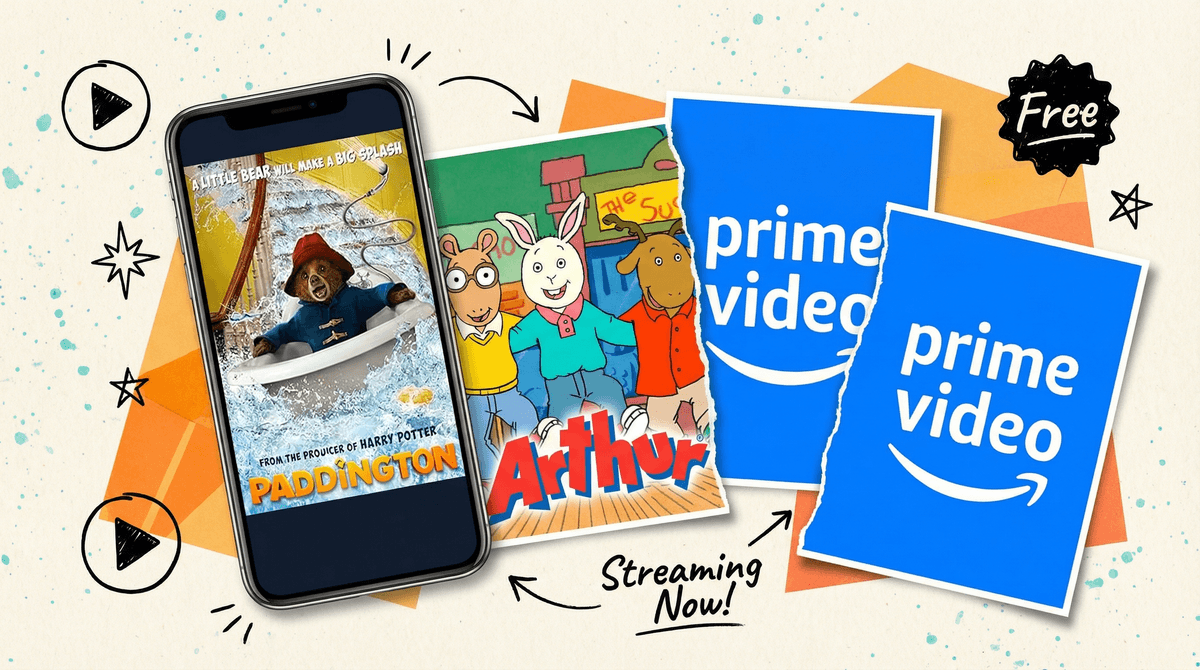
Okay, let's clear up the naming confusion first: IMDb TV rebranded to Amazon Freevee in 2022, but many parents still search for it by its old name. It's Amazon's free, ad-supported streaming service — think of it as Amazon's answer to Pluto TV or Tubi, but with the backing of Amazon's massive content library.
Here's the deal: You don't need a Prime membership to use Freevee. You just need an Amazon account (which, let's be honest, you probably already have from that panic order of school supplies at 11 PM). The trade-off? Ads. But we're talking regular commercial breaks, not the dystopian ad-apocalypse some free services have become.
The service is built into Prime Video's interface, which can be confusing when you're browsing. You'll see "Freevee" tags on content that's free with ads, mixed in with Prime content and stuff you can rent or buy. It's like Amazon took every possible way to watch something and threw it in a blender.
Free streaming with a decent kids' library sounds great, right? And honestly, Freevee has some surprisingly solid family content hidden in there. We're not talking about the premium stuff you'd find on Disney+ or even Prime's paid tier, but there are legitimate options for movie night that won't cost you anything beyond watching some commercials.
The bigger question is whether it's worth navigating Amazon's increasingly cluttered interface to find them. Because let's be real: Amazon's UI feels designed by people who've never actually had to wrangle three kids arguing about what to watch while dinner gets cold.
Here's where Freevee gets interesting. The library rotates (because nothing in streaming can just stay put anymore), but you'll typically find:
Classic family movies — Think older titles that have cycled through other services. Paddington, various animated films from the 2000s-2010s, some Disney Channel original movies from back when that was actually a thing kids cared about.
TV shows — This is actually where Freevee shines a bit more. You can find full seasons of shows like Arthur, various PBS Kids content, and some Nickelodeon classics. The TV selection tends to be more consistent than movies.
"Freevee Originals" — Amazon is trying to build original content for the service, though the kids' offerings here are pretty limited compared to their general audience shows.
The catch? The selection is nowhere near as robust as dedicated kids' services, and there's no real kids' mode or profile system like you'd find on Netflix or Disney+. You're just browsing the general Freevee library and hoping you don't accidentally land on something decidedly not kid-friendly.
Let's talk about the elephant in the room: commercials. If your kids have grown up in the streaming era, they might find ads genuinely shocking. "Wait, we have to STOP the show?!" Yes, child, welcome to how everyone over 30 grew up.
The good news: Freevee's ad load is generally reasonable — we're talking 2-4 minutes of ads per hour, which is way less than traditional TV. The bad news: You have zero control over what ads your kids see. Unlike YouTube where you can at least attempt some content restrictions, Freevee serves up whatever ads Amazon's algorithm decides.
This means your 6-year-old might see commercials for horror movies, medication, or other decidedly non-kid content. It's not inappropriate necessarily, but it's not curated either. If you're trying to maintain a low-commercial household , this matters.
Ages 4-7: Freevee can work for this age group, but you'll need to be present and actively selecting content. The lack of a kids' profile means you're one wrong click away from something like a crime drama thumbnail that might freak them out. Stick to shows and movies you've vetted, and be ready to explain what commercials are (and why we're not buying everything we see).
Ages 8-12: This age range can navigate Freevee more independently, but you'll want to have conversations about ads and media literacy. This is actually a decent age to start teaching them about how advertising works and why companies want their attention. The content selection has enough middle-grade appropriate options to make it worthwhile.
Teens: Freevee's general content library opens up here, and honestly, teens might appreciate having a free option that's not YouTube. Just know that the recommendations algorithm will absolutely start suggesting true crime and horror content based on viewing history.
The interface is genuinely confusing. Freevee content lives inside the Prime Video app/website, mixed with Prime content, rentals, and purchases. You'll need to specifically look for the "Freevee" label. It's like Amazon actively doesn't want you to remember that free options exist.
Content rotates unpredictably. That movie your kid loved last month? It might be gone. This is true of all streaming services, but Freevee seems particularly aggressive about rotating content, probably because they're licensing rather than owning most of it.
No parental controls worth mentioning. You can set up PIN protection for purchases and set maturity ratings on Prime Video profiles, but Freevee content all lives in the same interface. There's no separate kids' mode or filtered browsing experience.
Quality varies wildly. You'll find some genuinely good family films next to bargain-bin animated movies that look like they were rendered on a TI-83 calculator. Read reviews before committing to movie night.
It's actually free. This feels worth emphasizing because in 2026, truly free content (beyond ad-supported YouTube) is increasingly rare. If you're trying to cut streaming costs but still want some variety beyond the library's DVD collection, Freevee is a legitimate option.
If you're looking at Freevee specifically for free kids' content, you might also want to check out:
- PBS Kids — Completely free, no ads, actually designed for children
- YouTube Kids — Free with some ads, better parental controls
- Tubi — Similar ad-supported model, different content library
- Your local library's streaming service — Many libraries now offer free access to services like Hoopla or Kanopy, which have kids' sections
Amazon Freevee is fine. That's the most honest assessment I can give you. It's not going to replace your main streaming service, but it's a decent supplementary option when you've already watched everything on Netflix twice and you're not ready to pay for yet another subscription.
The kids' content exists and some of it is legitimately good, but you'll need to actively curate rather than just letting kids browse. The ads are manageable but not controllable. The interface is Amazon being Amazon — functional but frustrating.
Best use case: You already use Prime Video, your kids are old enough to handle some independent browsing (8+), and you want to add some variety without spending more money. Or you're specifically looking for a particular show or movie you know is available there.
Skip it if: You need robust parental controls, your kids are young enough that ad content matters a lot, or you don't have the patience to navigate Amazon's increasingly cluttered streaming interface.
If you decide to try Freevee:
- Browse the kids' section yourself first — Get a sense of what's actually there before promising movie night
- Set up a Prime Video profile for your kids with appropriate maturity settings, even though it won't fully filter Freevee content
- Have the ad conversation — Use this as a teaching moment about media literacy and advertising
- Keep a running list of what your kids actually like on the service, because it might disappear next month
And remember: The best streaming service is the one that works for your family, not the one with the most content or the fanciest interface. If Freevee fills a gap in your household's viewing options without adding cost, that's a win — even if it's not perfect.