

Is Infinite Craft Safe for Kids? Age Ratings, Content & Parent Tips
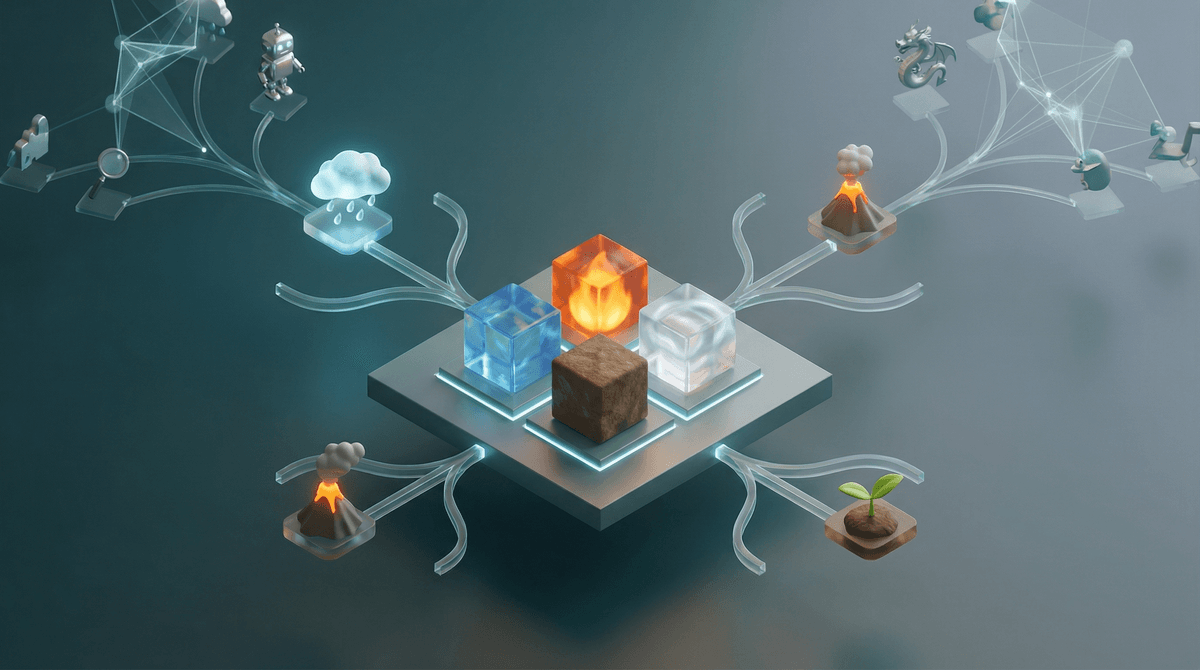
TL;DR: Infinite Craft is a free browser-based alchemy game that's exploded in popularity with middle schoolers. It starts with four elements (water, fire, wind, earth) and uses AI to let kids combine literally anything to create new things. The game itself is harmless, but because it's AI-powered and unmoderated, kids can create inappropriate words and concepts. Official age ratings vary wildly (7+ on some platforms, 12+ on others), but most parents find it appropriate for ages 10+ with some conversation about responsible use.
Infinite Craft is the latest viral sensation that's taken over school computer labs and after-school free time. Created by Neal Agarwal (the same developer behind other clever browser games), it's deceptively simple: you start with four basic elements and combine them to create new things.
Screenwise Parents
See allWater + Fire = Steam. Earth + Wind = Dust. Steam + Dust = Cloud. And so on.
But here's where it gets interesting (and why kids are obsessed): the game uses AI to generate infinite combinations. Kids aren't limited to a predetermined crafting tree like in Little Alchemy or Doodle God. They can combine literally anything with anything else, and the AI will generate a result. This means kids can create everything from "Rainbow Unicorn" to "Elon Musk" to "Skibidi Toilet" (yes, really).
The game runs entirely in a web browser, requires no download, no account creation, and is completely free. Which explains why it's everywhere right now.
The appeal is pretty straightforward: discovery and creativity without limits. Every combination feels like a mini experiment. Kids love racing to create the most ridiculous things, sharing their discoveries with friends, and competing to see who can make something first.
There's also a social element that's fueling the virality. Kids screenshot their most impressive or funny creations and share them. "I made Shrek!" becomes playground currency. The game even tells you if you're the first person ever to discover a particular combination, which is catnip for competitive middle schoolers.
Unlike Minecraft or Roblox, there's no skill barrier, no complicated controls, and no learning curve. A first-grader and an eighth-grader can both enjoy it at their own level. It's also perfect for school computers because it's browser-based and looks educational enough that teachers might not immediately shut it down.
This is where things get messy. Different platforms have assigned wildly different ratings:
- Common Sense Media: 7+
- App Store (mobile version): 12+
- Google Play: 12+
- Most parent review sites: 10+
Why the discrepancy? The core gameplay is genuinely appropriate for young kids—it's just combining elements, which is basically digital chemistry. But the AI-generated content and lack of moderation means the potential for inappropriate content is high.
The game doesn't contain violence, gore, or built-in inappropriate content. But because kids can create anything, they can (and do) create words and concepts that might not be age-appropriate. The AI will generate results for combinations involving drugs, weapons, body parts, curse words, and yes, even more mature themes.
The Good Stuff
It's genuinely creative and educational. Kids are learning about logic, categorization, and cause-and-effect. They're experimenting with language and concepts. Some kids use it to explore mythology, science concepts, or pop culture in a low-stakes environment.
There's no chat, no social features, no strangers. Unlike Among Us or Fortnite, kids aren't interacting with anyone. It's a solo experience. The only "social" aspect is what kids choose to share offline.
It's free and has zero dark patterns. No microtransactions, no ads, no premium currency, no "watch this video to continue." It's just a game, made by a developer who seems to genuinely enjoy making weird internet things.
The Concerns
The AI doesn't filter inappropriate combinations. If a kid types in a curse word and combines it with something else, the AI will generate a result. If they combine "drug" with "school," they'll get something. The game doesn't stop them or warn them or notify anyone.
This isn't necessarily dangerous, but it does mean younger kids might stumble into territory they're not ready for, or older kids might deliberately seek out inappropriate content for laughs. Learn more about AI-generated content concerns for kids .
.
Kids share their discoveries. The inappropriate combinations become social currency. "I made cocaine!" is apparently hilarious to 12-year-olds. Which means even if your kid isn't seeking out inappropriate content, they're probably seeing screenshots from classmates who are.
It can be a time sink. The "just one more combination" pull is real. Kids can easily lose an hour trying to create something specific or racing to beat a friend's discovery. It's not addictive in the same way as Candy Crush, but it definitely has that "flow state" quality where time disappears.
Ages 7-9: Probably best with supervision or a conversation first. The game itself is fine, but younger kids are more likely to stumble into combinations they don't understand and might ask questions you're not ready to answer. If your kid is mature and you've had conversations about appropriate content, it can work.
Ages 10-12: The sweet spot. Most kids this age can self-regulate and understand that just because they can create something doesn't mean they should. They're also more likely to find the actual creative challenge interesting beyond just making inappropriate words.
Ages 13+: Pretty much fine. At this point, they've encountered worse on YouTube or TikTok, and Infinite Craft isn't going to expose them to anything new. The bigger concern is time management and whether they're using it to avoid homework.
If your kid is playing Infinite Craft, here's a simple conversation framework:
"I saw you're playing that combining game. Show me what you've made!" Start with curiosity, not suspicion. Most kids will be excited to show off their creations.
"The cool thing about this game is you can make anything. The tricky thing is you can make anything." Acknowledge both the creativity and the responsibility.
"If you create something and you're not sure if it's appropriate, that's probably a sign it's not." Help them develop their own filter rather than relying on the game to do it for them.
"I trust you to make good choices, and if you see other kids sharing inappropriate stuff, you don't need to share it too." Address the social pressure without making it a huge deal.
If Infinite Craft feels like too much freedom, there are similar games with more structure:
- Little Alchemy 2 - Same concept, but with a predetermined crafting tree and no AI generation
- Doodle God - More structured combinations with a mythology theme
- [The Powder Toy](https://screenwiseapp.com/media/the-powder-toy-app - Physics-based element simulation that's more scientific
- Scribblenauts - Similar "create anything" concept but in a puzzle game format with better moderation
You can also check out our guide to creative building games for kids for more options.
Infinite Craft isn't dangerous, but it's also not as innocent as it first appears. The game itself is clever, creative, and genuinely engaging. The AI-powered infinite combinations are impressive from a technical standpoint, and there's real learning happening.
But the lack of content moderation means it's not appropriate for every kid at every age. For most families, ages 10+ with a brief conversation is the right call. Younger kids can play with supervision. Older kids are fine on their own.
The bigger question isn't really "is this safe?" but rather "is this teaching my kid to self-regulate in an unmoderated digital space?" Because that's a skill they'll need for Discord, Reddit, and basically the entire internet as they get older.
If you're looking for more structure around these conversations, Screenwise can help you understand your family's digital habits in context with personalized guidance based on your specific situation.
Next Steps:
- Play Infinite Craft yourself for 10 minutes to see what your kid is experiencing
- Have a quick conversation about appropriate content before giving the green light
- Check in after a week to see what they've created and if any issues have come up
- Set time limits if it's becoming a distraction from homework or other activities