

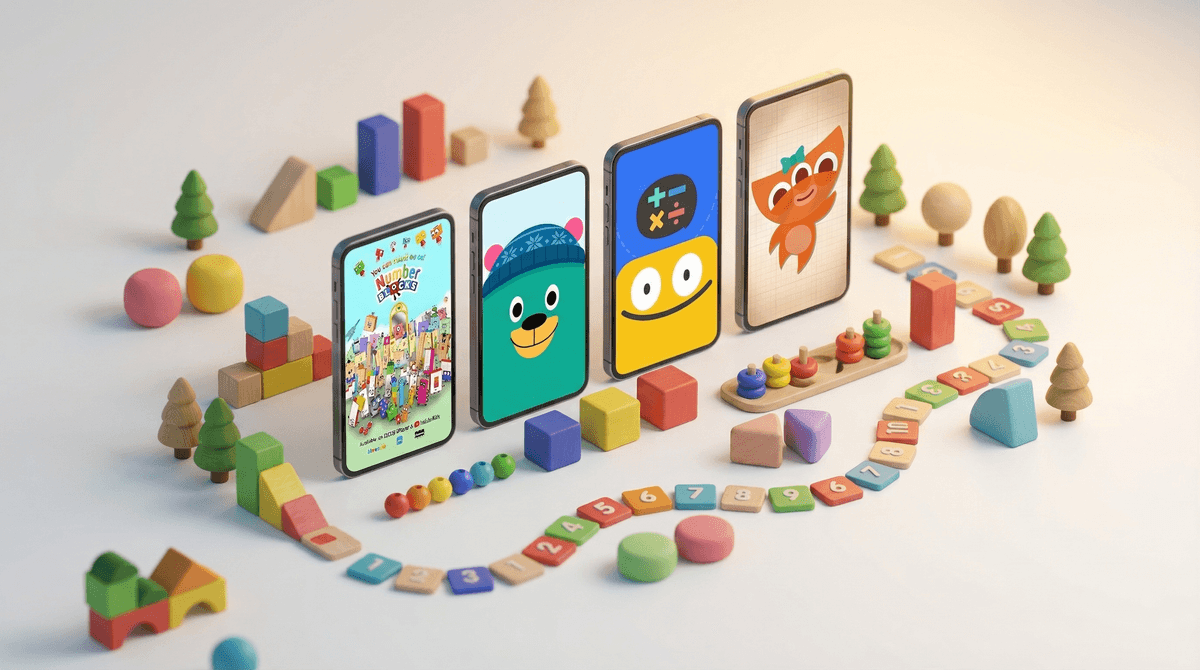
Counting apps are digital tools designed to help young kids (typically ages 2-5) learn number recognition, counting, and early math concepts through games, songs, and interactive activities. The good ones make learning feel like play. The bad ones make you feel like you're letting your kid get hypnotized by a slot machine that occasionally flashes a number.
Here's the thing: not all counting apps are created equal. Some are genuinely educational, designed by people who understand early childhood development. Others are thinly veiled ad delivery systems with a cartoon character that shouts "GREAT JOB!" every three seconds to keep your kid tapping.
The preschool app market is absolutely flooded right now, and figuring out which ones actually teach versus which ones just occupy is genuinely hard. Let's break it down.
Your preschooler's brain is basically a sponge right now, and early math skills are a surprisingly strong predictor of later academic success—even more than early reading in some studies. So yeah, it matters what they're learning.
But here's what also matters: how they're learning it. The best early math learning happens through hands-on play—counting blocks, sorting toys, measuring ingredients while baking. Apps can supplement that, but they can't replace the real-world experience of understanding that "three" means three actual things you can touch.
The other thing that matters? The app ecosystem is designed to be addictive. Even "educational" apps often include:
- Autoplay features that keep kids watching video after video
- Microtransactions that unlock "premium" content
- Ads (even in paid apps sometimes!)
- Notifications designed to pull kids back in
- Gamification that prioritizes engagement over actual learning
So when you're choosing a counting app, you're not just choosing what they learn—you're choosing what habits they're forming around screens.
Here's what to actually look for:
Clear educational goals: The app should have a specific learning objective, not just "numbers are fun!" Look for progressive difficulty—starting with number recognition, moving to counting objects, then simple addition.
No ads, period: If an app is free with ads, it's not an educational tool—it's an advertising platform. Your preschooler shouldn't be learning to count while also learning to want cereal they saw in a commercial.
No microtransactions: Some apps lock basic counting content behind paywalls. That's a red flag. Pay once upfront or subscribe, but don't let your kid hit a "BUY NOW" button mid-lesson.
Parental controls built in: Good apps have settings to disable external links, turn off in-app purchases, and limit session time.
Actual learning mechanics: Does the app just flash numbers on screen, or does it require your child to actually think? The best apps make kids count objects, match quantities, or solve simple problems.
Minimal sensory overload: Flashing lights, constant sounds, and rewards for every tap can be overstimulating and teach kids to need constant reinforcement. Look for apps with calm design.
Let's get specific. Here are counting apps that actually hold up:
Endless Numbers (Ages 3-5): This one's a classic for a reason. Kids drag numbers into place, then watch a short animation showing that quantity. No ads, no subscriptions, just straightforward number learning. The monsters are cute without being annoying, and the app doesn't push kids to play longer than they want to.
Montessori Numbers (Ages 3-5): Based on actual Montessori methods, this app uses the sandpaper letter approach for number tracing, plus counting with physical-looking objects. It's calm, focused, and genuinely educational. One-time purchase, no nonsense.
Khan Academy Kids (Ages 2-8): Completely free, no ads, no subscriptions. The counting activities are embedded in a broader learning library, which is either great (one app for everything!) or overwhelming (so many options!). The math content is solid, and it adapts to your child's level.
[Todo Math](https://screenwiseapp.com/media/todo-math-game (Ages 3-7): This one goes beyond basic counting into early addition and subtraction. The free version is generous, and the paid version is worth it if your kid is ready for more advanced content. Good progression, clear goals, and actually teaches concepts rather than just drilling.
Anything with "free" in the description that's clearly not actually free: If the app is constantly prompting upgrades or showing ads between activities, delete it. Your kid doesn't need that cognitive load.
Apps that feel like slot machines: If there's a constant stream of flashing rewards, coins, stars, and "AMAZING!" for every single tap, it's teaching engagement addiction, not math.
Apps with characters from TV shows: These are almost always just marketing tools. Your kid doesn't need to count with Elmo or Paw Patrol—they need to count with an app designed for learning, not brand loyalty.
Here's the thing nobody tells you: the app itself isn't the education—your involvement is.
The research is pretty clear that kids learn more from screens when an adult is present and engaged. So instead of handing over the iPad and walking away (no judgment, we all do it sometimes), try this:
- Co-play when possible: Sit with them, ask questions, make it interactive. "How many do you see? Let's count together!"
- Connect to real life: After they count on the app, count real things. "You counted five stars—can you find five toys?"
- Set clear limits: Use a timer. 15-20 minutes is plenty for a preschooler. When the timer goes off, the app goes away. Learn more about screen time recommendations for young kids
 .
. - Make it part of a routine: Apps work best when they're not a reward or a babysitter, but just part of the day—like after breakfast or before quiet time.
Quick sidebar: YouTube is not an educational app for preschoolers, even if the video has numbers in it. The autoplay feature, the ads, the algorithm pushing random content—it's all designed to keep your kid watching, not learning. If you want video-based learning, use a closed platform like Khan Academy Kids or download specific episodes of actual educational shows like Numberblocks, which is genuinely great for number concepts.
Counting apps can be a useful tool for teaching early math—but only if you're intentional about which ones you choose and how you use them. Look for apps with no ads, no microtransactions, clear educational goals, and calm design. Use them as a supplement to real-world counting and play, not a replacement.
And here's the real talk: your kid will learn to count whether or not they use an app. If the app is causing stress, eating up too much time, or turning into a battle, just skip it. Count snacks, count stairs, count toys. That works too.
The goal isn't to find the perfect app—it's to raise a kid who understands numbers and has a healthy relationship with screens. Those two things can coexist, but only if you're driving the bus.
Try this: Download one of the apps above and use it with your kid for one week—15 minutes a day, with you present. See if they're actually learning or just tapping. If it's working, great. If not, delete it and count real things instead.
Want more? Check out alternatives to screen-based learning for preschoolers or read about how to set up healthy screen habits early.