

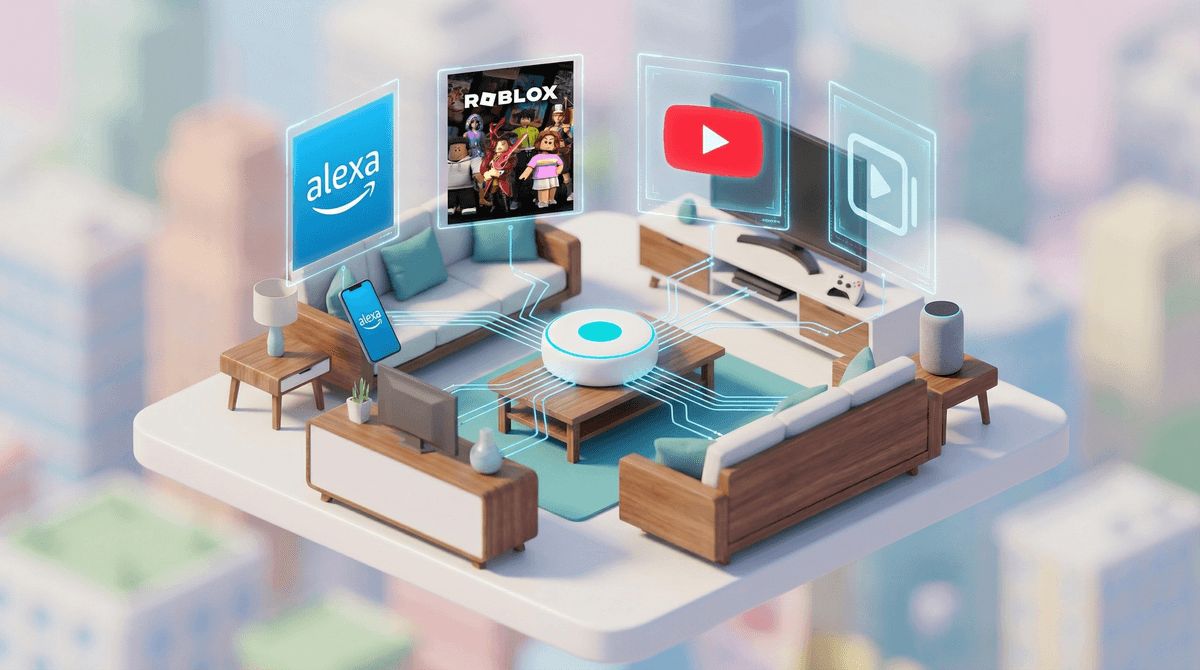
Circle is a physical device (about the size of a hockey puck) that plugs into your home Wi-Fi router to manage and monitor internet usage across all connected devices. Think of it as a traffic controller for your home network—it sits between your router and everything else, deciding what gets through and when.
There's also Circle Go, a subscription service that extends these controls to devices when they leave your home network. The company was acquired by Qustodio in 2020, but the Circle device still operates independently.
Here's what it actually does: filters content, sets time limits, pauses the internet on specific devices, and tracks which sites and apps are being used. It works on any device connected to your Wi-Fi—phones, tablets, gaming consoles, smart TVs, even Alexa devices.
With 55% of families in our community dealing with gaming devices and the average kid clocking 4.2 hours of screen time daily, the appeal of a single device that manages everything is obvious. You're not installing separate apps on each device or trying to remember different passwords for different platforms.
The main draw? One control panel for everything. You can set a bedtime for the internet itself rather than fighting over individual devices. When you say "screens off," you mean it—the Wi-Fi just stops working for that profile.
Parents also like that it's device-agnostic. Whether your kid has an iPad, a Nintendo Switch, or is sneaking screen time on the family Chromebook, Circle treats them all the same.
Time Management: Circle excels at enforcing time limits. You can set daily limits for specific apps or categories (like "games" or "social media"), schedule internet-free times, or set a bedtime when all devices go offline. This is genuinely helpful when 50% of kids have unsupervised tablet access and you need backup enforcement.
Content Filtering: It blocks websites by category—adult content, violence, gambling, etc. You can customize these filters by age and even create different profiles for different kids. The filters work across all browsers and apps on your network.
Usage Insights: You get reports showing which apps and sites are being used, how long, and when. It's not creepy surveillance—it's more like a dashboard that shows you Roblox got 3 hours yesterday while homework sites got 12 minutes.
Pause Button: Honestly, the best feature. One tap and that specific device loses internet access. Dinner time? Paused. Tantrum over screen limits? Stay paused. It's the digital equivalent of taking the keys.
It can't monitor content within apps. Circle sees that your kid spent an hour on YouTube, but it has no idea if they were watching educational content or falling down a Skibidi Toilet rabbit hole. Same with Discord, Snapchat, or any messaging app—Circle knows the app is open, not what's being said.
It can't control cellular data. If your kid has a smartphone (22% of families in our community do), they can just turn off Wi-Fi and bypass everything. Circle Go helps with this, but it requires a separate subscription and per-device installation.
It struggles with VPNs and tech-savvy kids. A middle schooler who googles "how to bypass Circle" will find answers. It's not Fort Knox—it's more like a locked door that keeps honest people honest.
It can't replace conversation. This is the big one. Circle can enforce rules, but it can't teach digital citizenship, explain why limits exist, or help kids develop self-regulation. It's a tool, not a parenting strategy.
Elementary (Ages 5-10): Circle works great here. Kids aren't trying to circumvent it, and simple time limits plus content filters handle most concerns. The visual timer feature helps younger kids understand when their time is ending.
Middle School (Ages 11-13): This is where it gets tricky. Kids are more independent, need devices for homework, and are starting to push boundaries. Circle can still work, but you'll need clearer communication about why limits exist. Also, this is when the VPN problem starts.
High School (Ages 14+): Circle becomes less effective and potentially more problematic. Teens need increasing autonomy, and heavy-handed controls can damage trust. If you're still using Circle at this age, it should be with your teen's knowledge and input, focusing on agreed-upon boundaries rather than surveillance.
Circle isn't plug-and-play magic. You'll spend 30-60 minutes setting it up, creating profiles, categorizing devices, and adjusting filters. Every time someone gets a new device or a friend comes over, you're adding it to the system.
Some devices don't play nice with it—certain smart home devices, work laptops, or gaming systems might need to be on an "unmanaged" list. Your internet speed might take a small hit since everything's routing through an extra device.
And here's the thing nobody mentions: you need to maintain it. Filters need adjusting, time limits need updating as kids grow, and you'll get questions about why TikTok is blocked but Instagram isn't.
Circle works best as part of a bigger strategy, not as the whole strategy. Use it to enforce boundaries you've already discussed, not to secretly monitor or spring rules on kids without warning.
Be transparent about what you're monitoring and why. "I'm using this to help us stick to our screen time agreements" lands better than "I'm watching everything you do online." The goal is teaching self-regulation, not creating an adversarial relationship.
Consider your parenting philosophy. If you lean toward gentle parenting approaches , Circle's hard cutoffs might clash with your style. If you prefer clear structures and consequences, it fits better.
Also, think about your co-parenting situation. Circle requires consistency—if one parent keeps overriding limits or pausing devices as punishment, it becomes a source of conflict rather than a helpful tool.
Circle is a solid tool for managing the mechanics of screen time—the when and how long. It's especially useful for families with multiple devices and younger kids who aren't yet trying to game the system.
But it's not a substitute for the harder work of teaching digital literacy, having conversations about online safety, or helping kids develop their own healthy tech habits. Think of it like training wheels: helpful for a stage, but not the end goal.
Worth considering if: You have elementary-aged kids, multiple devices, and need help enforcing agreed-upon limits. You're comfortable with tech setup and maintenance. You see it as a tool to support your parenting, not replace it.
Probably skip if: You have mostly teens who need increasing autonomy. You're looking for deep content monitoring rather than time management. You want something that "just works" without ongoing adjustment.
If you're considering Circle, start by clarifying what problem you're actually trying to solve. Is it too much screen time? Access to inappropriate content? Kids sneaking devices after bedtime? Different problems might need different solutions—learn more about parental control options.
Before buying any parental control device, have a family conversation about screen time expectations and why boundaries matter. The technology works better when everyone understands the "why" behind the rules.
And remember: with 68% of kids in our community not having smartphones yet, you might have more time than you think to figure out your family's approach before the device management gets really complicated.