

TL;DR
Blended learning isn't just "kids on iPads." It’s a teaching model that mixes traditional face-to-face instruction with digital tools to allow for self-paced learning. While it helps teachers track data, it also means your kid's "school time" now includes a significant amount of "screen time."
- Top Platforms to Know: Google Classroom, Canvas, and Seesaw.
- The "Educational" Games: Prodigy, Blooket, and Kahoot!.
- The Distractions: Coolmath Games and the inevitable "unblocked" game sites.
If you’ve walked into a classroom lately and thought it looked less like a scene from Dead Poets Society and more like a high-tech call center, you’re not alone. We’ve moved past the era of "computer lab day" being a weekly treat. Now, the computer is the lab, the textbook, and the notebook.
Blended learning is the formal term for an educational program where a student learns at least in part through online delivery of content and instruction, with some element of student control over time, place, path, or pace.
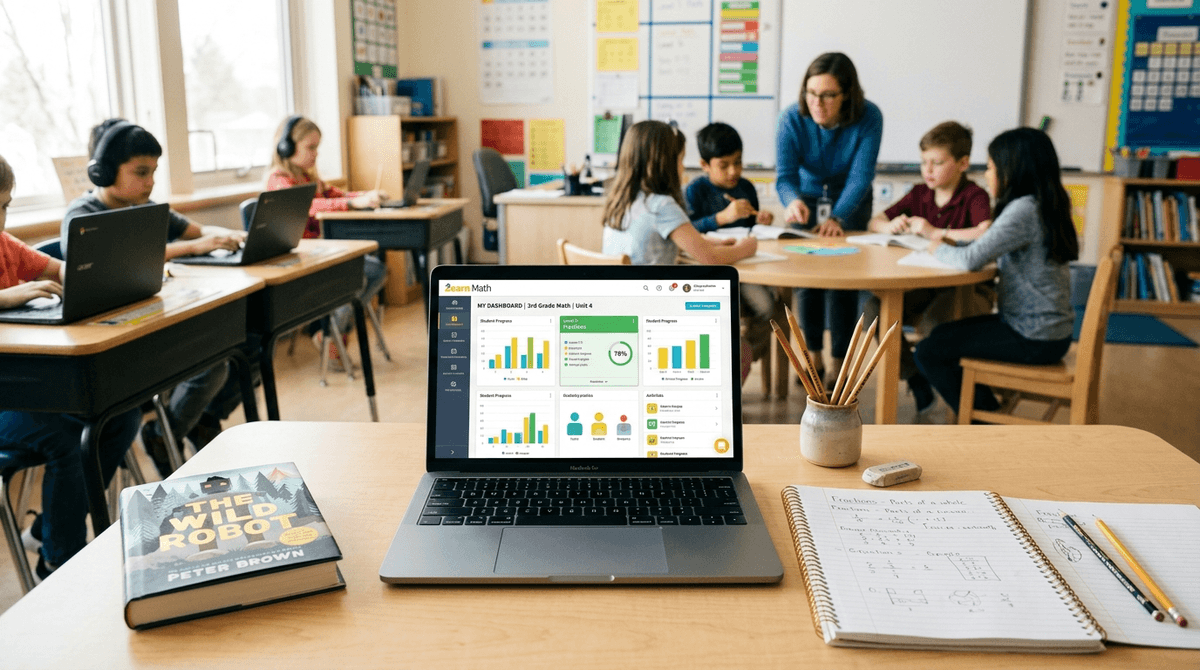
In plain English: Your kid spends part of the day listening to a teacher and the other part working through a module on a Chromebook. It’s supposed to be the best of both worlds. The teacher gets to work with small groups (the "human" part) while the rest of the class stays engaged with digital curriculum (the "tech" part).
Teachers are stretched thinner than a pair of cheap leggings. In a class of 30 kids, you might have some reading at a 10th-grade level and others who are still struggling with phonics.
Blended learning allows for differentiation. While the teacher helps a small group with long division, another group is on Zearn or IXL, which automatically adjusts the difficulty based on how many questions they get right.
It also provides instant data. The teacher doesn't have to wait until Friday’s quiz to know that your kid doesn't understand fractions; the dashboard tells them in real-time.
When your kid says they were "on their laptop all day," they were likely cycling through a few specific ecosystems. Here is the breakdown of what is actually happening on those screens.
This is the digital hub. It’s where assignments are posted, turned in, and graded. It’s basically the modern-day "trapper keeper," except it’s much harder to lose your homework when it’s stored in the cloud.
These are the heavy lifters for Math and Reading. They are highly structured and, honestly, a bit repetitive. Kids often find them "mid" (average/boring), but they are effective at drilling core skills.
This is where things get controversial in parent circles. Prodigy is a math game that looks and feels like a low-budget Pokémon. Kids love it because they get to battle monsters and collect pets. The No-BS Take: Prodigy is a "math-skinned" RPG. While it does require solving problems to cast spells, the "game-to-math" ratio is often skewed. Plus, it aggressively pushes a premium membership to get better gear, which can lead to some "Ohio" levels of weirdness in the classroom where the "rich" kids have the best pets.
These are gamified quizzes. If you hear your kid talking about "hacking" a Blooket or getting a "gold quest," they are likely playing a competitive review game in class. These are generally high-energy and fun, but they can get pretty chaotic.
Learn more about the difference between educational games and "brain rot"
We need to talk about the reality of a 9-year-old with an internet connection and a keyboard. Even with the best filters (like GoGuardian or Securly), kids are creative.
If they finish their work early, or if the teacher is occupied, the Chromebook becomes a portal to:
- Coolmath Games: The name is a lie. It’s mostly just arcade games (like Run 3 or Slope) that happen to be hosted on a site with "math" in the title to bypass filters.
- YouTube "Research": They start by watching a video on the Oregon Trail and end up three clicks deep into a Skibidi Toilet marathon or watching a MrBeast challenge.
- Google Doc Chatting: Since many schools block social media, kids use the "Comments" feature or shared Google Docs to message each other during class. It’s the 2026 version of passing notes, and it’s nearly impossible for teachers to catch.
The "right" amount of blended learning changes as they grow.
Lower Elementary (K-2)
At this age, screen time should be minimal. We’re talking 20-30 minutes a day for phonics or math facts. If your 6-year-old is spending two hours on an iPad at school, that’s a red flag. At this stage, they need tactile learning—blocks, crayons, and actual physical books like The Wild Robot by Peter Brown.
Upper Elementary (3-5)
This is where the "1:1" (one device per student) model usually kicks in. You’ll see more Google Classroom usage. This is the prime age for the "I’m doing my homework" excuse while actually playing Roblox on a side tab.
Middle & High School
By now, the laptop is a required tool, like a calculator. The challenge here isn't the "learning" part; it's the multitasking. Research shows that "digital natives" aren't actually better at multitasking; they’re just better at being distracted.
Here is what the school newsletter won't tell you: Blended learning is often used as a digital babysitter.
When a school lacks enough teaching assistants or interventionists, they lean on software. If your child is thriving, great. But if they are struggling, a laptop is not a substitute for a human being who can see the confusion on their face.
Also, the "Screen Time" you track at home is only half the story. If your family limit is 1 hour a day, but they just spent 3 hours on a Chromebook at school, their total "brain-on-screens" time is 4 hours. That matters for sleep, eye strain, and emotional regulation.
Instead of asking "What did you do at school today?" (which usually gets a "nothing"), try these:
- "What was the most annoying thing you had to do on your Chromebook today?"
- "Did anyone get caught playing Coolmath Games during the math block?"
- "Show me your Google Classroom dashboard. What’s the 'To-Do' list looking like?"
Blended learning is here to stay. It’s not inherently "brain rot," and it’s not a magic bullet for education. It’s a tool.
When it’s done well—using a mix of Khan Academy for mastery and small-group discussions for critical thinking—it’s powerful. When it’s done poorly—parking kids in front of Prodigy so the teacher can catch up on emails—it’s a waste of their cognitive potential.
Your mission: Be the parent who knows the difference. Don't be afraid to ask your teacher exactly how many minutes a day are spent on devices.
- Check the Battery: If the school laptop comes home, check the browser history. (Yes, you’re allowed to do that. It’s your house).
- Set "School Tech" Zones: Don't let the school laptop go into the bedroom. Keep school screens in common areas to discourage the "side-tab" gaming.
- Audit the Apps: Look up the WISE scores for the apps your school uses.