

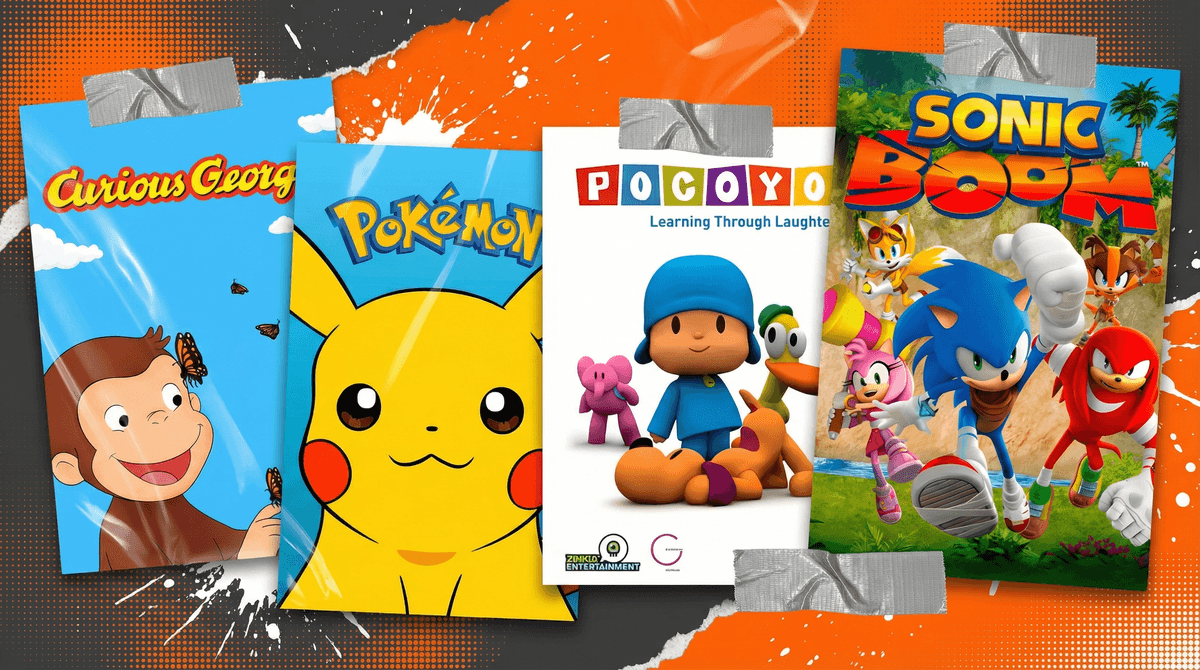
If you haven't stumbled across Tubi yet, here's the deal: it's a completely free streaming service with thousands of movies and shows—and yes, that includes a surprisingly decent kids' section. No subscription, no credit card, just ads. Think of it as the streaming equivalent of broadcast TV, but you can watch what you want when you want.
The catch? Well, there are ads (about 4-6 minutes per hour), the interface isn't as slick as Netflix, and the content library is... let's say eclectic. You'll find everything from beloved PBS classics to shows you've never heard of that look like they were animated on a Windows 95 computer.
But here's the thing: Tubi Kids mode is actually pretty solid. It's a separate, curated section with genuinely kid-appropriate content, and for families trying to cut streaming costs or looking for something beyond the usual Disney+/Netflix rotation, it's worth exploring.
First, let's talk about how to actually use this thing safely. Tubi has a Kids Mode that you absolutely should activate before handing over the remote. It creates a separate profile with only age-appropriate content and—crucially—removes the ability to search for or stumble into adult content.
To set it up: Profile icon → Settings → Create Kids Profile. Takes about 30 seconds and is non-negotiable if you're letting kids browse independently.
The ads are the elephant in the room. Unlike Netflix, your kids will see commercials—mostly for other Tubi shows, toys, and family-friendly products. Some parents hate this (fair), others figure it's no different than Saturday morning cartoons were for us. Just know what you're signing up for, and maybe have a conversation with your kids about how ads work and why we see them on free services.
Let me save you from scrolling through 47 pages of questionable content. Here's what's genuinely good:
For Preschoolers (Ages 2-5)
Curious George - The PBS classic is here in full force. George is still getting into trouble, the Man with the Yellow Hat is still inexplicably patient, and your kids will actually learn some problem-solving skills. It's wholesome without being saccharine.
Caillou - Look, I know Caillou has haters (the whining! the baldness! the permissive parents!), but some kids genuinely love it, and it's here if you're in that camp. No judgment... okay, maybe a little judgment.
Pocoyo - A Spanish import about a curious little boy and his animal friends. Minimal dialogue, bright colors, gentle lessons. It's like the international version of Teletubbies but actually watchable for adults.
For Early Elementary (Ages 5-8)
Sonic Boom - If your kid is into Sonic (and thanks to the movies, many are), this animated series is surprisingly funny. It's self-aware, the humor works for both kids and adults, and it's not just 22 minutes of product placement.
Slugterra - This one's a sleeper hit. It's about kids who live underground and have high-speed slug-shooting competitions. Sounds weird, is weird, but it's got actual story arcs, character development, and positive messages about teamwork. Think Pokémon meets westerns.
Rescue Heroes - Classic early 2000s action show about emergency responders. If your kid is into firefighters, rescue operations, or just helping people, this scratches that itch without being preachy.
For Tweens (Ages 8-12)
Bakugan - The anime about kids who battle with transforming creatures. Yes, it's designed to sell toys, but the storytelling is legitimately engaging, and if your kid is into Pokémon or Yu-Gi-Oh, they'll probably dig this.
Beyblade Burst - Another toy-based anime, but hear me out: the competition structure, character development, and animation quality are all solid. It's basically a sports anime for the elementary school set.
Monsuno - Part Pokémon, part monster battles, all action. It's got a darker edge than some kids' shows (actual stakes, some scary moments), so better for older elementary/middle school kids who can handle intensity.
Let's be real: not everything in Tubi Kids is worth your time.
The ultra-low-budget CGI shows - You'll know them when you see them. If the animation looks like it was rendered on a calculator, your kids might watch it, but their brains will turn to mush. There's free, and then there's "we spent $12 on this entire season."
The knock-off princess/superhero content - Tubi has a bunch of movies and shows that are clearly trying to ride the coattails of Disney/Marvel without the budget or talent. "The Princess and the Magic Castle" or "Super Squad Heroes" aren't going to cut it if your kid knows the real thing.
Anything that looks like YouTube content - Some of the shows feel like they were originally YouTube series that got uploaded to Tubi. The pacing is frenetic, the educational value is questionable, and honestly, if you wanted that experience, you'd just let them watch YouTube.
Here's what you're actually weighing: Tubi gives you legal, free, reasonably safe content with commercials. For some families, that's a godsend—especially if you're trying to reduce screen time spending or teach kids that not everything needs to be on-demand and ad-free.
For others, the ads are a dealbreaker, or the content selection doesn't compete with what your kids are used to on other platforms.
The middle ground? Use Tubi as a supplementary service. It's great for:
- Long car rides when you can download content (yes, Tubi has offline viewing)
- Kids who've exhausted their favorite shows on paid services
- Introducing kids to older content that isn't available elsewhere
- Teaching media literacy (talking about ads, production quality, etc.)
Tubi isn't going to replace Disney+ or Netflix in most households, but it doesn't need to. It's a solid free option with enough quality content to be worth adding to your streaming rotation—especially if you use Kids Mode and curate what your kids watch.
The best shows on Tubi Kids are genuinely good (Curious George, Sonic Boom, Slugterra), the worst are truly terrible, and there's a whole middle tier of "fine, whatever, it's free."
Pro tip: Spend 20 minutes browsing Kids Mode yourself and adding shows to your kids' favorites list. That way, they're choosing from pre-approved options rather than scrolling through everything. Think of it as the digital equivalent of bringing home library books—you're curating, not censoring.
And if your kids complain about the commercials? Well, welcome to how the rest of us grew up. Consider it a history lesson.
- Set up Tubi Kids Mode (seriously, do this first)
- Browse and add 5-10 shows to favorites based on your kids' ages
- Watch one episode of anything new together before letting them binge
- Have a conversation about ads and why some services are free
- Check out alternatives to Netflix for kids if you're exploring other streaming options