Bark Phone

Bark Phone

app

Everyone, 2022, Productivity

WISE
68%

WISE Score

4.2

App Store

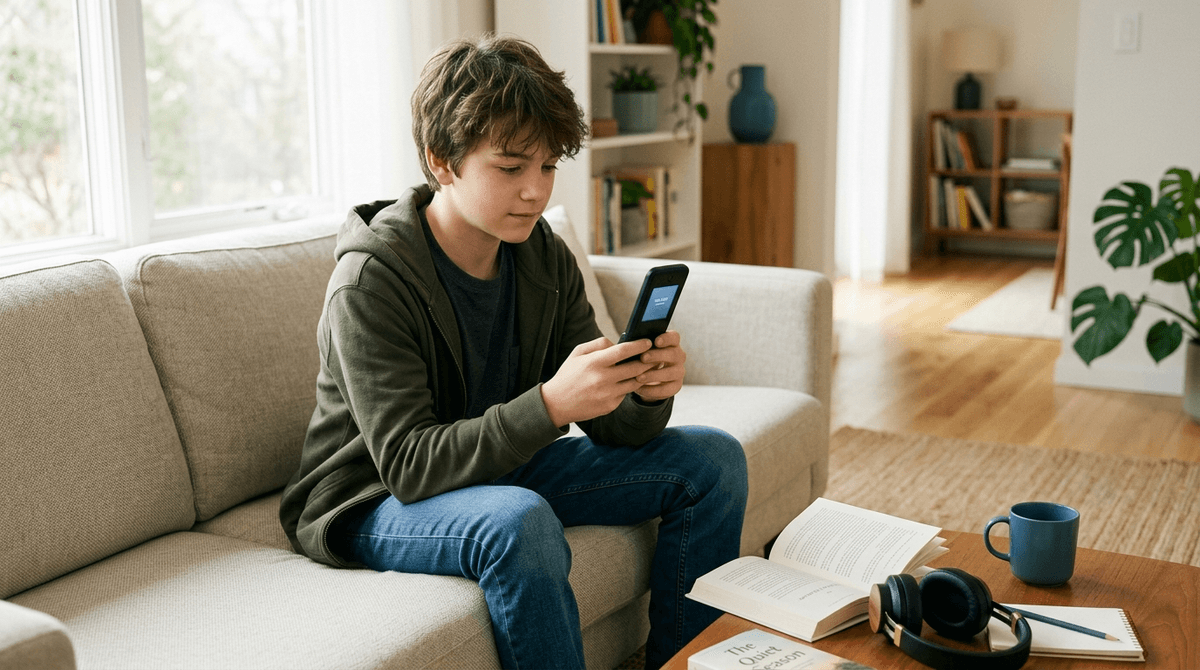
A comprehensive parental monitoring system that scans texts, apps, and browsing for danger signs—basically a digital safety net with training wheels.

Screenwise Verdict

Bark Phone is a solid tool for families navigating the terrifying transition to smartphone independence. It's not spyware—it's more like a smoke detector that alerts you to fires without recording every conversation in your house.

The monitoring is genuinely intelligent, scanning for patterns that matter (self-harm language, predator grooming tactics, severe bullying) rather than flagging every instance of teen drama. Location tracking and screen time controls round out a comprehensive safety package.

But here's the thing: this is a tool, not a parenting strategy. Used transparently as part of an ongoing conversation about digital citizenship, it can be great. Used as secret surveillance or a substitute for actual dialogue, it'll blow up in your face and destroy trust.

Parent reviews from 2025 are largely positive, especially for the 10-13 age range where kids need guardrails but not total lockdown. By 15-16, most kids should be earning more privacy, and you should be thinking about graduation plans.

It's not cheap (requires subscription), and it's definitely not necessary for every family. But if you're losing sleep over what your kid is encountering online, this gives you data to actually have informed conversations rather than just catastrophizing in the dark.

Age Fit

Best for ages 9-15, particularly kids getting their first smartphone or showing they need more structure around digital habits. By mid-high school, most families should be transitioning toward trust-based systems rather than active monitoring.

WISE Breakdown
Wholesome
75

Bark Phone is designed to foster healthy digital habits and family communication, with tools that encourage age-appropriate boundaries rather than total restriction. The monitoring features scan for serious concerns (cyberbullying, predators, self-harm) which supports emotional safety. However, the inherent surveillance dynamic can create trust tensions in families if not implemented thoughtfully.

Imaginative
35

This is a parental control and monitoring tool, not creative content. It doesn't inspire imagination or creative expression—it's purely functional. The screen time scheduling and web filtering features actually limit exploration rather than encourage it, though that's by design for safety.

Safe
82

Bark Phone itself is designed as a safety tool with robust monitoring of 30+ apps for dangerous content, location tracking, and web filtering. The app scans for cyberbullying, predators, adult content, and self-harm indicators. No ads or aggressive monetization targeting kids. Main safety consideration is the privacy trade-off and potential for parental overreach, but that's a family decision rather than an inherent product flaw.

Enriching
60

Bark Phone can teach kids digital citizenship and self-regulation when used as a conversation tool rather than pure surveillance. It provides parents data to have meaningful discussions about online behavior. However, it's not inherently enriching—the value depends entirely on how families use it. Heavy-handed monitoring without dialogue can undermine independence and critical thinking skills.

Parent Info
✓

Why It Might Be Great

  • Monitors 30+ apps for serious red flags like cyberbullying, predators, self-harm language, and adult content without requiring you to read every text
  • Alerts are intelligent—you get notified about concerning patterns, not every single emoji exchange
  • Screen time scheduling and location tracking help establish boundaries as kids transition to smartphone independence
  • Can be a conversation starter rather than pure surveillance if implemented transparently with your kid
  • Parent reviews from 2025 show families with 10-13 year olds find it strikes a good balance between safety and autonomy
⚠

What to Watch For

  • The trust conversation—springing this on a teen without discussion will backfire spectacularly
  • It's monitoring, not magic—kids who want to hide things will find workarounds, so don't get a false sense of total security
  • Requires a subscription (bundled with Allstate Identity Protection in this version)
  • Some parents report it can feel like overkill once kids demonstrate responsible digital behavior—know your exit strategy

Conversation Starters

  • "What apps or websites do you think I should be most concerned about, and why?"
  • "If you got an alert from a friend who seemed like they were in trouble online, what would you want to do?"
  • "How would you feel if you knew I could see your messages? What would make that feel fair vs. invasive?"
  • "What online rules do you think are reasonable for someone your age, and which ones seem overprotective?"

Deep Dive

The bridge to independence

The jump from a "dumb" device to a full-blown smartphone is usually where the wheels fall off. If you’ve spent any time looking at the Best Phone Alternatives for Tweens, you know the struggle: you want to be able to reach them, but you don't necessarily want them falling into a TikTok-induced trance at 2:00 AM. Bark Phone is essentially the bridge between those two worlds. It’s for the kid who is ready for a real device but hasn’t yet developed the judgment to handle the entire internet unassisted.

Filtering the noise

One thing that gets lost in the marketing is what the alerts actually feel like in practice. This isn't a play-by-play of their social life. You aren't going to get a notification because they told a sibling to "shut up." The algorithm is looking for intent. When it hits your inbox, it’s usually because the system detected a shift in tone—something that looks like grooming or a genuine mental health crisis.

That specificity is the only reason this doesn't become a full-time job for the parent. If it flagged every "lol" or slang term, you’d delete the app in three days. By focusing on the patterns rather than the individual words, it allows for a level of privacy that most other monitoring apps steamroll.

The "Allstate" ecosystem

The integration with Allstate Identity Protection is a very 2020s corporate mashup, but it makes sense if you’re already in that ecosystem. It treats digital safety like a utility—something you pay for monthly alongside your insurance and Wi-Fi. If you’re already a member, the "AIP" inclusion makes this a no-brainer compared to buying a standalone monitoring subscription.

Knowing when to let go

The biggest mistake is treating this as a permanent solution. Bark Phone is a set of training wheels. If your kid is 16 and you’re still scanning their DMs for "profanity," the tool isn't the problem. The goal should be to dial back the monitoring as they prove they can handle the responsibility.

Think of it as a spotter at the gym. You're there to make sure the weight doesn't crush them, but eventually, they have to lift it themselves. If you find yourself checking the dashboard every ten minutes, you're not using a safety tool; you're just hovering in high-definition. Use the data to start a conversation, then put the phone down.

Ask Anything

Get a personalized guide on any topic