

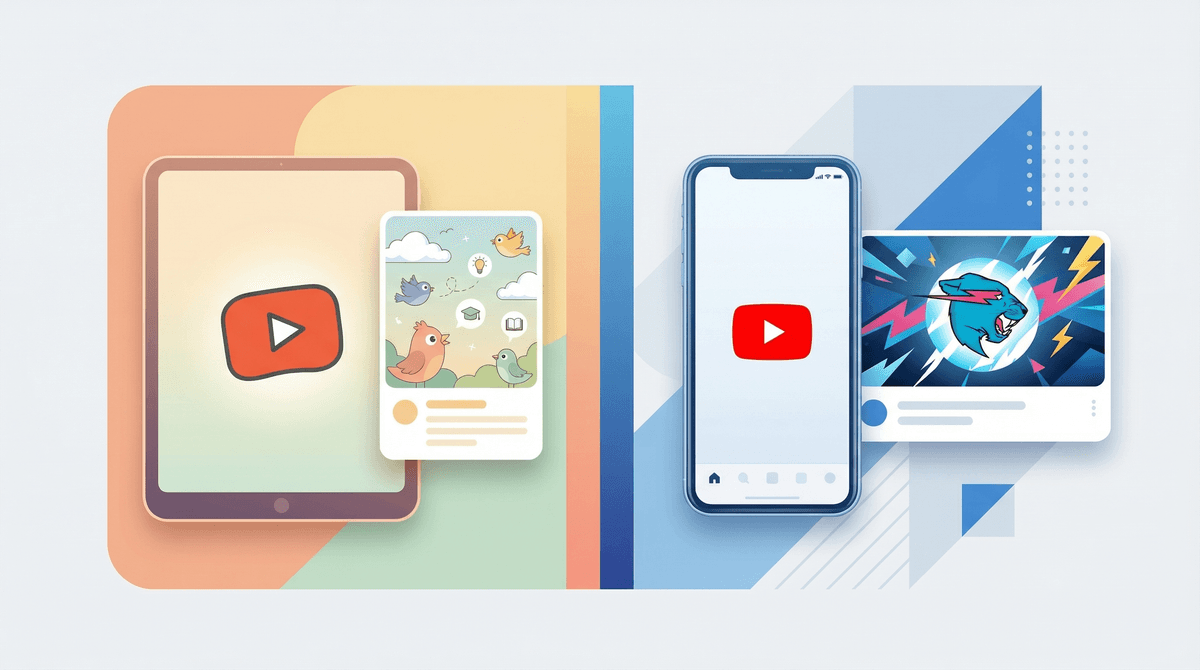
Let me start with the slightly annoying truth: both options are still YouTube, which means both involve algorithm-driven content that's designed to keep eyes glued to screens. But the differences between YouTube Kids and YouTube's supervised experience actually matter quite a bit.
YouTube Kids is a separate app with a heavily filtered content library. Think of it as YouTube's walled garden—only videos that have been approved (either by algorithms or human reviewers) for kids make it through. You get parental controls, no comments section, and content organized into categories like "Shows," "Music," "Learning," and "Gaming."
YouTube Supervised (sometimes called "supervised accounts") is regular YouTube but with training wheels. Your kid gets their own Google account that you manage, and you choose from three content settings: Explore (ages 9+), Explore More (ages 13+), or Most of YouTube (ages 13+). They're using the real YouTube interface, but with content restrictions and parental oversight.
Here's what's interesting from our community data: only 20% of families are using YouTube Kids, while 42% have kids using YouTube solo and another 38% are using some form of supervised access. That tells us something important—most families eventually graduate beyond YouTube Kids, whether intentionally or not.
The gap between these two options is bigger than you might think, and it's not just about content filtering.
YouTube Kids feels safe but can be limiting. Yes, you avoid the risk of your 6-year-old stumbling onto Squid Game conspiracy theories or makeup tutorials that are definitely not age-appropriate. But you also can't watch a lot of legitimately great educational content because it hasn't been approved for the Kids app. Want to watch Kurzgesagt videos about science? Not on YouTube Kids. Looking for a specific Minecraft tutorial? Might not be there either.
YouTube Supervised gives more freedom but requires more trust. Your kid gets access to a much wider library of content, can search more freely, and uses the interface they'll eventually use anyway. But "wider library" also means more opportunities to encounter content you wouldn't choose—whether that's MrBeast videos with questionable spending messages, gaming channels with casual swearing, or the endless rabbit hole of YouTube Shorts.
The real question isn't which one is "better"—it's which one matches your kid's age, maturity, and your family's capacity to stay involved.
Ages 4-7: YouTube Kids is probably your best bet
At this age, the limited content library is actually a feature, not a bug. Kids this young don't need infinite choice—they need consistent, truly age-appropriate content. Set up YouTube Kids with the "Preschool" or "Younger" content setting, and you can feel reasonably confident about walking away for 20 minutes.
Pro tip: Even with YouTube Kids, preview the channels your kid gravitates toward. Not all "kid-friendly" content is created equal, and some of those toy unboxing channels are basically 10-minute ads.
Ages 8-10: The transition zone
This is where it gets interesting. Some 8-year-olds are still perfectly happy with YouTube Kids, while others are already complaining that they can't find the Roblox creators their friends are watching or the Among Us animations everyone's talking about.
If your kid is pushing for "real YouTube," YouTube Supervised with the "Explore" setting (ages 9+) can be a good middle ground. But—and this is crucial—this only works if you're willing to check in regularly. Look at their watch history, talk about what they're watching, and be ready to have conversations about why certain content isn't okay for your family.
Ages 11+: Time to graduate (probably)
By middle school, most kids are using regular YouTube, whether through a supervised account or not. At this point, the question shifts from "which version of YouTube?" to "how do we talk about digital literacy, algorithm awareness, and content evaluation?"
Learn more about having these conversations with tweens and teens
Neither option is "set it and forget it." YouTube Kids has had issues with inappropriate content slipping through, and YouTube Supervised still relies heavily on your involvement. The algorithm doesn't care about your family's values—it cares about watch time.
The supervised experience requires a Google account for your kid. Some parents aren't ready for that step, and that's totally valid. Creating an account means your child enters Google's ecosystem, with all the data collection that entails.
YouTube Shorts is the wild card. Even with restrictions, Shorts can expose kids to rapid-fire content that's harder to monitor and can be genuinely addictive. You can disable Shorts in YouTube Kids, but supervised accounts have less control over this feature.
Watch history is your friend. Whichever option you choose, regularly reviewing what your kid watches isn't about being controlling—it's about staying connected to their digital world and catching problems early.
There's no universal "right answer" here, but there is a right answer for your specific kid at this specific moment.
Choose YouTube Kids if:
- Your child is under 8
- You want maximum content filtering
- You're okay with a more limited content library
- You need something that requires minimal ongoing monitoring
Choose YouTube Supervised if:
- Your child is 9+ and pushing for more content
- You're willing to stay actively involved
- Your kid needs access to specific educational or hobby content
- You're ready to use this as a teaching opportunity about digital literacy
The honest truth? Most families will use both at different stages, and that's completely fine. Start with YouTube Kids when they're young, transition to supervised access when they're ready (not just when they ask, but when they're actually ready), and keep the conversation going the whole time.
Wherever you are in this decision, here's what to do next:
-
If you're using YouTube Kids: Check your content settings (Preschool, Younger, or Older) and make sure they still match your child's age. Preview any new channels before they become favorites.
-
If you're considering the switch to supervised: Have a conversation with your kid first about why this is a privilege that comes with responsibility. Set clear expectations about what's okay to watch and what isn't.
-
Either way: Schedule a monthly "watch together" session where you sit down and watch a few videos from their recent history together. Make it fun, not interrogational.
Want to see how your family's YouTube usage compares to others in your community? Take the Screenwise survey to get personalized insights and recommendations based on real data from families like yours.